⚠️ Requires Beta APIs
A simple and customizable home system for Minecraft Bedrock Edition with an easy-to-use chest GUI.
/tag @s add tuff to use /homeconfig if not working on realms
Features
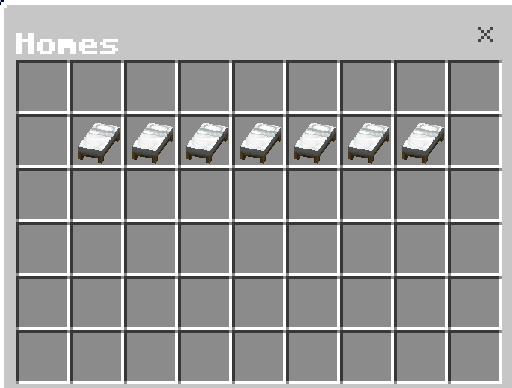
- 🏠 Up to 7 homes — Players can create, manage, and teleport to multiple homes.
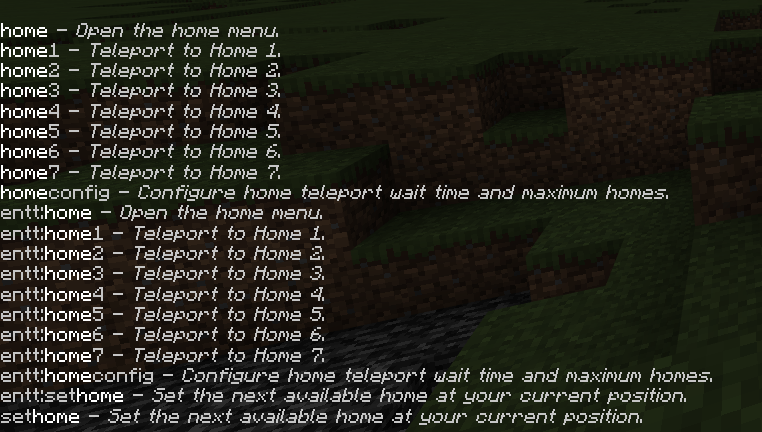
- ⚡ Quick teleport commands — Use
/home1through/home7to teleport directly to a saved home. - 📦 Chest-style Home GUI — Use
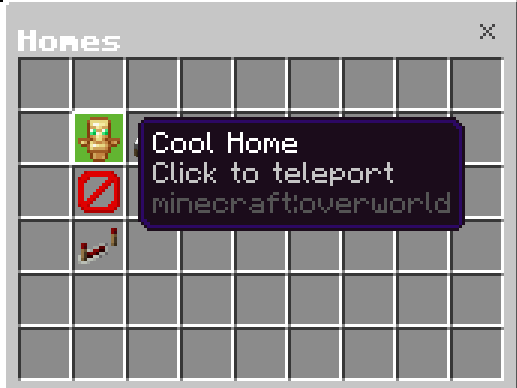
/hometo open the home menu. - ✏️ Custom home names — Give each home a custom name.
- 🖼️ Custom home icons — Choose from vanilla Minecraft items and blocks.
- 🔎 Icon search — Quickly search for an item to use as a home icon.
- ⏱️ Teleport countdown — Configurable teleport delay, with movement cancelling the teleport.
- ⚙️ Admin configuration —
/homeconfigallows authorized players to configure the teleport delay and maximum number of homes. - 👥 Flexible admin access — Operators and authorized tagged players can access the configuration.
- 🌎 Cross-dimension support — Homes can be saved and used across different dimensions.
Commands
/home — Open the Home menu/home1 – /home7 — Teleport directly to a home/sethome — Create a home/homeconfig — Configure the Home system
Default settings:
Teleport delay: 5 seconds
Maximum homes: 7
Quick facts
- Edition: Minecraft Bedrock
- File type: .mcpack or .mcaddon
- Minecraft version listed: 26.50
- How to install: Download the .mcpack or .mcaddon file. → Open it — Minecraft imports it. → In your world: Behavior Packs → Available → Activate, then the same under Resource Packs.
- Where to get it: Opens on CurseForge — not every file is mirrored on our own servers.
Install steps are the general flow for this file type — How to install Minecraft Bedrock addons & mods walks through it step by step.
/Home - home teleport system chest gui sethome is a free Minecraft Bedrock addon. Compatible with Minecraft 26.50. Downloaded 131 times (via CurseForge). Download it and open it directly in the game.