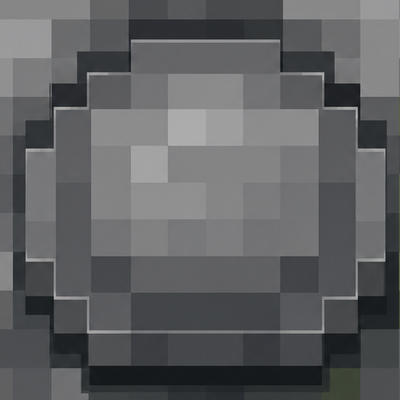
Button of creative
Bedrock add-on listed for Minecraft 1.21–26.x (behavior pack only). File opened and checked on 29 Sep 2026; installs from the MC Bedrock Mods app on Android.
Make survival much easier using this addon this let you go to creative using an button without turning off achievements
⬇ Download on CurseForge🟦 Button of Creative
Tired of opening menus just to switch between Survival and Creative? 😏
Button of Prank adds a simple little trick using something you already know and love — normal Minecraft buttons! 🔘
🎮 What does it do?
Operators can press a normal vanilla button to instantly switch between:
🟢 Survival → Creative
🔵 Creative → Survival
Press it again and switch back. Simple, fast, and satisfying. 😂
👑 World Owner Feature
The world owner gets a special extra feature too!
💀 Die and respawn → you receive a normal button
🚪 Leave the world and join again → you receive a normal button
Place it wherever you want, press it, and use it for your little gamemode prank. 😈
Only the world owner receives this special button. Other players won't randomly get one.
🔒 Operator Only
The gamemode button system is restricted to operators.
❌ Non-operators can't use it to change gamemode.
✅ Operators can use normal vanilla buttons.
👑 The world owner gets the additional respawn/rejoin button feature.
✨ Clean & Simple
No custom items.
No giant menus.
No annoying messages.
No custom UI.
No extra particles or addon sounds.
Just normal Minecraft buttons doing something a little more interesting. 🔘😏
🌈 Made for 1.21+
Designed for Minecraft Bedrock / MCPE 1.21+ and multiplayer worlds.
⚡ Lightweight
📱 Mobile friendly
👥 Multiplayer compatible
🧱 Uses vanilla buttons
🎮 Simple controls
😂 Perfect for harmless pranks
«Sometimes the funniest prank is just pressing a button. 🔘😂»
Button of Prank — Press it and see what happens. 👀
- Edition: Minecraft Bedrock
- File type: .mcpack or .mcaddon
- Minecraft versions listed: 1.21.51, 1.21.60, 26.12
- How to install: Download the .mcpack or .mcaddon file. → Open it — Minecraft imports it. → In your world: Behavior Packs → Available → Activate, then the same under Resource Packs.
- Where to get it: Opens on CurseForge — not every file is mirrored on our own servers.
Install steps are the general flow for this file type — How to install Minecraft Bedrock addons & mods walks through it step by step.
- Save it as Operator_Button_Toggle.mcaddon before opening — it downloads as .mcpack, but it is a .mcaddon pack
- Manifest requires Minecraft 1.21.0 or newer
- Complete pack — everything it depends on is inside the file
- Download size: 1.9 MB
- Download link checked 29 Sept 2026 — working
These come from our own check of the pack file, not from the source page.