Simple Shop for Servers
Bedrock add-on listed for Minecraft 1.21–26.x (behavior pack only). File opened and checked on 29 Sep 2026; installs from the MC Bedrock Mods app on Android.
Player chest shops with [SELL]/[BUY] signs and chestless admin sign shops with virtual stock - no command blocks.
⬇ Download on CurseForge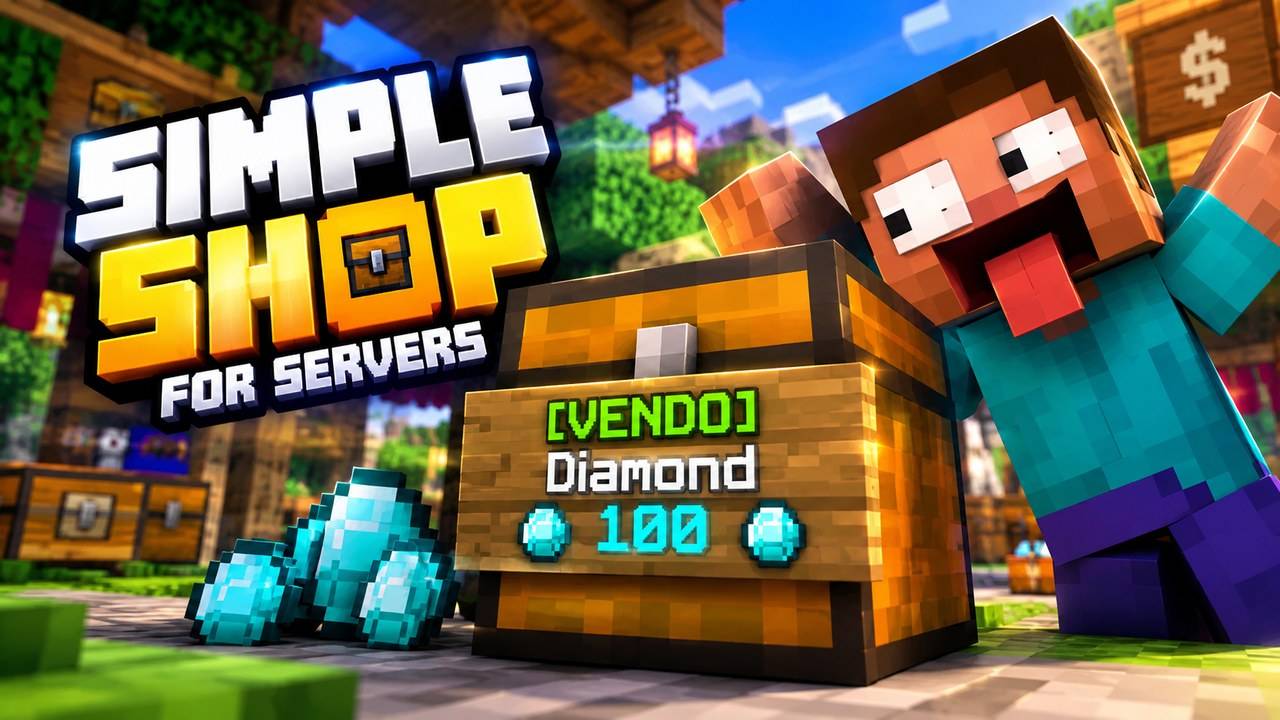
🇺🇸 ENGLISH (US)
Simple Shop for Servers is a lightweight shop add-on for Minecraft Bedrock servers, Realms and worlds. No command blocks, no NPCs, no complicated setup: players sell and buy using a sign on a chest, and admins create server shops on any sign, without a chest.
PLAYER CHEST SHOPS
• Place a chest (or barrel), attach a sign to it and write:
Line 1: [SELL] or [BUY] (Portuguese also works: [VENDO] / [COMPRO])
Line 2: the item id (e.g. diamond, iron_ingot, oak_log)
Line 3: the price per unit
• Or look at the sign holding the item and type: /ss:shop sell <price> or /ss:shop buy <price>
• [SELL] shops sell what is inside the chest. [BUY] shops buy items from other players into the chest, paid from the owner's balance.
• Clicking the sign opens a window with a quantity slider. The sign is rewritten with the item, price and owner, and waxed.
• Only the owner (and admins) can open or break the chest and the sign. Hoppers next to a shop chest are blocked and explosions don't destroy shops.
• Owners get paid even while offline (credited the next time they join).
• Limit of shops per player (default 10).
ADMIN SIGN SHOPS (NO CHEST)
• Look at any sign, hold the item and type: /ss:adminshop sell <price> [amount] [stock] (or "buy" for the server to buy from players).
• Click the sign = buy/sell one lot instantly. Sneak + click = choose how many lots (up to 64).
• Virtual stock: -1 (default) means infinite, or set a number. Custom names, lore and enchantments of the held item are kept.
• /ss:adminshop remove to delete it. /ss:shops opens a menu with every server shop and player shop (edit price, lot and stock, teleport, remove).
• Admins = server operators or players with the tag shop_admin.
MONEY
• Uses a scoreboard objective as money (default "money", created automatically). Change it in scripts/config.js to the one your server already uses (e.g. "coins").
CONFIGURATION (scripts/config.js)
• currencyObjective, currencyName, language ("en" or "pt"), adminTag, maxShopsPerPlayer, allowChestShops, allowAdminShops.
COMMANDS
• /ss:shophelp — how to use
• /ss:shop sell|buy <price> — create a chest shop
• /ss:adminshop sell|buy|remove [price] [amount] [stock] — admin sign shops
• /ss:shops — admin menu
Commands work without cheats.
REQUIREMENTS
• Minecraft Bedrock 1.21.80 or newer (tested on Bedrock Dedicated Server 1.26.51). Behavior pack only, no experiments needed.
HOW TO INSTALL
• Open the .mcaddon (or import it) and enable "Simple Shop for Servers" in your world's Behavior Packs. On a dedicated server, copy the pack folder to behavior_packs and add it to the world.
LICENSE
• All rights reserved. You may use it on your own worlds, Realms and servers (including public servers) and change config.js. You may not re-upload, redistribute, sell or share modified copies without permission. Please link to this page instead.
CREDITS
• Vibecoded by RoqueChan8649 using AIKO Terminal — https://project-aiko.com/
🇧🇷 PORTUGUÊS (BR)
Simple Shop for Servers é um addon de lojas leve para servidores, Realms e mundos de Minecraft Bedrock. Sem Command Blocks, sem NPCs, sem configuração complicada: os jogadores compram e vendem com uma placa num baú, e os admins criam lojas do servidor em qualquer placa, sem baú.
LOJAS DE JOGADORES (BAÚ)
• Coloque um baú (ou barril), grude uma placa nele e escreva:
Linha 1: [VENDO] ou [COMPRO] (em inglês também funciona: [SELL] / [BUY])
Linha 2: o ID do item (ex.: diamond, iron_ingot, oak_log)
Linha 3: o preço por unidade
• Ou olhe para a placa com o item na mão e digite: /ss:shop sell <preço> ou /ss:shop buy <preço>
• [VENDO] vende o que está dentro do baú. [COMPRO] compra itens de outros jogadores para dentro do baú, pagando com o saldo do dono.
• Clicar na placa abre uma janela com a quantidade. A placa é reescrita com o item, o preço e o dono, e encerada.
• Só o dono (e os admins) abre ou quebra o baú e a placa. Funil ao lado do baú da loja é bloqueado e explosões não destroem lojas.
• O dono recebe mesmo estando offline (o valor cai quando ele entrar de novo).
• Limite de lojas por jogador (padrão 10).
LOJAS DE ADMIN NA PLACA (SEM BAÚ)
• Olhe para qualquer placa, segure o item e digite: /ss:adminshop sell <preço> [quantidade] [estoque] (ou "buy" para o servidor comprar dos jogadores).
• Clicar na placa = compra/vende um lote na hora. Agachado + clique = escolhe quantos lotes (até 64).
• Estoque virtual: -1 (padrão) é infinito, ou defina um número. Nome, descrição e encantamentos do item na mão são mantidos.
• /ss:adminshop remove apaga a loja. /ss:shops abre um menu com todas as lojas do servidor e dos jogadores (editar preço, lote e estoque, teleportar, remover).
• Admins = operadores do servidor ou jogadores com a tag shop_admin.
DINHEIRO
• Usa um placar (scoreboard) como dinheiro (padrão "money", criado sozinho). Troque em scripts/config.js pelo que o seu servidor já usa (ex.: "coins").
CONFIGURAÇÃO (scripts/config.js)
• currencyObjective, currencyName, language ("en" ou "pt"), adminTag, maxShopsPerPlayer, allowChestShops, allowAdminShops.
COMANDOS
• /ss:shophelp — como usar
• /ss:shop sell|buy <preço> — cria loja de baú
• /ss:adminshop sell|buy|remove [preço] [quantidade] [estoque] — lojas de admin na placa
• /ss:shops — menu do admin
Os comandos funcionam sem cheats.
REQUISITOS
• Minecraft Bedrock 1.21.80 ou mais novo (testado no Bedrock Dedicated Server 1.26.51). Só behavior pack, não precisa de experimentos.
COMO INSTALAR
• Abra o .mcaddon (ou importe) e ative "Simple Shop for Servers" nos Pacotes de Comportamento do mundo. Em servidor dedicado, copie a pasta do pack para behavior_packs e adicione ao mundo.
LICENÇA
• Todos os direitos reservados. Pode usar nos seus mundos, Realms e servidores (inclusive públicos) e mudar o config.js. Não pode reenviar, redistribuir, vender ou compartilhar cópias modificadas sem permissão. Divulgue o link desta página.
CRÉDITOS
• Vibecoding por RoqueChan8649 usando o AIKO Terminal — https://project-aiko.com/
- Edition: Minecraft Bedrock
- File type: .mcpack or .mcaddon
- Minecraft versions listed: 26.20, 26.30, 26.40
- How to install: Download the .mcpack or .mcaddon file. → Open it — Minecraft imports it. → In your world: Behavior Packs → Available → Activate, then the same under Resource Packs.
- Where to get it: Opens on CurseForge — not every file is mirrored on our own servers.
Install steps are the general flow for this file type — How to install Minecraft Bedrock addons & mods walks through it step by step.
- Pack type: .mcaddon — behaviour and resource pack in one file
- Manifest requires Minecraft 1.21.80 or newer
- Complete pack — everything it depends on is inside the file
- Download size: 113 KB
- Download link checked 29 Sept 2026 — working
These come from our own check of the pack file, not from the source page.