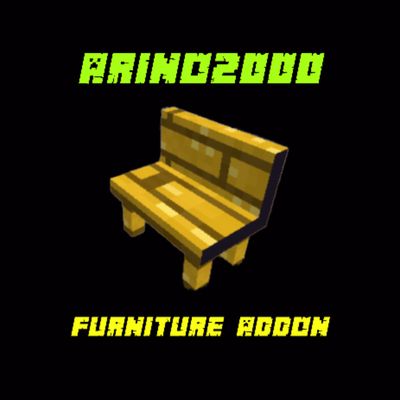
Arino2000ś FurnitureAddon
The author built this one for Minecraft 1.21.70. On other versions it may install and then do nothing.
🪑 arino2000's Furniture Addon
Bring your Minecraft Bedrock worlds to life with a modern furniture collection designed for decoration, interiors, and creative building!
"arino2000's Furniture Addon" adds a collection of decorative furniture and interior objects to Minecraft Bedrock Edition, giving players more ways to design houses, bedrooms, kitchens, living rooms, offices, cafés, shops, and other custom builds.
Whether you're building a modern house, a cozy survival base, a city, or a detailed roleplay map, this addon gives you more decorative options without changing the core Minecraft experience.
---
✨ Features
🪑 Furniture Collection
Add detailed furniture and decorative objects to your builds, including:
- 🛋️ Sofas and couches
- 🪑 Chairs
- 🛏️ Beds
- 🗄️ Cabinets and storage furniture
- 🧰 Tables and desks
- 📺 TV and entertainment furniture
- 🖥️ Computers and office decorations
- 🪴 Plants and decorative objects
- 💡 Lamps and lighting decorations
- 🍽️ Kitchen furniture
- 🧊 Refrigerators and kitchen appliances
- 🚿 Bathroom decorations
- 🏠 Interior decoration blocks
- 🛒 Shop and café decorations
- 📦 Additional decorative objects
The exact furniture selection may expand with future updates.
---
🎨 Designed for Building
The addon focuses on giving builders more freedom when creating detailed interiors.
Create:
- 🏡 Modern houses
- 🏢 Apartments
- 🏨 Hotels
- 🏫 Schools
- 🏥 Hospitals
- 🏬 Shops
- ☕ Cafés and restaurants
- 🏙️ Cities
- 🏢 Offices
- 🎮 Gaming rooms
- 🛏️ Bedrooms
- 🍳 Kitchens
- 🛋️ Living rooms
- 🎭 Roleplay environments
---
⚙️ Gameplay
"arino2000's Furniture Addon" is primarily a decorative addon.
The goal is to expand Minecraft's building and interior-design possibilities while keeping the normal Minecraft gameplay experience intact.
Furniture can be used to create detailed environments without requiring complicated building techniques or large numbers of vanilla blocks.
---
📦 Compatibility
Minecraft Edition: Bedrock Edition
Recommended Minecraft Version: 1.21.70+
Platform:
- Android
- iOS
- Windows
- Xbox
- PlayStation
- Other supported Minecraft Bedrock platforms
Compatibility may vary depending on the Minecraft version and platform.
---
🔧 Installation
1. Download the latest version of "arino2000's Furniture Addon".
2. Open the ".mcaddon" file with Minecraft.
3. Minecraft will import the required Behavior Pack and Resource Pack.
4. Create a new world or edit an existing world.
5. Open the world's Behavior Packs section.
6. Activate the furniture addon.
7. Open the Resource Packs section.
8. Activate the corresponding resource pack.
9. Enter the world and start decorating!
For the best experience, use the addon with the Minecraft version specified by the addon release.
---
🧱 Building & Decoration
Use the furniture pieces together with vanilla Minecraft blocks to create detailed interiors.
Combine different furniture styles, colors, materials, and layouts to create unique rooms and environments.
The addon is suitable for both:
Creative Mode
- Build large interiors quickly.
- Experiment with different furniture layouts.
- Create detailed maps and cities.
Survival Mode
- Decorate your survival base.
- Build realistic bedrooms, kitchens, living rooms, and storage areas.
- Create immersive houses and villages.
---
🎮 Roleplay Support
Furniture can also be used for roleplay maps and adventure worlds.
Create realistic environments such as:
- Homes
- Restaurants
- Hotels
- Offices
- Schools
- Hospitals
- Stores
- Apartments
- City buildings
This makes the addon especially useful for creators who build detailed Bedrock maps.
---
🚀 Performance
The addon is designed with decorative building in mind.
For large builds, performance may depend on:
- The number of furniture objects placed
- World size
- Render distance
- Device hardware
- Minecraft version
- Other installed addons
For mobile devices, avoid placing extremely large numbers of complex furniture objects in one small area if performance becomes an issue.
---
⚠️ Known Issues
Depending on the Minecraft version, some furniture may experience:
- Minor visual issues
- Collision differences
- Placement limitations
- Rendering differences
- Compatibility issues with other addons
Minecraft Bedrock updates can also change addon behavior.
If you encounter a problem, report it with:
Minecraft version + addon version + description of the issue + screenshot/video if possible.
---
🔄 Changelog
Version 1.0.0
- 🎉 Initial release
- 🪑 Added the first furniture collection
- 🏠 Added interior decoration objects
- 🎨 Added decorative building options
- 📦 Added Behavior Pack and Resource Pack
- ⚙️ Initial Minecraft Bedrock compatibility
Future Updates
Future versions may introduce:
- More furniture
- More decorative categories
- New furniture styles
- Improved models
- Improved textures
- Additional interactive furniture
- Better compatibility
- Performance improvements
- New building decorations
---
📜 License & Usage
Please respect the creator's rights when using this addon.
Do not redistribute modified or re-uploaded versions of the addon without permission.
When showcasing the addon in videos, posts, maps, or other projects, crediting arino2000 is appreciated.
---
❤️ Support the Project
If you enjoy "arino2000's Furniture Addon", consider:
⭐ Following the project
⭐ Leaving a review
⭐ Reporting bugs
⭐ Sharing screenshots of your builds
⭐ Suggesting furniture for future updates
Your feedback can help improve future versions of the addon.
---
🪑 Build Better. Decorate More. Create Your World.
arino2000's Furniture Addon — bringing more detail and creativity to Minecraft Bedrock interiors.
- Edition: Minecraft Bedrock
- File type: .mcpack or .mcaddon
- Minecraft version listed: 1.21.70
- How to install: Download the .mcpack or .mcaddon file. → Open it — Minecraft imports it. → In your world: Behavior Packs → Available → Activate, then the same under Resource Packs.
- Where to get it: Opens on CurseForge — not every file is mirrored on our own servers.
Install steps are the general flow for this file type — How to install Minecraft Bedrock addons & mods walks through it step by step.
- Pack type: .mcaddon — behaviour and resource pack in one file
- Manifest requires Minecraft 1.21.70 or newer
- Complete pack — everything it depends on is inside the file
- Download size: 144 KB
- Download link checked 29 Sept 2026 — working
These come from our own check of the pack file, not from the source page.