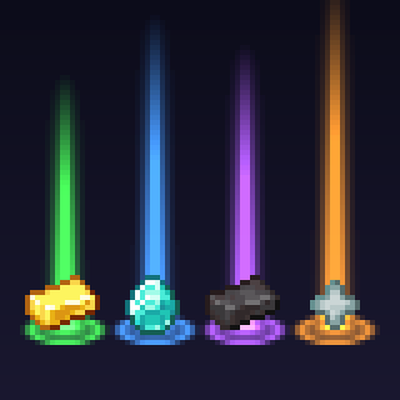
Loot Beams - Rarity Light Beams for Dropped Items
Bedrock add-on listed for Minecraft 1.21–26.x (behavior + resource pack). File opened and checked on 29 Sep 2026; installs from the MC Bedrock Mods app on Android.
Valuable drops glow with a soft beam coloured by value - green, blue, purple, orange - so you never lose loot again. No experiments needed.
⬇ Download on CurseForge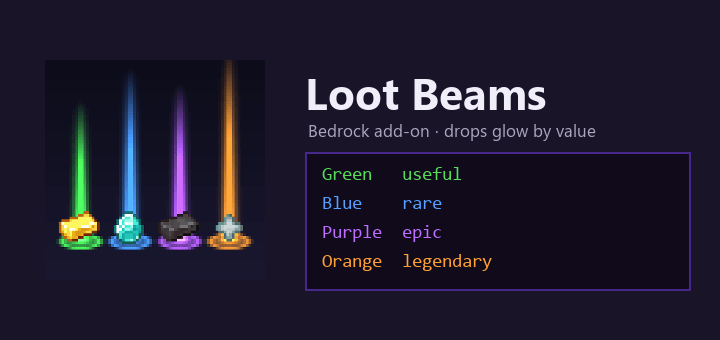
Valuable drops glow, so you never lose loot again.
Every valuable item on the ground gets a soft column of light and a glowing halo, coloured by how much it is worth - the way loot games do it:
- Green - useful: gold, ender pearls, saddles, name tags, music discs
- Blue - rare: diamonds, emeralds, golden apples, enchanted books, anything enchanted
- Purple - epic: netherite, totems, elytra, tridents, shulker boxes, the mace
- Orange - legendary: enchanted golden apples, nether stars, hearts of the sea, the dragon egg, beacons
Cobblestone, bones and rotten flesh get nothing, so a mob farm does not turn into a forest of light.
Turn it off when you want
Type /lootbeams to turn the beams off or on, just for you. No cheats needed.
No experiments needed
Uses only the stable Script API. No experiments to turn on.
Works where you play
Single player, Realms and servers with the add-on. Phone, tablet and Windows.
Items from other add-ons
They get a blue beam when they are enchanted. Bedrock's scripts cannot read an item's rarity, so other add-ons' rare items are not coloured on their own.
Also on Java
Loot Beams exists for Java Edition with the same tiers and colours.
Achievements
Like every add-on with a behavior pack installed outside the Marketplace, this one turns off achievements in the world you use it on (a Minecraft rule since 26.50, not something we can change). Try it in a separate world if you collect them.
Made by an indie dev with help from AI tools; the logic is tested on the official Bedrock Dedicated Server.
- Edition: Minecraft Bedrock
- File type: .mcpack or .mcaddon
- Minecraft versions listed: 26.40, 26.50
- How to install: Download the .mcpack or .mcaddon file. → Open it — Minecraft imports it. → In your world: Behavior Packs → Available → Activate, then the same under Resource Packs.
- Where to get it: Opens on CurseForge — not every file is mirrored on our own servers.
Install steps are the general flow for this file type — How to install Minecraft Bedrock addons & mods walks through it step by step.
- Pack type: .mcaddon — behaviour and resource pack in one file
- Manifest requires Minecraft 1.21.100 or newer
- Complete pack — everything it depends on is inside the file
- Download size: 34 KB
- Download link checked 29 Sept 2026 — working
These come from our own check of the pack file, not from the source page.