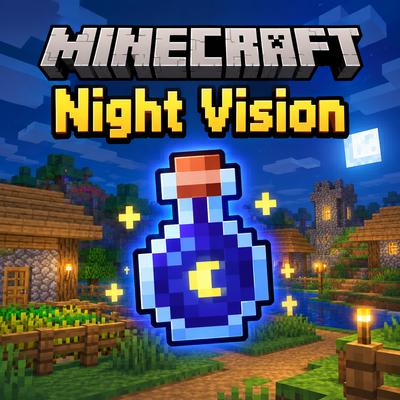
Night Vision (FullBright)
Bedrock add-on listed for Minecraft 26.x (behavior pack only). File opened and checked on 29 Sep 2026; installs from the MC Bedrock Mods app on Android.
Adds a simple Night Vision command to Minecraft Bedrock, allowing players to easily toggle night vision on and off with `/nv`.
⬇ Download on CurseForgeThe author built this one for Minecraft 26.50. On other versions it may install and then do nothing.
🌙 Night Vision
Night Vision is a simple and lightweight Minecraft Bedrock addon that makes exploring dark places much easier by giving players clear visibility in low-light environments.
Whether you're exploring caves, traveling at night, mining underground, or playing on a multiplayer server, this addon helps you see without constantly placing torches.
✨ Features
-
🌙 Night Vision — See clearly in dark areas and during nighttime.
-
⚡ Lightweight — Designed to have minimal impact on performance.
-
🎮 Easy to use — No complicated setup required.
-
⛏️ Great for mining — Explore caves and underground areas without constantly placing torches.
-
🌲 Useful at night — Better visibility when exploring the Overworld after sunset.
-
👥 Multiplayer friendly — Can be used on multiplayer worlds and servers.
-
🔧 Simple gameplay — Keeps the original Minecraft gameplay experience while improving visibility.
📜 Commands
The addon provides a simple command for controlling Night Vision:
/nv
Toggles Night Vision for the player.
Example:
/nv
Use the command again to toggle Night Vision off.
🎮 How to Use
-
Install the addon.
-
Activate the required behavior/resource pack in your world.
-
Enter the world.
-
Use:
/nv
-
Night Vision will be enabled.
-
Run
/nvagain when you want to disable it.
Note: Depending on your world/server configuration, you may need the required permissions to use commands.
🏠 Perfect For
Night Vision is especially useful for:
-
⛏️ Mining
-
🕳️ Cave exploration
-
🌙 Nighttime exploration
-
🏰 Large builds
-
🧭 Long-distance travel
-
🧟 Mob farms
-
🌊 Underwater exploration
-
🏗️ Building in dark areas
-
🌍 Survival worlds
-
👥 Multiplayer servers
🚀 Performance
This addon is designed to stay simple and lightweight.
It does not require large textures, complicated systems, or heavy gameplay mechanics. Its main purpose is to provide convenient visibility while keeping the Minecraft experience simple.
🔧 Compatibility
Minecraft Edition: Bedrock Edition
Platform: Windows, Android, iOS, Xbox, PlayStation, Nintendo Switch, and other supported Bedrock platforms.
Make sure your Minecraft version is compatible with the version listed in the CurseForge file.
📦 Installation
Download the addon from CurseForge and import the .mcaddon / .mcpack file into Minecraft.
After importing:
-
Open your world settings.
-
Go to Behavior Packs / Resource Packs if required.
-
Activate the addon.
-
Enter your world.
-
Use
/nv.
⚠️ Notes
-
Make sure commands are enabled if the addon requires them.
-
Multiplayer servers may require appropriate player permissions.
-
Compatibility can vary between Minecraft versions.
-
Always keep a backup of important worlds before installing new addons.
💡 Why Night Vision?
Minecraft's caves and nighttime environments can become very dark, especially when exploring large areas.
Night Vision provides a simple solution without requiring players to constantly place torches or carry large amounts of lighting materials.
Explore more. See further. Mine easier. 🌙⛏️
❤️ Support
If you enjoy the addon, consider leaving a rating or comment on CurseForge. Your feedback helps improve future updates!
If you encounter a bug, please report it with:
-
Minecraft version
-
Addon version
-
Device/platform
-
Steps to reproduce the issue
-
Any relevant error messages
📜 Credits
Addon: Night Vision
Author: alicrafty. (SimpleCode)
Platform: Minecraft Bedrock Edition
NOTE: alicrafty and SimpleCode are the same person and refer to the same author.
🌙 See the darkness differently.
- Edition: Minecraft Bedrock
- File type: .mcpack or .mcaddon
- Minecraft version listed: 26.50
- How to install: Download the .mcpack or .mcaddon file. → Open it — Minecraft imports it. → In your world: Behavior Packs → Available → Activate, then the same under Resource Packs.
- Where to get it: Opens on CurseForge — not every file is mirrored on our own servers.
Install steps are the general flow for this file type — How to install Minecraft Bedrock addons & mods walks through it step by step.
- Pack type: .mcpack — a single pack
- Manifest requires Minecraft 1.26.51 or newer
- Complete pack — everything it depends on is inside the file
- Download size: 73 KB
- Download link checked 29 Sept 2026 — working
These come from our own check of the pack file, not from the source page.