locks and traps
The author built this one for Minecraft 26.50. On other versions it may install and then do nothing.
Locks And Traps
Add craftable locks, keys, traps, and a live lockpicking minigame to Minecraft Bedrock. Protect supported storage and doors, give friends their own keys, or challenge players to pick a trapped lock. This adds a survival progression system for securing a base and creates new possibilities for multiplayer roleplay and treasure challenges.
Lock your storage and doors
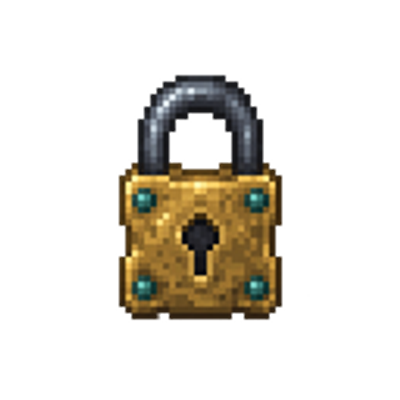
Use a Brass Lock on a supported target to claim it. A decorative padlock marks the locked target. The owner can use it normally, while unauthorized players are prevented from opening it or breaking it through normal player interactions. Sneak and use the target with an empty hand to open the owner's workbench.
Supported targets include chests, trapped chests, barrels, dispensers, droppers, hoppers, furnaces, blast furnaces, smokers, brewing stands, wooden shelves, chiseled bookshelves, wooden/iron/copper doors, chest boats and rafts, and chest minecarts. Vehicle locks travel with their vehicle. Locked doors give an authorized player a short passage before closing again.
Keys and upgrades
Cut a Blank Key at the workbench to bind it to one lock, then give it to a friend. Use the matching key on its target to validate access, then interact again within ten seconds. Rekeying invalidates old keys.
Upgrade from Apprentice to Journeyman using four iron ingots, then to Master using two diamonds. Higher grades add more pins and narrower picking angles. Locks, ownership, keys, upgrades, and traps persist when the world is saved and reloaded.
Skill-based lockpicking
Craft wood, copper, iron, or diamond lockpicks. All four can open every lock grade, but better materials offer more durability, more forgiving angles, and lower strain.
Hold a pick and use a locked target to begin. Look left or right to adjust the angle, then sneak to apply tension. Watch the turn and strain gauges: if the lock binds, release sneak, let the strain cool, adjust your angle, and try again. Release tension between pins. Jump, change items, move away, or take damage to cancel. Owners can practice on their own locks.
Successful picking leaves the target unlocked for everyone until its owner rearms it. Overstraining damages the pick and can activate a loaded trap, so careful timing matters.
Three trap types
- Poison Thorn: applies Poison I for seven seconds.
- Frost Snare: applies Slowness III and Weakness I for eight seconds.
- Alarm Seal: rings a bell and announces the intruder and coordinates to players within 32 blocks in the same dimension.
Each lock holds one trap charge, triggered by an unsafe overstrain. Iron picks safely disarm poison; diamond picks safely disarm all three types. A successful pick without overstraining leaves the trap charge loaded.
Getting started
- Import the .mcaddon file with Minecraft Bedrock.
- Activate both the Locks And Traps behavior pack and resource pack in your world's settings.
- Craft a Brass Lock with six iron ingots and one copper ingot, then use it on a barrel or another supported target.
- Sneak and use the locked target with an empty hand to manage keys, upgrades, and traps.
Version 1.2.0 targets Bedrock 26.50 or newer. No Beta APIs or experimental toggles are required. Crafting and normal gameplay do not require cheats. For a creative test world with cheats enabled, use /function locks_and_traps/kit for the items and /function locks_and_traps/targets for supported test targets.
Know the protection limits
These are gameplay locks, not a complete anti-grief system. Hoppers and other automation can still move items. Commands, pistons, other addons, and already-open inventory screens are not fully controlled. Players can follow someone through an authorized open door. Trapdoors and fence gates are not supported. Remove a lock through its workbench before breaking its target.
Version 1.2.0
Updated the four lockpicks, key, and three trap bottles with 16-by-16 item sprites. Existing gameplay, recipes, item IDs, pack identities, and saved locks are preserved.
An independent Bedrock addon by dakonblackrose. It is not an official port of, or affiliated with, the Java Locks mod.
- Edition: Minecraft Bedrock
- File type: .mcpack or .mcaddon
- Minecraft version listed: 26.50
- How to install: Download the .mcpack or .mcaddon file. → Open it — Minecraft imports it. → In your world: Behavior Packs → Available → Activate, then the same under Resource Packs.
- Where to get it: Opens on CurseForge — not every file is mirrored on our own servers.
Install steps are the general flow for this file type — How to install Minecraft Bedrock addons & mods walks through it step by step.
- Pack type: .mcaddon — behaviour and resource pack in one file
- Manifest requires Minecraft 1.26.50 or newer
- Complete pack — everything it depends on is inside the file
- Download size: 60 KB
- Download link checked 30 Sept 2026 — working
These come from our own check of the pack file, not from the source page.