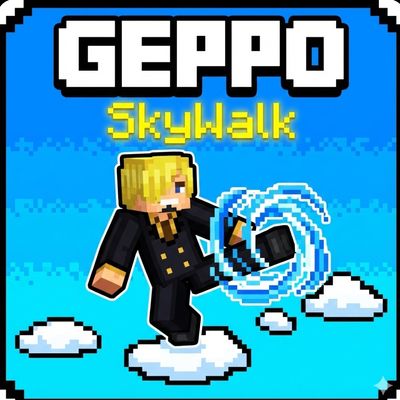
Geppo:Sky Walk
Geppo: Sky Walk brings the "Sky Walk" ability from OnePiece to Minecraft Bedrock! Jump on the air, reach high places, and save yourself from falling into…
⬇ Download on CurseForge
Geppo: Sky Walk — Beta
Geppo: Sky Walk is an addon that adds the Geppo ability inspired by One Piece, allowing you to jump and move through the air by pressing the jump button multiple times.
Geppo can be useful for PvP, combat, and exploration, and can also be used with the Mace or to dodge attacks and move around in the air.
⚡ Current Features
- 🦵 Jump multiple times while in the air.
- ✨ A custom particle effect that appears when using Geppo.
- 🔊 A sound effect inspired by the Geppo technique from One Piece.
- 🎮 A simple system that does not require any special item or tool.
🕹️ How to Use
After jumping from the ground, press the jump button again while in the air to perform Geppo.
You can keep pressing the jump button to perform consecutive jumps, with each press triggering another jump.
🚧 Future Development
This version is just the beginning of the addon. I have several features and improvements planned for future updates, including:
- ⚡ A Stamina System to limit the number of Geppo uses.
- 📊 A Stamina Bar UI to show your remaining energy.
- 🦵 A custom animation for Geppo.
- 💨 Smoother movement and better control while using the ability.
- ✨ Improved and more detailed visual effects.
- 🔊 Improved sounds and effects when performing Geppo.
- 🌀 Additional aerial abilities and movements with a similar style.
- ⚔️ Improvements to make the system more useful for PvP and combat.
- And more features and improvements as development continues.
📱 Compatibility
Minecraft Bedrock 1.21+
- Does not require Experimental Features in this version.
- ⚠️ Achievements are not supported.
💬 Notes
This is a Beta version and the addon is still being developed, so you may encounter some issues or things that need improvement.
If you try the addon, feel free to share your thoughts, report any problems you encounter, or suggest features you would like to see in future updates.
🌐 My Socials
YouTube:https://youtube.com/@keynotsm?si=LOZLHDnVufVrx5Hd
TikTok:https://www.tiktok.com/@keynotsm?_r=1&_t=ZS-99Iszjmy0Hs
Telegram:@BlockWaveDev
- Edition: Minecraft Bedrock
- File type: .mcpack or .mcaddon
- Minecraft versions listed: 1.21, 26.0, 26.50
- How to install: Download the .mcpack or .mcaddon file. → Open it — Minecraft imports it. → In your world: Behavior Packs → Available → Activate, then the same under Resource Packs.
- Where to get it: Opens on CurseForge — not every file is mirrored on our own servers.
Install steps are the general flow for this file type — How to install Minecraft Bedrock addons & mods walks through it step by step.
- Pack type: .mcaddon — behaviour and resource pack in one file
- Manifest requires Minecraft 1.21.0 or newer
- Complete pack — everything it depends on is inside the file
- Download size: 962 KB
- Download link checked 30 Sept 2026 — working
These come from our own check of the pack file, not from the source page.