
Streamer Simulator addon
Bedrock add-on listed for Minecraft 1.21–26.x (behavior + resource pack). File opened and checked on 1 Oct 2026; installs from the MC Bedrock Mods app on Android.
StreamerSimulator turns Minecraft survival into a fun live stream simulation! Watch your chat react in real-time, hit donation goals, and manage your…
⬇ Download on CurseForgeThe author built this one for Minecraft 26.40. On other versions it may install and then do nothing.
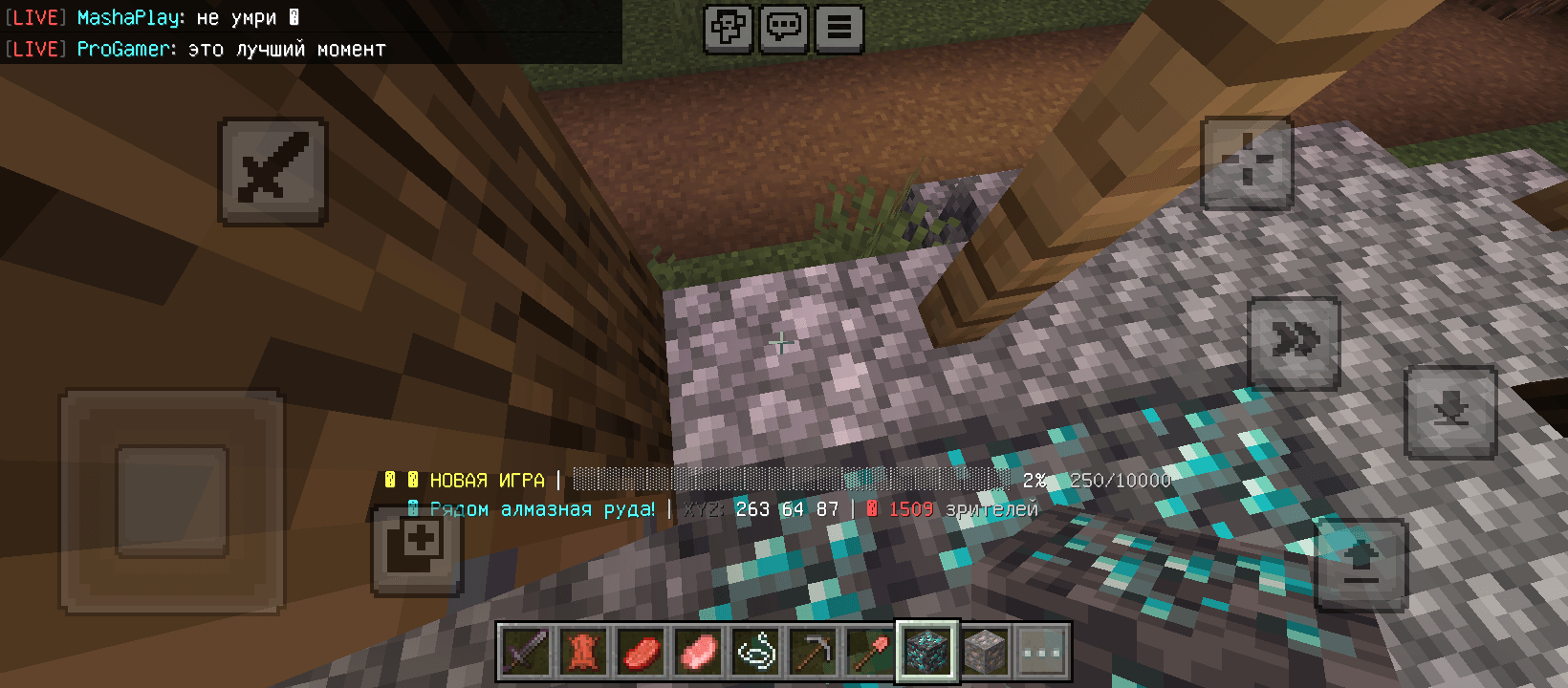
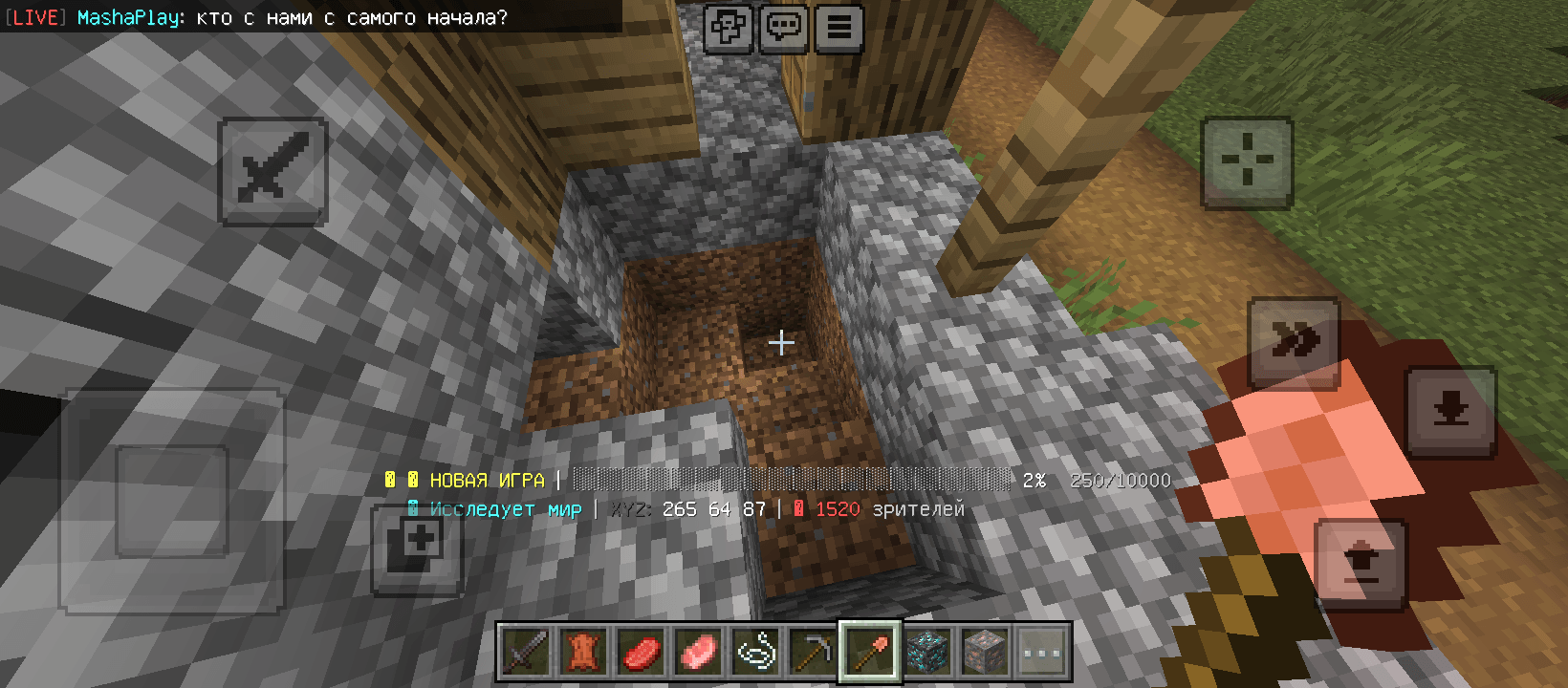
# 🎬 StreamerSimulator
**StreamerSimulator** is a unique addon that transforms your ordinary single-player survival into a full-blown popular streamer simulation! You are no longer alone in your world—thousands of virtual viewers are watching your every move. Face survival challenges, keep your viewer count high, and become the biggest star in Minecraft!
---
### 🚀 Key Features
* **Live In-Game Chat:** A dynamic chat appears on the side of your screen. Virtual viewers instantly react to everything you do—cheering for found diamonds, trolling you for silly deaths, and giving "helpful" advice.
* **Donation Goals:** Set up your stream goals! The donation bar fills up in real-time as viewers support you with coins for pulling off cool tricks, defeating bosses, or completing challenges.
* **Dynamic Viewer Count:** Your sub and viewer count changes constantly based on your gameplay. Hosting an epic battle in the Nether? The viewer count skyrockets! Mining cobblestone for hours? Viewers will get bored and start leaving the stream.
---
### 🛠 How to Play
1. **Install** the addon and launch any world in survival mode.
2. **The streamer interface** (chat, viewer count, and donations) will automatically appear on your screen.
3. **Survive and entertain!** Keep an eye on your donation goals and chat reactions—they will make your gameplay unforgettable.
---
### 📝 Author's Note
**StreamerSimulator** was created to breathe new life into classic survival and add an interactive, humorous twist to the game. It is perfect for anyone who wants to feel like a top influencer without needing to start a real live stream.
*If you have suggestions for new chat messages, special donation events, or random features—feel free to l
eave a comment! Have fun!*
- Edition: Minecraft Bedrock
- File type: .mcpack or .mcaddon
- Minecraft version listed: 26.40
- How to install: Download the .mcpack or .mcaddon file. → Open it — Minecraft imports it. → In your world: Behavior Packs → Available → Activate, then the same under Resource Packs.
- Where to get it: Opens on CurseForge — not every file is mirrored on our own servers.
Install steps are the general flow for this file type — How to install Minecraft Bedrock addons & mods walks through it step by step.
- Pack type: .mcaddon — behaviour and resource pack in one file
- Manifest requires Minecraft 1.21.0 or newer
- Complete pack — everything it depends on is inside the file
- Download size: 5 KB
- Download link checked 1 Oct 2026 — working
These come from our own check of the pack file, not from the source page.