
# BspImport
Builds Counter-Strike 1.6 and Source 1 maps out of Minecraft blocks.
Drop a `.bsp` file into the plugin folder, stand in an empty world, run `/bsp import `, and the map is built around you: walls, floors, stairs, ladders, water, doors, glass, fences, props and lights.
| CS 1.6 (GoldSrc) | Source |
| --- | --- |
| [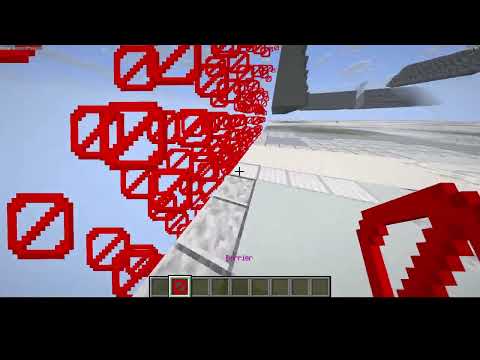](https://www.youtube.com/watch?v=IT6ONVaogBU) | [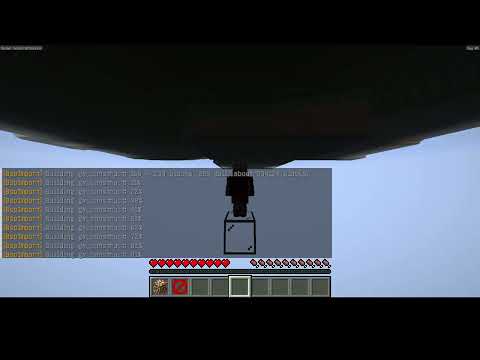](https://www.youtube.com/watch?v=91sLvlXdp-M) |
## Supported maps
- **GoldSrc** (BSP v30): Counter-Strike 1.6, Half-Life, Day of Defeat and other GoldSrc mods.
- **Source 1** (VBSP v19 to v29): CS:S, CS:GO, HL2, Garry's Mod, Left 4 Dead 2 and other Source games with the standard lump layout.
Source 2 maps are not supported.
## What it builds
- **Brushes** become full blocks, slabs and stairs, depending on how much of each block the wall fills.
- **Textures** pick blocks by name and color. Glass becomes glass and panes, grates and railings become iron bars, trees become leaves. With `patterns` on, tile grout, stripes and signs show up on walls.
- **Doors** become Minecraft doors that open by hand.
- **Props** (Source) are built from the game's own models; small ones become scaled block displays.
- **Lights** become invisible light blocks, so rooms are lit where the map lights them.
- **Terrain**: Source displacements become ground.
- **Spawns** are saved, and you're teleported to one when the build finishes.
- `/bsp undo` puts back whatever was there before the import.
## Requirements
- Paper 26.3 or newer, Java 25.
- The maps themselves. **BspImport ships no game content.**
- CS 1.6 texture colors need the game's `.wad` files. Source props, doors and patterns need the game's VPKs (read directly, nothing to extract).
## Quick start
1. Put the jar in `plugins/` and start the server once.
2. Put `.bsp` files in `plugins/BspImport/maps/` (and `.wad` files in `plugins/BspImport/wads/` for CS 1.6).
3. Make an empty world with the built-in void generator: `/mv create maps normal -g BspImport`
4. Stand in it and run `/bsp import `.
## Commands (permission `bspimport.use`, ops by default)
| Command | What it does |
| --- | --- |
| `/bsp list` | Maps in the maps folder |
| `/bsp info ` | Size, textures, spawns, before building |
| `/bsp import [scale]` | Build the map centered on you |
| `/bsp undo` | Take the last import back out |
| `/bsp cancel` | Stop a build in progress |
| `/bsp reload` | Reload config and WADs |
`scale` is map units per block (default 32: a player is 2.25 blocks tall, a standard door 2 blocks wide).
Full docs, config reference and source: https://github.com/Melocet/BspImport
Quick facts
- Edition: Minecraft Java
- File type: .jar
- Minecraft versions listed: 26.1, 26.1.1, 26.1.2
- How to install: Install the matching mod loader (Forge, Fabric or NeoForge) for your Minecraft version. → Download the .jar. → Put it in the .minecraft/mods folder and launch that loader profile.
- Where to get it: Opens on Hangar — not every file is mirrored on our own servers.
Install steps are the general flow for this file type — How to install Minecraft Java mods & modpacks walks through it step by step.
BspImport is a free Minecraft Java mod. Compatible with Minecraft 26.1, 26.1.1, 26.1.2, 26.2 and newer. Downloaded 1 times (via Hangar). Download it and open it directly in the game.