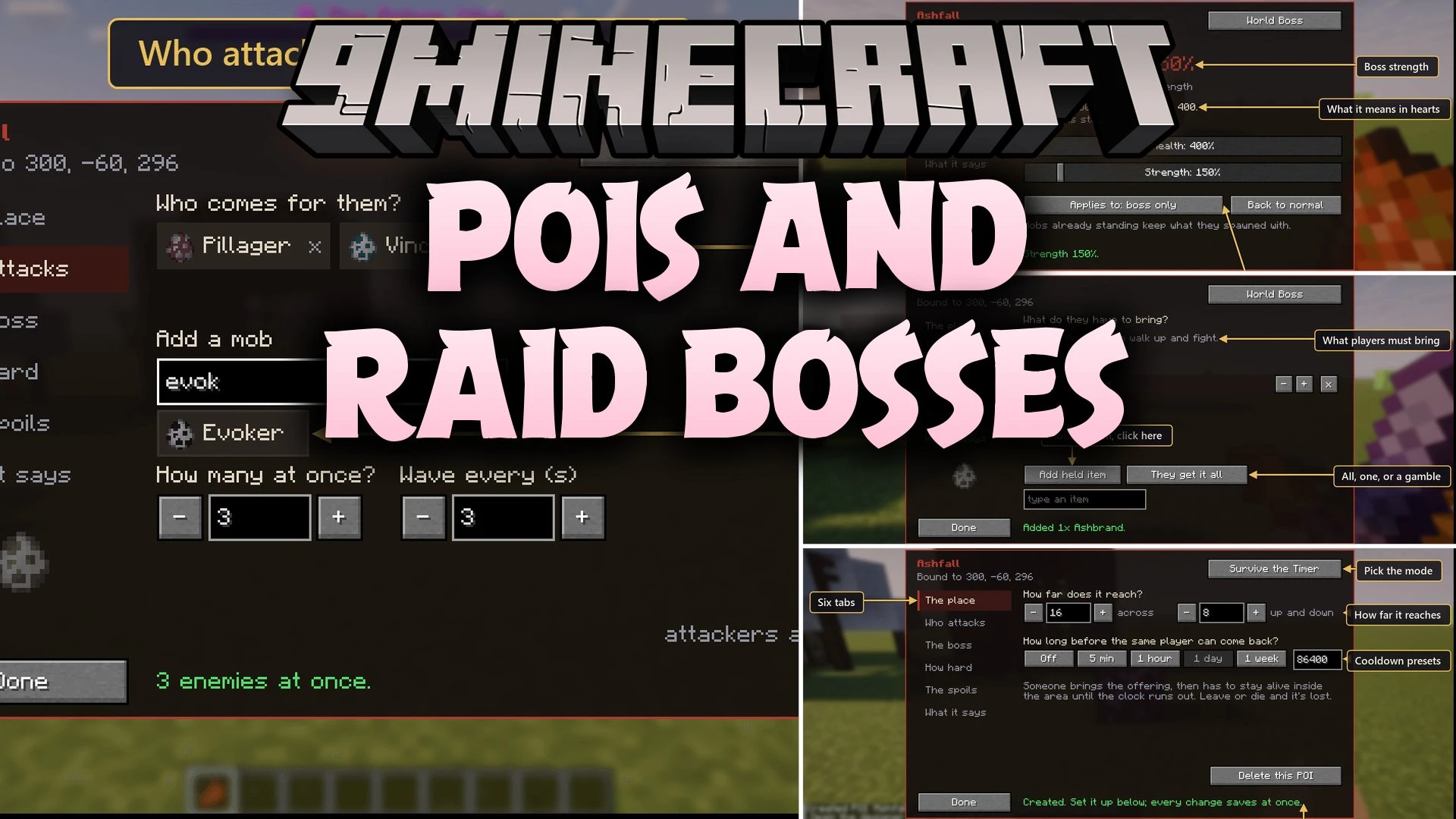


POIs and Raid Bosses Mod lets you turn any block in your world into a custom raid arena or boss battle zone. Players right-click a chosen block, hand over sacrifice items, and start timed horde fights or dangerous monster battles. You can set up custom rewards, adjust mob stats, and build world bosses that patrol the land using an easy in-game menu.
Features:
- In-Game Designer: Set up custom battle blocks on the spot with a visual screen that lets you pick enemies, timers, costs, and prizes.
- Four Battle Modes: Choose between timed survival waves, summoned boss fights, guarded territory, or roaming world bosses.
- Stat Sliders: Multiply boss health and attack power from 50% to 1000% to fit your world’s difficulty.
- Works with any mob from vanilla Minecraft or any other installed mod.
- Protects Point of Interest blocks from breaking by tools or explosions.
- Allows custom item offerings with preserved enchantments, custom names, and data.
- Includes customizable win and fail rules, such as rewarding the final hit or failing when a player leaves the arena.
- Broadcasts server-wide alerts when world bosses appear or get defeated.
Game Modes:
- Survive the Timer: Drain a red time bar while fighting waves of monsters without leaving the zone.
- Summoned Boss: Watch a boss crawl out of the ground after a warning countdown, supported by constant minion waves.
- Guarded Ground: Place a boss and its guards that stay in the area and respawn on a set cooldown after defeat.
- World Boss: Create a boss that stays in the world until a slayer claims the prize, announcing its rise and fall to the entire server.
Commands:
/poi new <name>: Binds a Point of Interest to your target block and opens the designer./poi edit [name]: Opens the designer menu for a targeted block, a named Point of Interest, or the full list./poi respawn <name>: Clears a living guardian or world boss and spawns a fresh one./poi list: Shows all active battle points./poi info <name>: Displays details about a specific battle point./poi delete <name>: Removes a Point of Interest./poi set <name> mode timer|boss|guard|worldboss: Changes the game mode for the selected point./poi set <name> difficulty health|strength: Sets the health or attack damage multiplier percentage./poi set <name> difficulty minions on|off: Toggles whether difficulty multipliers also apply to minion mobs.
How to Use:
- Look at any block you want to turn into a Point of Interest.
- Type
/poi new <name>in the chat to link the block and open the designer screen. - Choose your battle mode, add spawn mobs, set boss stats, and select the item cost and prize.
- Sneak and right-click the block at any time as an operator to edit the settings.
- Have players interact with the block to start the battle.
Screenshots:

POIs and Raid Bosses Mod Download Links
Quick facts
- Edition: Minecraft Java
- File type: .jar
- Minecraft version listed: 1.21.1
- How to install: Install the matching mod loader (Forge, Fabric or NeoForge) for your Minecraft version. → Download the .jar. → Put it in the .minecraft/mods folder and launch that loader profile.
- Where to get it: In MC Java Mods, or directly above on this page.
Install steps are the general flow for this file type — How to install Minecraft Java mods & modpacks walks through it step by step.
Verified by MCModsHub
- Downloads as 519997.mcaddon
- Download size: 60 KB
- Download link checked 2 Oct 2026 — working
- Mirrored on our own servers — the download does not depend on the original host
These come from our own check of the pack file, not from the source page.