
Palladium Stands
Java mod listed for Minecraft 1.20. Downloads from the MC Java Mods app on Android.
Adds suit stands for displaying your suits and superhero costumes: every dye color, wood, glass, obsidian and hologram. Name one with a name tag and it…
⬇ Download on Modrinth


Palladium Stands is a small addon for Palladium that adds more Suit Stands.
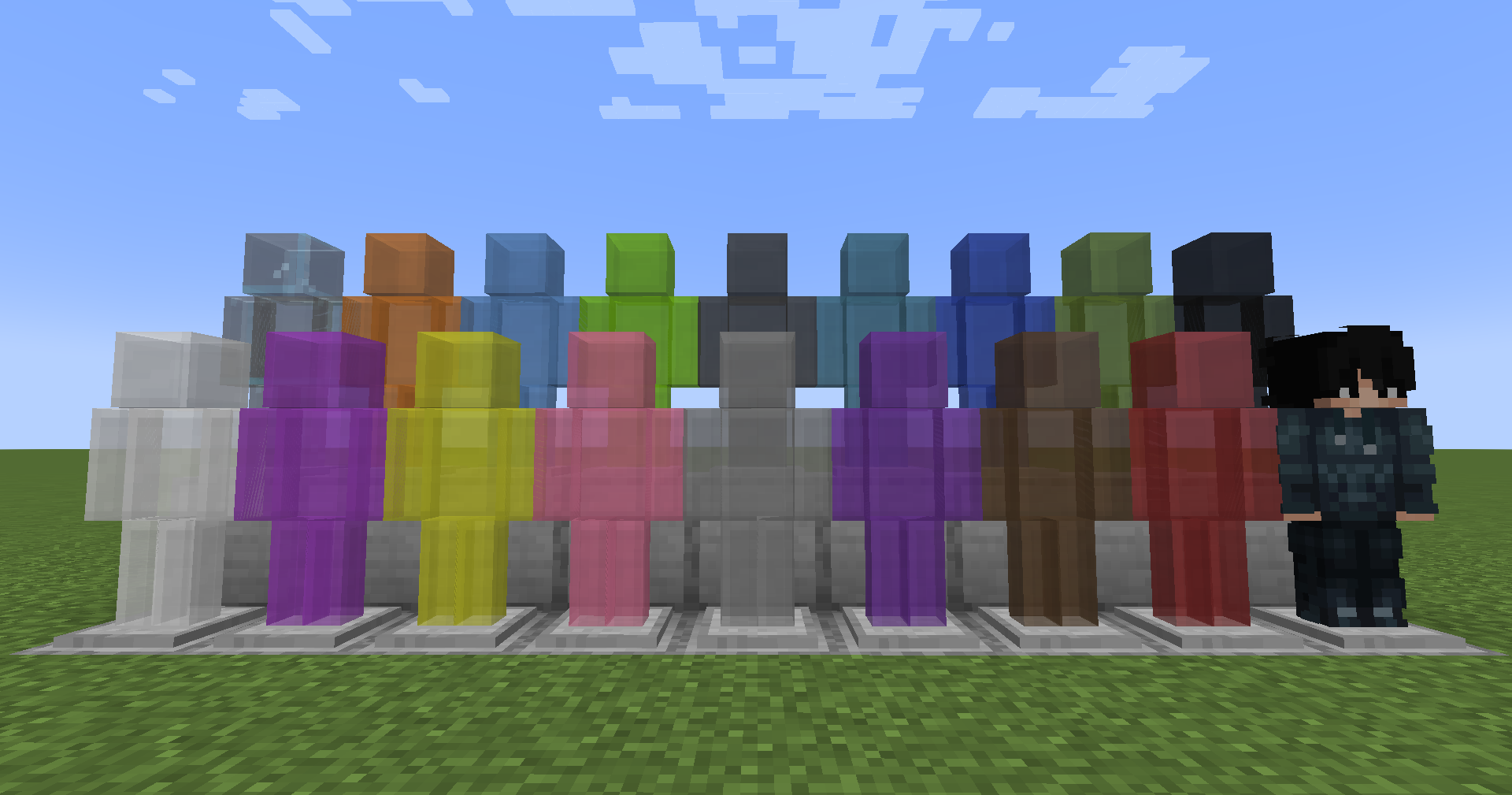
Palladium comes with a single White Suit Stand. This addon gives you all 16 Minecraft dye colors, plus wood, glass, obsidian and hologram stands, a screen for setting each one up, and a turntable to show them off on.
Features
- All 16 Minecraft dye colors
- 6 wooden stands: Oak, Spruce, Birch, Jungle, Acacia and Dark Oak
- An Obsidian stand that cannot be broken
- A Hologram stand that is see-through, glows in the dark, and builds itself up when you place it
- Clear glass and all 16 stained glass colors
- Right-click a stand with an empty hand to open it: four armor slots, both hands, and switches to hide the stand or its base
- Put a name tag on a stand and it wears that player's skin
- A Turntable block that slowly turns any stand placed on it. Right-click it with any block to give it that block's look, or crouch and right-click to set the speed and direction
- Any stand turns into any other one with a dye, planks, glass, obsidian or glowstone dust
- Three creative tabs: Colors, Materials and Glass
Available Colors
White, Orange, Magenta, Light Blue, Yellow, Lime, Pink, Gray, Light Gray, Cyan, Purple, Blue, Brown, Green, Red and Black.
Requirements
- Minecraft 1.20.1
- Forge
- Palladium 4.5+
Palladium is required.
Credits
Palladium Stands Made by Shady and Robotic
Made for use with the Palladium mod.

- Edition: Minecraft Java
- File type: .jar
- Minecraft version listed: 1.20.1
- How to install: Install the matching mod loader (Forge, Fabric or NeoForge) for your Minecraft version. → Download the .jar. → Put it in the .minecraft/mods folder and launch that loader profile.
- Where to get it: Opens on Modrinth — not every file is mirrored on our own servers.
Install steps are the general flow for this file type — How to install Minecraft Java mods & modpacks walks through it step by step.
- Ships as palladiumstands1.2.0.jar — drop this file into the mods folder
- Download size: 1.9 MB
- Download link checked 2 Oct 2026 — working
These come from our own check of the pack file, not from the source page.