NextCam
Bedrock add-on listed for Minecraft 26.x. Download on the author's site.
Adds a configurable right-shoulder camera with first-person switching, automatic obstacle detection, and customizable crosshair settings.
⬇ Download on CurseForge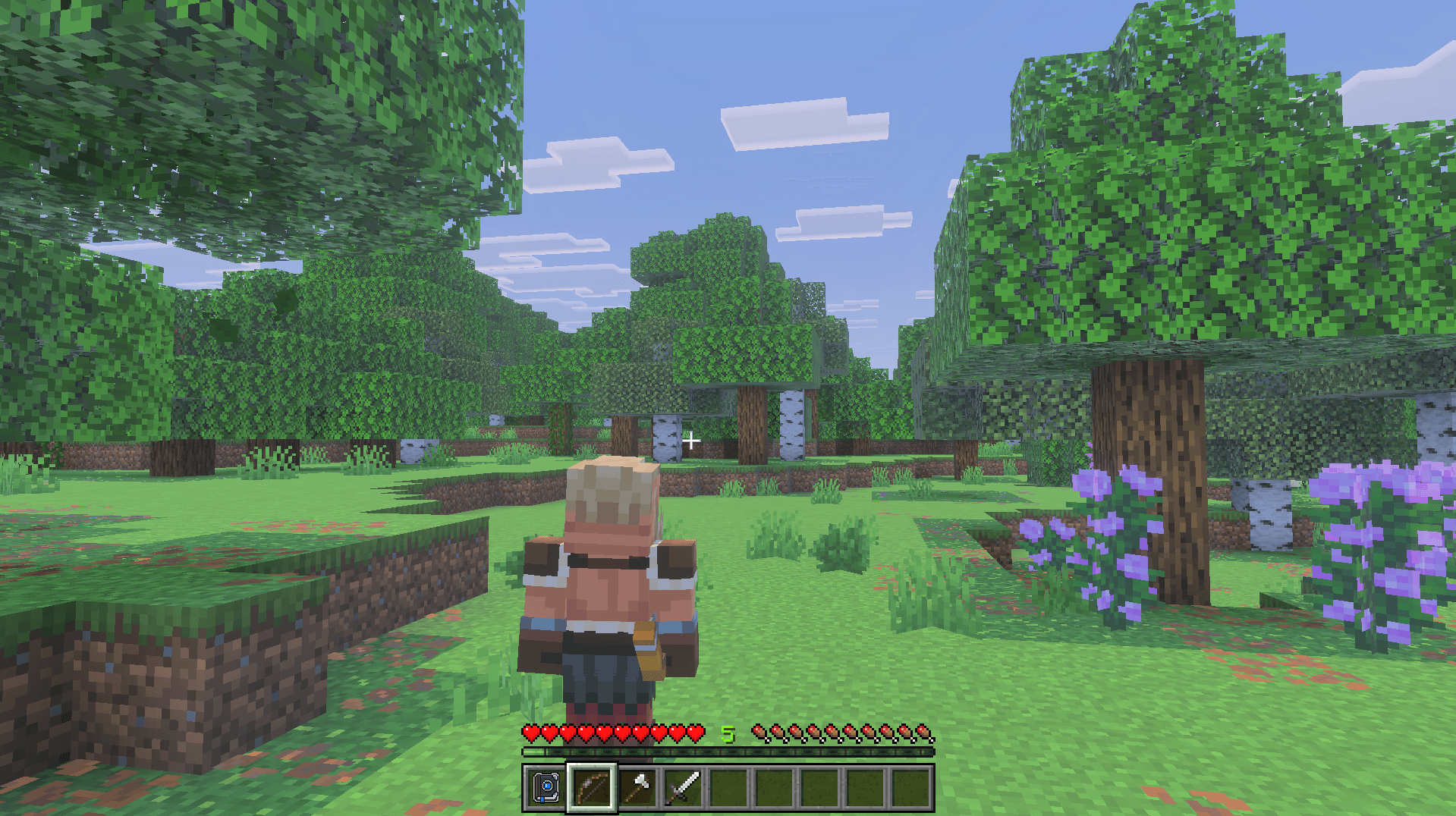
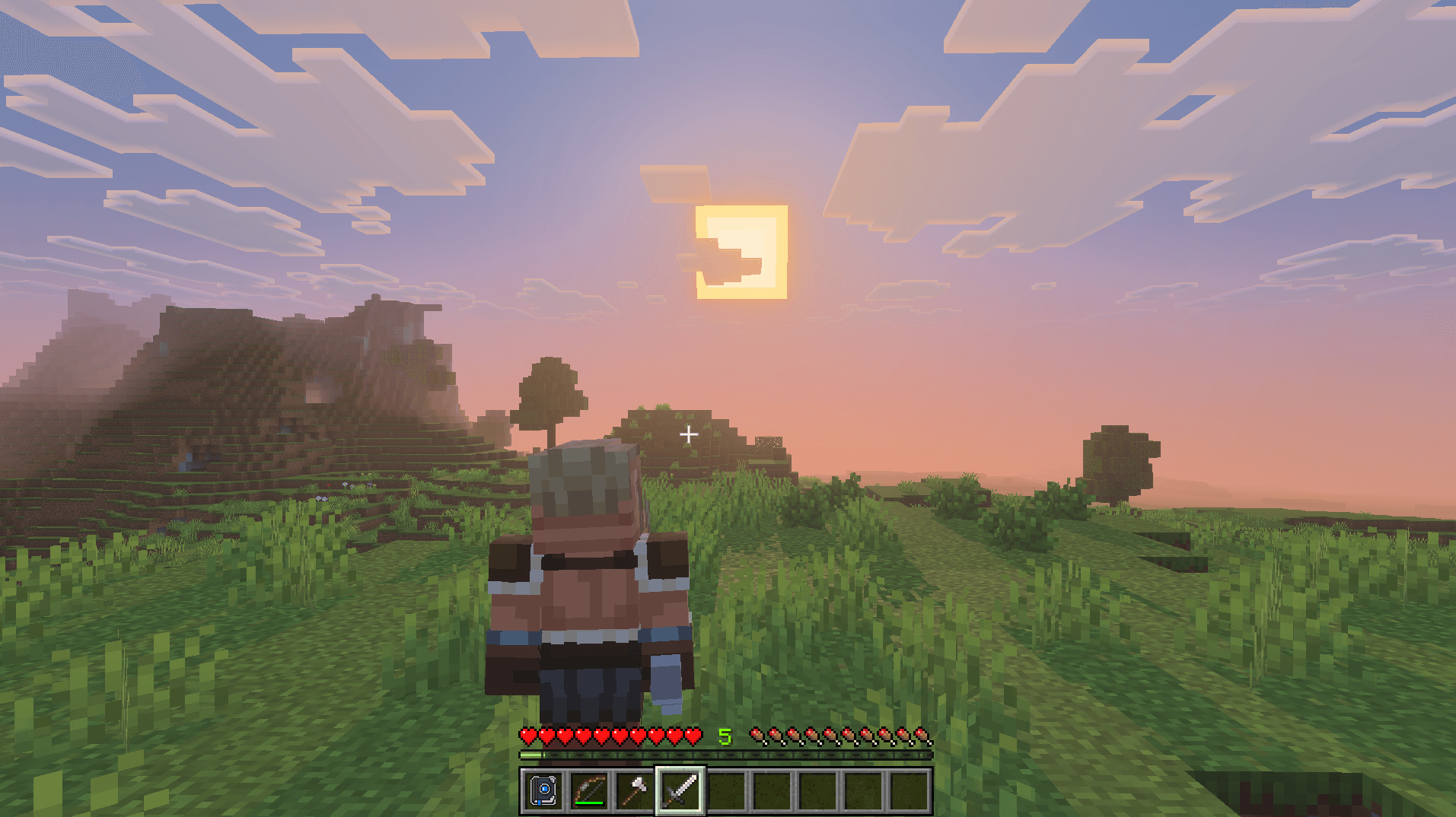
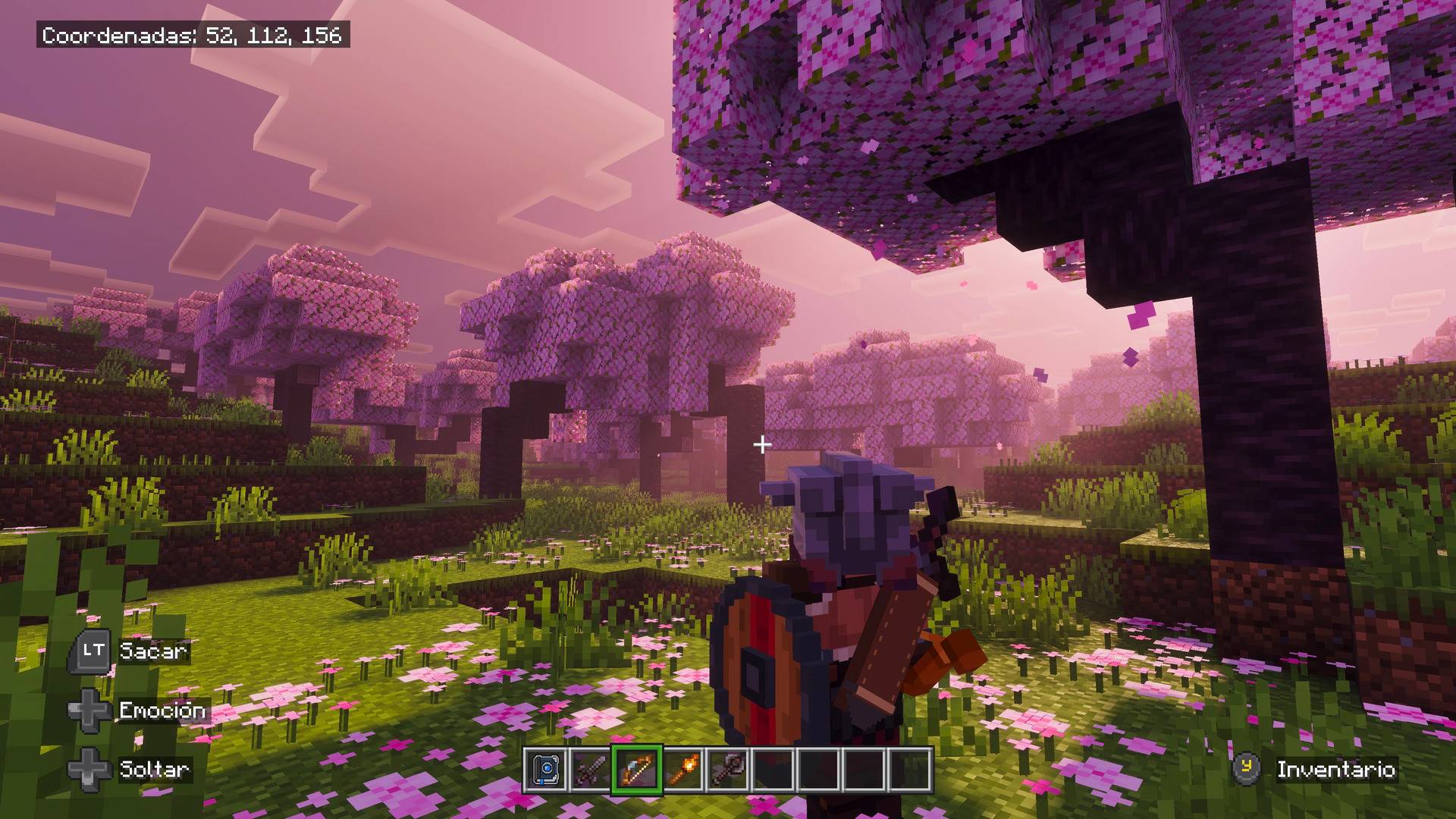
NextCam brings a configurable right-shoulder camera to Minecraft Bedrock, with quick first-person switching, automatic obstacle detection, and customizable crosshair settings.
Explore from an over-the-shoulder perspective and adjust the camera distance and height to suit your playstyle.
Features in version 1.0.0
• Right-shoulder third-person camera with adjustable distance and height.
• Double-tap crouch to switch between first person and your shoulder camera.
• Automatic first-person fallback when obstacles obstruct the camera, with a return to third person once there is enough space.
• Configurable recovery speed after camera obstruction.
• Crosshair styles: Cross, Circle, and Dot, each available in three sizes.
• Options for crosshair visibility and the vanilla crosshair.
• Optional first-person precision settings for ranged items, tools, and building actions.
• In-game settings available in English and Spanish.
• Compatible with Vibrant Visuals on supported devices.
NextCam preserves Minecraft’s normal movement, combat, interaction, and projectile behavior. The third-person crosshair is a visual guide; projectile impacts can vary with viewing angle and distance. First person provides Minecraft’s native aiming alignment.
Installation
1. Download and open the .mcaddon file to import it into Minecraft Bedrock.
2. Activate both the NextCam Behavior Pack and Resource Pack in your world.
3. Adjust your preferences through the in-game settings menu.
Requirements
• Minecraft Bedrock Edition.
• Minimum version: 1.26.40 (Bedrock 26.40).
• Both included packs must be active.
• Vibrant Visuals requires a supported device and must be enabled in Minecraft’s graphics settings.
This first release focuses on the right-shoulder camera. Additional camera modes are planned for future updates.
Created by CoderPlay Studios.
Copyright © 2026 CoderPlay Studios. All rights reserved.
- Edition: Minecraft Bedrock
- File type: .mcpack or .mcaddon
- Minecraft versions listed: 26.40, 26.50
- How to install: Download the .mcpack or .mcaddon file. → Open it — Minecraft imports it. → In your world: Behavior Packs → Available → Activate, then the same under Resource Packs.
- Where to get it: Opens on CurseForge — not every file is mirrored on our own servers.
Install steps are the general flow for this file type — How to install Minecraft Bedrock addons & mods walks through it step by step.
NextCam is a free Minecraft Bedrock addon. Compatible with Minecraft 26.40, 26.50. Downloaded 287 times (via CurseForge). Download it and open it directly in the game.