ModsJava
SkyCraft Mod (26.3) – Mine Blocks and Build Bases Across the Realm of Skyrim
Minecraft Java mod. Downloads from the MC Java Mods app on Android.
⬇ Download


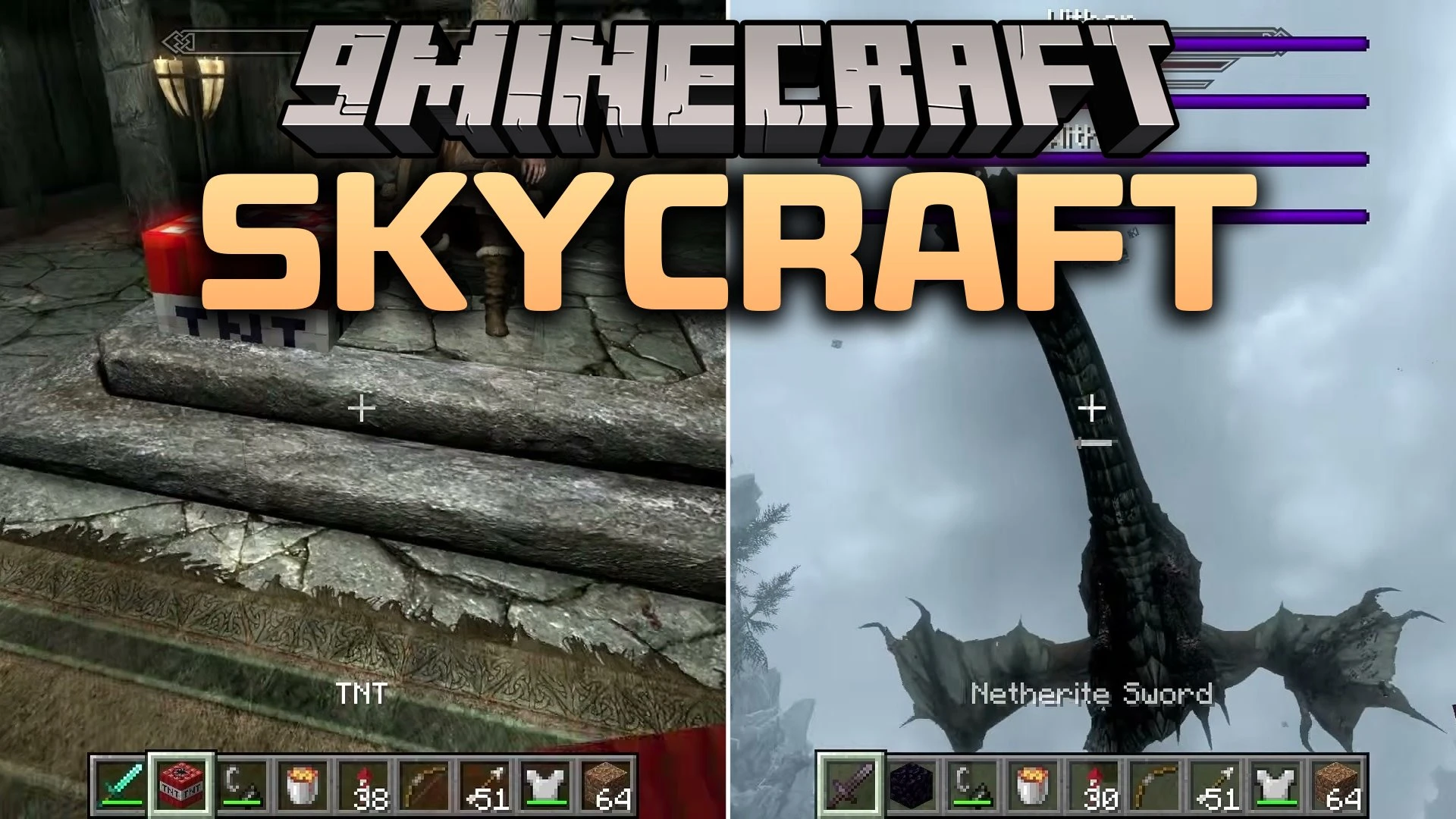
SkyCraft Mod brings full Minecraft gameplay into the open world of Skyrim. You explore snowy mountains and ancient ruins with classic block movement, custom building, and inventory management while Skyrim handles weather, quests, and NPCs. The game lets you mine actual terrain down through stone and ores to bedrock, fight dragons with bows and swords, and place functional blocks anywhere across the map.
Features:
- Destructible World: Mine dirt, rocks, and roads across Skyrim just like standard blocks, dropping usable items and leaving real physical holes.
- Block Building: Place chests, beds, banners, torches, and redstone devices anywhere in the wilderness or inside towns.
- Crossover Combat: Attack Skyrim bandits and creatures using bows, tridents, maces, and TNT while taking real damage in return.
- Applies full Minecraft physics for walking, sprinting, jumping, crouching, swimming, and falling over solid terrain.
- Allows Minecraft light sources like torches, glowstone, and lava to illuminate dark areas.
- Lets water and lava flow naturally over hills, slopes, and paths.
- Translates block combat into Skyrim skill progress, leveling up One-Handed, Two-Handed, Archery, Block, Smithing, and Sneak.
- Preserves original Skyrim interactions for dialogue, furniture, levers, horses, and scripted quest scenes.
- Triggers custom ragdoll physics with your player skin whenever you run out of health.
- Includes a destruction toggle in the pause menu to protect roads and towns from accidental cratering.
Multiplayer:
- Host shared worlds over the internet with space for up to one hundred players.
- Shares blocks, items, mobs, and player positions while keeping individual Skyrim quests and world states separate.
- Connects directly through in-game chat commands and shares join invites through Discord status.
How to Use:
- Before you start: you need to own both games. On the Skyrim side SkyCraft requires Skyrim Special Edition running the Anniversary Edition runtime — the older Special Edition build and the VR edition are not supported — together with the Skyrim Script Extender built for your exact game build and the Address Library for script extender plugins.
- What you need for Minecraft: only a Microsoft account that owns Minecraft Java Edition. The main archive already contains a portable launcher that is fully set up, and it downloads Minecraft and Java on its own. Keep roughly three gigabytes of spare memory and about one and a half gigabytes of free disk space available.
- Strongly recommended first: add an alternate-start mod to Skyrim. The scripted opening sequence can leave you stuck while SkyCraft is active, so either skip the intro with an alternate start or begin from a save made after it.
- Installing: add the main archive to Mod Organizer or Vortex exactly as you would any other script extender plugin and enable it. Do not place anything in your Minecraft folder — this is installed on the Skyrim side. Then start the game through the script extender instead of the normal launcher.
- The first launch: SkyCraft unpacks its Minecraft files into your local application data folder and opens a small launcher window asking you to sign in with your Microsoft account. Alt-Tab to that window, sign in, then go back to Skyrim while it downloads what it needs. Messages in the corner of the Skyrim screen tell you when Minecraft is ready. This only happens once.
- Everyday use: after that first run everything is automatic. Minecraft starts together with Skyrim with no window and no sound, opens its own world by itself, and shuts down when you quit Skyrim.
- Controls: Minecraft owns the keyboard by default, so movement, inventory, camera modes, chat and commands all work the way you expect. Skyrim keeps its activate key for doors, NPCs, containers, levers and furniture, along with its own menu, journal, map, wait, quickload and console keys.
- Playing with friends: the host opens the world to LAN from the Minecraft menu and a join link appears in chat. Friends paste that link into a chat command to join, and another command sends them back to their own world. Everyone needs their own copy of Skyrim with SkyCraft installed, and only the Minecraft layer is shared.
- Updating and removing: install a newer archive straight over the old one and both your sign-in and your world are kept. To remove it completely, uninstall the mod and then delete the SkyCraft folder from your local application data.
- If something goes wrong: a log file in your Skyrim documents folder explains what happened, and the configuration file next to the plugin has a diagnostics switch for detailed reports. That same file also lets advanced users point SkyCraft at their own launcher, which is exactly what the separate Minecraft-side file in the download list is for.
Screenshots:


SkyCraft Mod Download Links
Quick facts
- Edition: Minecraft Java
- File type: .jar
- How to install: Install the matching mod loader (Forge, Fabric or NeoForge) for your Minecraft version. → Download the .jar. → Put it in the .minecraft/mods folder and launch that loader profile.
- Where to get it: In MC Java Mods, or directly above on this page.
Install steps are the general flow for this file type — How to install Minecraft Java mods & modpacks walks through it step by step.
File checked by MCModsHub
- Downloads as 521949.mcaddon
- Download size: 22.1 MB
- Download link checked 6 Oct 2026 — working
- Mirrored on our own servers — the download does not depend on the original host
These come from our own check of the pack file, not from the source page.