ModsJava
Bear Necessities Mod (26.3, 1.21.1) – Ride Armored Grizzly Bears Into Battle
Java mod listed for Minecraft 1.21. Downloads from the MC Java Mods app on Android.
⬇ Download


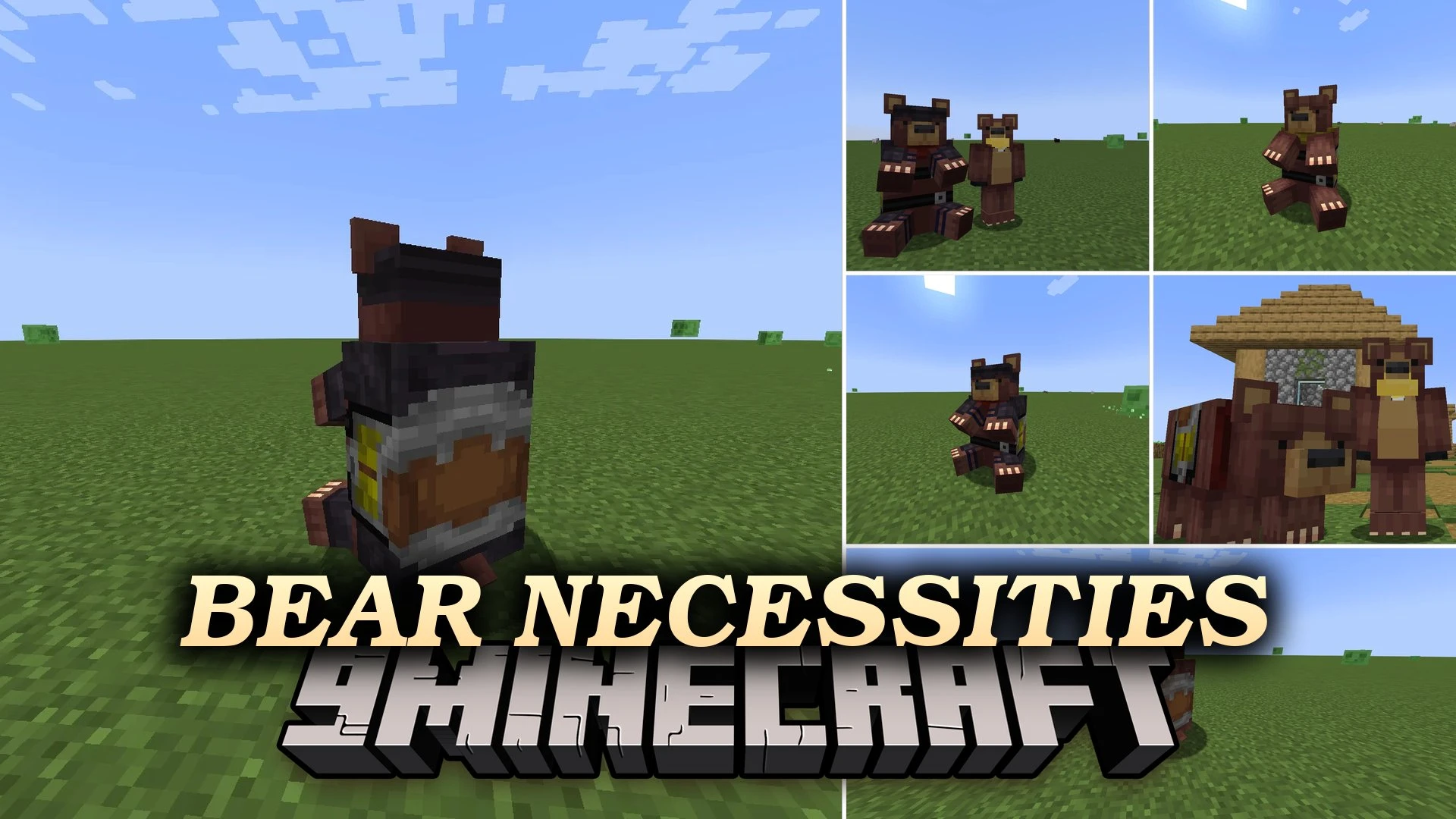
Bear Necessities Mod introduces tameable grizzly bears to your worlds. These wild beasts hit harder than wolves and survive more hits than horses, making them tough companions for exploration and combat. You can equip your tamed grizzly bear with crafted armor, dye its collar, and mount a saddle to ride it across the land. The mod also brings a cozy bear onesie armor set for players who want to dress like their furry friends.
Features:
- Grizzly Bear Companions: Spawns wild grizzly bears and cubs that you can tame into loyal pets.
- Bear Mounts: Lets you saddle up your tamed bears to travel the landscape without horses.
- Equips your bears with custom armor made of Leather, Iron, Gold, Diamond, or Netherite.
- Allows you to dye your bear’s collar in any standard color.
- Provides higher health and attack power than regular vanilla pets and mounts.
- Gives players a wearable Bear Onesie armor set complete with a hood, suit, leggings, and paws.
How to Use:
- Locate a baby grizzly bear cub in the wild while staying clear of aggressive adults.
- Feed raw beef to the cub until hearts appear to complete the taming process.
- Hold a saddle or bear armor in your hand and interact with the tamed bear to open its equipment menu.
- Place armor and a saddle into the menu slots to protect and ride your new pet.
- Apply dyes directly to the bear to change its collar color.
Screenshots:
Bear Necessities Mod Download Links
Quick facts
- Edition: Minecraft Java
- File type: .jar
- Minecraft version listed: 1.21.1
- How to install: Install the matching mod loader (Forge, Fabric or NeoForge) for your Minecraft version. → Download the .jar. → Put it in the .minecraft/mods folder and launch that loader profile.
- Where to get it: In MC Java Mods, or directly above on this page.
Install steps are the general flow for this file type — How to install Minecraft Java mods & modpacks walks through it step by step.
File checked by MCModsHub
- Downloads as 522072.mcaddon
- Download size: 179 KB
- Download link checked 6 Oct 2026 — working
- Mirrored on our own servers — the download does not depend on the original host
These come from our own check of the pack file, not from the source page.