
Hidden Beacon HUD And Particles
Java mod listed for Minecraft 1.21. Downloads from the MC Java Mods app on Android.
Prevents ambient potion effects from beacons from showing in your HUD, as well as particles from those effects from rendering around your player
⬇ Download on Modrinth


You probably have a Haste II beacon in your base.
You likely see that haste 2 icon top right of your screen constantly.
You might have potion particles constantly floating around you as you try to build.
If at least two of those three statements are true, this mod will help. It does two simple things:
- Remove beacon effect icons from your HUD
- Remove beacon potion particles from player
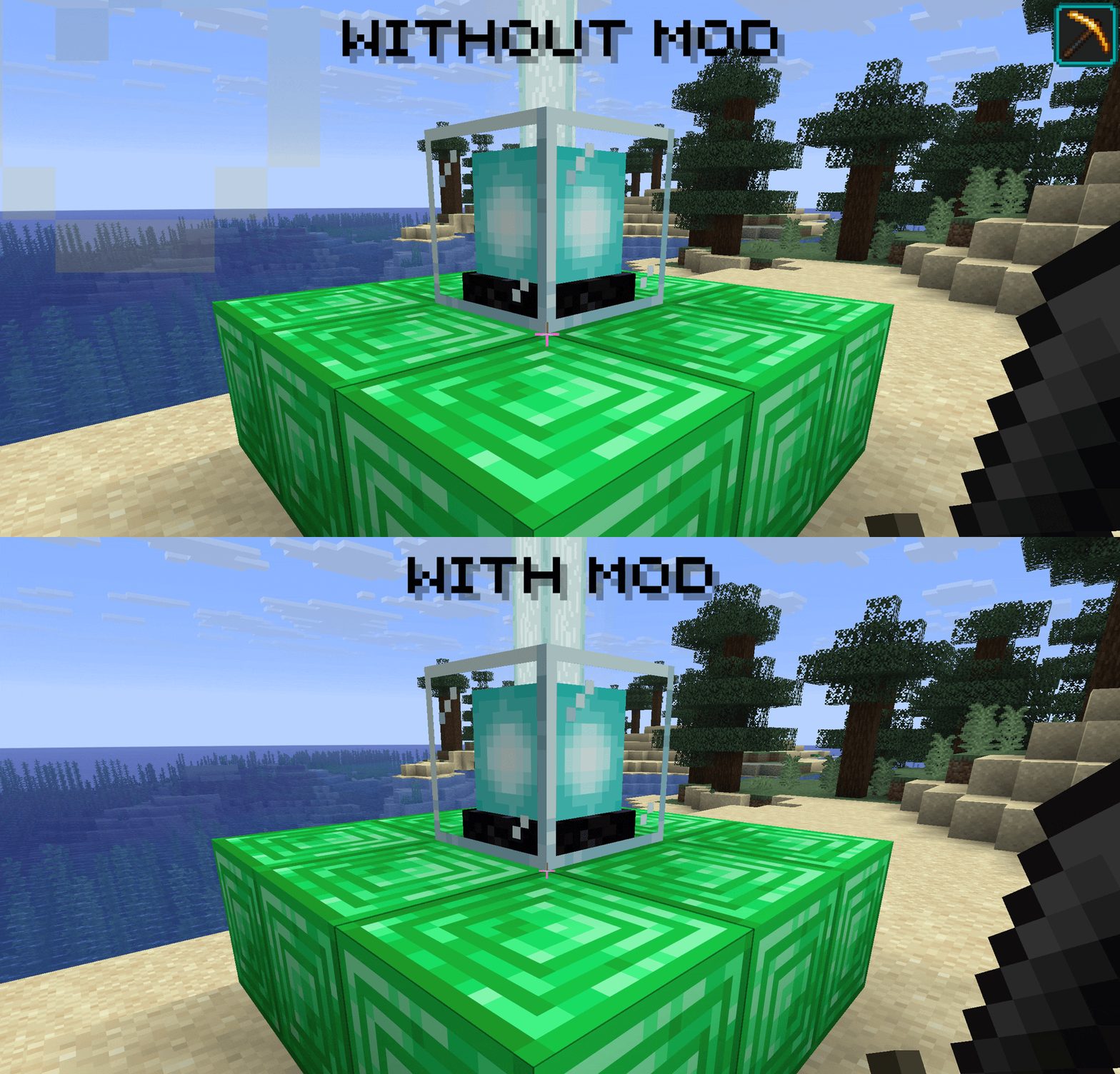
non-ambient potion effects will still show as normal, and their particles will display too. This only effects ambient effects, which include beacons as well as a few other effects:
- breath of the nautilus
- nausea from hot springs
- conduits
- Edition: Minecraft Java
- File type: .jar
- Minecraft version listed: 1.21.1
- How to install: Install the matching mod loader (Forge, Fabric or NeoForge) for your Minecraft version. → Download the .jar. → Put it in the .minecraft/mods folder and launch that loader profile.
- Where to get it: Opens on Modrinth — not every file is mirrored on our own servers.
Install steps are the general flow for this file type — How to install Minecraft Java mods & modpacks walks through it step by step.
- Ships as hbhap-neoforge-1.0.0+1.21.1.jar — drop this file into the mods folder
- Download size: 6 KB
- Download link checked 6 Oct 2026 — working
These come from our own check of the pack file, not from the source page.