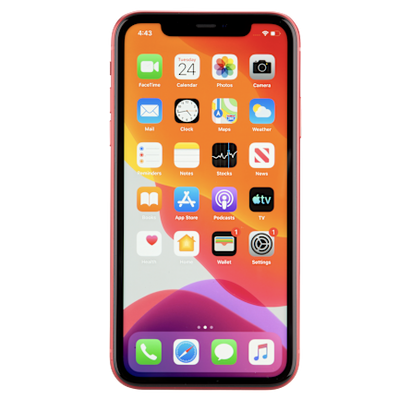
Real Life Phone
Bedrock add-on listed for Minecraft 26.x (behavior + resource pack). File opened and checked on 7 Oct 2026; installs from the MC Bedrock Mods app on Android.
RealLife Phone – Craft a smartphone for Bedrock 26.0. Apps: clock, calculator, contacts, messages, camera, notes, games, GPS, flashlight, and Emergency…
⬇ Download on CurseForgeThe author built this one for Minecraft 26.0. On other versions it may install and then do nothing.
📱 RealLife Phone – Smartphone Add-on for Bedrock 26.0
Craft a working smartphone and use it like a real phone inside Minecraft.
✨ Features
• Craftable Smartphone item
• Full interactive UI (stable Script API – no Beta APIs required)
Apps included:
• 🕐 Clock – Real time + Minecraft day/night
• 🧮 Calculator – Button-pad calculator (+ − × ÷)
• 👥 Contacts – Online players, private messages, locate
• 💬 Messages – Private & broadcast quick messages
• 🌤️ Weather – View / change weather (ops)
• 📷 Camera – Save location “photos” to Notes
• 📝 Notes – Quick notes with coordinates
• 🎮 Games – Number Guess, Rock-Paper-Scissors, Coin Flip
• 🚨 Emergency Call – Summon a temporary Iron Golem bodyguard (60s, then despawns)
• 🛠️ Tools – Flashlight (Night Vision), GPS, Compass, Battery, Alarm/Timer
• ⚙️ Settings – About & sound test
Crafting recipe:
Iron Ingot | Glass Pane | Iron Ingot
Iron Ingot | Redstone | Iron Ingot
Iron Ingot | Glass Pane | Iron Ingot
Or: /function phone:give
Requirements:
• Minecraft Bedrock 26.0 or newer
• Behavior Pack + Resource Pack (both required)
• Stable Script API only (no experimental toggles needed)
How to install:
1. Enable both the Behavior Pack and Resource Pack in your world
2. Craft the phone or run /function phone:give
3. Hold the phone and use/right-click to open it
Commands:
• /function phone:give – Give yourself a smartphone
• /function phone:help – Show help text
Made for creators and survival players who want a fun, realistic phone experience in Bedrock.
- Edition: Minecraft Bedrock
- File type: .mcpack or .mcaddon
- Minecraft version listed: 26.0
- How to install: Download the .mcpack or .mcaddon file. → Open it — Minecraft imports it. → In your world: Behavior Packs → Available → Activate, then the same under Resource Packs.
- Where to get it: Opens on CurseForge — not every file is mirrored on our own servers.
Install steps are the general flow for this file type — How to install Minecraft Bedrock addons & mods walks through it step by step.
- Pack type: .mcaddon — behaviour and resource pack in one file
- Manifest requires Minecraft 1.26.0 or newer
- Complete pack — everything it depends on is inside the file
- Download size: 16 KB
- Download link checked 7 Oct 2026 — working
These come from our own check of the pack file, not from the source page.