SGM Advanced Home & Waypoint System
Bedrock add-on listed for Minecraft 26.x. File opened and checked on 7 Oct 2026; installs from the MC Bedrock Mods app on Android.
A lightweight, multi-language (6 languages) home and waypoint teleportation system for Bedrock Edition using modern Script API.
⬇ Download on CurseForgeThe author built this one for Minecraft 26.50. On other versions it may install and then do nothing.
# 🌟 SGM Advanced Home & Waypoint System
A lightweight, bug-free, and high-performance home/waypoint teleportation addon for **Minecraft Bedrock Edition (1.21.50+)** built using modern **Script API**.
---
### 🌐 Multi-Language Support (6 Languages)
This addon automatically detects your game language and adapts fully to:
* 🇹🇷 **Turkish** (tr_TR)
* 🇺🇸 **English** (en_US)
* 🇪🇸 **Spanish** (es_ES)
* 🇩🇪 **German** (de_DE)
* 🇧🇷 **Portuguese** (pt_BR)
* 🇫🇷 **French** (fr_FR)
---
### 🔥 Key Features
* **Custom Craftable Item:** Craft your own **SGM Waypoint Device** in Survival mode.
* **Persistent Home Storage:** Homes and coordinates are saved individually per player using Dynamic Properties — never lost on world exit or restart!
* **Clean & Fast GUI:** Uses native Form UI for smooth, lag-free selection menus.
* **Teleport Countdown:** Features a 3-second teleportation delay with safety messages to prevent instant accidental teleports.
* **Home Management:** Save new points, teleport anytime, or delete old ones with ease.
---
### 🛠️ How to Use & Crafting
1. Open a Crafting Table in Survival Mode.
2. Craft the **SGM Waypoint Device** (Recipe: Ender Pearl + Gold Ingot + Redstone).
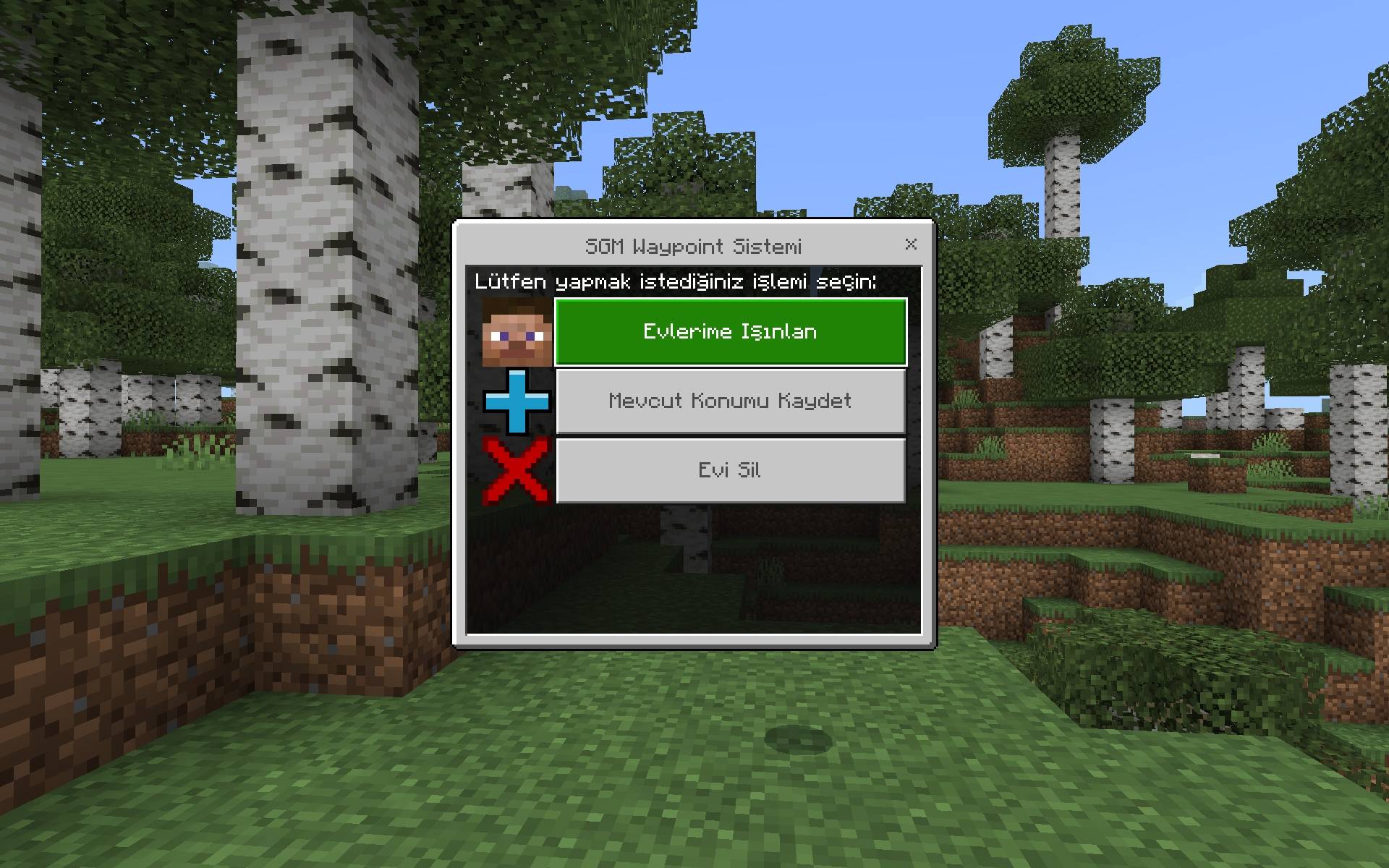
3. Hold the item in your hand and **Right-Click / Long Press** to open the Waypoint Menu.
4. Choose an action: **Save Location**, **Teleport to Home**, or **Delete Home**.
---
### ⚠️ IMPORTANT WORLD SETTINGS
For this addon to work properly on Bedrock, you **MUST** enable the following toggles in your World Settings:
* **Beta APIs** (or *Upcoming Creator Features*)
- Edition: Minecraft Bedrock
- File type: .mcpack or .mcaddon
- Minecraft version listed: 26.50
- How to install: Download the .mcpack or .mcaddon file. → Open it — Minecraft imports it. → In your world: Behavior Packs → Available → Activate, then the same under Resource Packs.
- Where to get it: Opens on CurseForge — not every file is mirrored on our own servers.
Install steps are the general flow for this file type — How to install Minecraft Bedrock addons & mods walks through it step by step.
- Pack type: .mcaddon — behaviour and resource pack in one file
- Download size: 196 KB
- Download link checked 7 Oct 2026 — working
These come from our own check of the pack file, not from the source page.