RealTime Sync
Bedrock add-on listed for Minecraft 1.21–26.x. File opened and checked on 7 Oct 2026; installs from the MC Bedrock Mods app on Android.
RealTime Sync: Synchronizes Minecraft Overworld daylight, sun, and moon with your real-world clock and global timezones, featuring live ticking HH:MM:SS…
⬇ Download on CurseForge
# 🕒 RealTime Clock Sync (Minecraft Bedrock 1.21+)
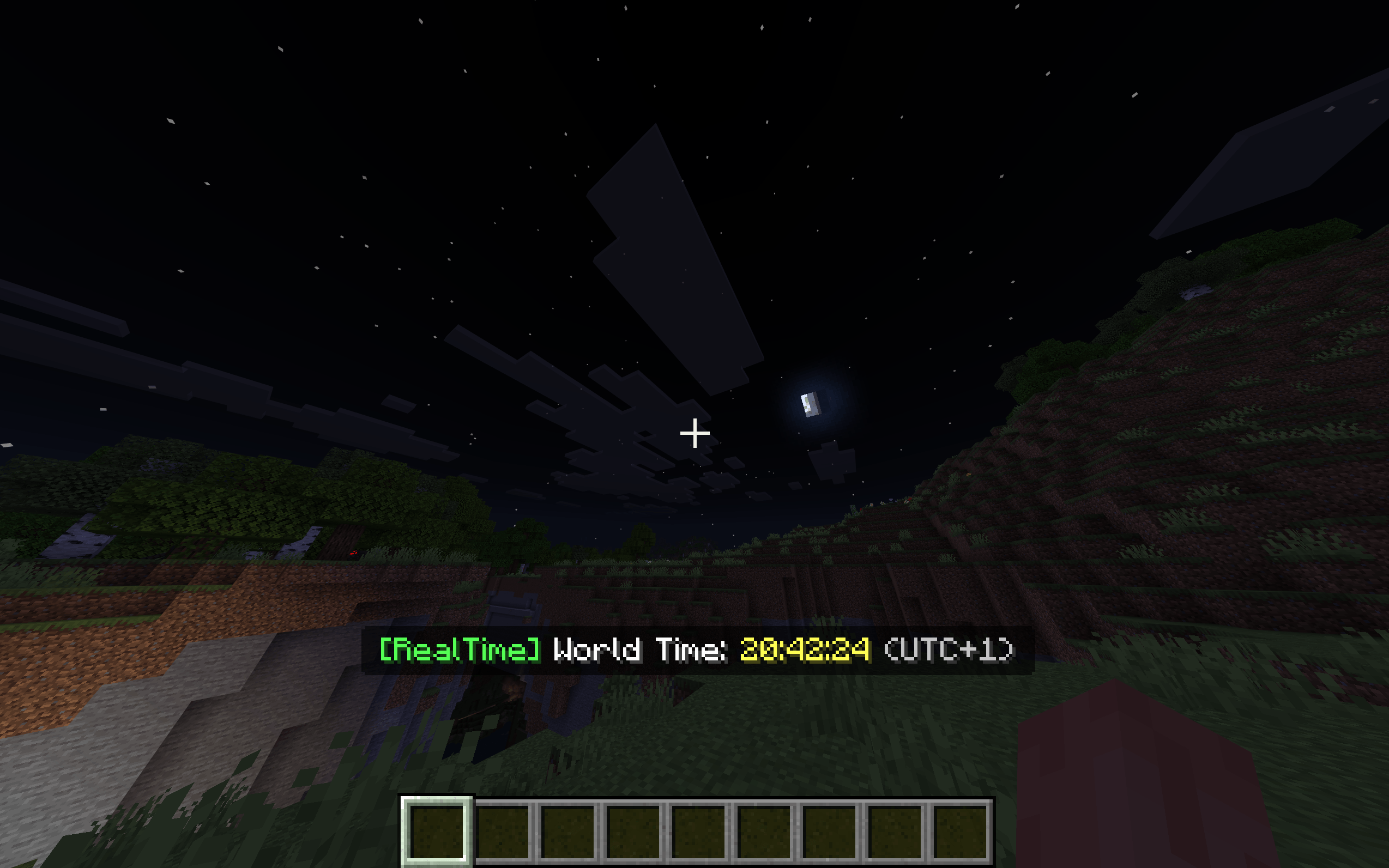
Experience true immersion in Minecraft Bedrock! **RealTime Sync** synchronizes your world's daylight cycle with real-world time in real-time. Whether it's high noon, a dramatic sunset, or the dead of night outside your window, your Minecraft world will reflect the exact same hour, minute, and second!
---
## ✨ Features
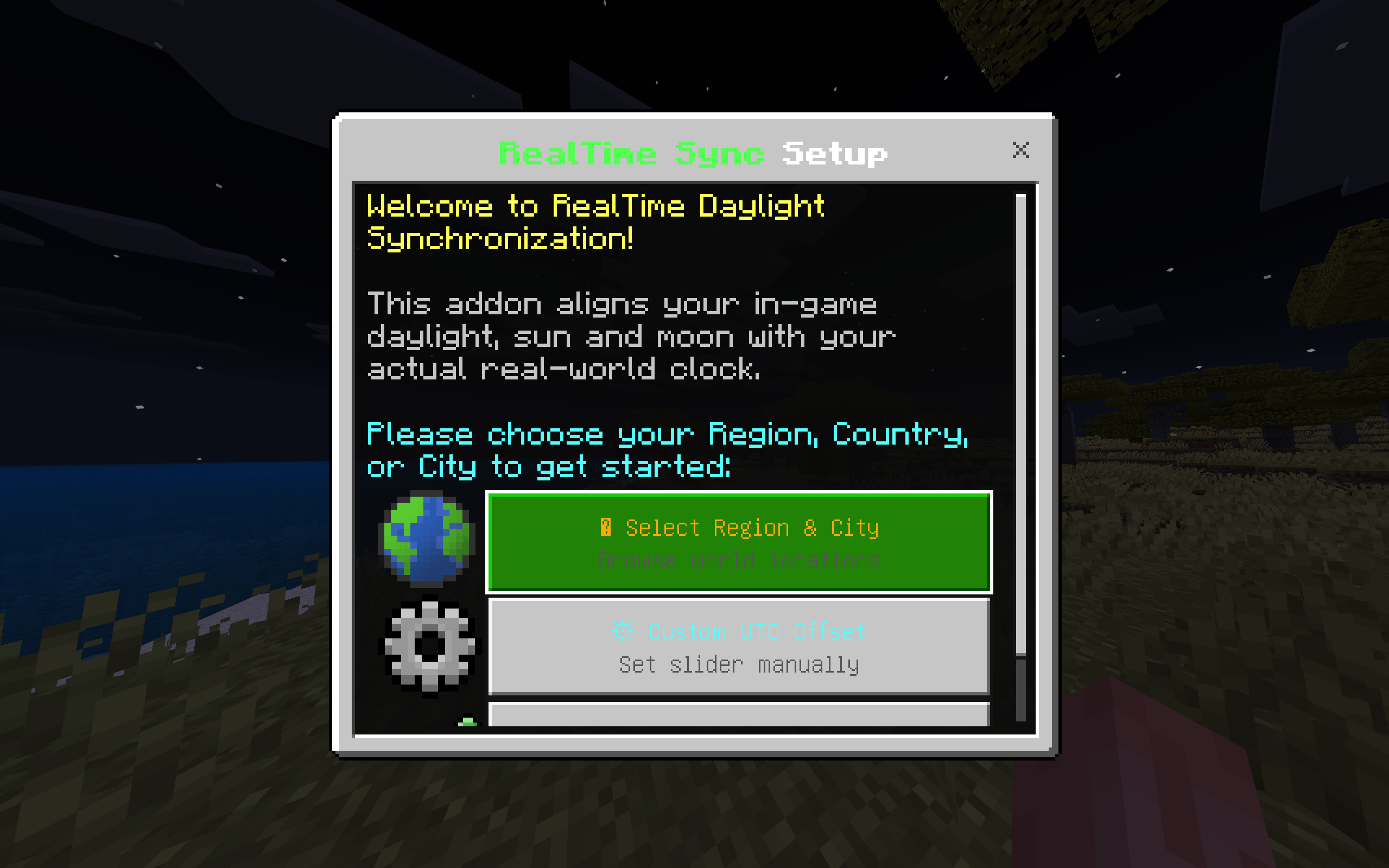
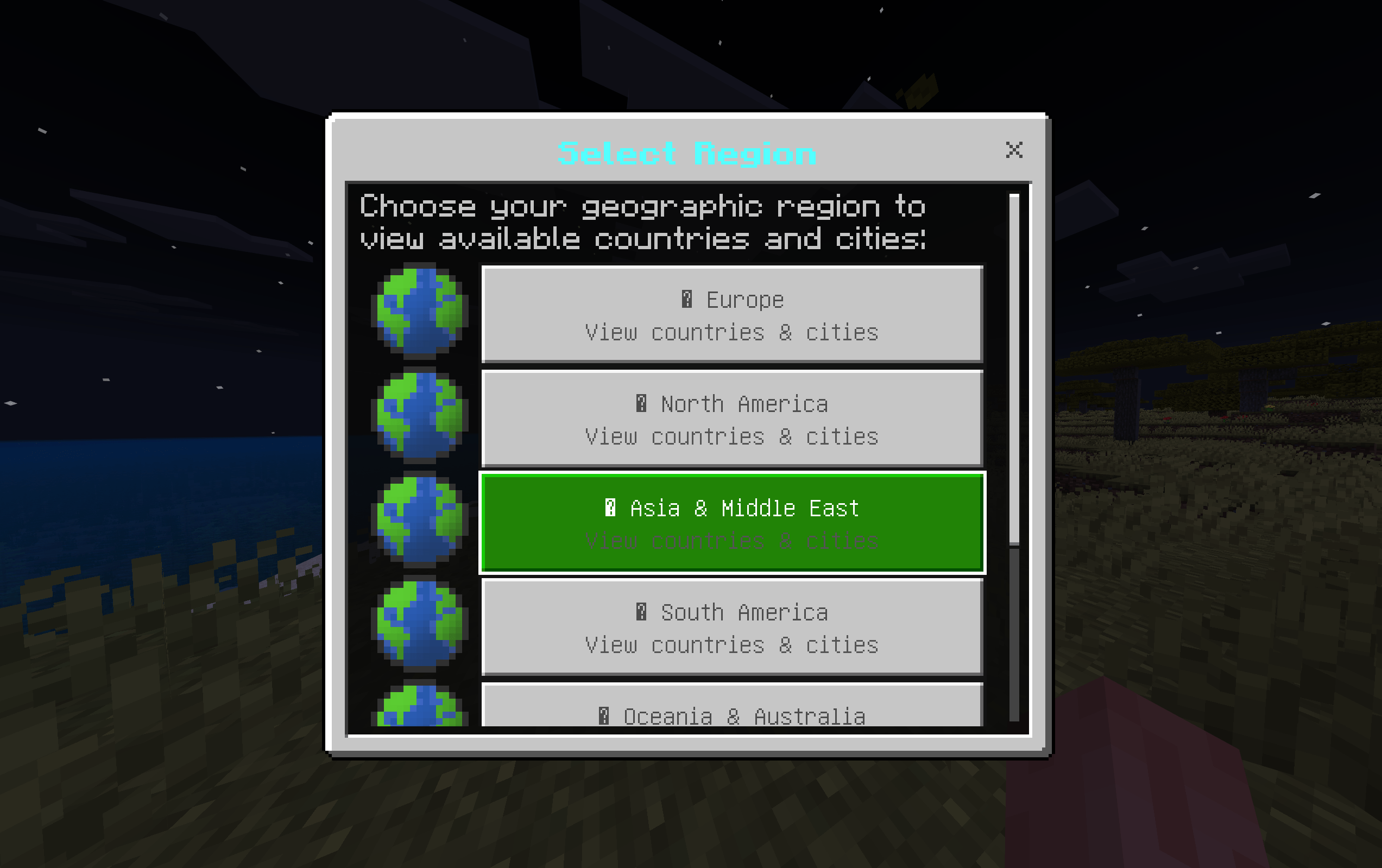
- 🌍 **Global Country & City Database:** Browse continents and easily select your country or major city from Europe, North America, Asia, South America, Oceania, or Africa.
- ⚙️ **Custom UTC Offset Slider:** Manually set any timezone from **UTC-12 to UTC+14** with an intuitive slider.
- ⏱️ **Live Ticking Actionbar HUD:** Displays a continuous, real-time clock (`HH:MM:SS`) directly on the actionbar. (Can be toggled on/off in settings).
- 🧭 **Quick Access Settings:** Right-click / hold a **Clock** (`minecraft:clock`) or type `/scriptevent realtime:ui` to open the control panel at any time.
- 👥 **Multiplayer & Server Ready:** Shows which player configured the timezone and broadcasts server-wide announcements whenever the timezone is updated.
- ⚡ **Lightweight & High-Performance:** Pure Bedrock Script API with zero lag and instant daylight calculation.
---
## 🎮 How to Use
1. **Join the World:** When joining, a setup dialog will prompt you to select your **Country / City** or set a **Custom UTC Offset**.
2. **Open Settings Anytime:** Hold and right-click with a **Clock** (`minecraft:clock`) or run the command:
- Edition: Minecraft Bedrock
- File type: .mcpack or .mcaddon
- Minecraft versions listed: 1.21.130, 1.21.131, 1.21.132
- How to install: Download the .mcpack or .mcaddon file. → Open it — Minecraft imports it. → In your world: Behavior Packs → Available → Activate, then the same under Resource Packs.
- Where to get it: Opens on CurseForge — not every file is mirrored on our own servers.
Install steps are the general flow for this file type — How to install Minecraft Bedrock addons & mods walks through it step by step.
- Pack type: .mcaddon — behaviour and resource pack in one file
- Download size: 45 KB
- Download link checked 7 Oct 2026 — working
These come from our own check of the pack file, not from the source page.