Obe's Building Gadgets
Bedrock add-on listed for Minecraft 26.x. Download on the author's site.
Build big, fast: walls, floors, boxes, circles, spheres and copy-paste with four handheld gadgets. Survival-friendly.
⬇ Download on CurseForgeObe's Building Gadgets
Giant builds without placing every block by hand. Four handheld gadgets put down whole walls, floors, boxes, circles and spheres in one go, swap blocks out, clear space and copy whole buildings. They work in survival, where the blocks come out of your inventory, and in creative, where they're free.
The gadgets
- Building Gadget: places the block you choose.
- Quick: aim and use. Surface (a layer over what you aim at), Wall, Floor, Line, and Fill (fills any closed outline, like a circle or a window).
- Boxes: set two corners for any size. Solid box, Frame (just the edges), Hollow box (floor, walls and roof) and Walls.
- Shapes: Stair (a staircase between two corners), Circle (flat or against a wall; aim up for a cylinder) and Sphere.
- Exchanger: swaps blocks for another block: a square, only one kind, only the connected ones, or a box between two corners.
- Destruction Gadget: clears a box, a solid ball, a round tunnel or shaft, digs a walkable staircase down, or drains a lake or lava pool.
- Copy-Paste Gadget: copy (or cut) a box of up to 32 × 32 × 32 blocks and paste it somewhere else, turned 0°, 90°, 180° or 270°. Stairs, logs and doors turn with it.
Every gadget reaches 32 blocks, and a live preview shows what it's about to do: dots where blocks will go, an outline of the box, and its size on screen as you aim.
Made for every input
Everything works with one button on a controller, touch screen or keyboard:
- Use on a block: build, exchange, clear or paste there.
- Use in the air, or sneak twice: the gadget's menu. It has big buttons, the modes in groups with icons, and your last 3 modes one tap away.
- Two corners: use once on the first corner, then on the other. Use the first corner again to clear it.
- Undo: take back your last 10 changes.
- On keyboard and mouse, sneak + scroll wheel steps through the modes.
Survival
- Building and pasting use one block from your inventory for every block placed. With too few, the gadget places what you can pay for.
- Exchanging and clearing give you the blocks' normal drops, as if you mined them with an unenchanted netherite tool. There's no free Silk Touch on ores.
- Cut and paste is a move, never a copy: a cut gives you nothing, and its first paste is free.
- Undo gives back the blocks a change used.
- Bedrock, portals, spawners and command blocks are never touched, and chests and other blocks with items inside are left alone.
Crafting
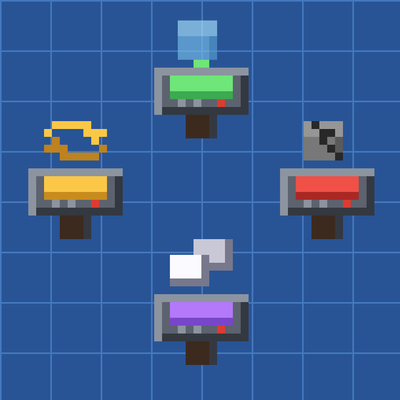
Iron and redstone around a different centre item for each gadget, in a crafting table:
| Iron Ingot | Redstone | Iron Ingot |
| Iron Ingot | Centre | Iron Ingot |
| Iron Ingot |
- Building Gadget: a diamond in the centre
- Exchanger: an emerald
- Destruction Gadget: TNT
- Copy-Paste Gadget: an ender pearl
With cheats on you can also use /give @s gadgets:building_gadget (or gadgets:exchanger, gadgets:destruction_gadget, gadgets:copy_paste_gadget).
Good to know
- Big jobs (up to 32 768 blocks for a paste) are spread over a few ticks, so the world doesn't freeze.
- Your copy is saved in the world, so it's still there after a restart. Each player has their own.
- The undo history is lost when the world or server restarts.
- Works in single player, on Realms and on dedicated servers. You don't need to turn on any experiments.
Requirements
- Minecraft Bedrock 1.26.50 or newer.
- Edition: Minecraft Bedrock
- File type: .mcpack or .mcaddon
- Minecraft version listed: 26.50
- How to install: Download the .mcpack or .mcaddon file. → Open it — Minecraft imports it. → In your world: Behavior Packs → Available → Activate, then the same under Resource Packs.
- Where to get it: Opens on CurseForge — not every file is mirrored on our own servers.
Install steps are the general flow for this file type — How to install Minecraft Bedrock addons & mods walks through it step by step.
Obe's Building Gadgets is a free Minecraft Bedrock addon. Compatible with Minecraft 26.50. Downloaded 23 times (via CurseForge). Download it and open it directly in the game.