tom&jerry.jar
Bedrock add-on listed for Minecraft 26.x. File opened and checked on 10 Oct 2026; installs from the MC Bedrock Mods app on Android.
A creepy Tom & Jerry horror-survival addon for Minecraft Bedrock. Protect Jerry, survive deadly Tom variants, complete missions, use cheese gear, unlock…
⬇ Download on CurseForge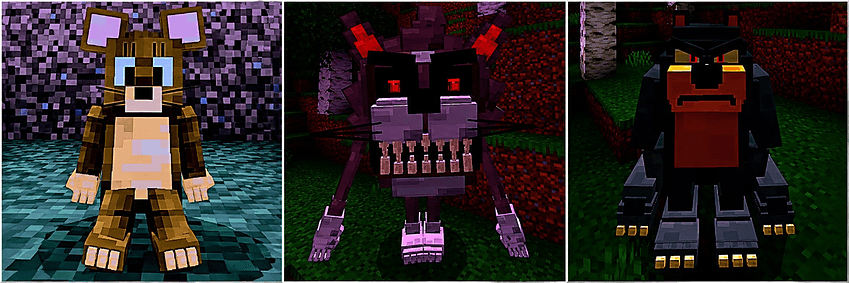
🐱🧀 tom_and_jerry.jar 🐭🔪
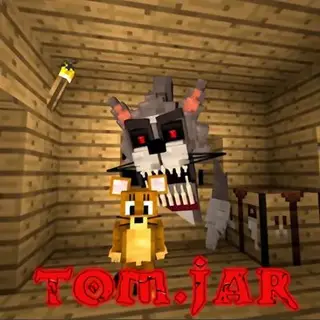
Welcome to a twisted Tom & Jerry horror adventure for Minecraft Bedrock… where Tom is no longer just chasing Jerry for fun. 👀
Your job is simple:
KEEP JERRY ALIVE. ❤️🐭
But surviving won’t be easy…
🌙 Survive multiple terrifying nights as different versions of Tom begin hunting Jerry.
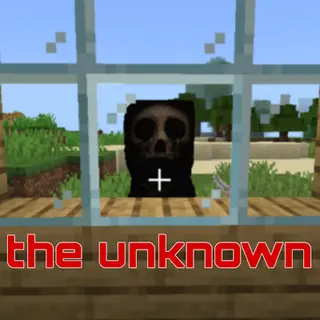
🐱 Cursed Tom, Shadow Tom, Rust Tom and the massive Three-Headed Fusion all have different roles in the story.
🚪🪟 Tom can break doors and windows, crawl through tight spaces, stalk around your base and force his way toward Jerry.
🐭 Interact with Jerry to make him sit, stand, complete missions, forge special gear and feed him Cheese.
🧀 Craft and eat Cheese, turn it into Cheese Blocks, build Cheese Bricks, Cheese Glass, Cheese Doors, armor and more.
📖 Use the custom ITEMS GUIDE BOOK to see recipes, special items, blocks, spawn eggs and how everything is obtained.
🐶 Unlock Spike as Jerry’s guardian and command him to: • Protect Jerry
• Follow you
• Guard the shelter
• Find Jerry
• Rest
⚔️ Complete Jerry’s missions to unlock the Legendary Cheese Sword and prepare for the final battle.
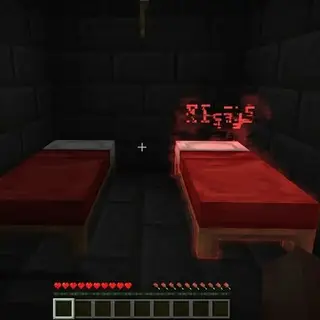
❤️ Jerry has a limited revival system: 10 hearts → 7 hearts → 4 hearts → 1 heart
After his final chance is gone…
🔴 YOU FAILED
…and the entire story stops.
🎵 The addon also includes custom: ✨ Models
✨ Animations
✨ Sounds
✨ Items
✨ Blocks
✨ Missions
✨ Menus
✨ Boss fights
✨ Horror events
✨ Multi-night story progression
And if Tom kills Jerry…
💀 Tom dies too.
Can you build a safe shelter, finish Jerry’s quests, survive every night and defeat the final Fusion Tom?
🐭❤️ Protect Jerry.
🐱🌑 Survive Tom.
⚔️🔥 Finish the story.
- Edition: Minecraft Bedrock
- File type: .mcpack or .mcaddon
- Minecraft versions listed: 26.40, 26.50
- How to install: Download the .mcpack or .mcaddon file. → Open it — Minecraft imports it. → In your world: Behavior Packs → Available → Activate, then the same under Resource Packs.
- Where to get it: Opens on CurseForge — not every file is mirrored on our own servers.
Install steps are the general flow for this file type — How to install Minecraft Bedrock addons & mods walks through it step by step.
- Pack type: .mcaddon — behaviour and resource pack in one file
- Download size: 22.7 MB
- Download link checked 10 Oct 2026 — working
These come from our own check of the pack file, not from the source page.