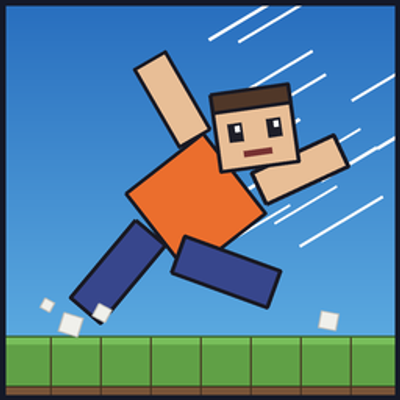
ragdoll Steve
Bedrock add-on listed for Minecraft 1.21–26.x (behavior + resource pack). File opened and checked on 10 Oct 2026; installs from the MC Bedrock Mods app on Android.
Realistic ragdoll physics for Bedrock: knock dummies down, become a ragdoll yourself, grab and throw, ride, blow up and leave corpses
⬇ Download on CurseForgeRagdoll Steve
Custom-physics ragdolls for Minecraft Bedrock. Hit a dummy and it collapses into a 6-part ragdoll that collides with real blocks. Take a big hit yourself and you become one too. Grab, throw, ride and blow things up.
What it does
- Ragdoll dummy – spawn the Ragdoll Steve with its spawn egg. Hit it and it falls apart into a head, torso, two arms and two legs that tumble using real physics. Knockback grows with damage, sprint hits, the Knockback enchantment, arrows and explosions. Hit one limb repeatedly and that limb takes the most force. After a few seconds it gets back up.
- Player ragdoll – big hits (attacks, arrows, explosions, hard falls) turn you into a ragdoll. Your camera follows your head as it tumbles, and you get back up once you settle.
- Grab & throw – use an empty hand (or a stick) on a ragdoll or another player to pick it up. Hold Sneak to charge, release to throw. The longer you charge, the harder it flies.
- Ride – hold a saddle and use it on a dummy to ride it like a sled. Look down to accelerate, look up to brake, and a speedometer shows your speed. Crash into a wall and you get launched.
- Explosions – shockwaves start from the real blast point: closer means stronger, with fire and smoke trails and camera shake.
- Domino effect – a ragdoll flying fast knocks over anything it hits, so one hit can start a chain reaction.
- Corpses – when a player dies, a ragdoll corpse stays behind holding the items they dropped. Hit the corpse and it vanishes and drops the loot.
Why you might want it
Great for funny moments with friends, mini-games, stunt and parkour maps, PvP chaos, or just throwing your friends across the map.
Important – enable Beta APIs
This add-on uses scripting features that need Beta APIs. When creating or editing your world, go to Experiments and turn on Beta APIs (also required on servers and Realms worlds). Without it the scripts will not load.
Installation
- Download the file and open it with Minecraft Bedrock (it imports both packs).
- Edit your world and add Ragdoll Steve BP (behavior pack) and Ragdoll Steve RP (resource pack).
- Turn on Beta APIs in Experiments.
- Take the Ragdoll Steve spawn egg from the creative inventory, or use
/summon rag:dummy.
Controls
- Empty hand or stick on a target: grab
- Hold Sneak while carrying: charge, release: throw
- Saddle on a dummy: ride
Commands (testing)
/scriptevent rag:grab, /scriptevent rag:ride, /scriptevent rag:corpse, /scriptevent rag:launch
Requirements and notes
- Minecraft Bedrock 1.21.0 or newer, with both the behavior pack and the resource pack active.
- For performance, at most 12 ragdolls and 24 corpses exist at the same time.
- First release. Please report bugs and ideas in the comments.
- Not affiliated with Mojang or Microsoft
- Edition: Minecraft Bedrock
- File type: .mcpack or .mcaddon
- Minecraft versions listed: 1.21.30, 1.21.50, 1.21.81
- How to install: Download the .mcpack or .mcaddon file. → Open it — Minecraft imports it. → In your world: Behavior Packs → Available → Activate, then the same under Resource Packs.
- Where to get it: Opens on CurseForge — not every file is mirrored on our own servers.
Install steps are the general flow for this file type — How to install Minecraft Bedrock addons & mods walks through it step by step.
- Pack type: .mcaddon — behaviour and resource pack in one file
- Manifest requires Minecraft 1.21.0 or newer
- Complete pack — everything it depends on is inside the file
- Download size: 94 KB
- Download link checked 10 Oct 2026 — working
These come from our own check of the pack file, not from the source page.