🔄 Switch Trade
Bedrock add-on listed for Minecraft 26.x (behavior pack only). File opened and checked on 10 Oct 2026; installs from the MC Bedrock Mods app on Android.
⬇ Download on CurseForge
🔄 Switch Trade
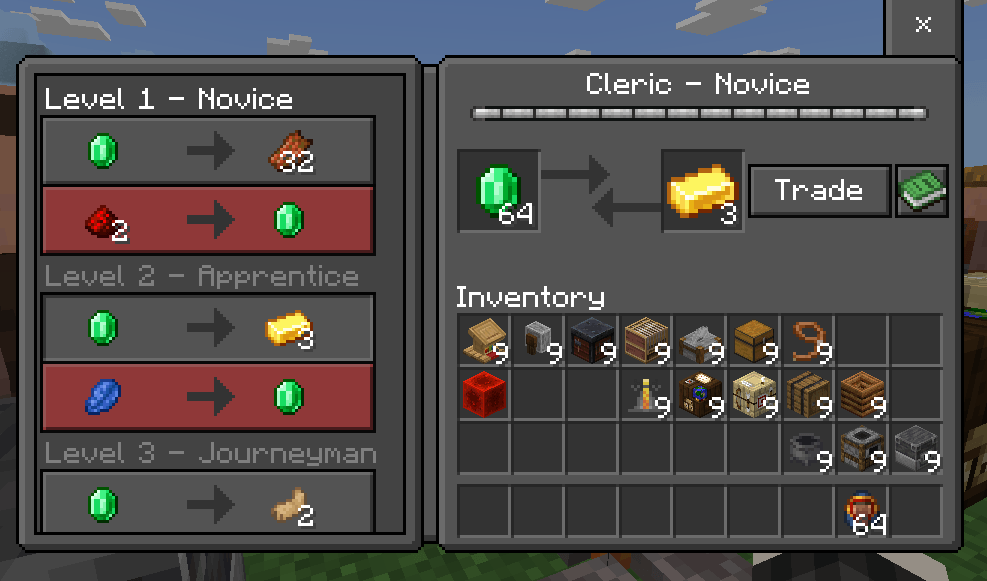
Want to get different items from villager trades instead of always receiving the usual result? Switch Trade changes the items received from trades, giving you different ways to exchange items through the existing villager trading system.
Each trade is fixed. Players cannot manually change individual trades themselves.
✨ What Does This Addon Do?
This addon changes the trade items used by villagers.
The main idea is to let you obtain items related to different villager professions without always having to provide the items normally required by that trade.
It works by modifying the trade JSON files only — no entity files are used.
⚙️ Subpacks
The addon includes several different trade modes. Some are complete, while others are still being developed.
1️⃣ Reverse Trade Items ✅
The main completed mode.
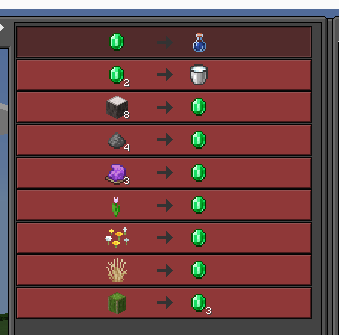
Trade items are reversed, allowing you to exchange items in the opposite direction from the normal trade.
2️⃣ Exchange Item
❌ Not ready
Trades exchange items for emerald, but do not give Emeralds.
3️⃣ Make Emerald
❌Not ready
Trades give only Emeralds in exchange for items, but don't give item.
4️⃣ Switch Trade to Opposite Profession
❌Not ready
Switches a profession's trades to those of the opposite profession.
A fun idea for pranking your friends. 😈
5️⃣ Vanilla
Returns villagers to their normal vanilla trades with no trade changes.
6️⃣ 2026 Trades ⚠️
Uses the newer 2026 trade setup. Not recommended.
Trade Screenshots
Mason,
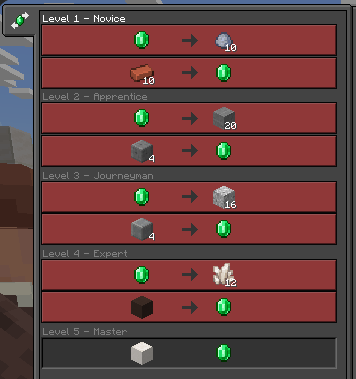
Shepherd
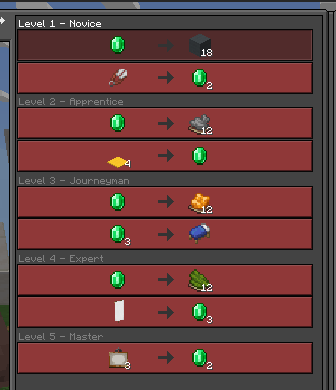
Tool smit,
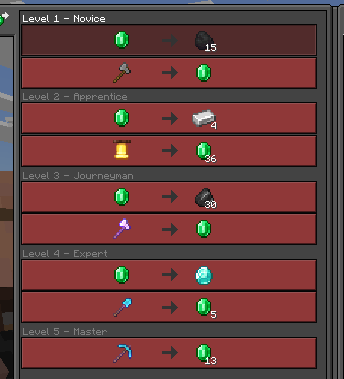
weapon smit,
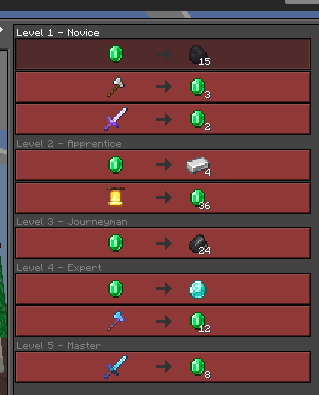
Librarian,
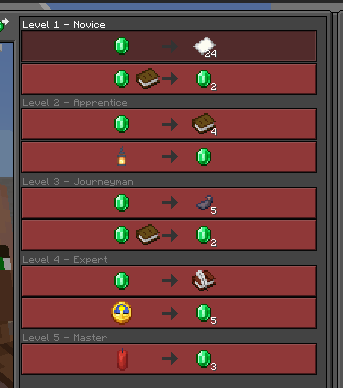
Leatherworker,
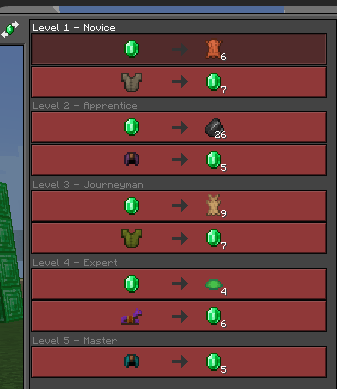
Butcher,
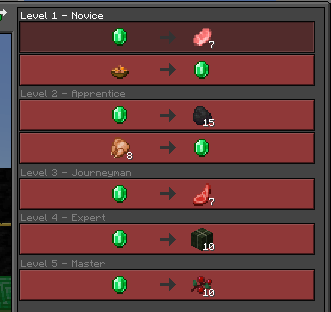
Farmer,
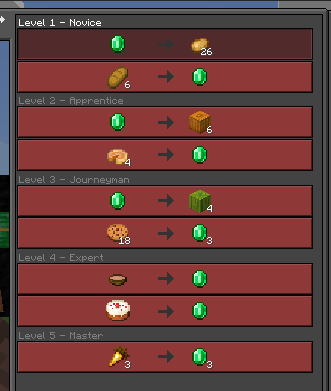
Fisherman
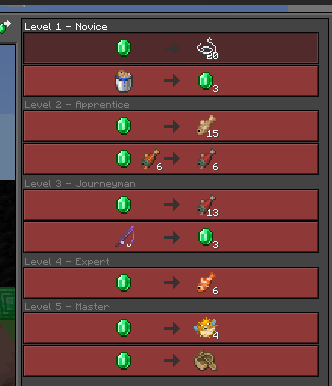
, Fletcher,
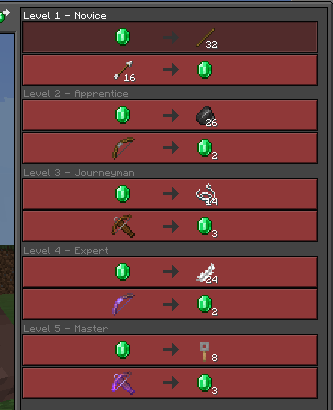
Cartography,
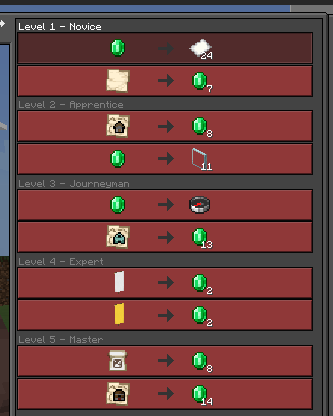
Cleric,
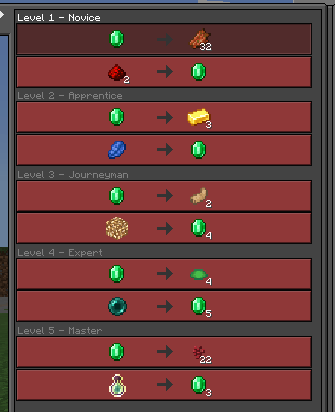
Armorer,
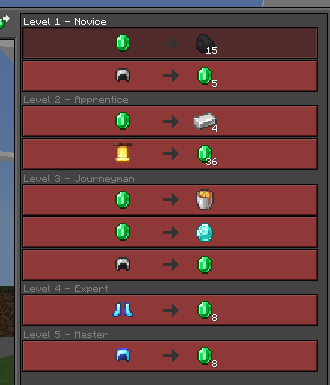
wandering Trader
🧑🌾 Best Experience
For the best experience, use Villager Profession Changer & Villager Trade unlocker alongside this addon.
It allows you to switch a villager's profession instantly, making it much easier to access different trade sets.
If you are not using Villager Profession Changer, make sure Mob Griefing is enabled so villagers can change professions and refresh their trades normally.
This is a vanilla Minecraft requirement, not something added by this addon.
🐷 Piglin Trades
Piglin trades are not included.
Piglins do not use the same trading system as villagers, so they are not supported by this addon.
📦 Version
Minimum Version: 1.26.20.4
Trade JSON Version: 1.26.20.4
🔮 Future
The current trades are fixed — players cannot freely edit individual trades themselves.
More trade-switching options may be added in future updates.
This addon is focused on changing the trade results, not changing the villagers themselves. ❤️
- Edition: Minecraft Bedrock
- File type: .mcpack or .mcaddon
- Minecraft versions listed: 26.0, 26.10, 26.20
- How to install: Download the .mcpack or .mcaddon file. → Open it — Minecraft imports it. → In your world: Behavior Packs → Available → Activate, then the same under Resource Packs.
- Where to get it: Opens on CurseForge — not every file is mirrored on our own servers.
Install steps are the general flow for this file type — How to install Minecraft Bedrock addons & mods walks through it step by step.
- Pack type: .mcpack — a single pack
- Manifest requires Minecraft 1.26.0 or newer
- Complete pack — everything it depends on is inside the file
- Download size: 60 KB
- Download link checked 10 Oct 2026 — working
These come from our own check of the pack file, not from the source page.