
Grave & Death Point
Bedrock add-on listed for Minecraft 1.21–26.x (behavior + resource pack). File opened and checked on 10 Oct 2026; installs from the MC Bedrock Mods app on Android.
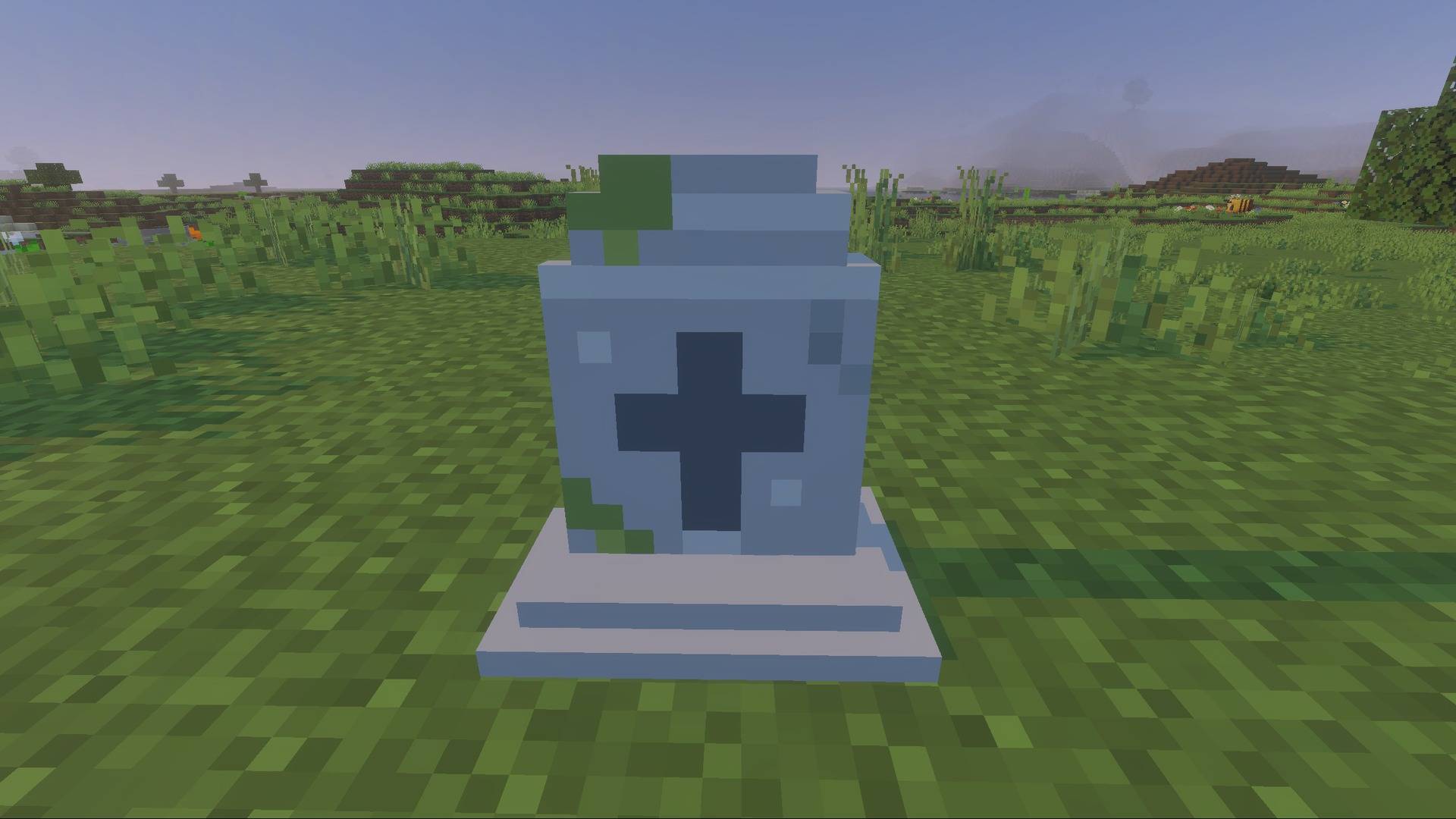
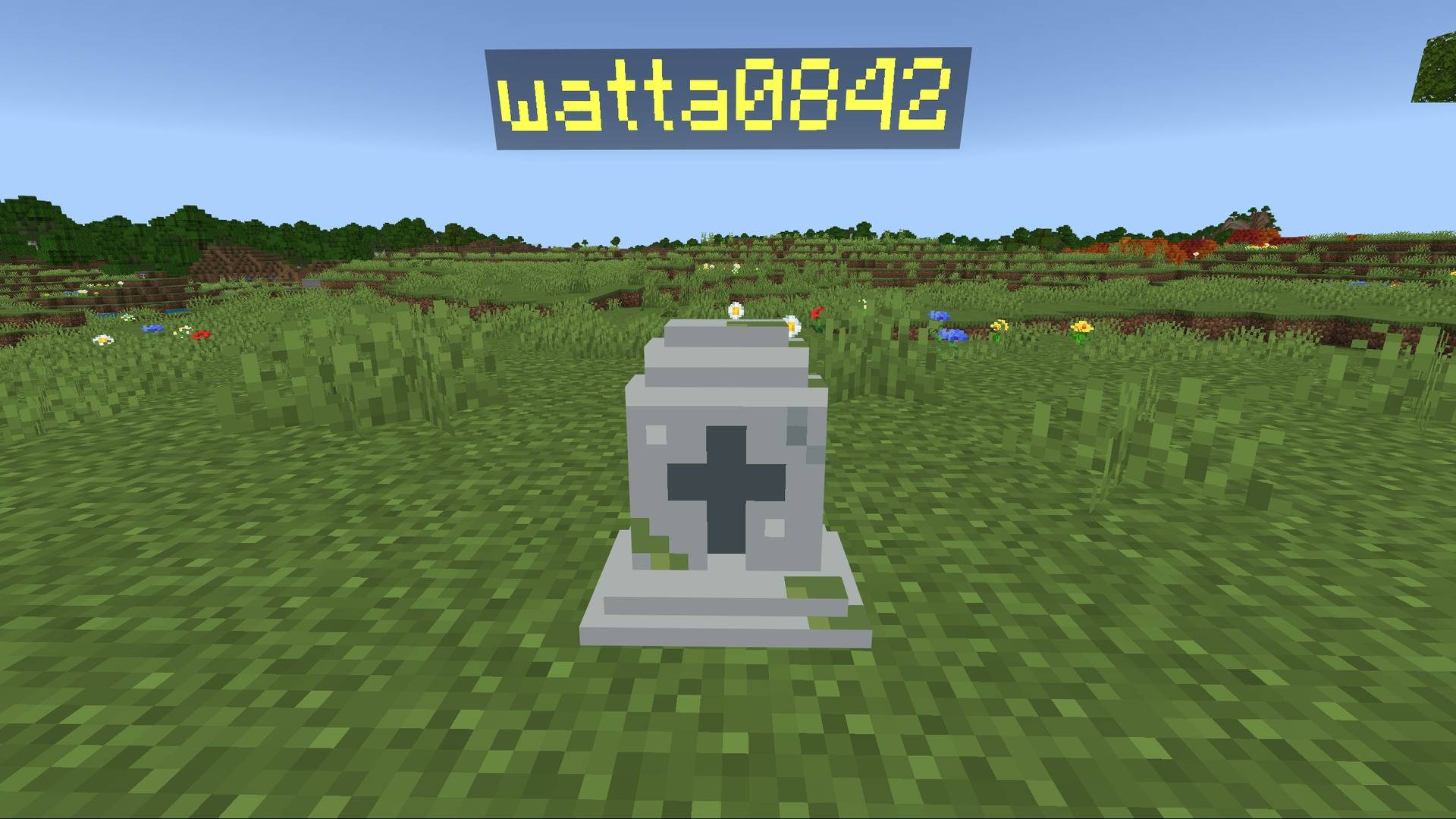
A grave keeps your items, armor and XP where you died. Hold the Grave Key to see distance, direction and height to it.
⬇ Download on CurseForgeThe author built this one for Minecraft 26.50. On other versions it may install and then do nothing.
Grave & Death Point
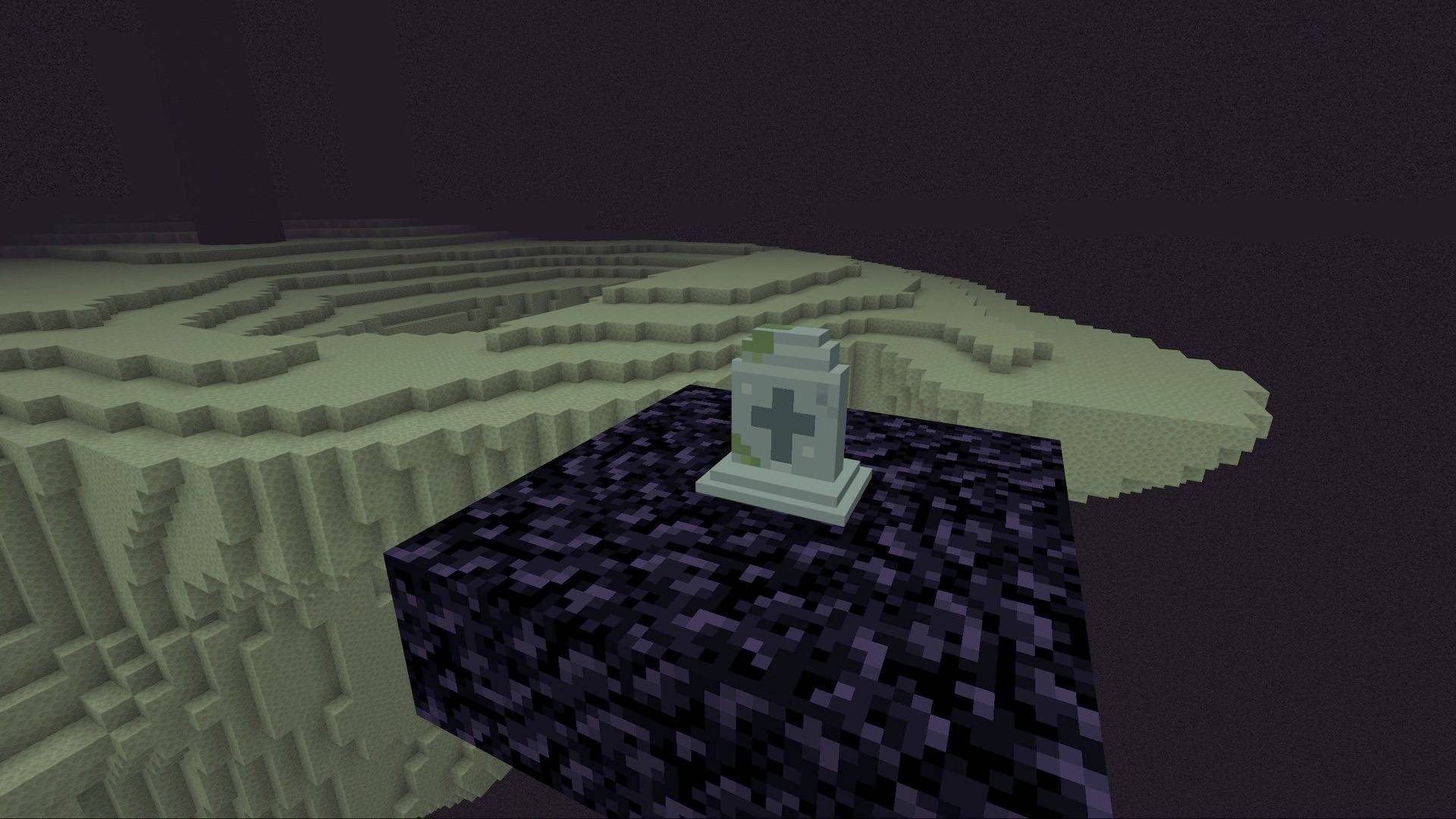
Never lose your items again. When you die, a grave appears where you fell and safely keeps your inventory, armor, offhand item and all of your XP. Hold the Grave Key you receive on respawn to see how far, which way and how high your grave is.
▶ Watch the video: https://youtu.be/YiuMa2IOQ-s
Features
- Everything is kept – all 36 inventory slots, armor, offhand and your full XP.
- Back to the same slots – items return to their original slots, armor is re-equipped. If a slot is taken, items go to free space; anything left drops at your feet.
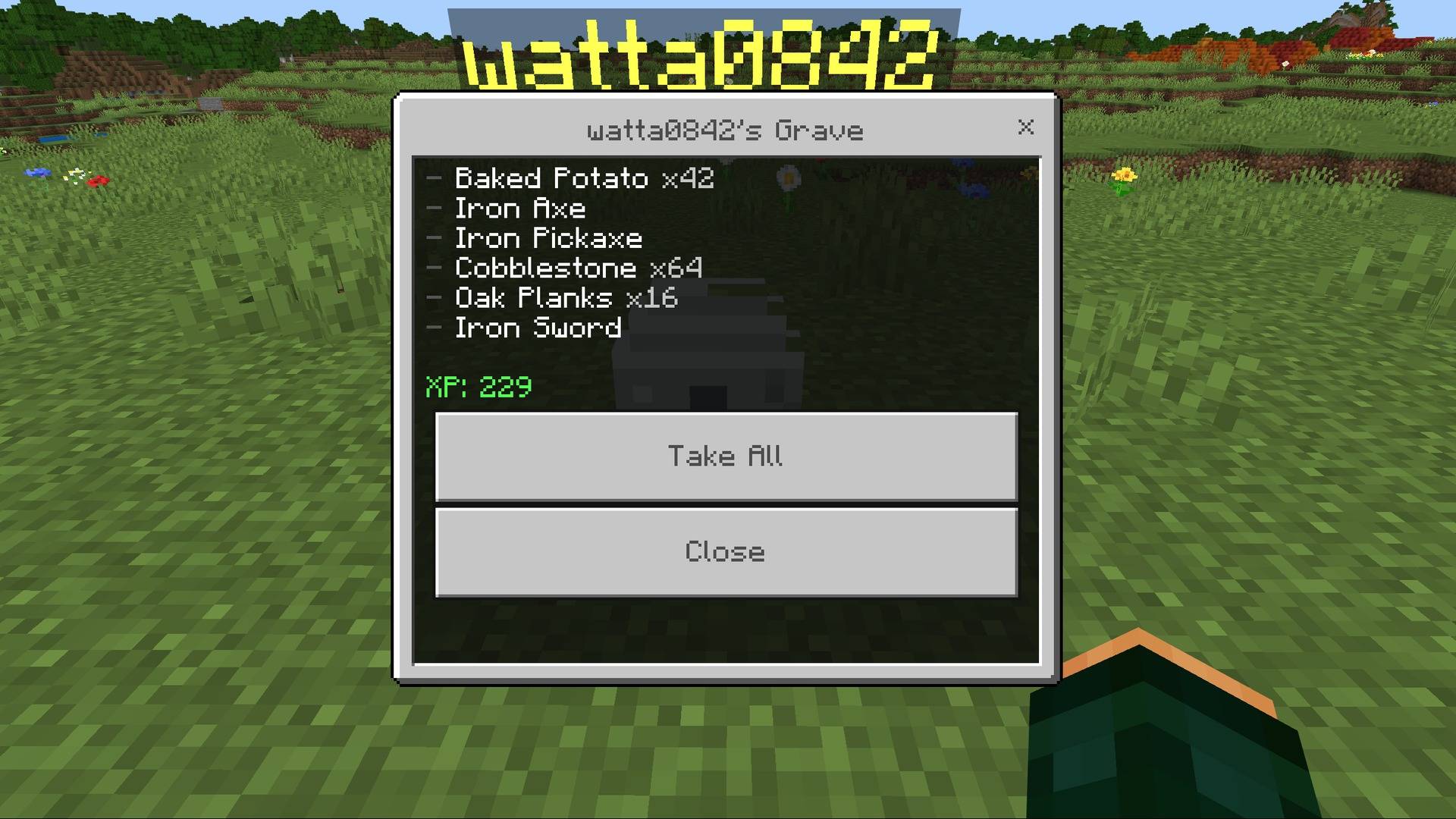
- Hit to collect / tap to inspect – hit the grave to collect instantly, or tap it to see the contents and choose Take All.
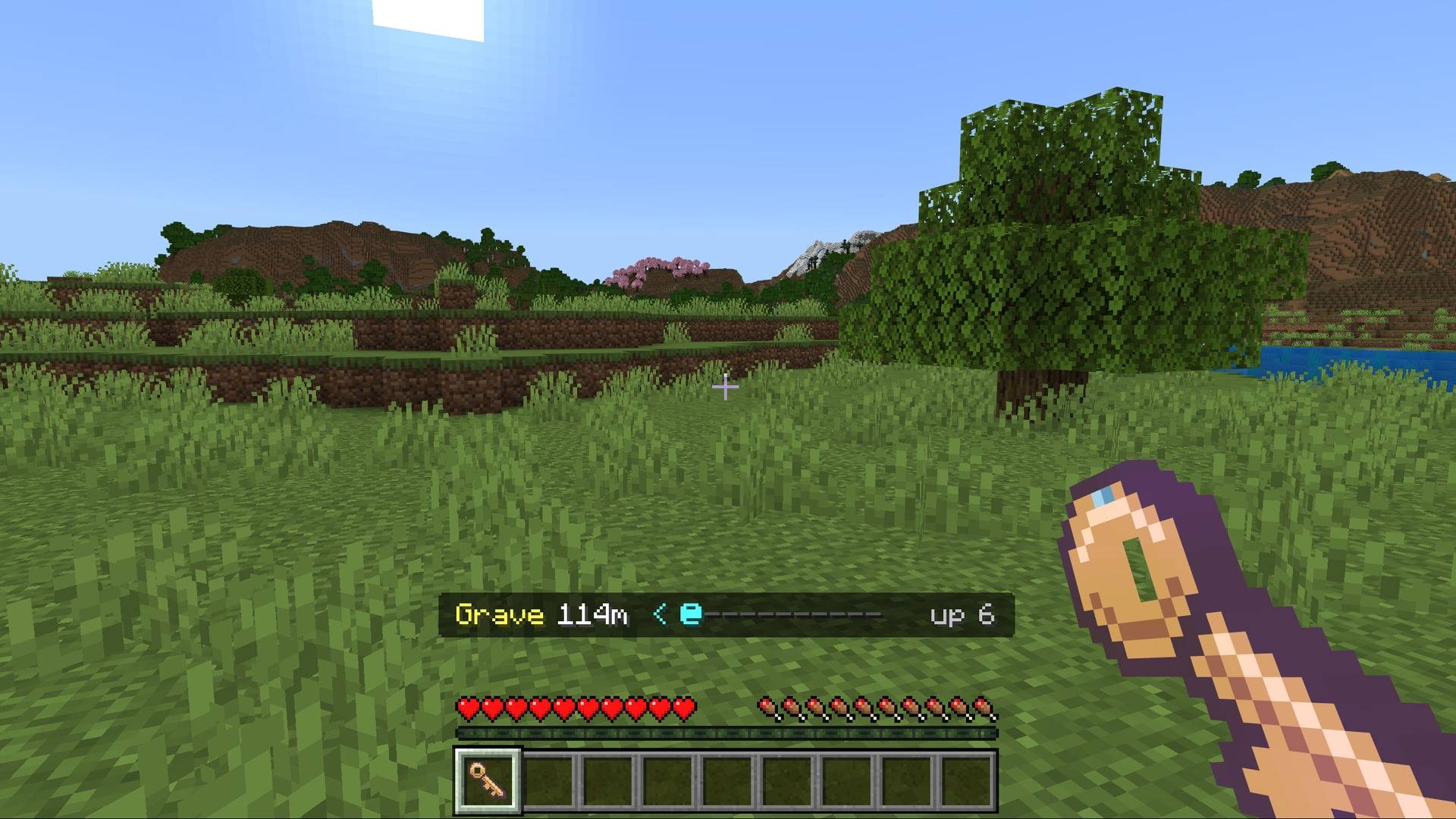
- Grave Key navigation – you get one Grave Key that always points to your newest grave. While holding it, the bottom of the screen shows the distance, a direction bar and the height difference (
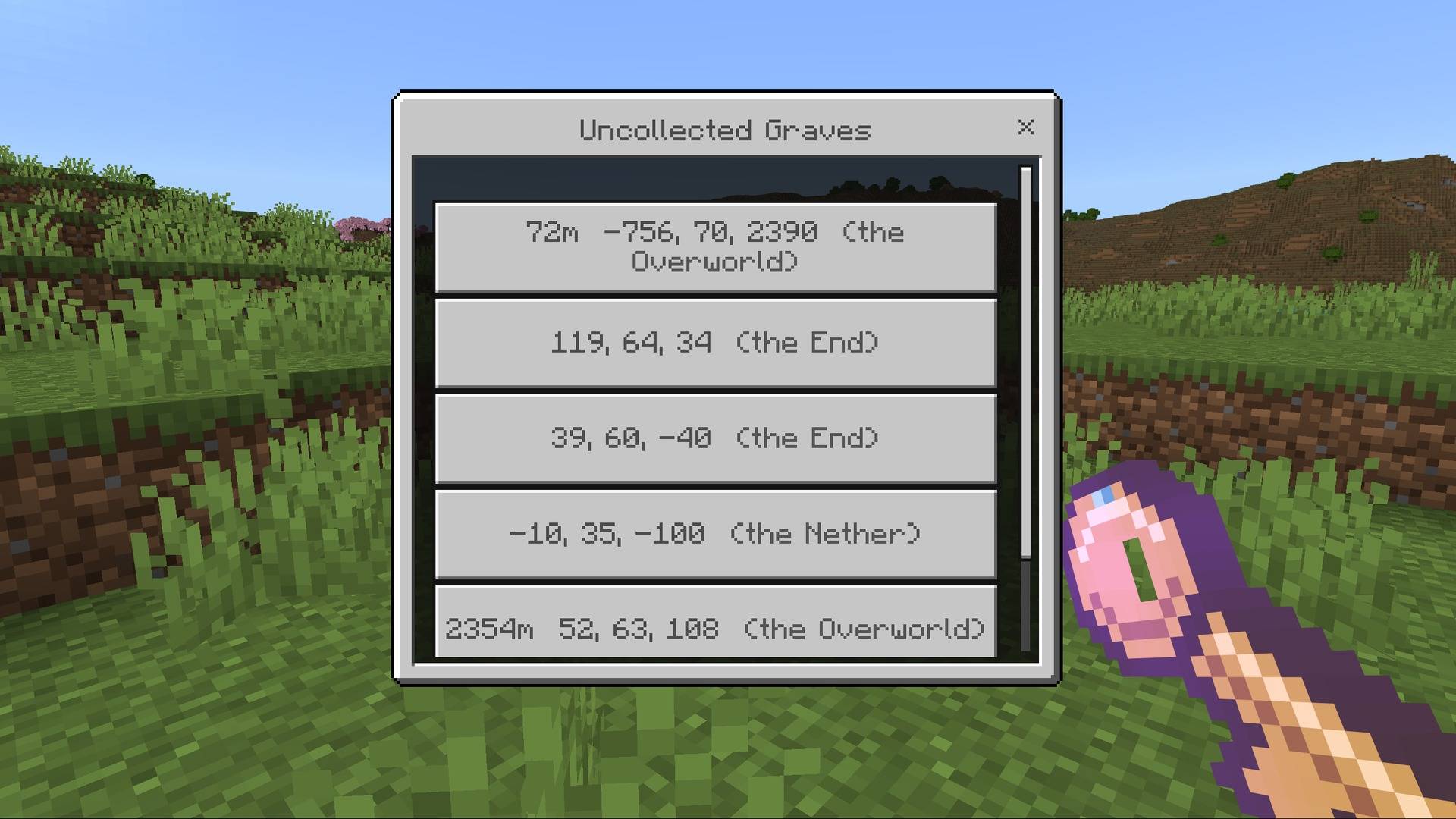
Grave 46m - - - - @ - - - - up 12). - Grave list – use (right-click / tap) the key to list all of your uncollected graves and point the key to any of them. Up to 100 graves are remembered, and your inventory never fills up with keys.
- Safe graves – graves can't be damaged, burned or pushed. Dying in the End void builds a small obsidian platform at Y=64 under your grave.
- Multiplayer friendly – only the owner can open their grave (players with the tag
dpg_admincan open any). - English & Japanese supported.
How it works (important)
To move your items into the grave, this add-on turns the keepInventory gamerule ON automatically the first time the world loads.
- If keepInventory was already ON in your world, graves stay OFF so your setting is respected. Turn them on with the command below.
- A message in chat tells every player the current status the first time they join.
Commands (cheats required)
| Command | What it does |
|---|---|
/scriptevent dpg:enable |
Turn graves ON (keepInventory ON) |
/scriptevent dpg:disable |
Turn graves OFF and restore keepInventory to its original value |
/scriptevent dpg:status |
Show the current status |
/scriptevent dpg:key |
Get a Grave Key if you lost it |
Before removing the add-on, run /scriptevent dpg:disable to restore keepInventory.
Installation
- Open the
.mcaddonfile – Minecraft imports both packs. - In your world settings, activate Grave & Death Point under Behavior Packs (the Resource Pack is added automatically).
- No experimental toggles are needed.
Compatibility
- Tested on: Minecraft Bedrock 26.52 (Windows)
- Minimum version: 1.21.90
- Works in single player and multiplayer worlds.
- Does not replace any vanilla entity or item, so it works alongside most add-ons. Other add-ons that also change keepInventory or what happens on death may conflict.
Videos & streams
Feel free to use this add-on in videos and streams. A link to this page is appreciated. Re-uploading the add-on to other sites is not allowed.
Bug reports & feedback
Please leave a comment with your Minecraft version and device.
- Edition: Minecraft Bedrock
- File type: .mcpack or .mcaddon
- Minecraft version listed: 26.50
- How to install: Download the .mcpack or .mcaddon file. → Open it — Minecraft imports it. → In your world: Behavior Packs → Available → Activate, then the same under Resource Packs.
- Where to get it: Opens on CurseForge — not every file is mirrored on our own servers.
Install steps are the general flow for this file type — How to install Minecraft Bedrock addons & mods walks through it step by step.
- Pack type: .mcaddon — behaviour and resource pack in one file
- Manifest requires Minecraft 1.21.90 or newer
- Complete pack — everything it depends on is inside the file
- Download size: 167 KB
- Download link checked 10 Oct 2026 — working
These come from our own check of the pack file, not from the source page.