RaidRadar
Bedrock add-on listed for Minecraft 26.x. Download on the author's site.
Find the last hidden raiders with live direction, distance, and vertical guidance during vanilla village raids.
⬇ Download on CurseForge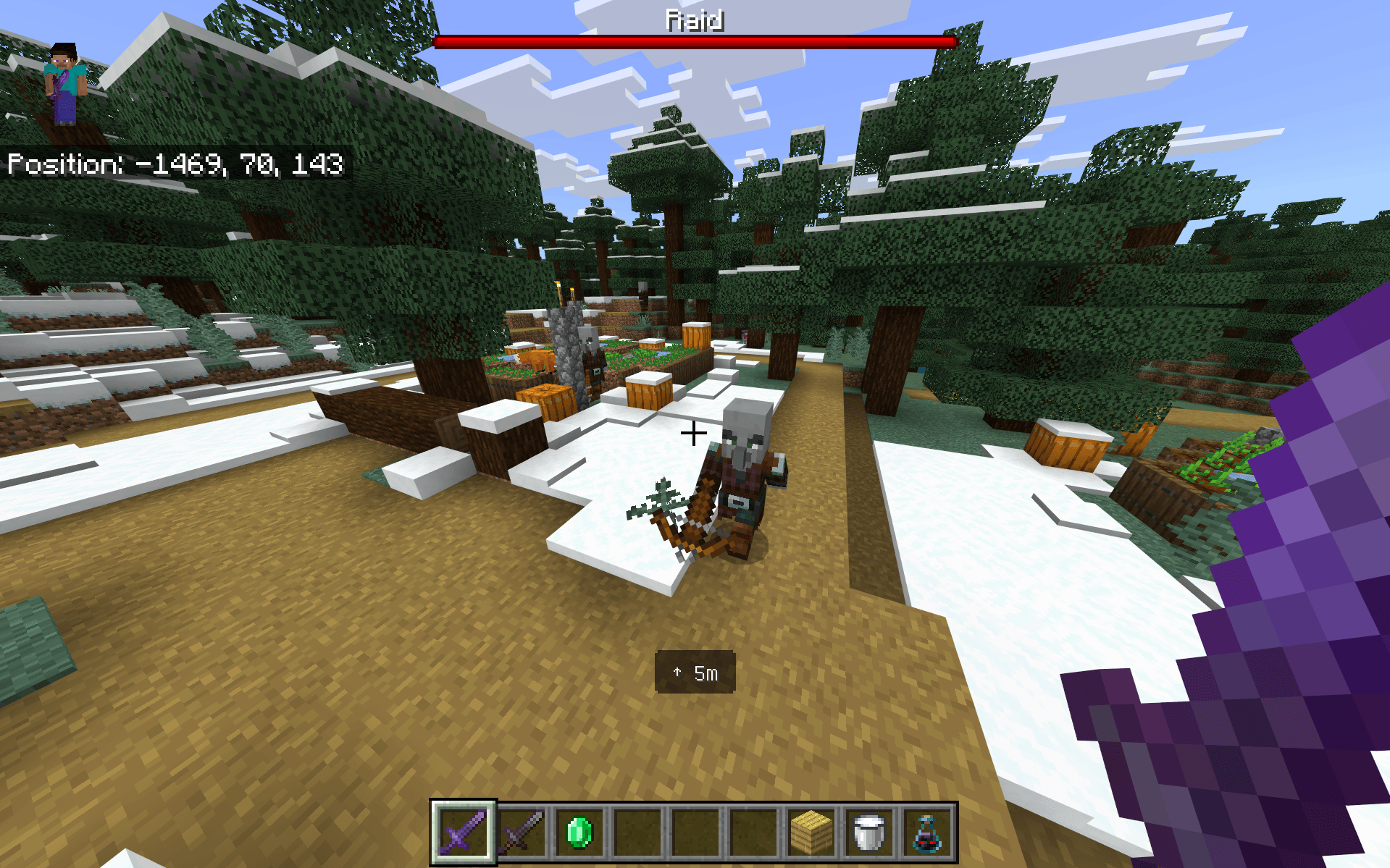
RaidRadar
Find the last hidden raiders during vanilla village raids.
RaidRadar is a Minecraft Bedrock survival utility that helps you locate remaining raiders using a compact live HUD with relative direction, distance, and optional vertical guidance.
When the raid bar is still active but the last raider is hiding underground, behind terrain, or somewhere around the village, RaidRadar helps point you in the right direction.
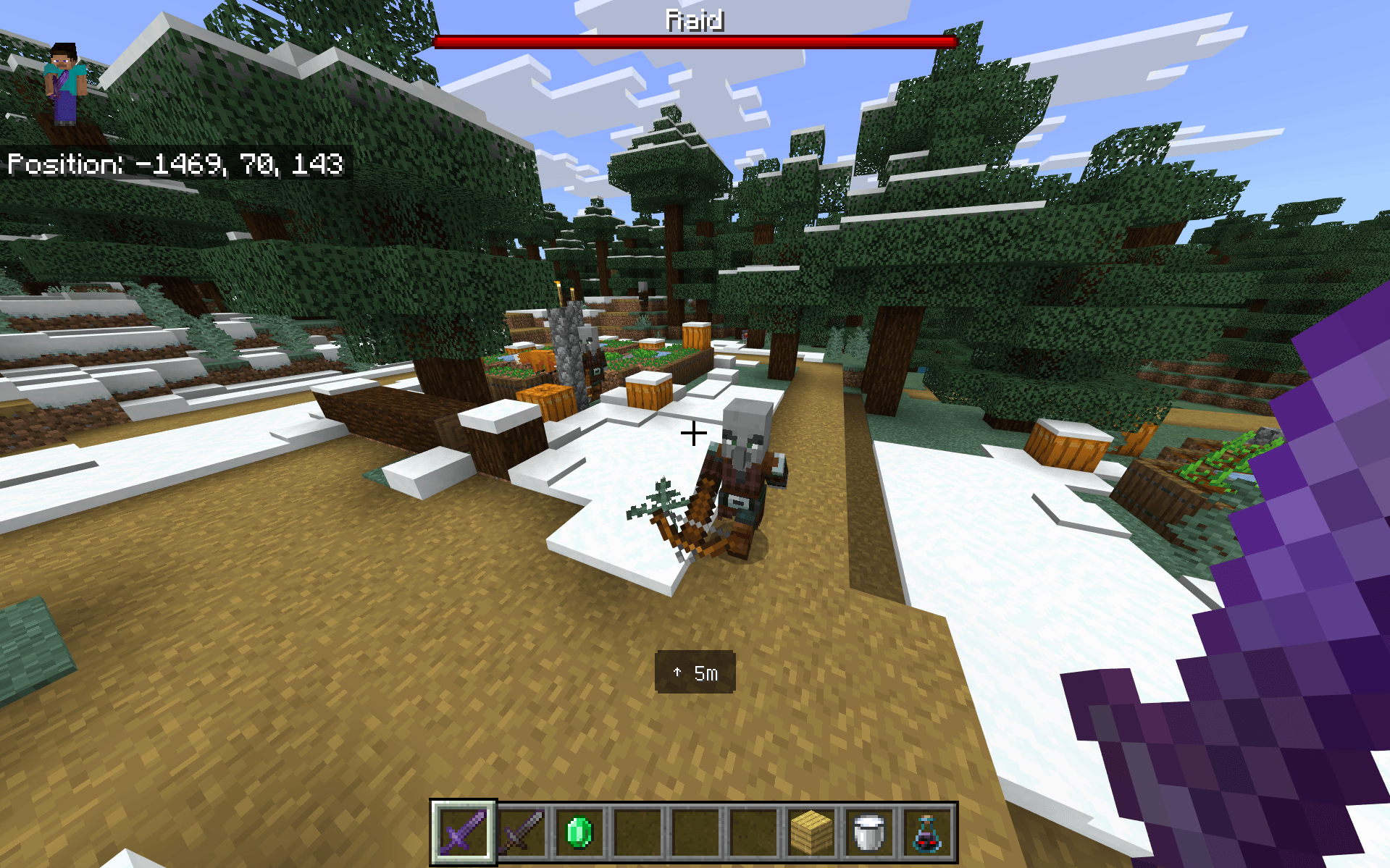
Find the Last Raider
RaidRadar is designed specifically for one of the most frustrating parts of vanilla raids:
Finding the last few raiders when you know the raid is still active but cannot see where they are.
Instead of highlighting every mob or turning the game into an ESP overlay, RaidRadar keeps things simple and shows the nearest confirmed raid target directly on your HUD.
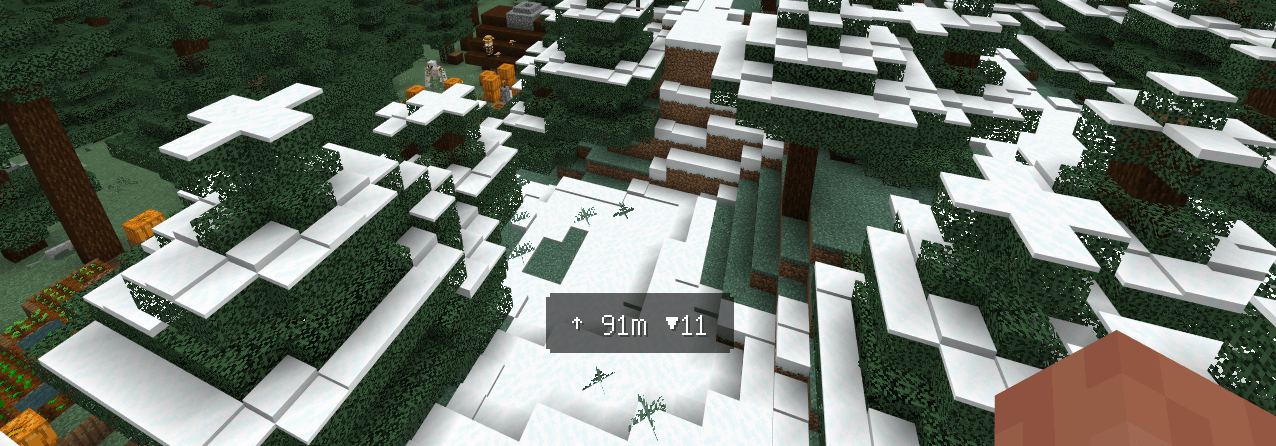
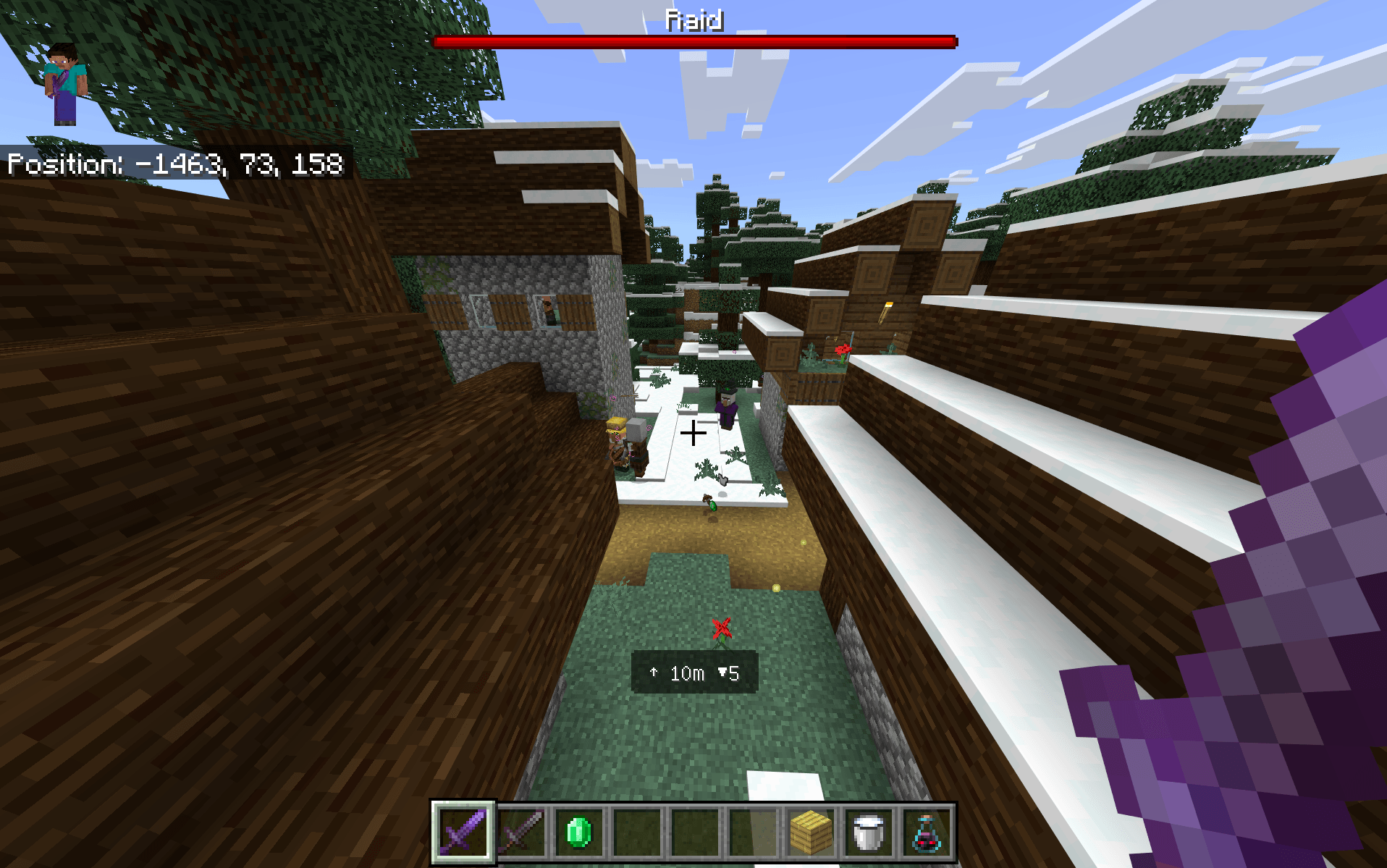
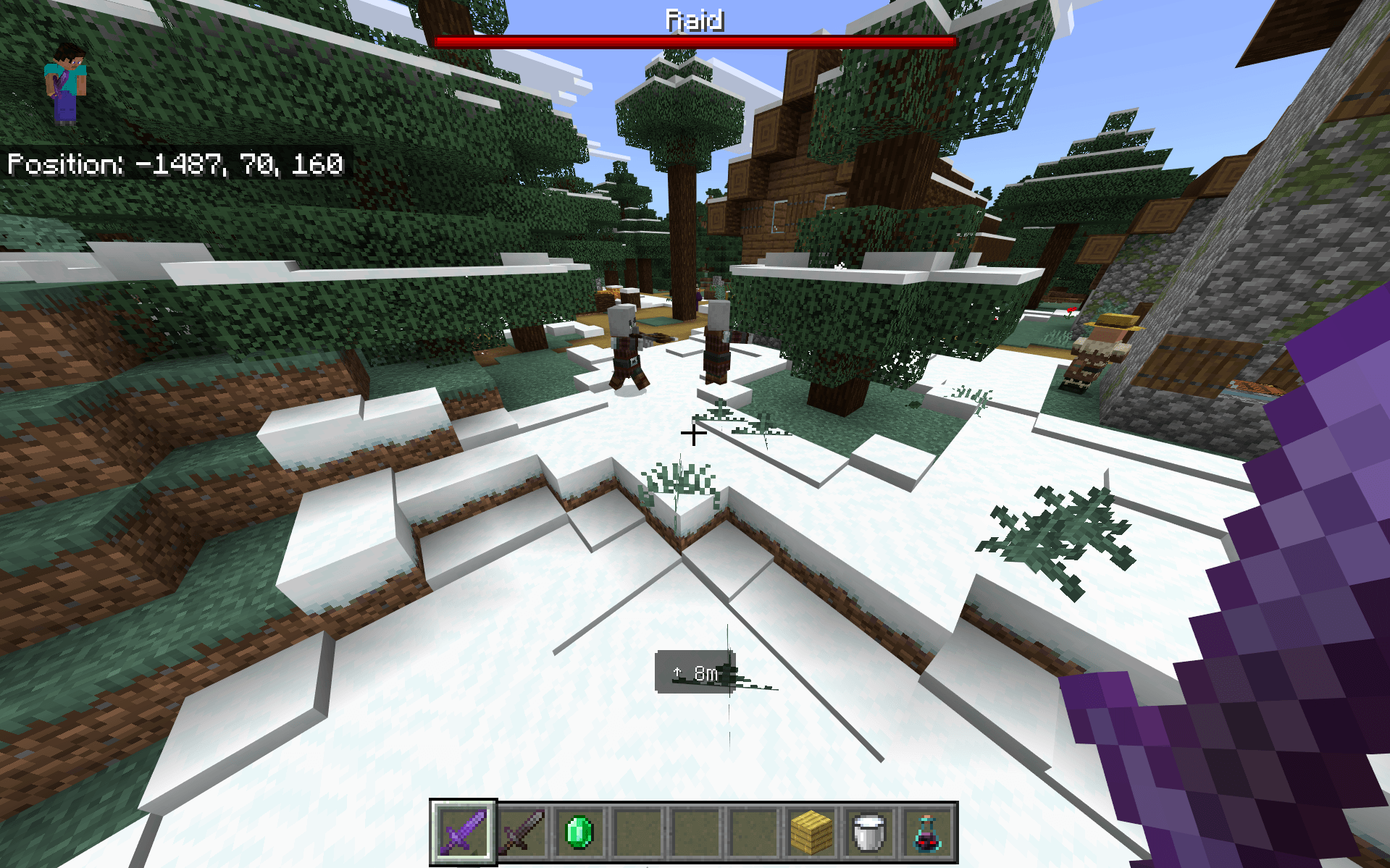
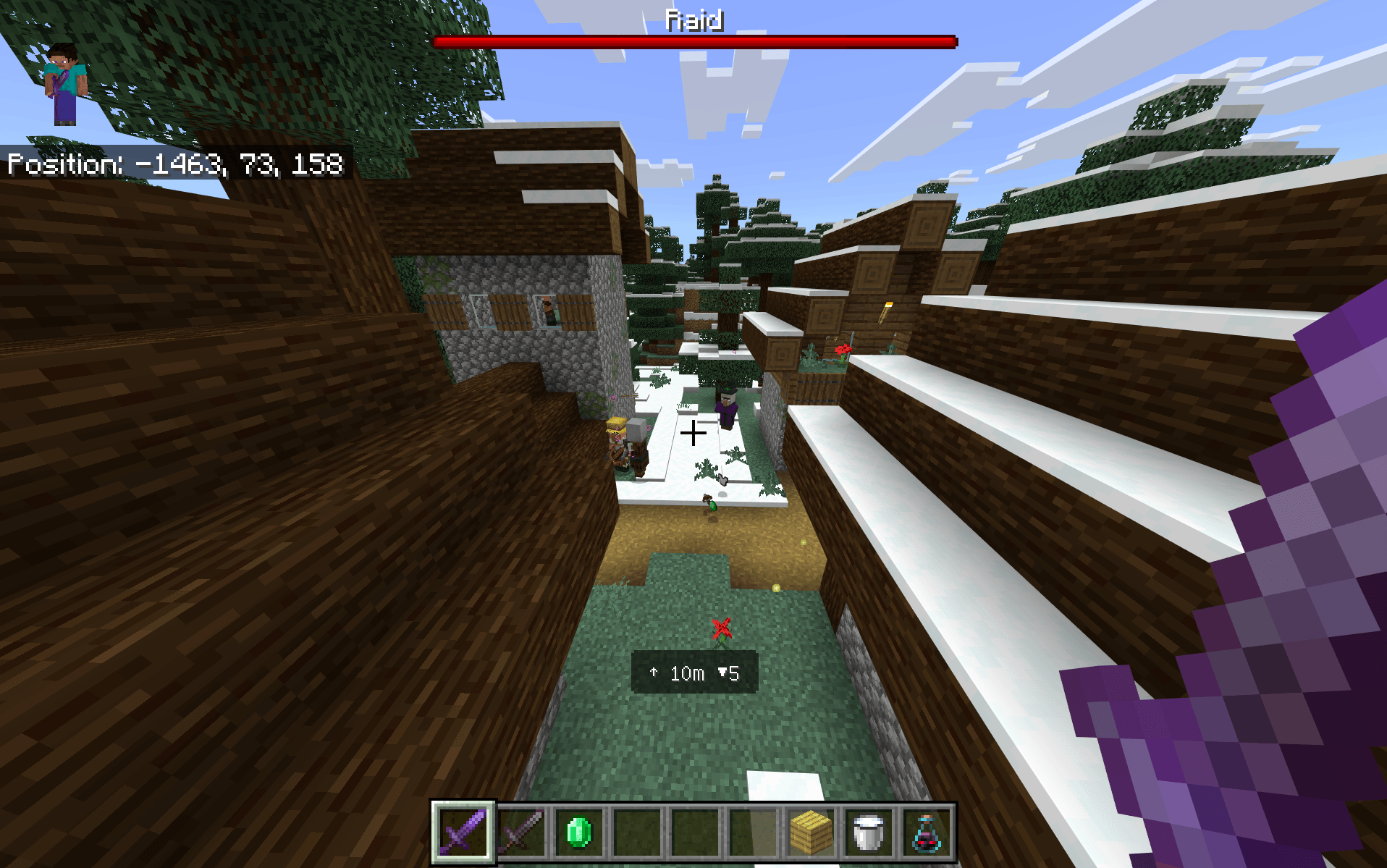
Live Raid HUD
During an active vanilla raid, RaidRadar can show:
- Relative direction to the tracked raider
- Distance to the target
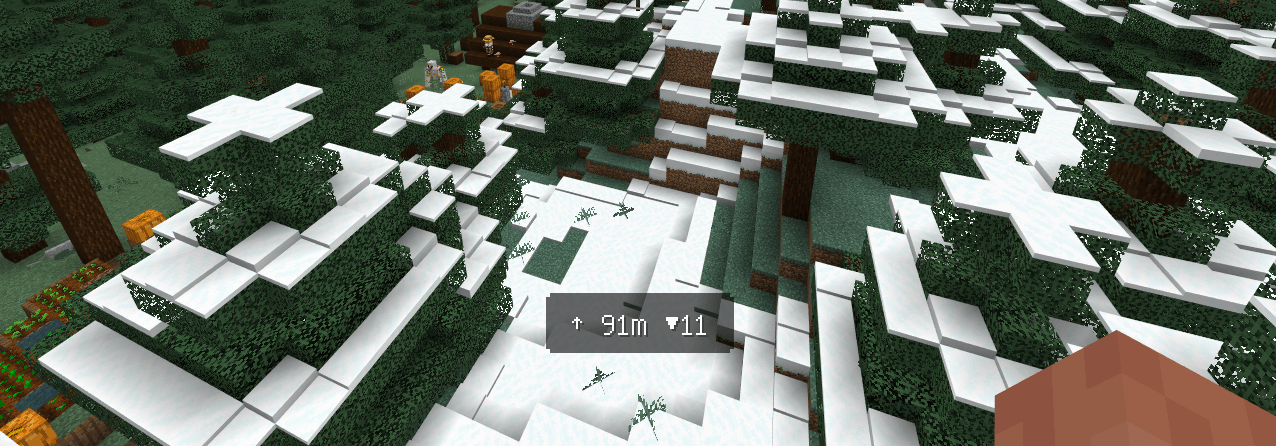
- Optional ▲ / ▼ vertical guidance
Example:
↗ 42m ▲7
This means:
- ↗ — the target is diagonally ahead and to your right
- 42m — the target is approximately 42 blocks away
- ▲7 — the target is approximately 7 blocks above you
RaidRadar supports all eight relative directions:
↑ ↗ → ↘ ↓ ↙ ← ↖
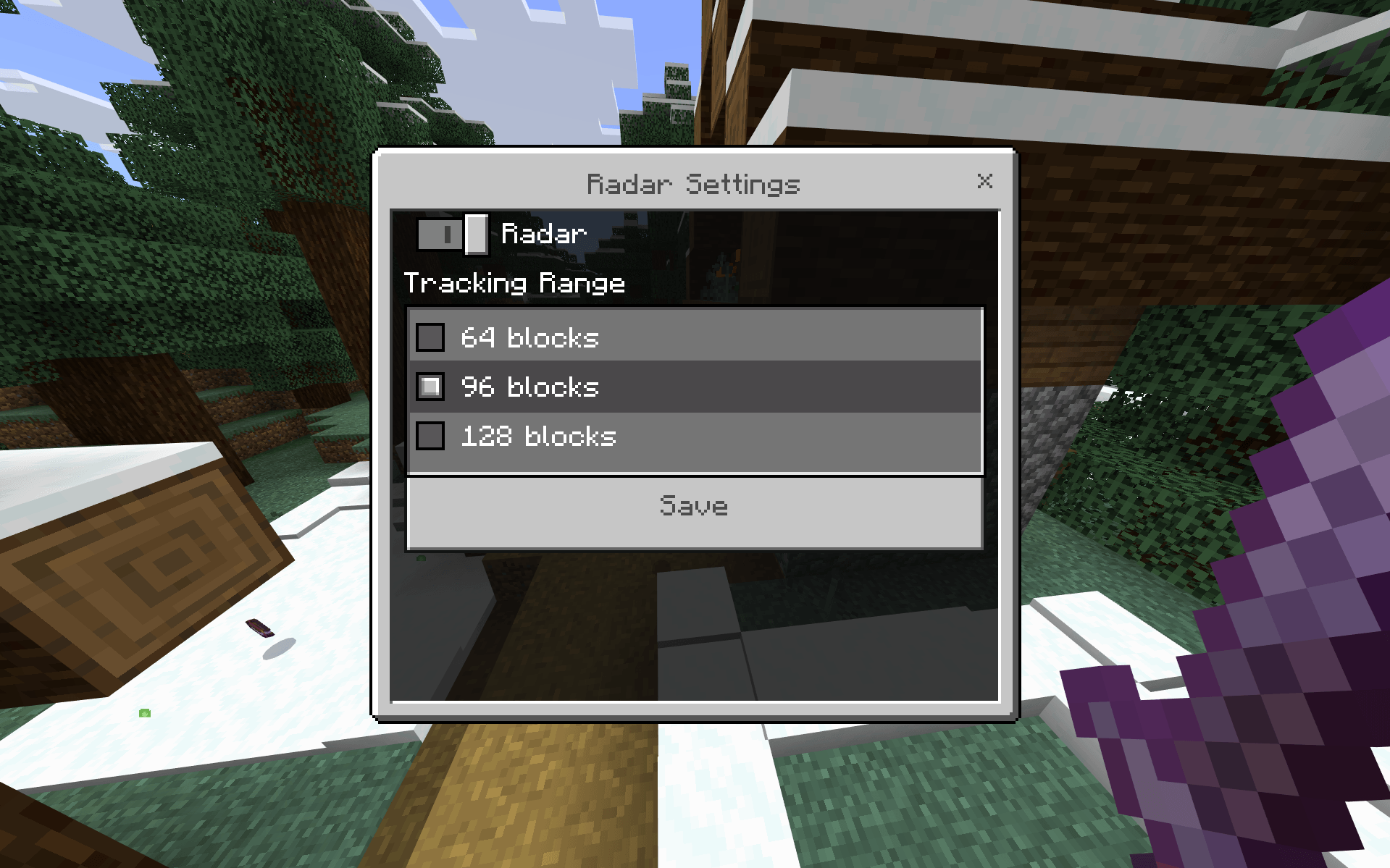
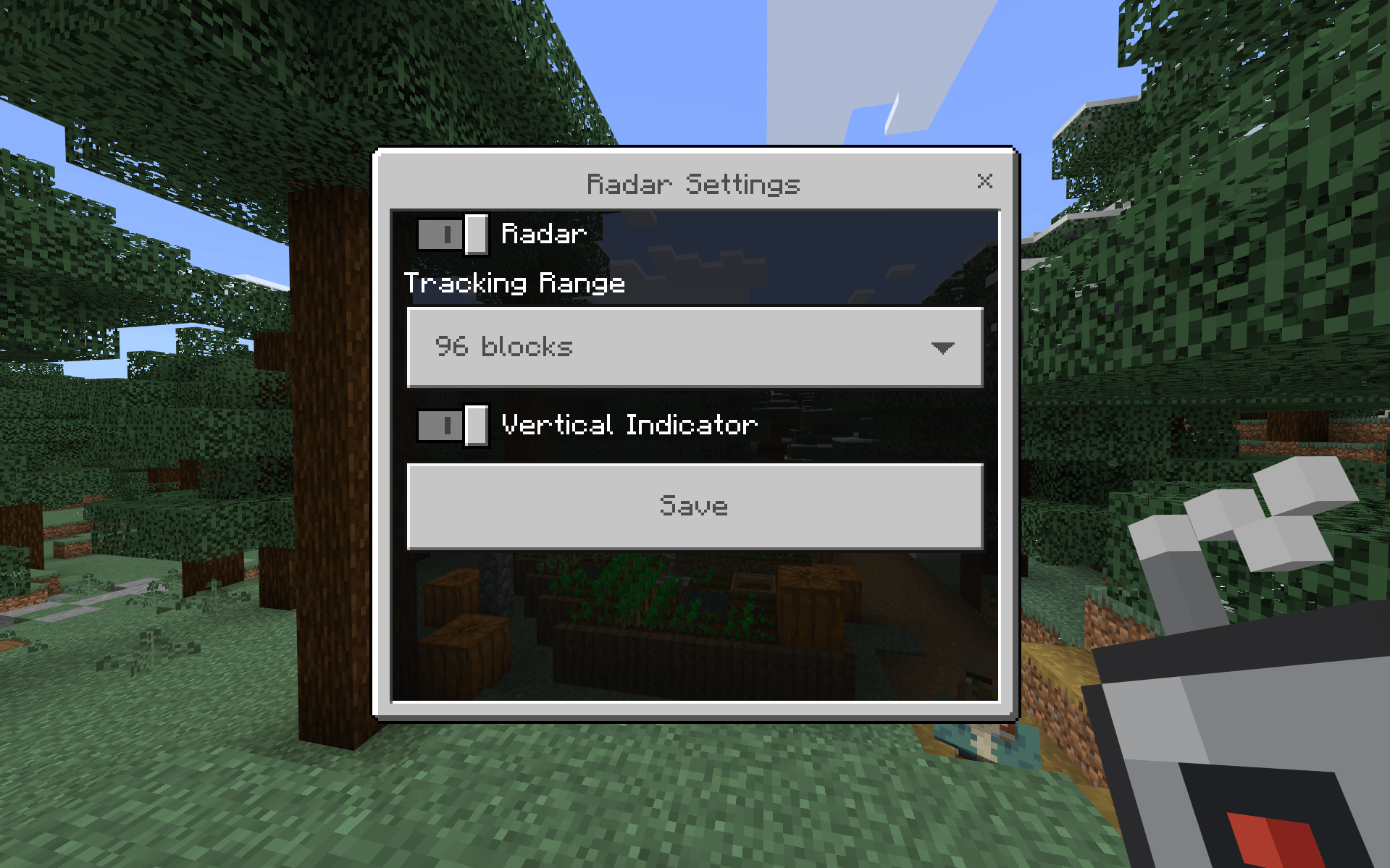
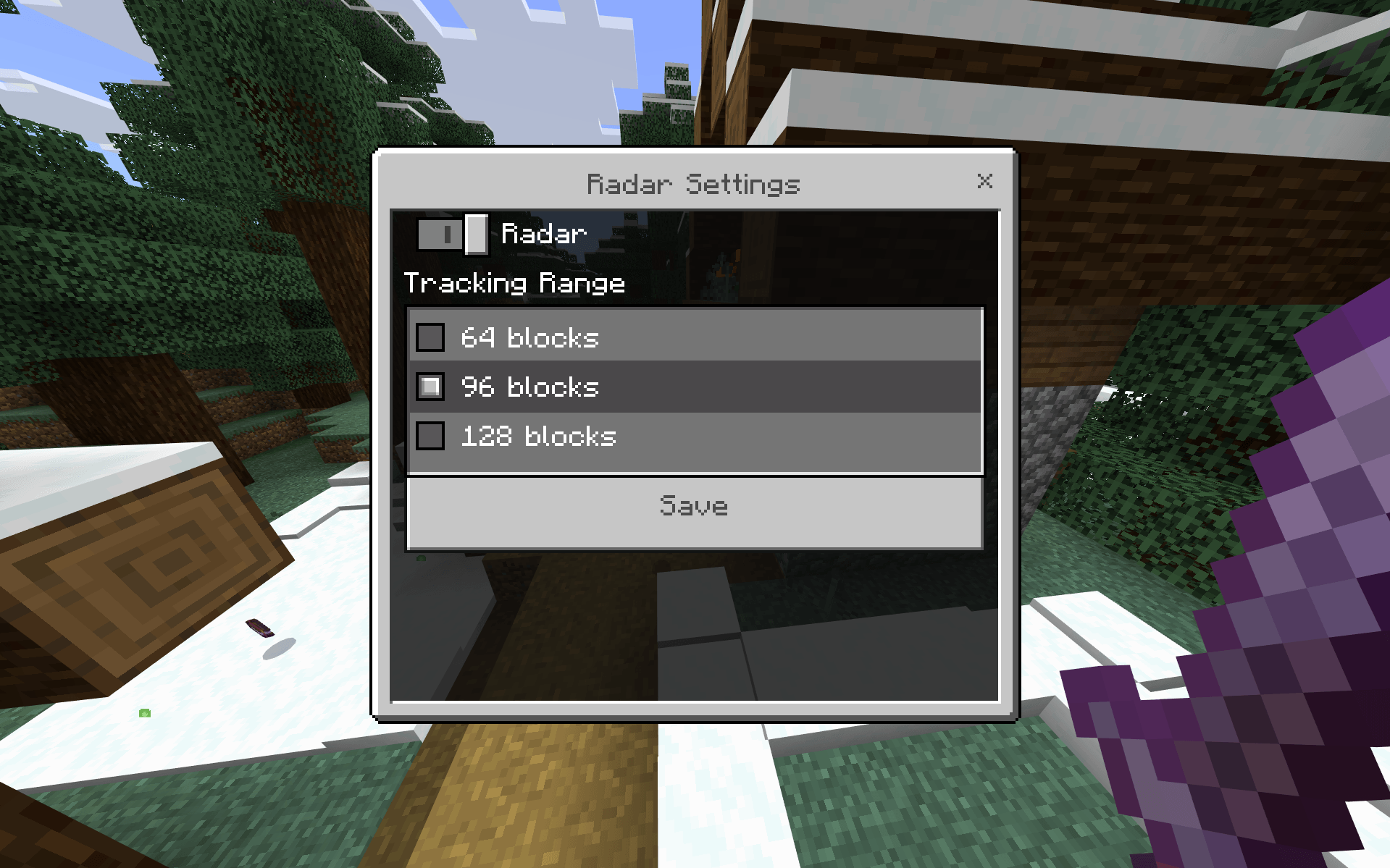
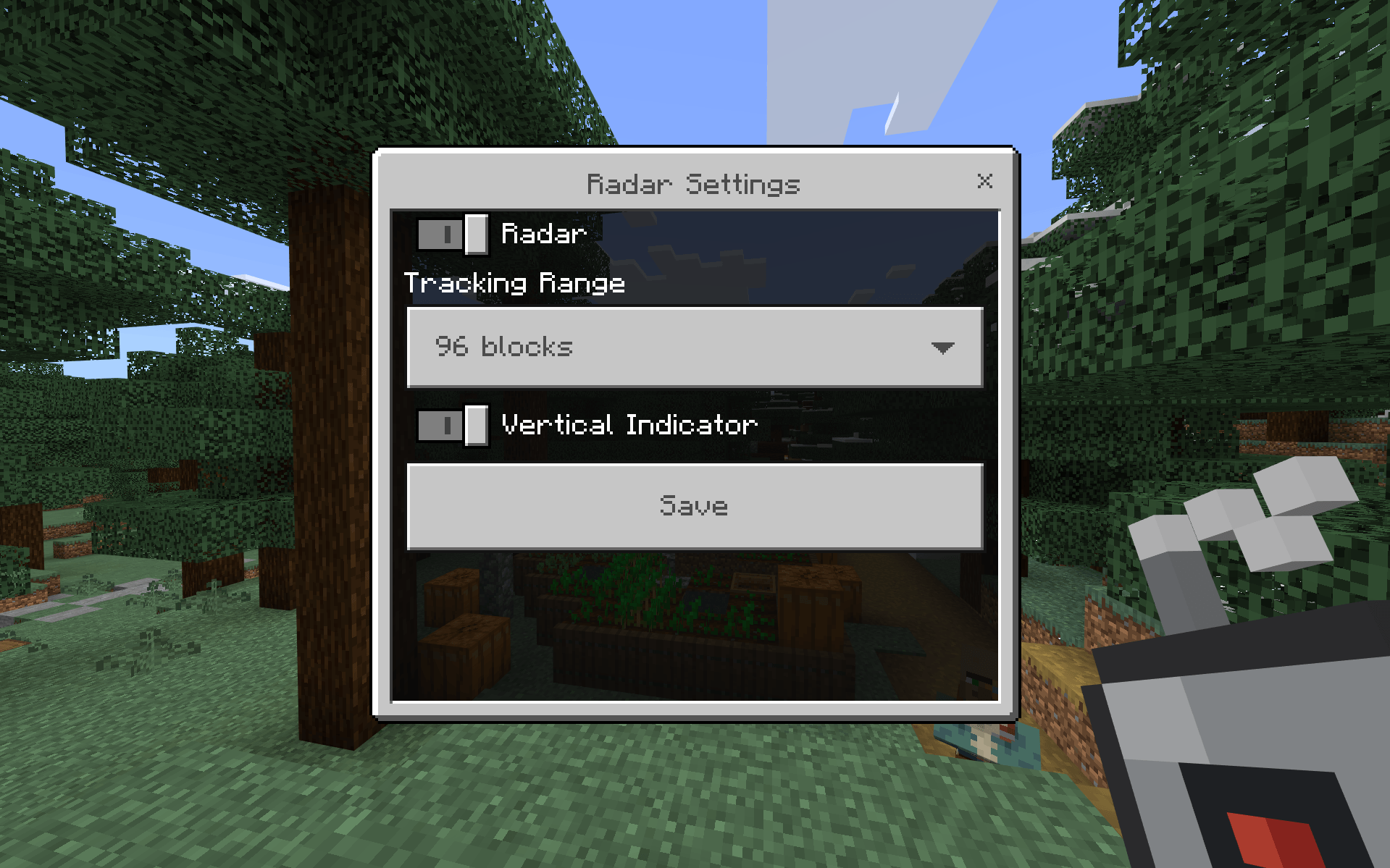
Radar Settings
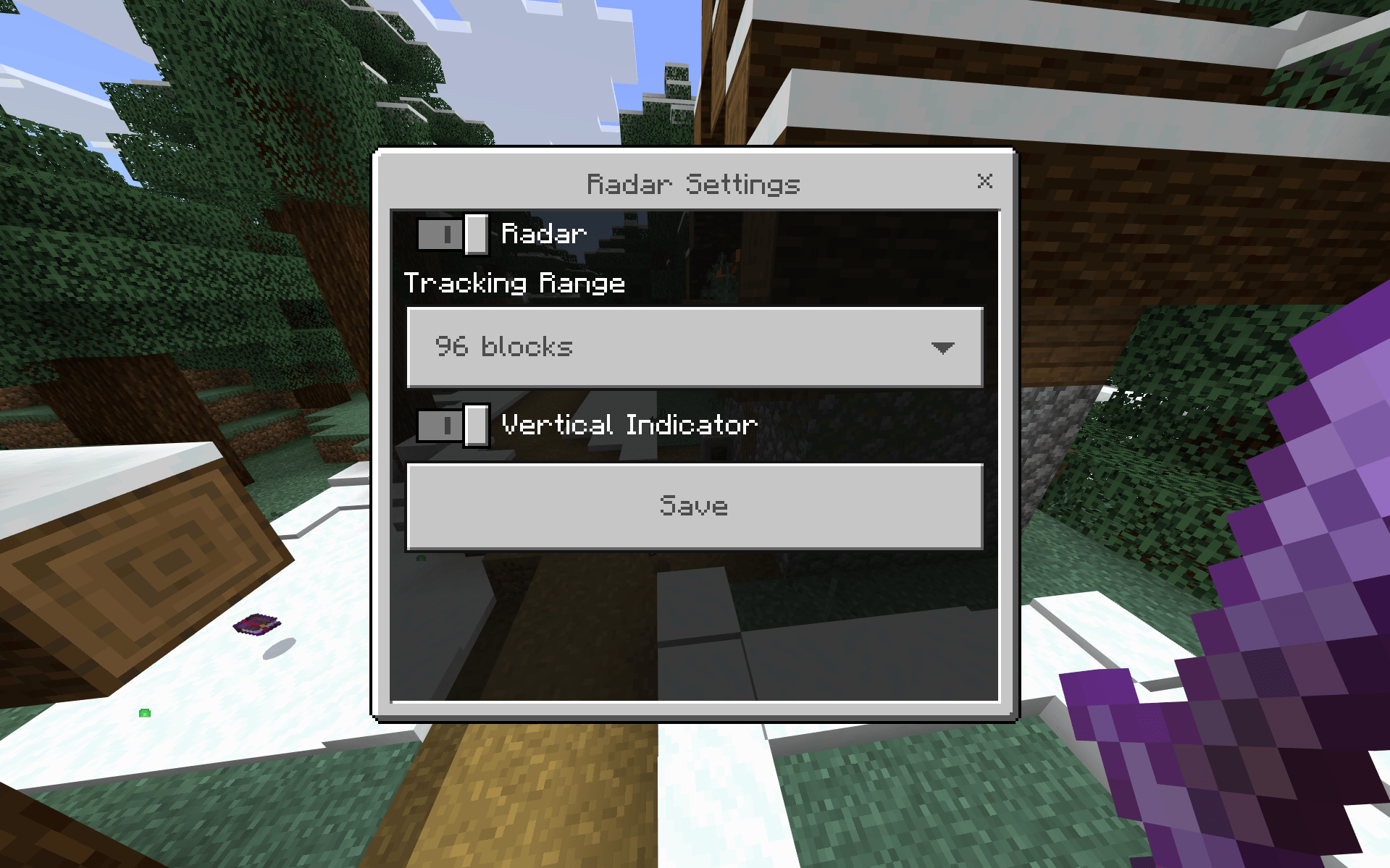
RaidRadar includes a simple native settings menu.
You can configure:
- Radar — turn your personal tracking HUD on or off
- Tracking Range — choose how far RaidRadar can track for you
- Vertical Indicator — show or hide the ▲ / ▼ height indicator
Your settings are stored independently from other players and persist between sessions.
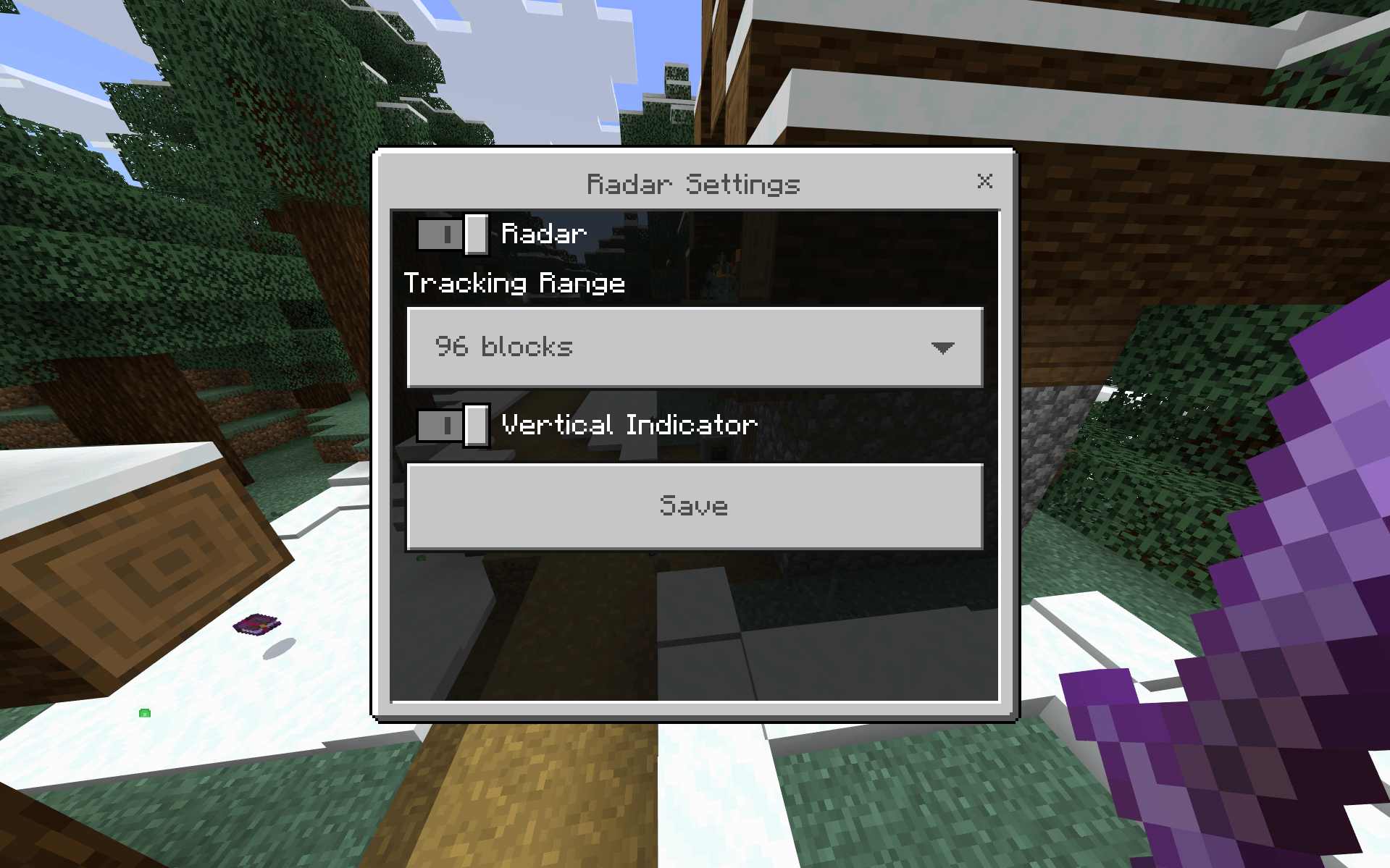
Tracking Range
Choose between three tracking ranges:
- 64 blocks
- 96 blocks
- 128 blocks
The default Tracking Range is:
96 blocks
This is a per-player setting, so different players in the same world can use different ranges.
Radar Configuration
The Radar Configuration item is the main way to access RaidRadar's settings.
Use it to open the Radar Settings menu whenever you want to change your preferences.
The item is reusable and is not consumed when used.
You can also open the same menu with:
/raidradar:settings
Crafting Recipe
Craft the Radar Configuration using:
- 4× Iron Ingot
- 1× Redstone Dust
Recipe:
I I
 R
I I
I = Iron Ingot
R = Redstone Dust
Multiplayer
RaidRadar is multiplayer-aware.
Each player has their own:
- Radar ON/OFF state
- Tracking Range
- Vertical Indicator preference
- HUD target state
One player's settings do not change another player's settings.
Focused on Vanilla Raids
RaidRadar tracks confirmed vanilla raid members.
It is not:
- A generic mob radar
- A minimap
- ESP
- A raid overhaul
- A raid wave counter
- A remaining-raider counter
The goal is simple:
Help you find the raiders that are keeping your vanilla raid alive.
Installation
Download:
RaidRadar-v0.1.0.mcaddon
Then:
- Open the
.mcaddonfile with Minecraft Bedrock. - Allow Minecraft to import the included packs.
- Create a new world or edit an existing world.
- Activate the RaidRadar Behavior Pack.
- The linked RaidRadar Resources pack activates automatically.
- Enter the world.
- Craft the Radar Configuration item and start playing.
Compatibility
Tested on Minecraft Bedrock 26.40.
RaidRadar uses the stable Minecraft Bedrock Script API.
Older Minecraft versions have not been verified.
Known Limitations
Multiple Raids in the Same Dimension
Minecraft Bedrock's stable Script API does not expose an authoritative vanilla Raid ID.
Because of this, rare situations involving multiple simultaneous raids in the same dimension cannot always be perfectly separated by raid identity.
Reloading During an Active Raid
RaidRadar learns raid membership from observable vanilla raid events.
After a full world or script reload during an already-active raid, some pre-existing raiders may not be rediscovered if their original membership event was missed.
Newly spawned raiders from later waves can still be tracked normally.
Feedback & Bug Reports
Found a bug or have an idea for RaidRadar?
When reporting an issue, including your Minecraft version, RaidRadar version, what you were doing, and what happened makes problems much easier to reproduce and investigate.
Feedback and suggestions are always welcome.
Find the raider. Finish the raid.
- Edition: Minecraft Bedrock
- File type: .mcpack or .mcaddon
- Minecraft version listed: 26.40
- How to install: Download the .mcpack or .mcaddon file. → Open it — Minecraft imports it. → In your world: Behavior Packs → Available → Activate, then the same under Resource Packs.
- Where to get it: Opens on CurseForge — not every file is mirrored on our own servers.
Install steps are the general flow for this file type — How to install Minecraft Bedrock addons & mods walks through it step by step.
RaidRadar is a free Minecraft Bedrock addon. Compatible with Minecraft 26.40. Downloaded 14 times (via CurseForge). Download it and open it directly in the game.