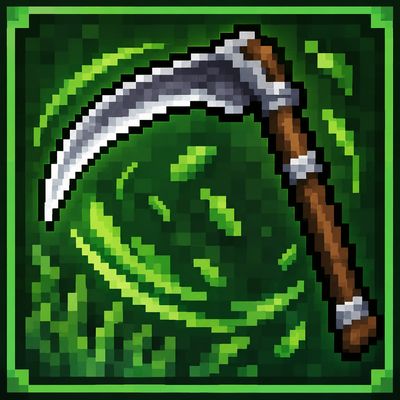
Grass cutter
Bedrock add-on listed for Minecraft 26.x. Download on the author's site.
Cut grass and vegetation quickly with the Grass Cutter! Choose between 3×3, 5×5, and 10×10 cutting areas. Supports flowers, bushes, ferns, enchantments…
⬇ Download on CurseForgeGrass Cutter
Cut grass and other vegetation quickly with the Grass Cutter.
This addon adds a special scythe-like tool that allows you to clear large areas of vegetation without breaking every plant one by one.
Features
- Cuts grass and many types of vegetation at once
- Three selectable cutting sizes:
- 3×3
- 5×5
- 10×10
- Change the radius whenever you want
- Durability system
- Supports enchantments such as Unbreaking, Mending and Silk Touch
- Custom sound effect when cutting
- Grass particles appear when vegetation is cut
- Small cooldown to prevent excessive activation
- Normal block drops are preserved
- Supports flowers, grass, ferns, bushes and other vegetation
- Designed as a scythe/grass-cutting tool
How to Use
Hold the Grass Cutter and use it to start cutting vegetation.
While sneaking, use the item to switch between the available cutting sizes.
The selected radius is displayed in chat.
Crafting
The Grass Cutter can be crafted in Survival using the included recipe.
Compatibility
Made for Minecraft Bedrock Edition.
Enjoy faster and easier vegetation clearing!
- Edition: Minecraft Bedrock
- File type: .mcpack or .mcaddon
- Minecraft version listed: 26.30
- How to install: Download the .mcpack or .mcaddon file. → Open it — Minecraft imports it. → In your world: Behavior Packs → Available → Activate, then the same under Resource Packs.
- Where to get it: Opens on CurseForge — not every file is mirrored on our own servers.
Install steps are the general flow for this file type — How to install Minecraft Bedrock addons & mods walks through it step by step.
Grass cutter is a free Minecraft Bedrock addon. Compatible with Minecraft 26.30. Downloaded 12 times (via CurseForge). Download it and open it directly in the game.