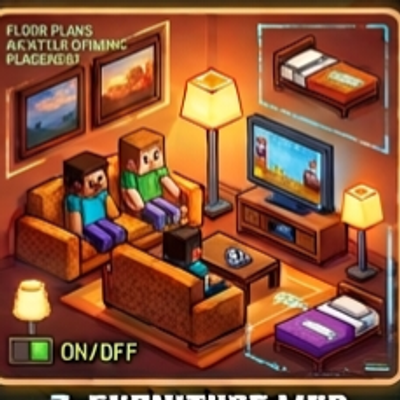
Furnitures Mod
Bedrock add-on listed for Minecraft 1.21–26.x (behavior + resource pack). File opened and checked on 10 Oct 2026; installs from the MC Bedrock Mods app on Android.
⬇ Download on CurseForgeDecorate your house with furniture that you can actually use. Sit on sofas and chairs, and switch the lamp and TV on and off.
Features:
4 sofa colors, 2 chairs, 2 tables, 2 fridges, 2 beds, lamp and TV
Right-click a sofa, chair or bed to sit on it
Tap the lamp or TV to turn it on (lamp gives light)
Furniture rotates to face you when placed
Sneak while placing to put blocks next to furniture
Beds and fridges are decoration only
How to use:
Craft furniture, or find it in Creative inventory > Construction (search "sofa", "chair", "lamp" and so on).
Place it. It turns to face you.
Right-click a sofa, chair or bed to sit. Sneak to stand up.
Tap the lamp or TV to switch it on or off.
Sneak while tapping to place blocks next to furniture
How to install (same for all addons)
Download the .mcaddon file and tap it. Minecraft opens and imports it automatically.
Create a new world (or edit an old one) and open Add-Ons.
Turn ON both the Behavior Pack and the Resource Pack of the addon.
If something does not work, turn on Beta APIs under Experiments, then check Settings > Creator > Content Log.
Start the world. In Creative, find items in the Creative inventory (Equipment, Items, Construction, Nature or Spawn Eggs tabs).
- Edition: Minecraft Bedrock
- File type: .mcpack or .mcaddon
- Minecraft versions listed: 1.21.93, 1.21.101, 1.21.94
- How to install: Download the .mcpack or .mcaddon file. → Open it — Minecraft imports it. → In your world: Behavior Packs → Available → Activate, then the same under Resource Packs.
- Where to get it: Opens on CurseForge — not every file is mirrored on our own servers.
Install steps are the general flow for this file type — How to install Minecraft Bedrock addons & mods walks through it step by step.
- Pack type: .mcaddon — behaviour and resource pack in one file
- Manifest requires Minecraft 1.26.0 or newer
- Complete pack — everything it depends on is inside the file
- Download size: 344 KB
- Download link checked 10 Oct 2026 — working
These come from our own check of the pack file, not from the source page.