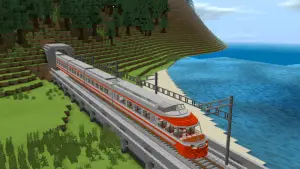
Smart-Vehicles
Bedrock add-on listed for Minecraft 1.21–26.x (behavior + resource pack). File opened and checked on 10 Oct 2026; installs from the MC Bedrock Mods app on Android.
⬇ Download on CurseForgeGet around the world in style. Every vehicle uses fuel, so keep some coal in your inventory.
Features:
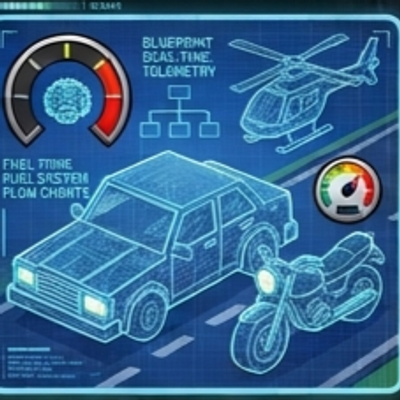
Car (2 seats), Bike (1 seat), Helicopter (2 seats)
Fuel system: sneak + right-click the vehicle with coal, charcoal, blaze rod or coal block
Fuel bar shown on screen while riding
Spinning wheels and rotors
Vehicles drop as items when destroyed
Craftable and available as spawn eggs in Creative
Crafting: Car III / IRI / WIW, Bike __I / IRI / W_W, Helicopter III / IFI / III (I = iron ingot, R = redstone, W = black wool, F = furnace).
How to install (same for all addons)
Download the .mcaddon file and tap it. Minecraft opens and imports it automatically.
Create a new world (or edit an old one) and open Add-Ons.
Turn ON both the Behavior Pack and the Resource Pack of the addon.
If something does not work, turn on Beta APIs under Experiments, then check Settings > Creator > Content Log.
Start the world. In Creative, find items in the Creative inventory (Equipment, Items, Construction, Nature or Spawn Eggstabs
How to use:
Craft a vehicle item (see Crafting above) or use a spawn egg in Creative.
Hold it and tap flat ground to place the vehicle.
Add fuel: sneak and tap the vehicle while holding coal, charcoal, blaze rod or coal block. A new vehicle starts with a little fuel.
Tap the vehicle to get in. Use the move controls to drive. In the helicopter, look where you want to fly and move forward. Jump to go up.
Sneak to get out. Hit a vehicle until it breaks to get it back as an item.
- Edition: Minecraft Bedrock
- File type: .mcpack or .mcaddon
- Minecraft versions listed: 1.21.101, 1.21.94, 1.21.100
- How to install: Download the .mcpack or .mcaddon file. → Open it — Minecraft imports it. → In your world: Behavior Packs → Available → Activate, then the same under Resource Packs.
- Where to get it: Opens on CurseForge — not every file is mirrored on our own servers.
Install steps are the general flow for this file type — How to install Minecraft Bedrock addons & mods walks through it step by step.
- Pack type: .mcaddon — behaviour and resource pack in one file
- Manifest requires Minecraft 1.26.0 or newer
- Complete pack — everything it depends on is inside the file
- Download size: 334 KB
- Download link checked 10 Oct 2026 — working
These come from our own check of the pack file, not from the source page.
Related Bedrock mods
Futuristic Freight Train | v1.0.2 Damage Update
Nascar | v1.2.7 Particle Update
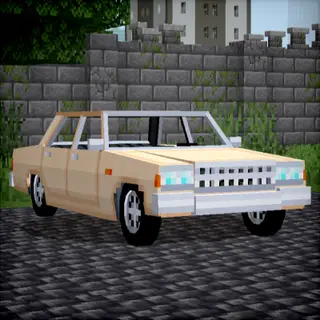
Motorisation №8
storm chasers remake
Poppy Play TimeChapter 2 Map (26.x) – Survive Deadly Games in the Abandoned