Player Postage and Payment System
Bedrock add-on listed for Minecraft 26.x. Download on the author's site.
⬇ Download on CurseForgeThis addon adds linked postboxes and secure mailboxes along with payment chests and secure safes to your minecraft multiplayer world. Players are able to send post through a 27 slot input chest to a 54 slot recieving chest. I have been using it on my personal realm for about 12 months now and it has been well recieved by my players.
The system works by transfering items out of the input chest to a secure storage area, and then moving these items to the recieving chest on open, with a robust syncing system to ensure that the vanilla storage chests always reflect the correct items being held. The storage area needs to be set up by clearing an area of all blocks in a minimum 2 chunk radius around x15000, z15000 from y0 to y-58. I also encase this area in bedrock to limit access to it by non admins,
Both Postbox/mailbox and payment/safe pairs are linked together with the mailboxes and safes being locked to their owners and admins only to keep mail and payments secure.
Accessing admin features requires the tag postal_admin (/tag @s add postal_admin) and the use of the postal admin wand for accessing box admin functions.
boxes can not be crafted and need to be taken from the creative inventory and either given to players (we use an already set up post office and include a mailbox in our starter kits) or sold (shop owners are required to buy payment chests, and safes as part of their shop set up on my realm).
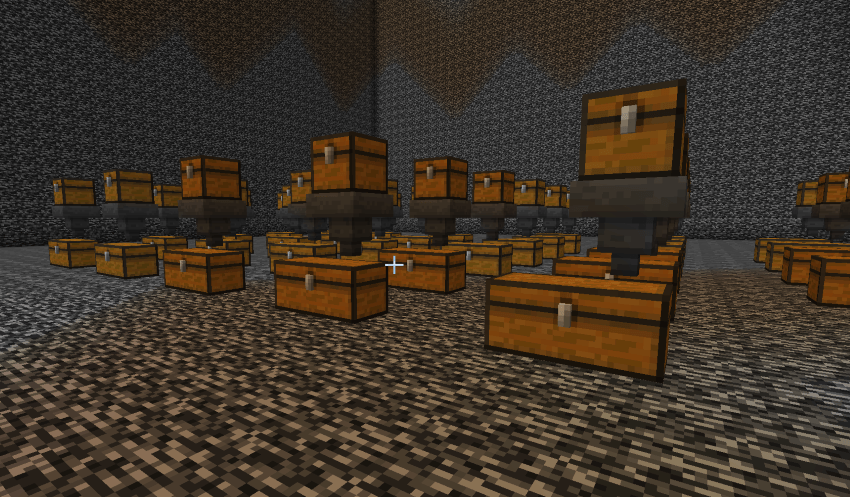
Example of all unlinked boxes
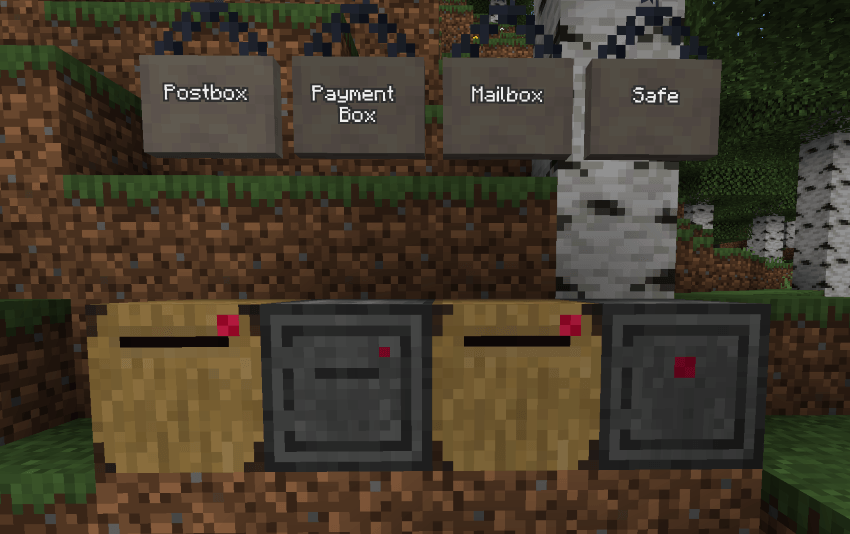
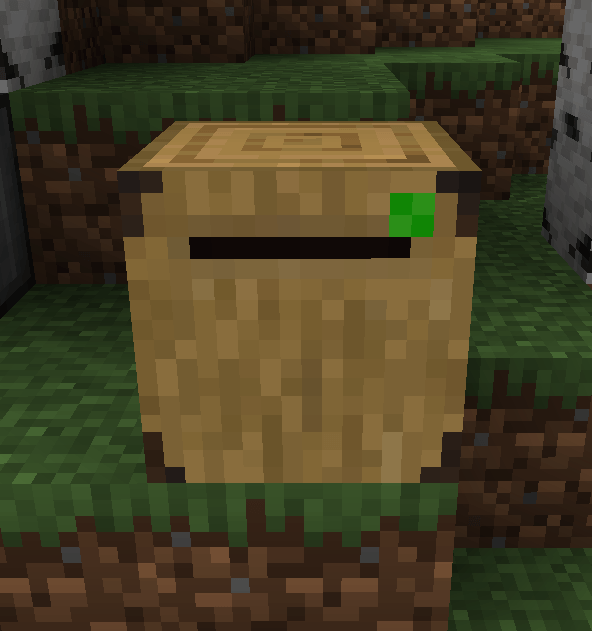
When the boxes are setup the "light" goes green as shown below. Postboxes/Payment boxes will send and store items in the storage area but it is not accessible till the mailbox/safe is set up
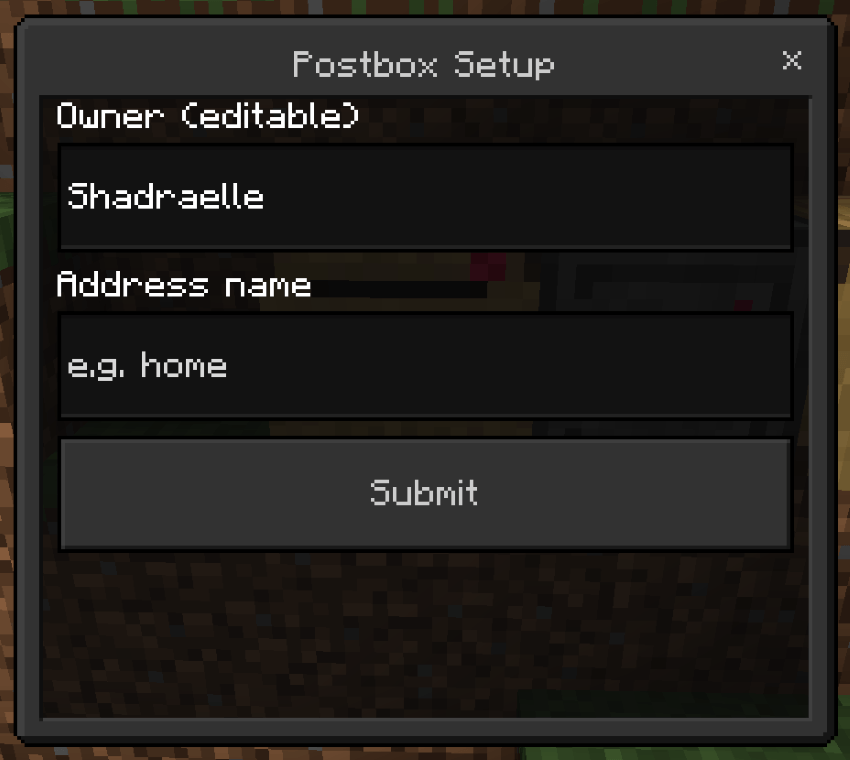
All boxes have the same set up menu. I reccomend that people only fill in the address line. The address can be any word they want to use. It is also the name of their mailbox which other players can see, and linked pairs require the exact same owner and address details to link correctly.
The sending and recieving boxes for both pairs look the same as the below. you can see that these both have the same address name. The first image also has the postal admin wand in it.
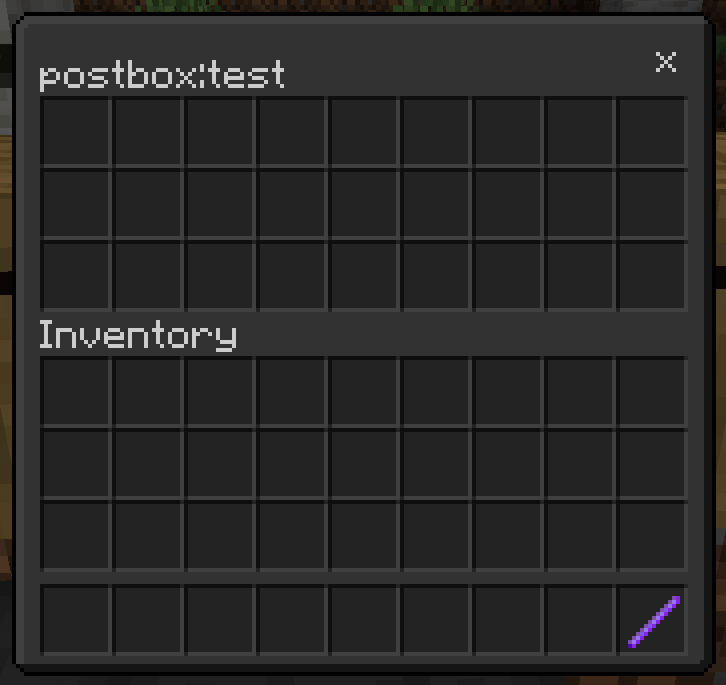
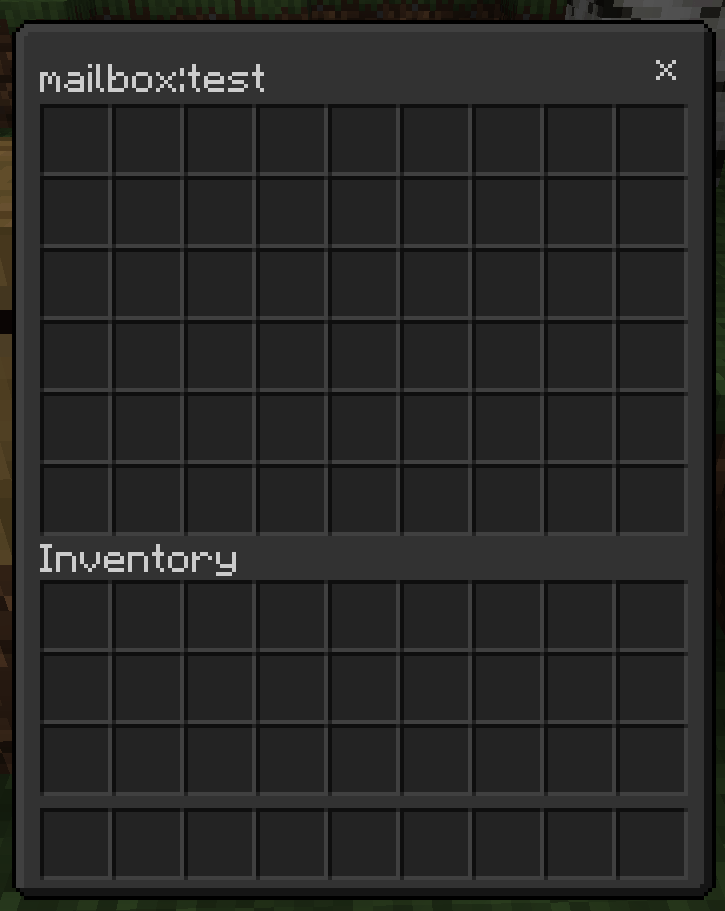
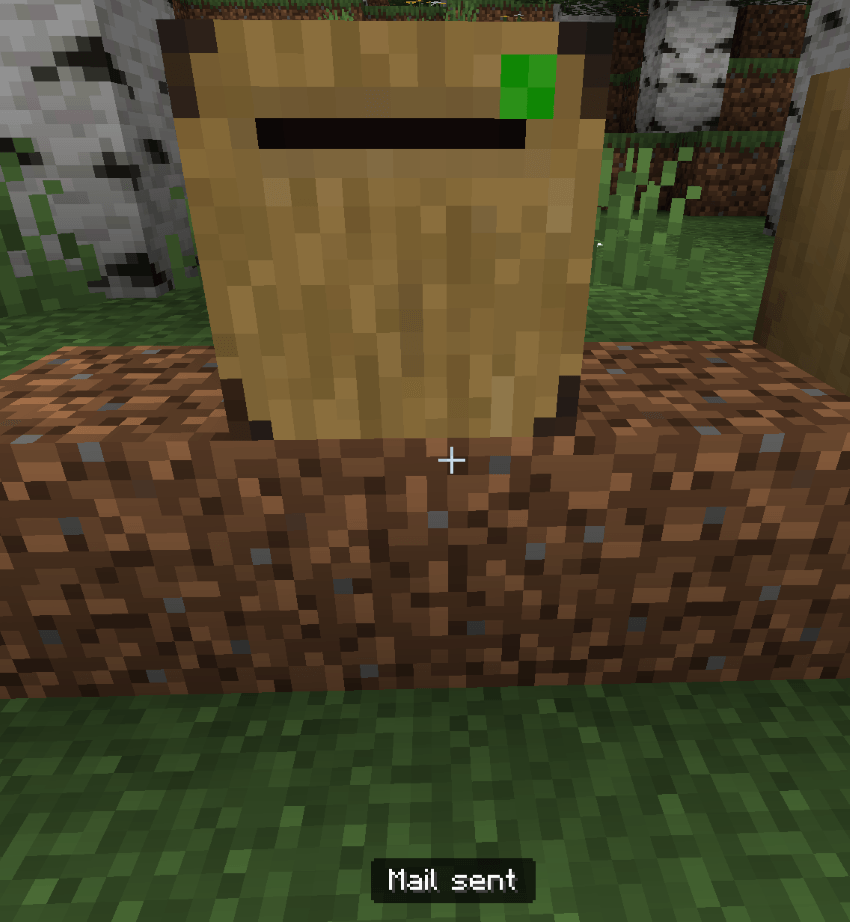
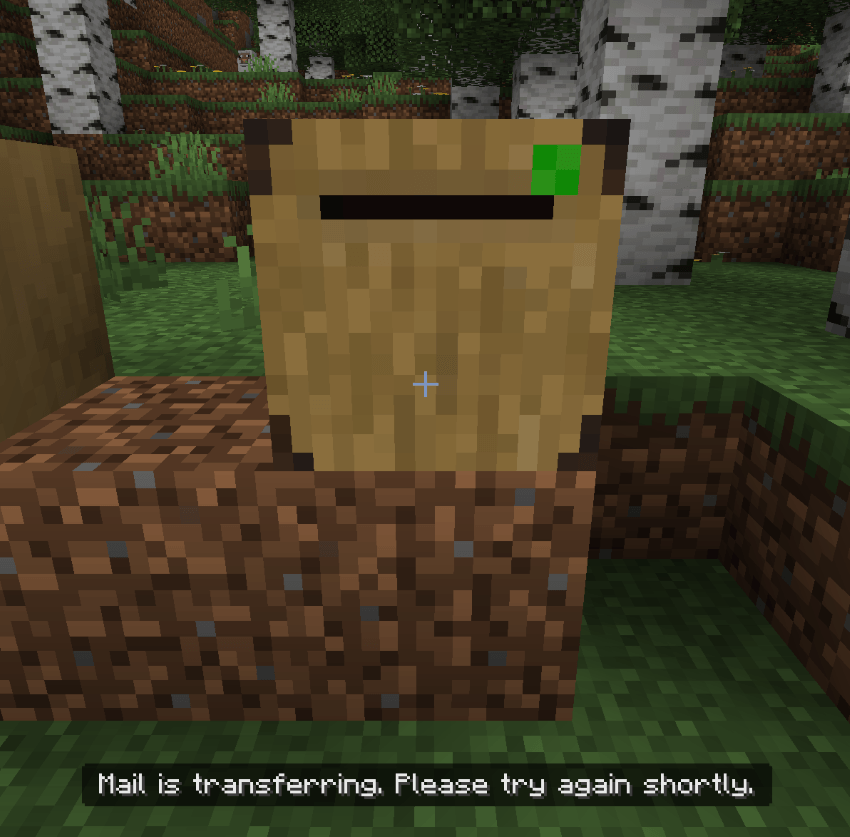
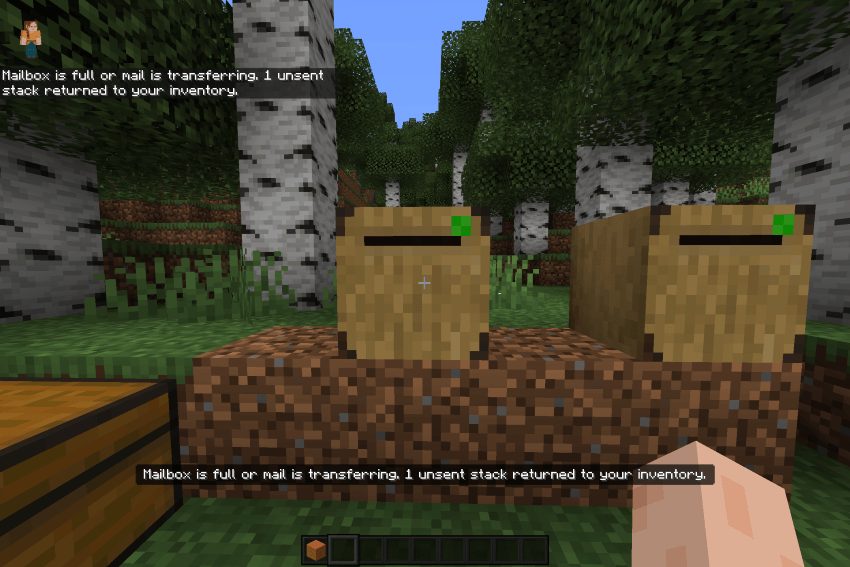
Below are some messages that you may see when sending or recieving mail. The mail from the sending chest is moved into a chest above a hopper, to allow items of the same kind to be consolidated in to a double chest below the hopper. While these items are transfering mailbox access is restritcted to prevent the accidental loss of items. image 1: postbox after closing, image 2: mailbox lock during mail transfer, image 3: items returned to sender if the recieving mailbox is full. there is another message which states how much can be put in the sending box, but this message only displays if a side other than the front of the postbox/safe is clicked.
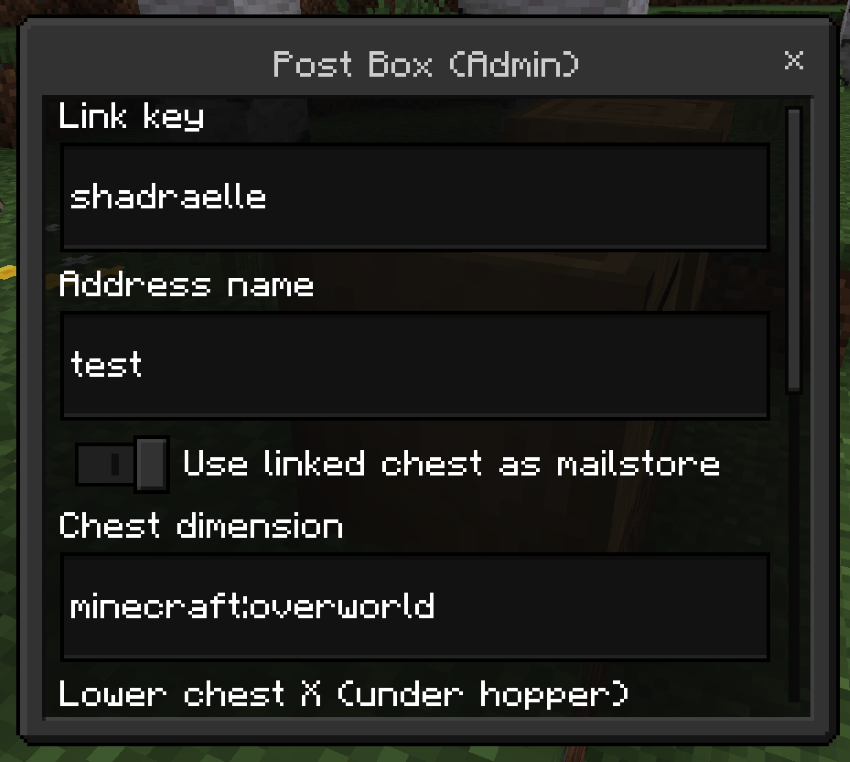
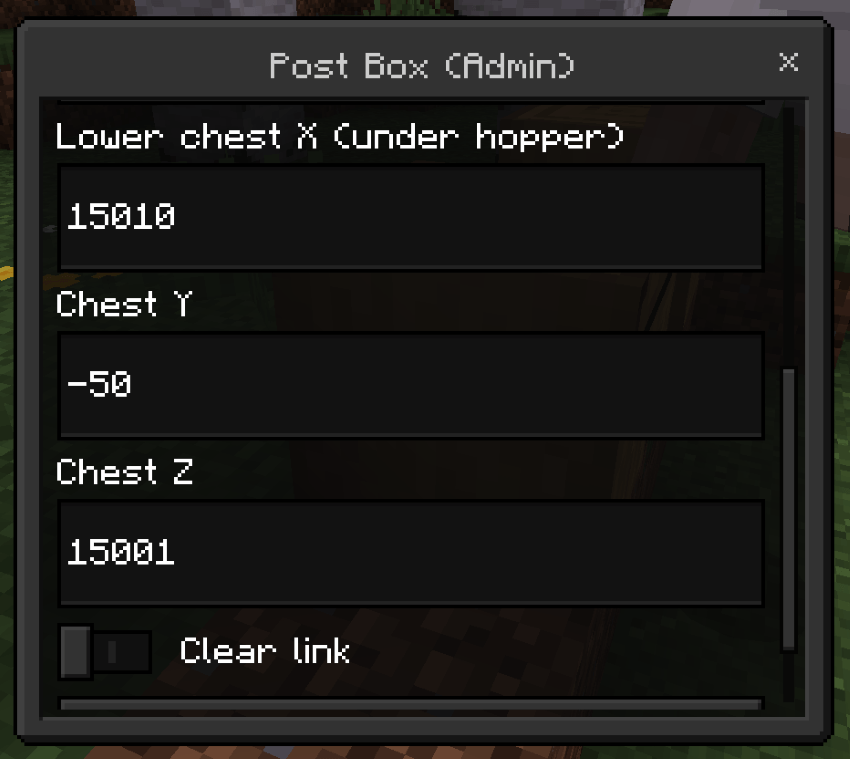
Admin Menu - accessed by using the postal admin wand and clicking a face other than the front face of the box. It is the same for all boxes. it is reccomended that you use the linked chest for storage, in the mail hub area. the addon may break if you do not do this. incase of linking issues you can clear one or both pair links by using the clear link option, however i ususally just check the postbox or payment chest end, check those details with the player and then erase the recieving end for them to relink if they have made a mistake. You must also click submit which is located below the clear link option to confirm any changes.
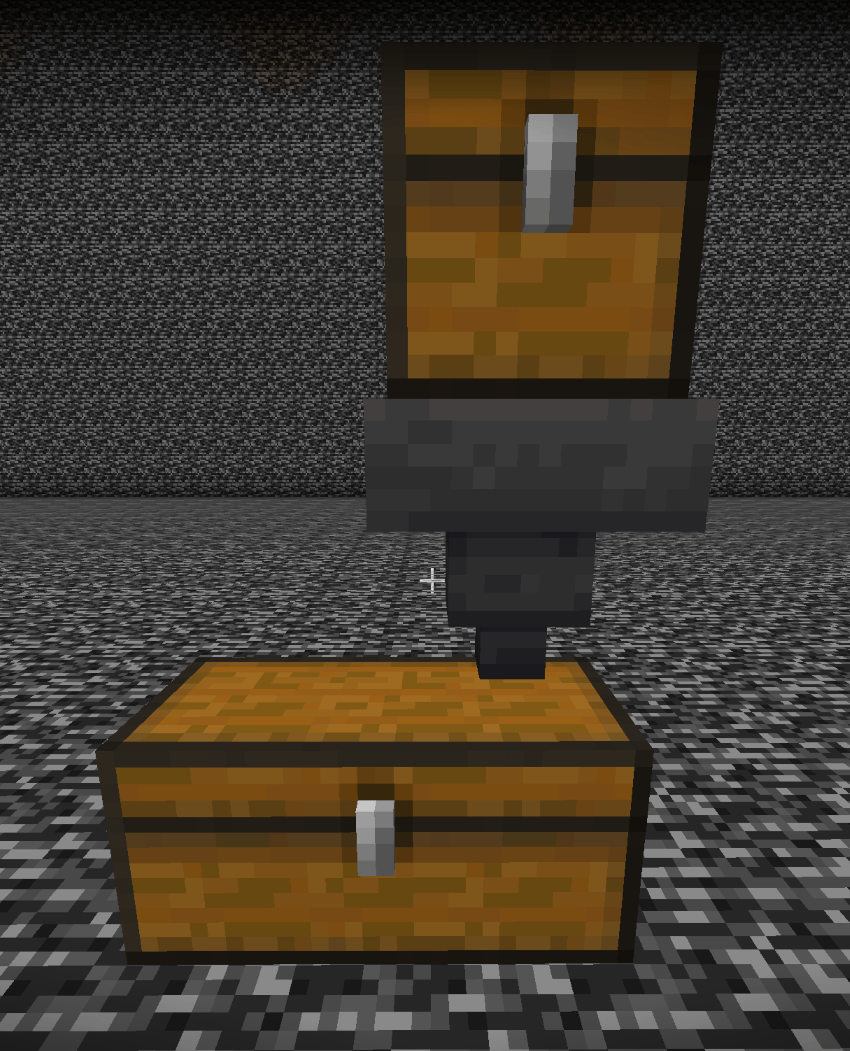
Storage system - all mail is stored securly in a vanilla storage chain to elimiate the custom chests from being the source of truth for mailbox inventories. This was due to an issue that arose where the custom chest entities would somtimes lose their inventories (at this stage i do not believe the bug is resolved). Postboxes send items to theses chests, allowing them to be consolidated where possible into existing stacks in the lower chest. The mailbox entity then creates a mirror of the chest inventory for collection by the player, and then reverse saves any changes back to the vanilla storage chest. While mail transfers are happening from the hopper mailbox access is locked to prevent any items from going missing during item consolidation. This setup also allows reliable retention of enchatments, shulker/bundle contents and other NBT data on items.
The mail storage hub - a cleared 2 chunk radius area at 15000, 15000 from y0 to y58. once the lower area is filled the addon will begin placing a second layer above it. as you can see i have surrounded it in bedrock to avoid unwanted access by regular players. You will have to clear this area manually. The addon is scripted to run a session based ticking area around the mail hub area but to manually set one up you can use "/tickingarea add circle 4 mail_hub" to ensure the area is always active for mail access.
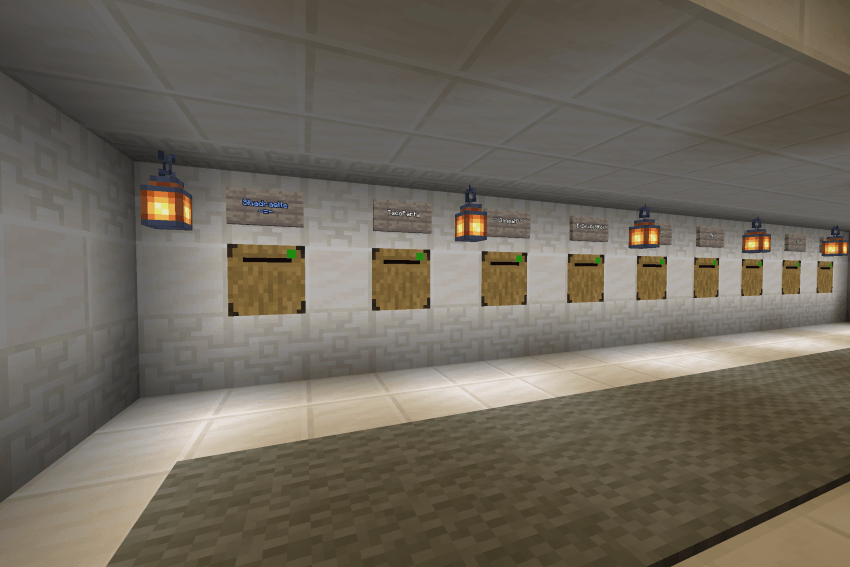
In game post office usage example. This is the post office on my realm we have set up for players to send items to each other.
Requirements
This pack requires beta API's to be enabled. It should run on realms. It also requires cheats for the manual set up of a ticking area but a session based ticking area should also load each time the world opens.
Please report any bugs you find.
Copyright
This resource pack is for personal use. You can use and modify it for private use.
You can
Use this resource pack in videos or livestreams.
You can not
Distribute, re-upload, or sell this resource pack, either in its original form or with modifications.
Claim ownership of any part of this resource pack.
Create and distribute a modified version of this resource pack without the authors explicit permission.
Sharing and Crediting
If you share a link to this resource pack, please link directly to the official download page. Do not use an ad-filled link shortener or a direct download link.
If you use this resource pack in a video or public project, please provide a link to the original download page and credit the author. Thank you!
- Edition: Minecraft Bedrock
- File type: .mcpack or .mcaddon
- Minecraft version listed: 26.50
- How to install: Download the .mcpack or .mcaddon file. → Open it — Minecraft imports it. → In your world: Behavior Packs → Available → Activate, then the same under Resource Packs.
- Where to get it: Opens on CurseForge — not every file is mirrored on our own servers.
Install steps are the general flow for this file type — How to install Minecraft Bedrock addons & mods walks through it step by step.
Player Postage and Payment System is a free Minecraft Bedrock addon. Compatible with Minecraft 26.50. Downloaded 4 times (via CurseForge). Download it and open it directly in the game.