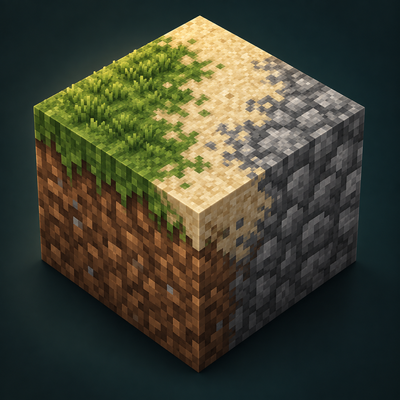
Bedrock Connected Textures
Bedrock add-on listed for Minecraft 26.x. Download on the author's site.
⬇ Download on CurseForgeBedrock Connected Textures
Make Bedrock look like the best Java texture packs.
Many great Java texture packs use special tricks. Glass joins into one big window. Stone and wood show one big picture over many blocks, so you do not see the same square again and again. Leaves have a real shape. Bedrock can not do these things by itself.
This add-on does them for you while you play.
What it does
- Blocks that join together, like glass.
- Big patterns on stone, wood, bricks and more. No more of the same square on every block.
- More than one look for the same block, so the world looks more real.
- Soft edges where grass and sand meet other blocks.
- 3D leaves, made by the pack maker.
- 3D items in your hand, like lanterns and torches, if the pack has them.
- New animal looks from the pack.
- Works in Classic, Vibrant Visuals and Ray Tracing (RTX).
How to use it
- Add Bedrock Connected Textures to your world (Behavior Packs).
- Add a texture pack that was made for it. The pack page will say so.
- Play! Blocks near you change to the new look as you move.
Good to know
- The add-on changes blocks near you into special copies that look better. They work like the normal blocks: you can mine them, build with them, and they drop the right things.
- Some blocks stay normal so the game works right, like grass, dirt and sand.
- Some looks do not show in Ray Tracing yet.
- Before you take the add-on out of a world, type this in chat to put every block back:
/scriptevent bct:restore - After you change a pack to Ray Tracing in its settings, close the game and open it again.
- Big packs need a strong computer.
For pack makers
Our free tool turns your Java pack (connected textures, random textures, PBR and models) into a pack for this add-on. Please only share a pack made with the tool if it is your pack, or if its maker said yes.
Free and open
Bedrock Connected Textures is free and open source (GPL-3.0). Packs made with the tool can use any license.
- Edition: Minecraft Bedrock
- File type: .mcpack or .mcaddon
- Minecraft version listed: 26.50
- How to install: Download the .mcpack or .mcaddon file. → Open it — Minecraft imports it. → In your world: Behavior Packs → Available → Activate, then the same under Resource Packs.
- Where to get it: Opens on CurseForge — not every file is mirrored on our own servers.
Install steps are the general flow for this file type — How to install Minecraft Bedrock addons & mods walks through it step by step.
Bedrock Connected Textures is a free Minecraft Bedrock addon. Compatible with Minecraft 26.50. Downloaded 736 times (via CurseForge). Download it and open it directly in the game.