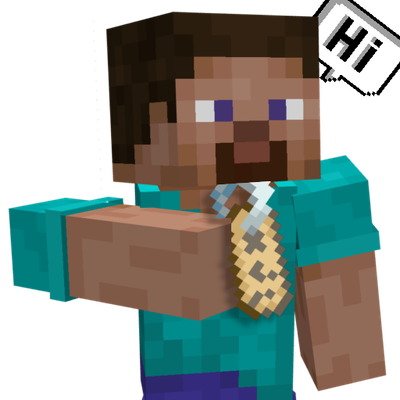
PopChat + Player Rename
Bedrock add-on listed for Minecraft 26.x. Download on the author's site.
Floating chat bubbles above players' heads plus a full player rename system with name tags, a Universal Name Tag item and tag commands.
⬇ Download on CurseForgePopChat + Player Rename
Chat bubbles above players' heads, plus a complete system to rename, reset or hide player names.
How it works
When a player sends a message, it appears as a bubble above their head for 5 seconds, with a colored particle background. Names can be changed with vanilla name tags, a custom Universal Name Tag item, or tag commands. Renamed names are saved and restored when the player rejoins.
Features
- Chat bubbles above the player's head (up to 3 lines of 20 characters)
- 10 bubble colors: White, Pink, Lavender, Blue, Orange, Red, Purple, Beige, Wine, Green
- Right-click a Compass to open the color menu
- Chat shows the player's renamed name instead of the original one
- Rename other players by using a Name Tag on them
- Sneak + use a Name Tag to rename yourself
- Name a tag
hideto hide a player's name - Universal Name Tag item: pick one player or all players, then edit, reset or hide the name
- Names persist between sessions
Commands
Run these on the player (tags are polled automatically):
/tag @s add editName:<name>— set a new name/tag @s add resetName— restore the original name/tag @s add hideName— hide the name
Compatibility
- Minecraft Bedrock 1.21.70+
- Requires the Beta APIs experimental toggle enabled in the world
- Includes Behavior Pack + Resource Pack, activate both
Credits
PopChat by ShadowDxrk00. Player Rename and PopChat modifications by IIBl4z3MasterII.
##Original Addon https://www.curseforge.com/linkout?remoteUrl=https%253a%252f%252fko-fi.com%252fs%252f3894c646d5
Although it no longer receives updates because its creator retired, he bequeathed the add-on to me.
- Edition: Minecraft Bedrock
- File type: .mcpack or .mcaddon
- Minecraft versions listed: 26.40, 26.50
- How to install: Download the .mcpack or .mcaddon file. → Open it — Minecraft imports it. → In your world: Behavior Packs → Available → Activate, then the same under Resource Packs.
- Where to get it: Opens on CurseForge — not every file is mirrored on our own servers.
Install steps are the general flow for this file type — How to install Minecraft Bedrock addons & mods walks through it step by step.
PopChat + Player Rename is a free Minecraft Bedrock addon. Compatible with Minecraft 26.40, 26.50. Downloaded 18 times (via CurseForge). Download it and open it directly in the game.