Gravestone Plus
Bedrock add-on listed for Minecraft 1.21–26.x (behavior + resource pack). File opened and checked on 11 Oct 2026; installs from the MC Bedrock Mods app on Android.
Gravestone Addon keeps your items and experience safe after death by spawning a gravestone at your death location, preserving your inventory layout and…
⬇ Download on CurseForge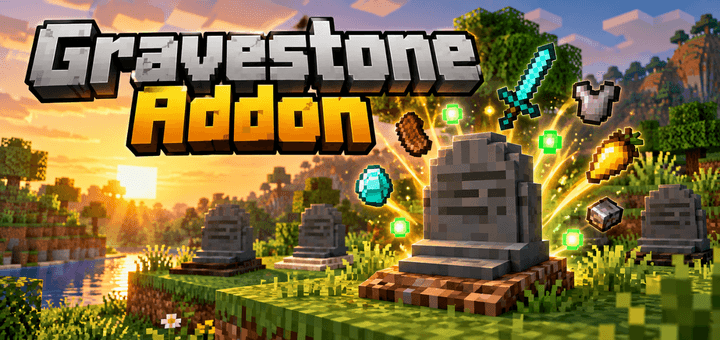
Gravestone Addon
Keep your valuable items and experience safe after death with Gravestone Addon. Whenever you die, a gravestone automatically appears at your death location and stores your inventory layout and experience, making it much easier to recover everything without losing your progress.
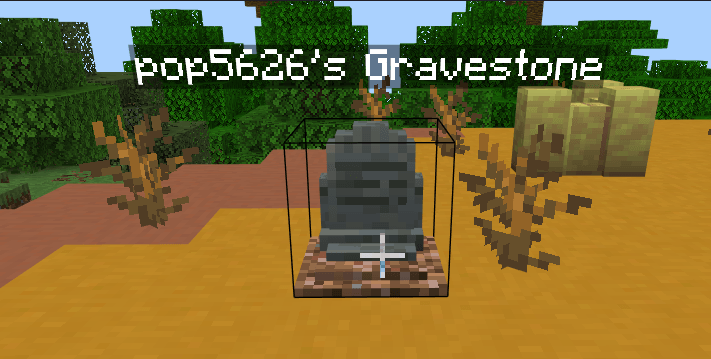
Each gravestone also shows a floating name tag with the player name, so you can quickly recognize which grave belongs to you. The block underneath the gravestone changes depending on the dimension, giving each grave a fitting look in the Overworld, Nether, and End.
Features
- Gravestone automatically spawns when you die
- Saves your inventory layout
- Saves your experience
- Floating player name above the gravestone
- Death message shows the gravestone coordinates
- Different platforms depending on the dimension
- Overworld uses dirt
- Nether uses soul soil
- End uses sand
- Gravestones can be broken with a shovel
- Custom 3D gravestone model
- Includes a raised base, rounded stepped top, and dirt mound
- Gravestones can also be crafted using Polished Tuff and Rooted Dirt
- Includes the
/ae_sg:togglecommand to enable or disable the system
Keep Inventory
The addon requires Keep Inventory to work correctly. When the addon is activated, Keep Inventory is enabled automatically so your items can be stored properly by the gravestone system.
Requirements
- Minecraft Bedrock Edition 1.26.0 or newer
- Behavior Pack and Resource Pack must both be activated
- Enable Beta APIs / scripting if your Minecraft version requires it
With Gravestone Addon, dying no longer means losing everything. Find your grave, return to your death location, and recover your saved items and experience more easily. ⚰️✨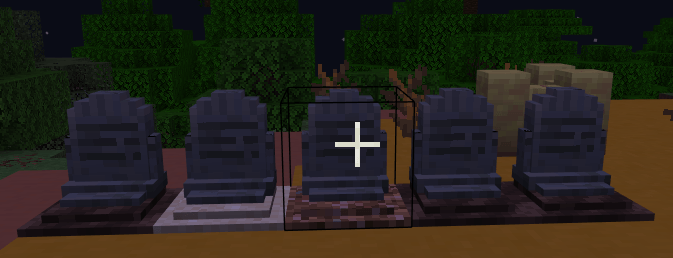
- Edition: Minecraft Bedrock
- File type: .mcpack or .mcaddon
- Minecraft versions listed: 1.21.131, 1.21.132, 26.0.02
- How to install: Download the .mcpack or .mcaddon file. → Open it — Minecraft imports it. → In your world: Behavior Packs → Available → Activate, then the same under Resource Packs.
- Where to get it: Opens on CurseForge — not every file is mirrored on our own servers.
Install steps are the general flow for this file type — How to install Minecraft Bedrock addons & mods walks through it step by step.
- Pack type: .mcaddon — behaviour and resource pack in one file
- Manifest requires Minecraft 1.26.0 or newer
- Complete pack — everything it depends on is inside the file
- Download size: 87 KB
- Download link checked 11 Oct 2026 — working
These come from our own check of the pack file, not from the source page.