Mineral Harvest
Bedrock add-on listed for Minecraft 26.x. Installs from the MC Bedrock Mods app on Android.
Grow seven mineral crops, harvest without replanting, and automate your farm with a chest-connected harvester!
⬇ Download on CurseForgeThe author built this one for Minecraft 26.12–26.50. On other versions it may install and then do nothing.
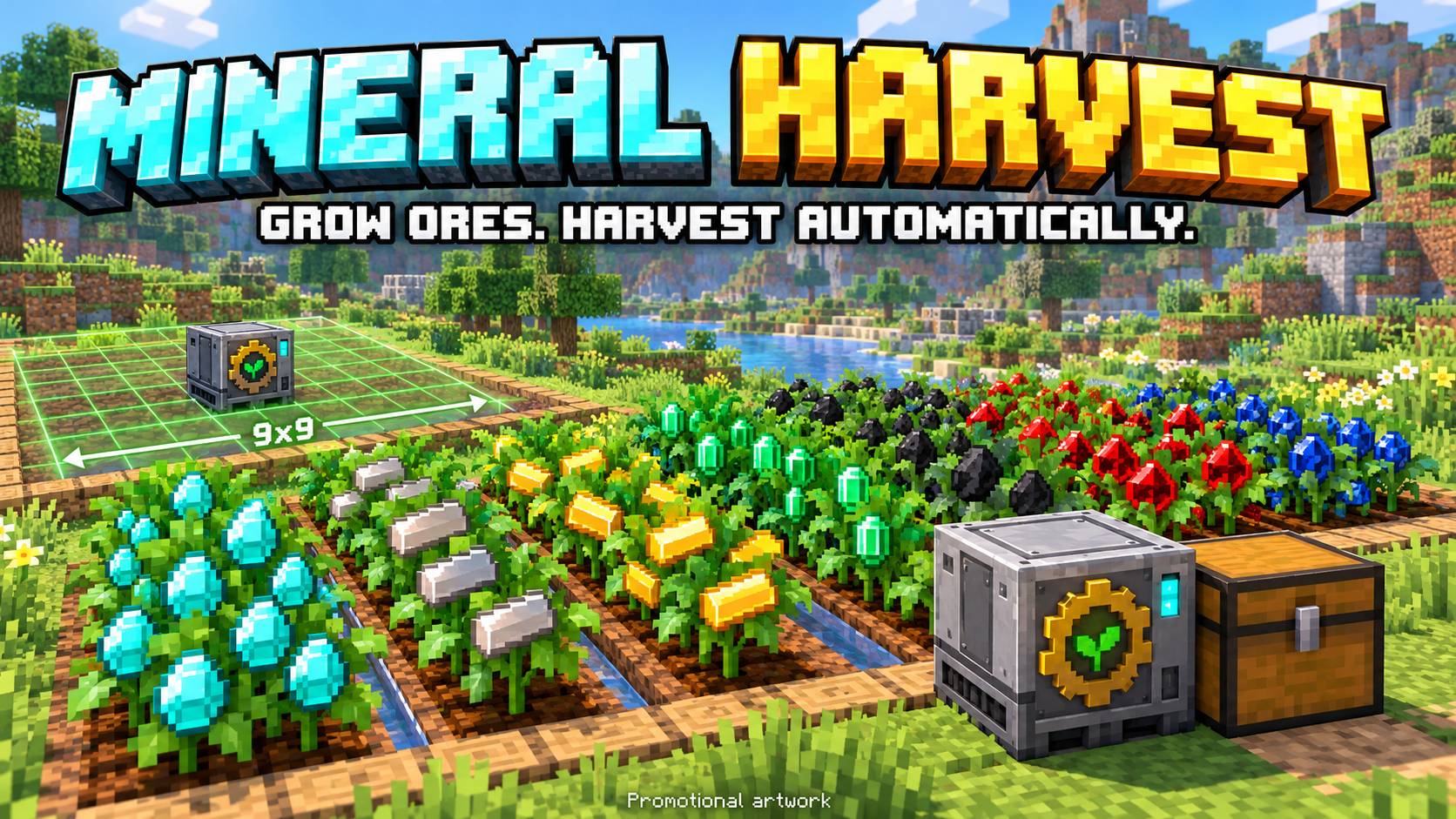
Mineral Harvest — Grow Your Own Resources!
Turn your farm into a renewable source of minerals! Mineral Harvest adds seven resource crops to Minecraft Bedrock, themed farmland, reusable plants, and an automatic harvester that sends your harvest directly into a chest.

Promotional artwork. The guides below use addon textures.
Seven Resource Crops

- Diamond
- Iron
- Gold
- Emerald
- Coal
- Redstone
- Lapis Lazuli
Each crop has its own mineral theme. Planting a resource seed transforms the farmland underneath into matching mineral soil.
Simple Seed Crafting

Combine one wheat seed and one matching resource on a crafting table to make one resource seed. The ingredients can be placed in any position.
- Wheat Seeds + Diamond = Diamond Seeds
- Wheat Seeds + Iron Ingot = Iron Seeds
- Wheat Seeds + Gold Ingot = Gold Seeds
- Wheat Seeds + Emerald = Emerald Seeds
- Wheat Seeds + Coal = Coal Seeds
- Wheat Seeds + Redstone Dust = Redstone Seeds
- Wheat Seeds + Lapis Lazuli = Lapis Seeds
Harvest Without Replanting

Plant your seeds on tilled farmland. Crops grow through four stages and are configured to mature in approximately 60–90 seconds while the area is loaded.
Right-click a mature crop to collect one resource. The plant stays full-grown, but its minerals disappear. After another growth cycle, the minerals return and you can harvest again!
Breaking a crop returns its seed. If it is ready to harvest, it also drops one resource. After removing the plant, the themed soil returns to ordinary farmland.
Automatic Mineral Harvester

Place the harvester at farmland height, then put a normal or trapped chest directly against one of its sides. No pipes, hoppers, fuel, or redstone signal are needed.
- 9×9 collection area: up to four blocks away in each horizontal direction.
- Checks for mature crops every two seconds.
- Deposits one resource per mature crop directly into the connected chest.
- Keeps harvested plants full-grown so they can produce again.
- Leaves minerals on the plants if no chest is connected or there is no room for that resource.
Harvester recipe:
| Iron Ingot | Chest | Iron Ingot |
| Redstone Dust | Diamond | Redstone Dust |
| Iron Ingot | Iron Ingot | Iron Ingot |
Total: five iron ingots, one chest, two redstone dust, and one diamond.
See the Collection Area

While no chest is connected, a transparent green 9×9 grid marks the harvester's collection area. Place a chest next to the machine and the grid disappears within approximately two seconds. Remove the chest and the grid returns. The marker is visual only and does not replace blocks.
Installation & Languages
- Import the .mcaddon file into Minecraft Bedrock.
- Activate both the Mineral Harvest Behavior Pack and Resource Pack in your world.
- Craft resource seeds and start your mineral farm!
Item names support English, Brazilian Portuguese, and Spanish, following your Minecraft language setting.
The farm must be in a loaded area for growth and automatic harvesting to work. This version does not include natural crop generation, bone meal growth, or a villager collector.
For testing, enable commands and use /function mineral_harvest_test to receive all seven seed types, a harvester, a chest, and basic planting supplies.
Credits
Created by Cromos with AI assistance. Inspired by the resource-farming concept of Mystical Agriculture. Mineral Harvest is an independent Bedrock addon and is not affiliated with or endorsed by the original mod's creators.
- Edition: Minecraft Bedrock
- File type: .mcpack or .mcaddon
- Minecraft versions listed: 26.12, 26.20, 26.13
- How to install: Download the .mcpack or .mcaddon file. → Open it — Minecraft imports it. → In your world: Behavior Packs → Available → Activate, then the same under Resource Packs.
- Where to get it: Opens on CurseForge — not every file is mirrored on our own servers.
Install steps are the general flow for this file type — How to install Minecraft Bedrock addons & mods walks through it step by step.
- Pack type: .mcaddon — behaviour and resource pack in one file
- Download size: 344 KB
- Download link checked 13 Oct 2026 — working
These come from our own check of the pack file, not from the source page.