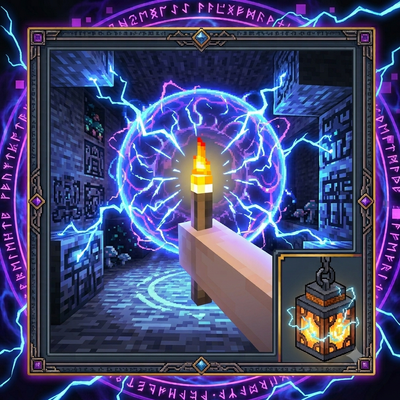
Ultra Dynamic Lights
Bedrock add-on listed for Minecraft 1.21–26.x (behavior pack only). Installs from the MC Bedrock Mods app on Android.
⬇ Download on CurseForgeHold a torch and the area around you lights up, just like in the dark caves you wish had more light. The light follows you and disappears when you put the item away. It works for every player in multiplayer. Features: Light follows you while you hold a light item in either hand Torch, soul torch, redstone torch, lantern, soul lantern, glowstone, sea lantern, jack o'lantern, shroomlight, lava bucket, campfire, end rod, froglights and more Brightness matches the real block (torch 14, soul torch 10, redstone torch 7 and so on) Works in the Nether and the End Cleans up behind you, no leftover light No Resource Pack, no custom items How to install: Download the .mcaddon file and tap it. Minecraft opens and imports it automatically. Create a new world (or edit an old one) and open Add-Ons. Turn ON the Behavior Pack (there is no Resource Pack). If something does not work, turn on Beta APIs under Experiments, then check Settings > Creator > Content Log. How to use: Install the addon and turn on the Behavior Pack for your world (there is no Resource Pack). Hold a torch, lantern or any other light item in your hand or off-hand. The area around you lights up. Walk around and the light moves with you. Put the item away to turn the light off. Note: the light does not work in water.
- Edition: Minecraft Bedrock
- File type: .mcpack or .mcaddon
- Minecraft versions listed: 1.21.122, 1.21.123, 1.21.124
- How to install: Download the .mcpack or .mcaddon file. → Open it — Minecraft imports it. → In your world: Behavior Packs → Available → Activate, then the same under Resource Packs.
- Where to get it: Opens on CurseForge — not every file is mirrored on our own servers.
Install steps are the general flow for this file type — How to install Minecraft Bedrock addons & mods walks through it step by step.
- Pack type: .mcaddon — behaviour and resource pack in one file
- Manifest requires Minecraft 1.21.100 or newer
- Complete pack — everything it depends on is inside the file
- Download size: 158 KB
- Download link checked 13 Oct 2026 — working
These come from our own check of the pack file, not from the source page.