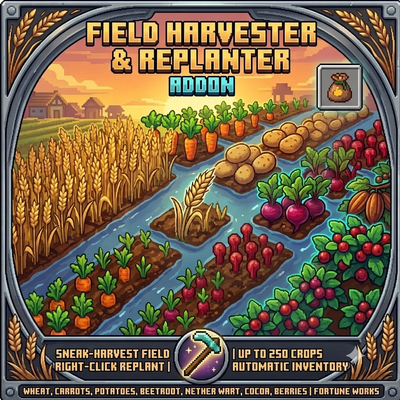
Right-Click Harvest and Auto Replant
Bedrock add-on listed for Minecraft 1.21–26.x (behavior pack only). Installs from the MC Bedrock Mods app on Android.
⬇ Download on CurseForgeNo more breaking every crop and placing seeds again. Right-click a fully grown crop and it is harvested and replanted for free, and the items go straight into your inventory. Sneak while you right-click and every ripe crop connected to it is harvested in one go, even across water channels. Features: Right-click harvest and automatic replant (no seeds needed) Sneak + right-click: harvest the whole field (up to 250 ripe crops, gaps of 1 block like water are crossed) Works on wheat, carrots, potatoes, beetroot, nether wart, cocoa and sweet berries Only fully grown crops are harvested, young crops are left alone Items go straight into your inventory (extra items drop at your feet) Fortune on the item in your hand gives extra crops Bone meal works as normal No custom items, nothing to craft How to install: Download the .mcaddon file and tap it. Minecraft opens and imports it automatically. Create a new world (or edit an old one) and open Add-Ons. Turn ON the Behavior Pack of the addon (and the Resource Pack too, if the addon has one). If something does not work, turn on Beta APIs under Experiments, then check Settings > Creator > Content Log. How to use: Install the addon and turn on the Behavior Pack for your world (there is no Resource Pack). Walk up to a fully grown crop and right-click (tap) it. It is harvested and replanted. For the whole field: sneak (crouch) and right-click one ripe crop. All ripe crops connected to it are harvested. Young crops are not touched. Wait for them to grow, then harvest again. A hoe with Fortune in your hand gives bonus crops.
- Edition: Minecraft Bedrock
- File type: .mcpack or .mcaddon
- Minecraft versions listed: 1.21.101, 1.21.100, 1.21.111
- How to install: Download the .mcpack or .mcaddon file. → Open it — Minecraft imports it. → In your world: Behavior Packs → Available → Activate, then the same under Resource Packs.
- Where to get it: Opens on CurseForge — not every file is mirrored on our own servers.
Install steps are the general flow for this file type — How to install Minecraft Bedrock addons & mods walks through it step by step.
- Pack type: .mcaddon — behaviour and resource pack in one file
- Manifest requires Minecraft 1.21.100 or newer
- Complete pack — everything it depends on is inside the file
- Download size: 174 KB
- Download link checked 13 Oct 2026 — working
These come from our own check of the pack file, not from the source page.