
fast houses
Bedrock add-on listed for Minecraft 26.x (behavior + resource pack). Installs from the MC Bedrock Mods app on Android.
This mod lets you build several types of houses within seconds ! You can craft these houses in the survival mod 🔥
⬇ Download on CurseForge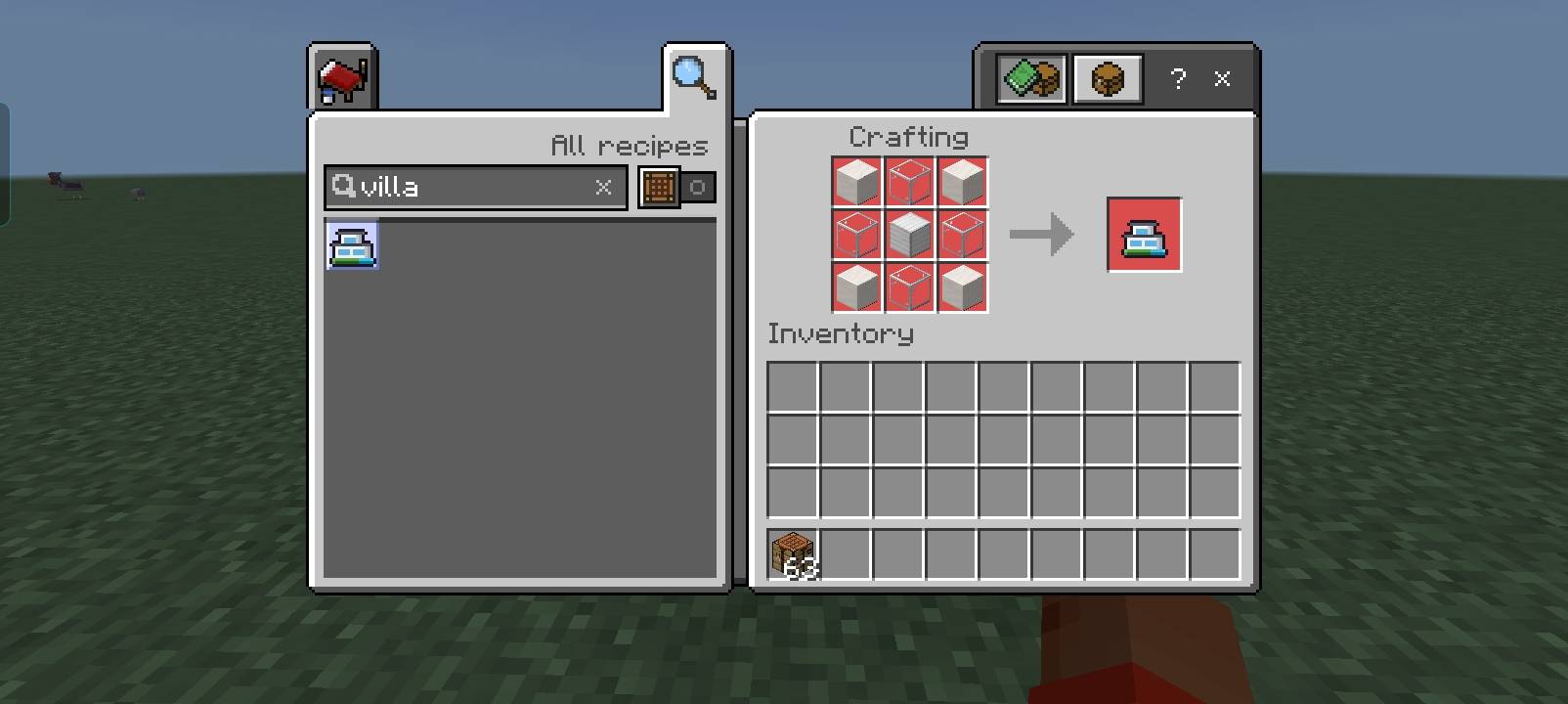
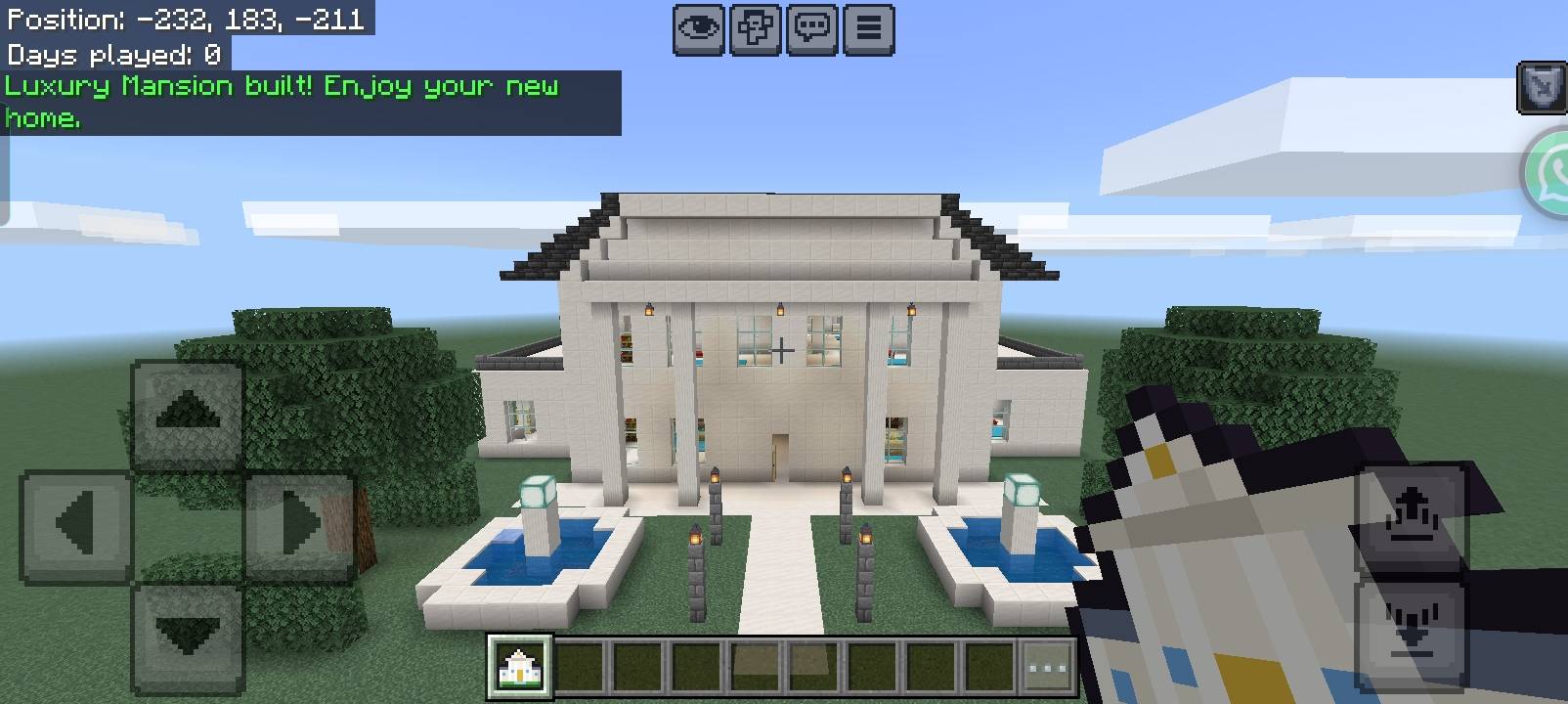
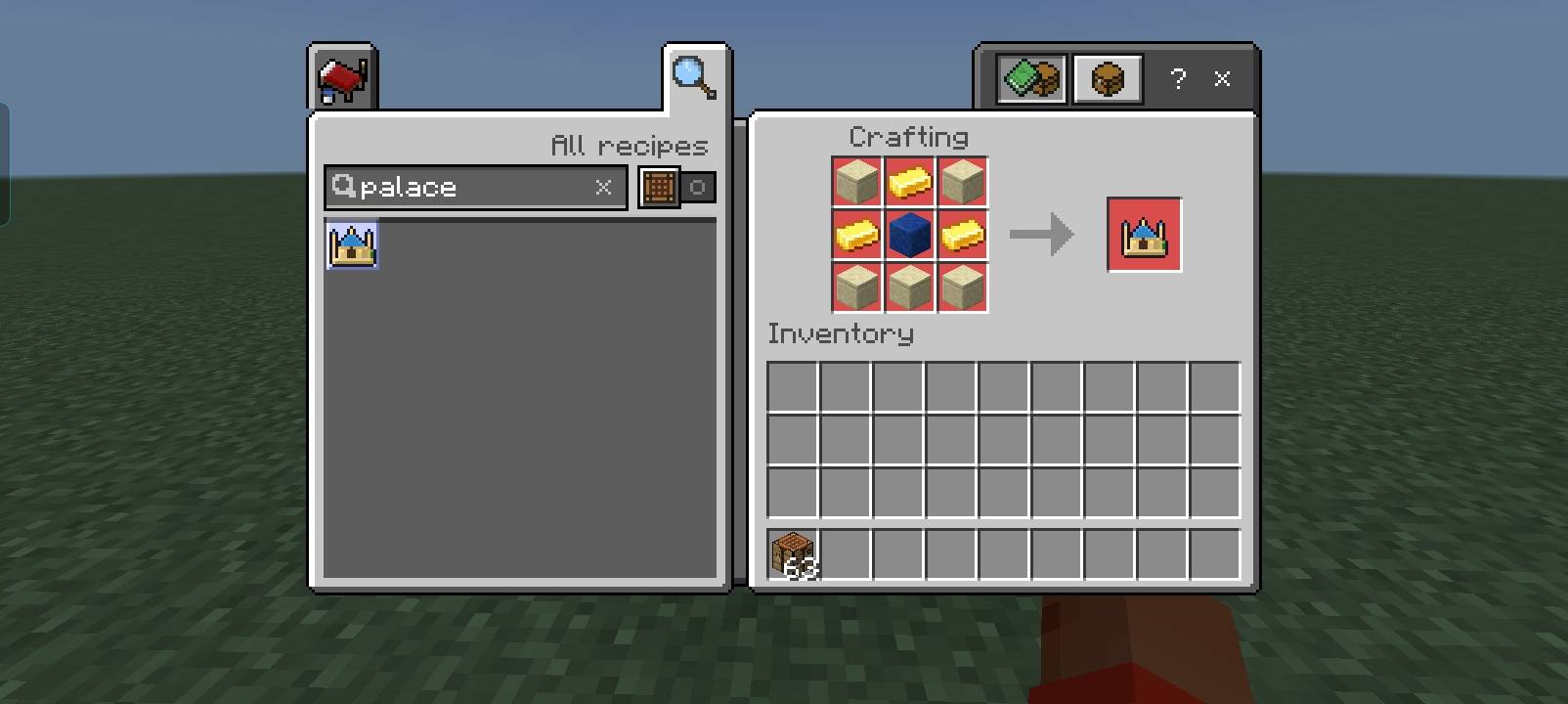
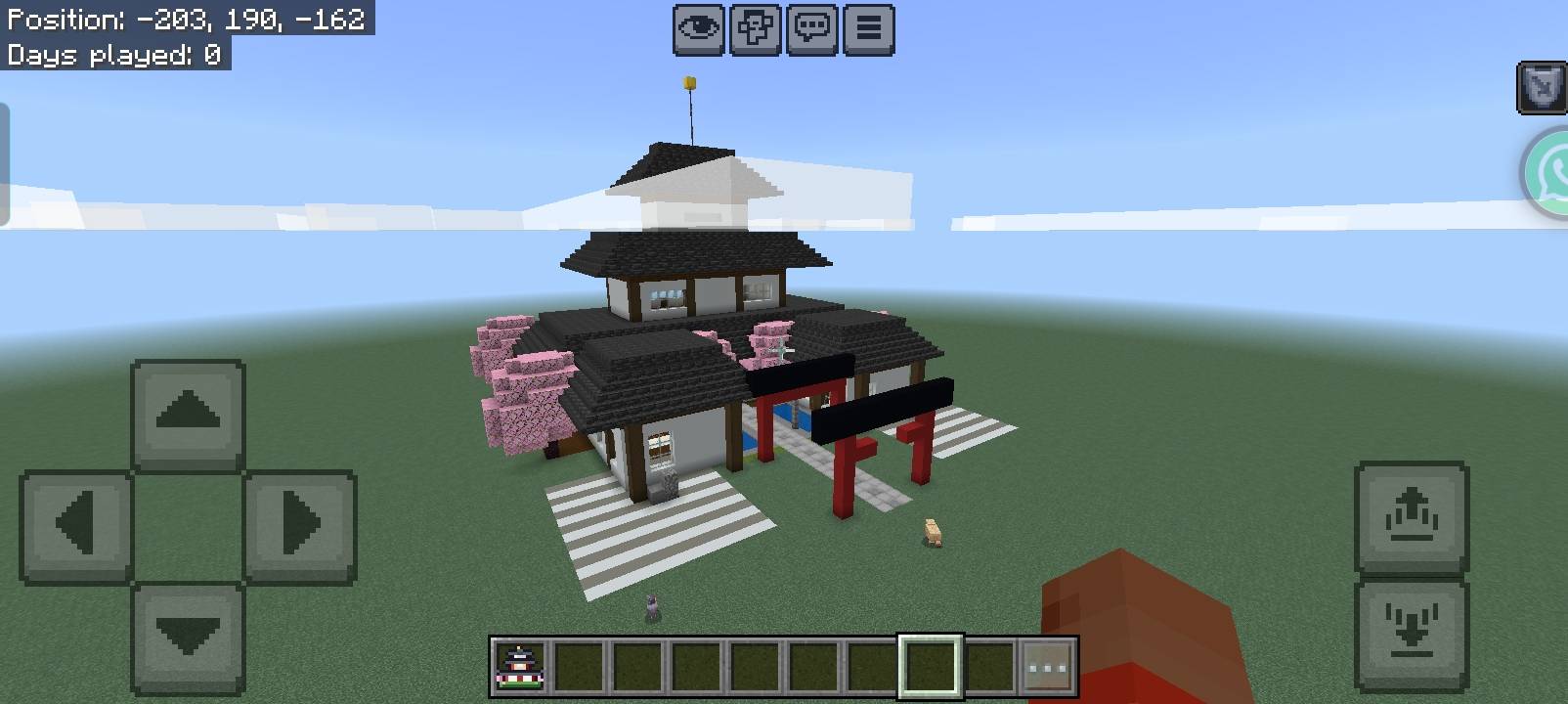
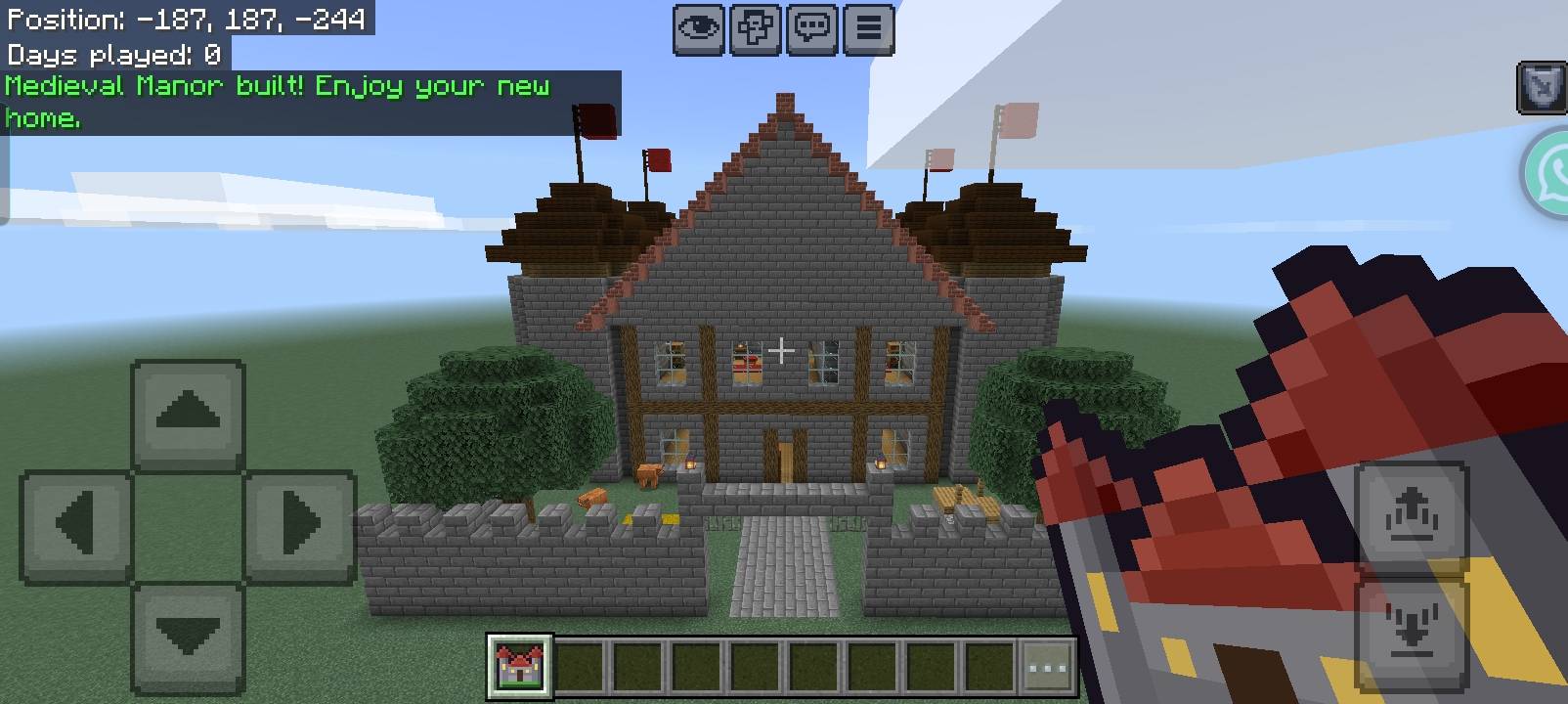
🏠 Fast Houses
Craft it. Click the ground. Press Yes. Your giant dream house is built in seconds.
Fast Houses is a Minecraft Bedrock add-on that gives you 10 huge, fully furnished, ready-to-live-in houses you can build instantly. No blueprints, no commands, no hours of placing blocks. Craft a house item, right-click the ground, confirm, and watch the whole house appear in front of you.
📸 Screenshots of every house are in the Media / Gallery section of this page.
⭐ Key Features
- 🏰 10 unique houses: from a modern villa to a gothic dark manor, each with its own style, materials, interior and garden.
- ⚡ One-click building: craft the item, right-click the ground, press Yes. That's it.
- 🛋️ Fully furnished interiors: rooms, windows, lighting and decoration are all included, so you can move in right away.
- 🌳 Landscaping included: paths, flowers, trees, lamps, fences and extras that match each house's theme.
- 🧭 Smart orientation: the house faces the direction you are looking, with the front door toward you.
- 🛡️ Safe building: you get a Resistance effect while the house is being built, and you are teleported to the front door when it's done.
- 📱 Built for mobile: the house is placed in small batches every tick, so it builds smoothly on phones and tablets without freezing the game.
- 🎮 Survival friendly: every house needs a craftable item, so it fits survival worlds as a big reward. In Creative the item is not consumed.
🔨 How to Use
- Craft the house item at a crafting table (recipes are listed below). Each item stacks up to 16.
- Hold the item in your hand.
- Right-click the top face of a block on the ground where you want the house.
- A menu appears: "Do you want to build this house?" Press Yes.
- Wait a few seconds while the house builds. A progress percentage is shown on screen.
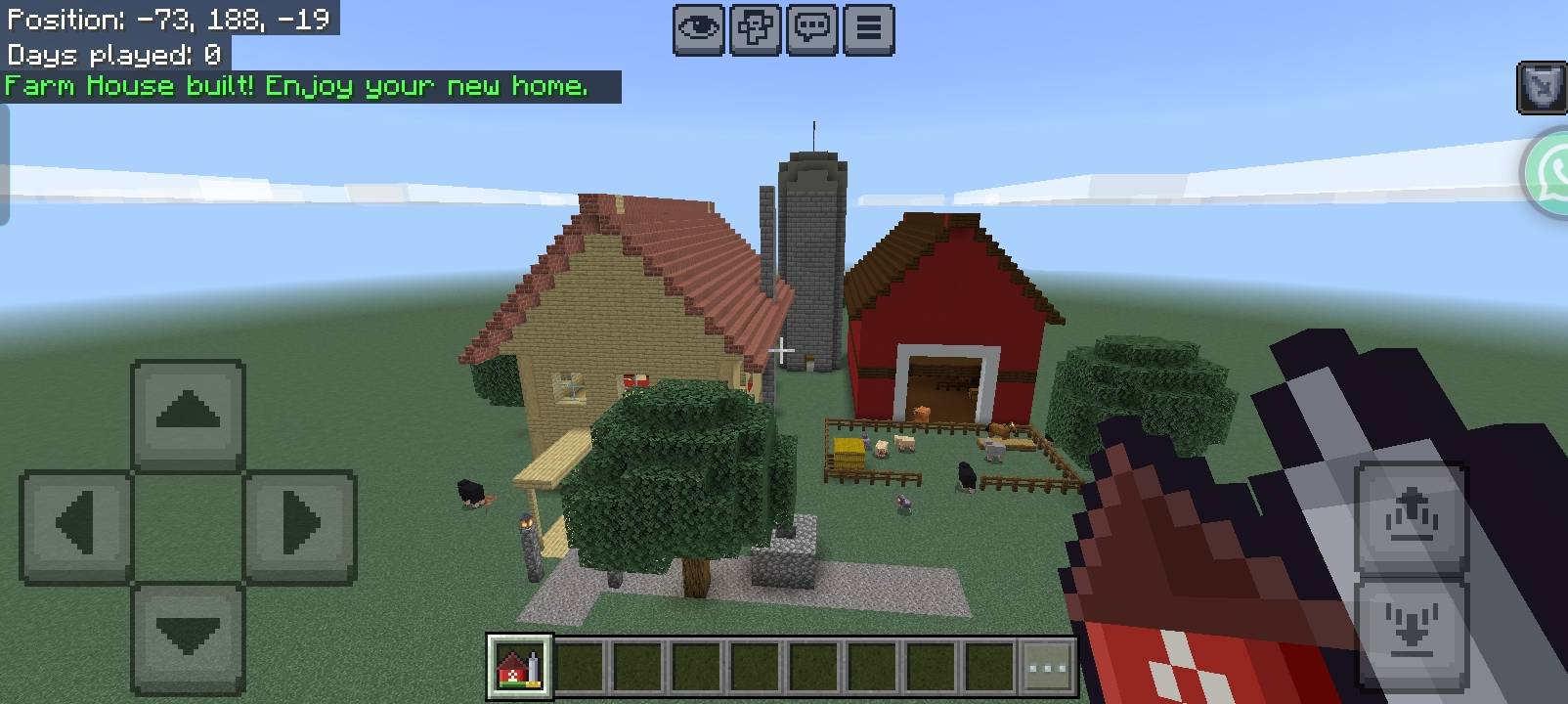
- When you see "House built! Enjoy your new home.", you're done. 🎉
⚠️ Important Tips
- Aim at the ground: you must click the top face of a block (the floor), not the side.
- Keep the house item in your hand when you press Yes. If you switch to another item, the build is cancelled.
- Anything that prevents the house from being fully built will be deleted. Trees, blocks and other objects inside the house area are cleared. Choose an open area, and back up your world if you have builds nearby.
- Flat, open ground works best.
- In Survival, one item is consumed per house. In Creative, it is free.
🏘️ The 10 Houses
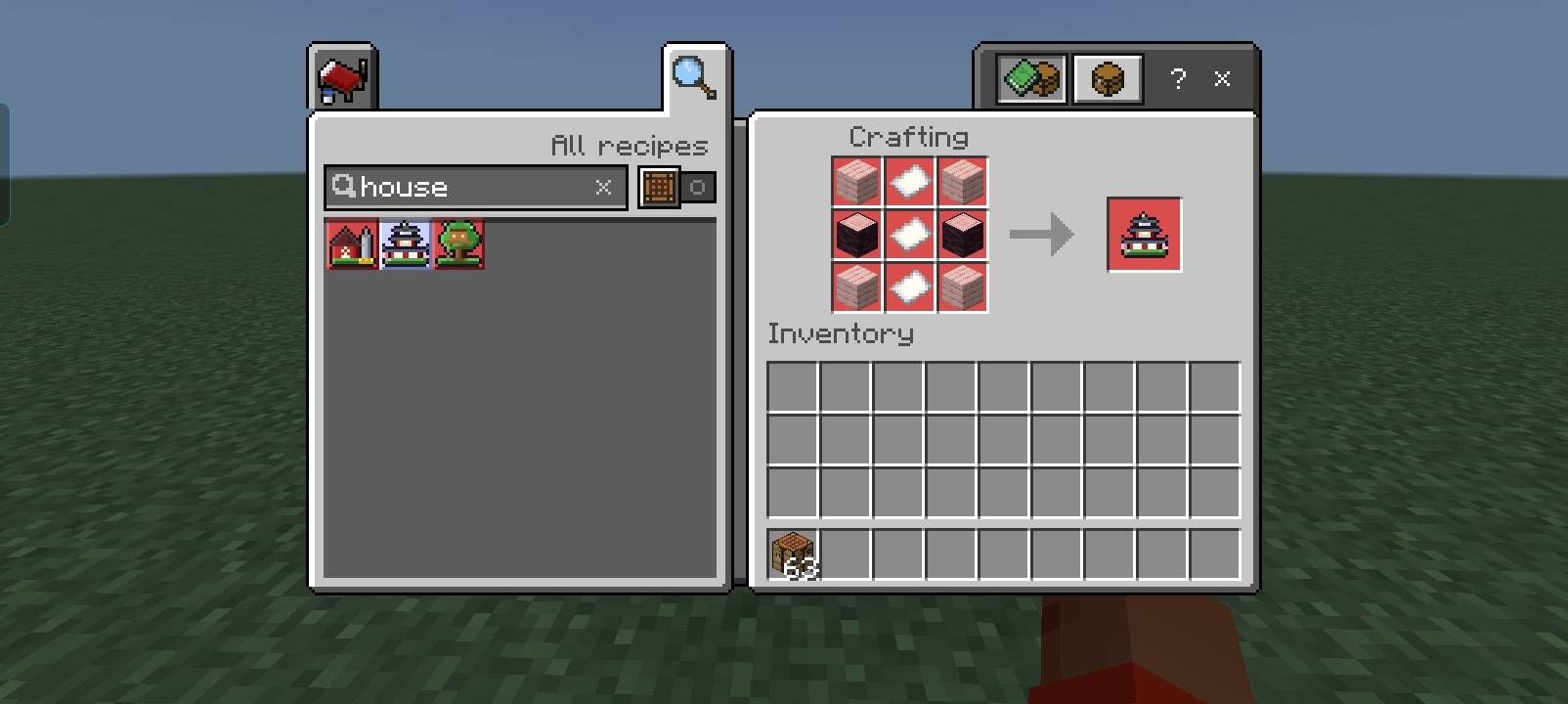
Every house has its own crafting recipe. All 9 slots of the crafting grid are used, in the pattern shown (top row / middle row / bottom row).
| # | House | Style | Recipe (3×3 rows) | Ingredients |
|---|---|---|---|---|
| 1 | Wooden Cabin | Cozy spruce cabin with a flower garden | LPL / PSP / LPL |
4 Spruce Log (L), 4 Spruce Planks (P), 1 Stick (S) |
| 2 | Modern Villa | Sleek two-story villa with big windows and a roof terrace | QGQ / GIG / QGQ |
4 Quartz Block (Q), 4 Glass (G), 1 Iron Block (I) |
| 3 | Medieval Manor | Stone-brick manor with banners and a walled garden | SLS / LIL / SSS |
5 Stone Bricks (S), 3 Oak Log (L), 1 Iron Ingot (I) |
| 4 | Japanese House | Multi-tier pagoda with cherry wood and a torii gate | CPC / LPL / CPC |
4 Cherry Planks (C), 3 Paper (P), 2 Cherry Log (L) |
| 5 | Luxury Mansion | Huge white mansion with columns and fountains | GQG / QDQ / GQG |
4 Gold Block (G), 4 Quartz Block (Q), 1 Diamond (D) |
| 6 | Desert Palace | Sandstone palace with blue domes, towers and palm trees | SGS / GLG / SSS |
5 Cut Sandstone (S), 3 Gold Ingot (G), 1 Lapis Block (L) |
| 7 | Snow Lodge | A-frame glass lodge in a snowy clearing | SPS / PIP / SPS |
4 Snow Block (S), 4 Spruce Planks (P), 1 Ice (I) |
| 8 | Farm House | Country house with a red barn and a silo | PHP / HWH / PHP |
4 Oak Planks (P), 4 Hay Bale (H), 1 Wheat (W) |
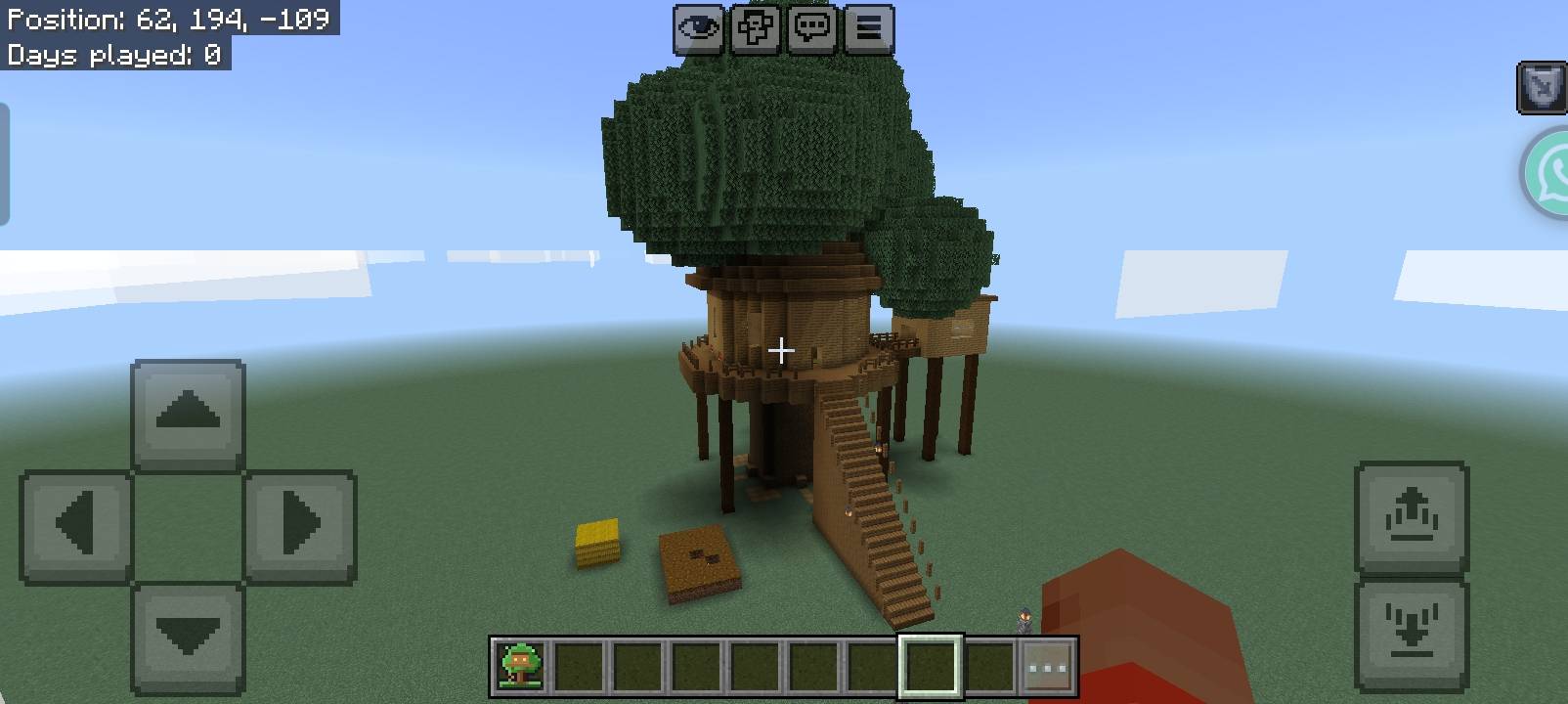
| 9 | Tree House | Giant tree with platforms, ladders and stairs | LEL / PAP / LLL |
5 Oak Log (L), 1 Oak Leaves (E), 2 Oak Planks (P), 1 Ladder (A) |
| 10 | Gothic Dark Manor | Dark deepslate manor with towers, a graveyard and fences | DBD / INI / DDD |
5 Deepslate Bricks (D), 1 Bone Block (B), 2 Iron Bars (I), 1 Eye of Ender (N) |
💡 All recipes are always unlocked, and every house item is also listed in the Items tab of the creative inventory under the Fast Houses group.
📦 Installation
- Download the
Fast_Houses.mcaddonfile. - Open it with Minecraft (tap the file on mobile, or double-click it on PC). The game will import both packs automatically.
- Create a new world or edit an existing one.
- Activate both packs: Fast Houses BP (Behavior Pack) and Fast Houses RP (Resource Pack).
- Load the world and wait a couple of seconds. You'll see "Fast Houses loaded ✔" in chat when the add-on is ready.
✅ Requirements
- Minecraft Bedrock Edition 26.0 or newer (mobile, Windows, console)
- Both the Behavior Pack and the Resource Pack must be active
❓ FAQ & Troubleshooting
Nothing happens when I right-click. Make sure that both packs are active, and that you are clicking the top face of a block while holding the house item.
I broke blocks instead of building.
This means the add-on's script isn't running. Remove the old version from your world, import the latest .mcaddon, and create a fresh world or re-activate both packs.
Can I use it in Survival? Yes. Every house needs a crafted item, and one item is used per house.
Can I use it in Creative? Yes. The items are in the creative inventory and are not consumed.
Will it delete my builds? Anything inside the house area is replaced. Always build in open space, and keep a backup.
Does it lag on mobile? The house is built in small batches each tick to keep the game smooth, even on phones.
Can I use it in my modpack or world download? Please ask for permission first, and give credit to the author.
🖼️ Screenshots
See the Media / Gallery section of this page for screenshots of the houses in-game (craft recipes included).
❤️ Support & Feedback
Found a bug, have a suggestion, or want a new house added? Leave a comment on this page. If you enjoy the add-on, please leave a ⭐ and share your builds in the comments. Your feedback helps make Fast Houses better!
Enjoy your new home! 🏡
- Edition: Minecraft Bedrock
- File type: .mcpack or .mcaddon
- Minecraft versions listed: 26.0.02, 26.0, 26.3
- How to install: Download the .mcpack or .mcaddon file. → Open it — Minecraft imports it. → In your world: Behavior Packs → Available → Activate, then the same under Resource Packs.
- Where to get it: Opens on CurseForge — not every file is mirrored on our own servers.
Install steps are the general flow for this file type — How to install Minecraft Bedrock addons & mods walks through it step by step.
- Pack type: .mcaddon — behaviour and resource pack in one file
- Manifest requires Minecraft 1.26.0 or newer
- Complete pack — everything it depends on is inside the file
- Download size: 57 KB
- Download link checked 13 Oct 2026 — working
These come from our own check of the pack file, not from the source page.