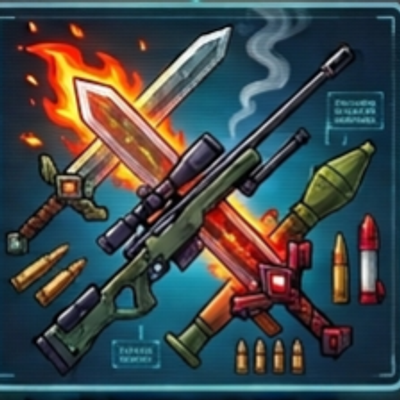
Super Weapones
Bedrock add-on listed for Minecraft 1.21–26.x (behavior + resource pack). Installs from the MC Bedrock Mods app on Android.
⬇ Download on CurseForgeUpgrade your arsenal with three elemental blades and three guns. Guns use craftable ammo, and swords add special effects on every hit. Features: Flame Blade (sets targets on fire), Frost Blade (slows), Thunder Blade (25% lightning) Pistol: fast, 40 block range Sniper Rifle: high damage, 100 block range Rocket Launcher: explosion that does not destroy blocks Craftable ammo: Bullet (iron nugget + gunpowder, x8) and Rocket (TNT + iron ingot, x2) Creative mode uses no ammo How to install: Download the .mcaddon file and tap it. Minecraft opens and imports it automatically. Create a new world (or edit an old one) and open Add-Ons. Turn ON the Behavior Pack of the addon (and the Resource Pack too, if the addon has one). If something does not work, turn on Beta APIs under Experiments, then check Settings > Creator > Content Log. How to use: Swords: craft with X / X / S (S = stick). X = blaze rod (Flame), packed ice (Frost) or copper ingot (Thunder). Just hit enemies to use the effect. Guns: Pistol III / __S, Sniper Rifle IID / _SS, Rocket Launcher III / TTI (I = iron ingot, D = diamond, T = TNT, S = stick). Craft ammo: Bullet (iron nugget + gunpowder) for Pistol and Sniper, Rocket (TNT + iron ingot) for the Rocket Launcher. Keep ammo anywhere in your inventory. Hold the gun, aim and tap to shoot. "No ammo!" shows when you run out.
- Edition: Minecraft Bedrock
- File type: .mcpack or .mcaddon
- Minecraft versions listed: 1.21.101, 1.21.94, 1.21.100
- How to install: Download the .mcpack or .mcaddon file. → Open it — Minecraft imports it. → In your world: Behavior Packs → Available → Activate, then the same under Resource Packs.
- Where to get it: Opens on CurseForge — not every file is mirrored on our own servers.
Install steps are the general flow for this file type — How to install Minecraft Bedrock addons & mods walks through it step by step.
- Pack type: .mcaddon — behaviour and resource pack in one file
- Manifest requires Minecraft 1.26.0 or newer
- Complete pack — everything it depends on is inside the file
- Download size: 278 KB
- Download link checked 13 Oct 2026 — working
These come from our own check of the pack file, not from the source page.