
Quick Cheats Panel
Bedrock add-on listed for Minecraft 26.x. Download on the author's site.
Open a full cheat panel with a clock: effects, weather, time, terrain clearing and flattening, floor painting, mob cleanup and undo. No commands needed…
⬇ Download on CurseForge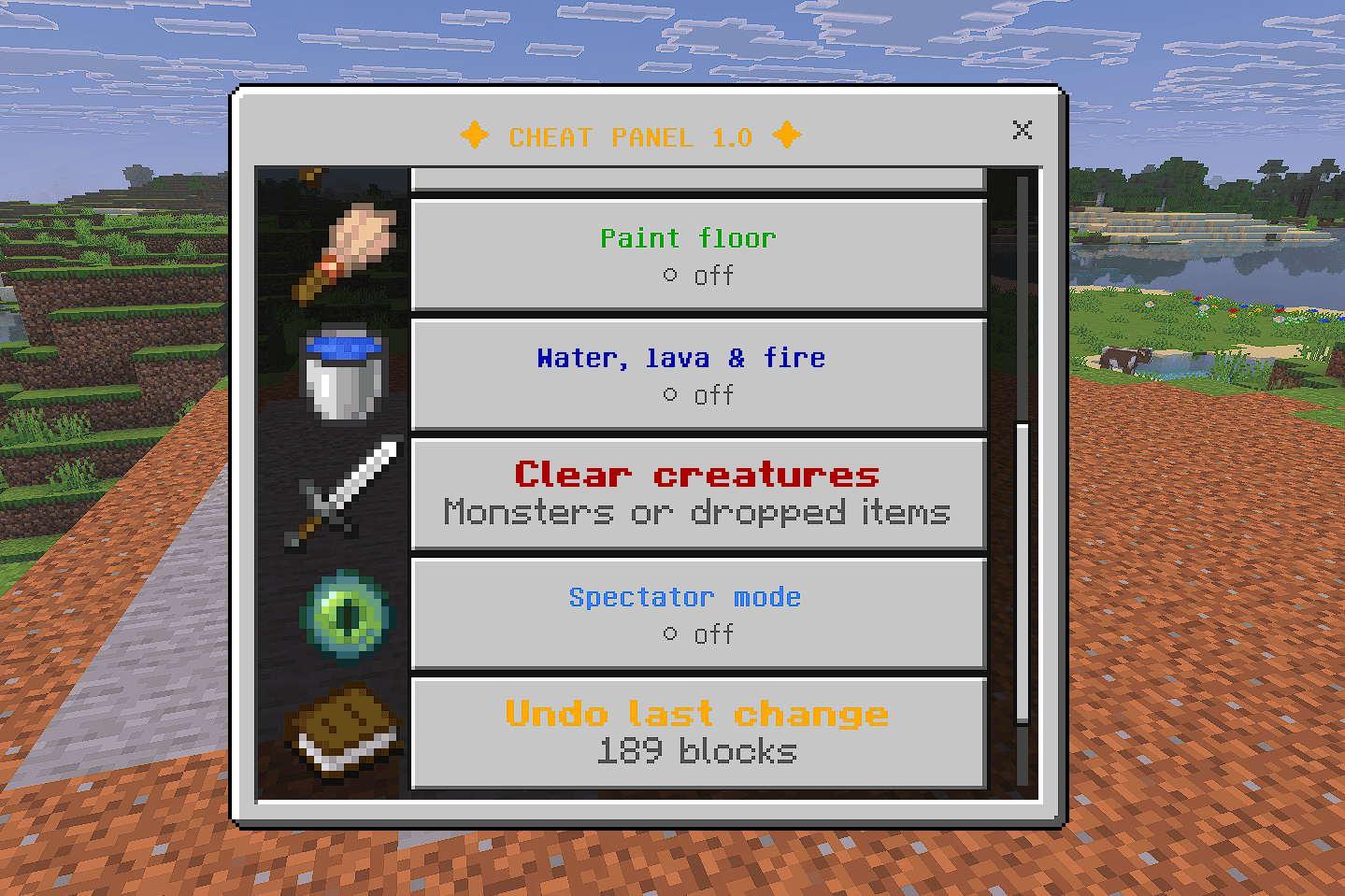
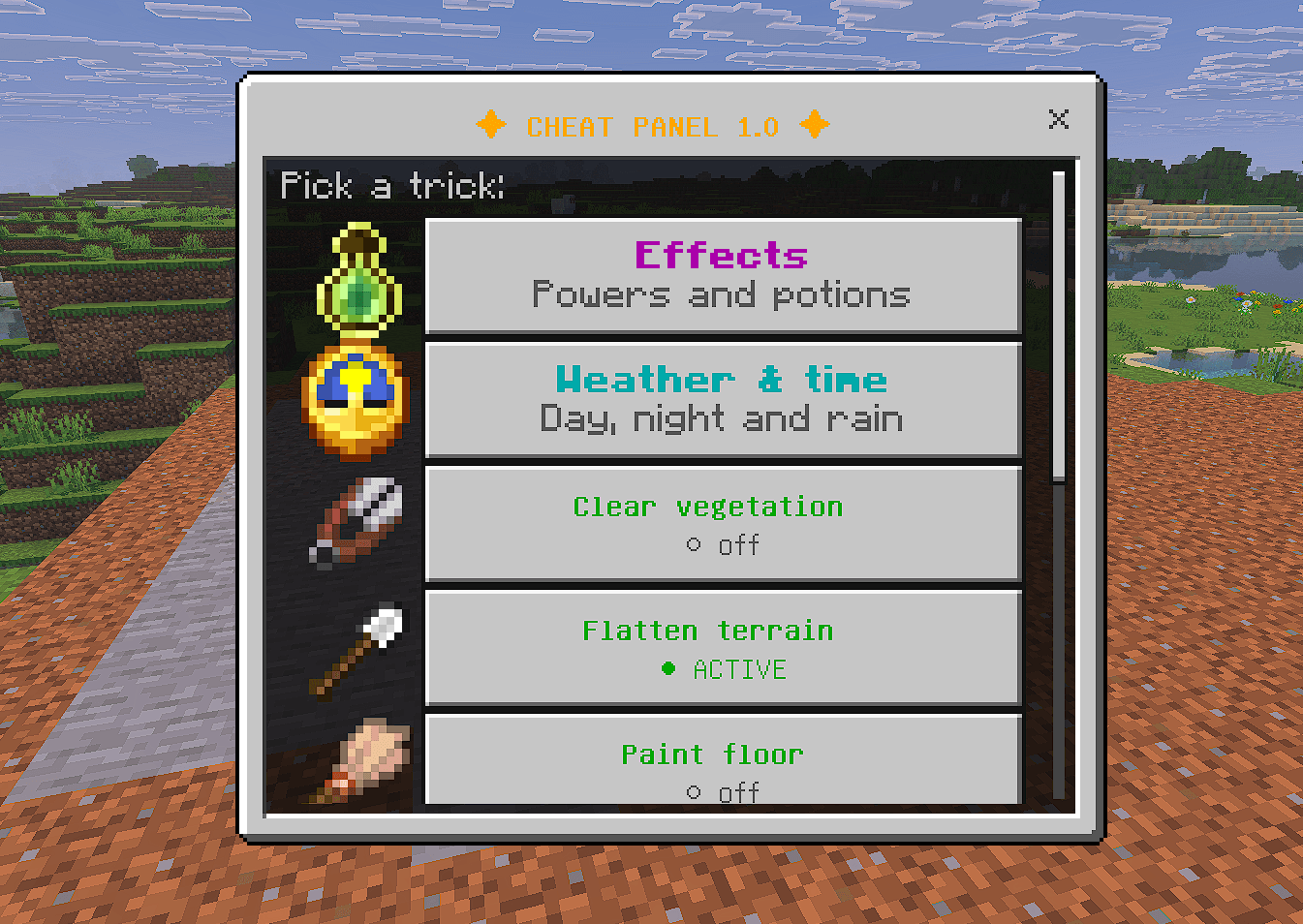
**Cheat Panel 1.0: every cheat in one clock ** Stop typing commands. Hold a clock, use it, and a menu opens with everything you need for building, farming and testing.
What it does
Effects (toggle on/off): night vision, super speed, super strength, super jump, fire resistance, water breathing, damage resistance, fast mining, slow falling and invisibility. Super strength: with it on, a single hit kills any creature, even high-health bosses. It never affects other players. Weather and time: day, noon, night, clear, rain and thunderstorm in one tap. Clear vegetation: walk and the grass and plants around you disappear. Choose the radius (1 to 10) and whether trees are removed too. Flatten terrain: walk and the ground levels out. Pick a fixed level from your current height (you can even fly above it), or let it follow the ground you stand on. It removes everything up to 30 blocks above and can fill holes. Paint floor: swap the floor for the block you hold in your hand. Water, lava and fire: remove them around you. Clear creatures: hostile monsters, all creatures or dropped items. Tamed and named creatures are spared. Undo: reverts the latest block changes. Spectator mode: switch in and out, returning to your previous mode. Fully bilingual: English and Spanish, chosen automatically from your game language.
How to use
Add both packs to your world (the resource pack activates together with the behavior pack). Hold a clock and use it. Pick a trick from the menu.
Good to know
Flattening removes everything above the chosen level, including builds. Back up your world first. Undo restores blocks, but not the contents of chests. Clearing creatures cannot be undone. With Vibrant Visuals, night vision is barely noticeable. It looks best with Fancy graphics.
Requirements: Minecraft Bedrock Edition 1.21.80 or newer.
Credits: ProScript Studio and YegariPro.
- Edition: Minecraft Bedrock
- File type: .mcpack or .mcaddon
- Minecraft version listed: 26.50
- How to install: Download the .mcpack or .mcaddon file. → Open it — Minecraft imports it. → In your world: Behavior Packs → Available → Activate, then the same under Resource Packs.
- Where to get it: Opens on CurseForge — not every file is mirrored on our own servers.
Install steps are the general flow for this file type — How to install Minecraft Bedrock addons & mods walks through it step by step.
Quick Cheats Panel is a free Minecraft Bedrock addon. Compatible with Minecraft 26.50. Downloaded 6 times (via CurseForge). Download it and open it directly in the game.