Simple SetHome V4
Bedrock add-on listed for Minecraft 26.x. Download on the author's site.
A Minecraft Bedrock Edition add-on that lets players set homes and teleport back to saved locations with a simple in-game UI.
⬇ Download on CurseForge
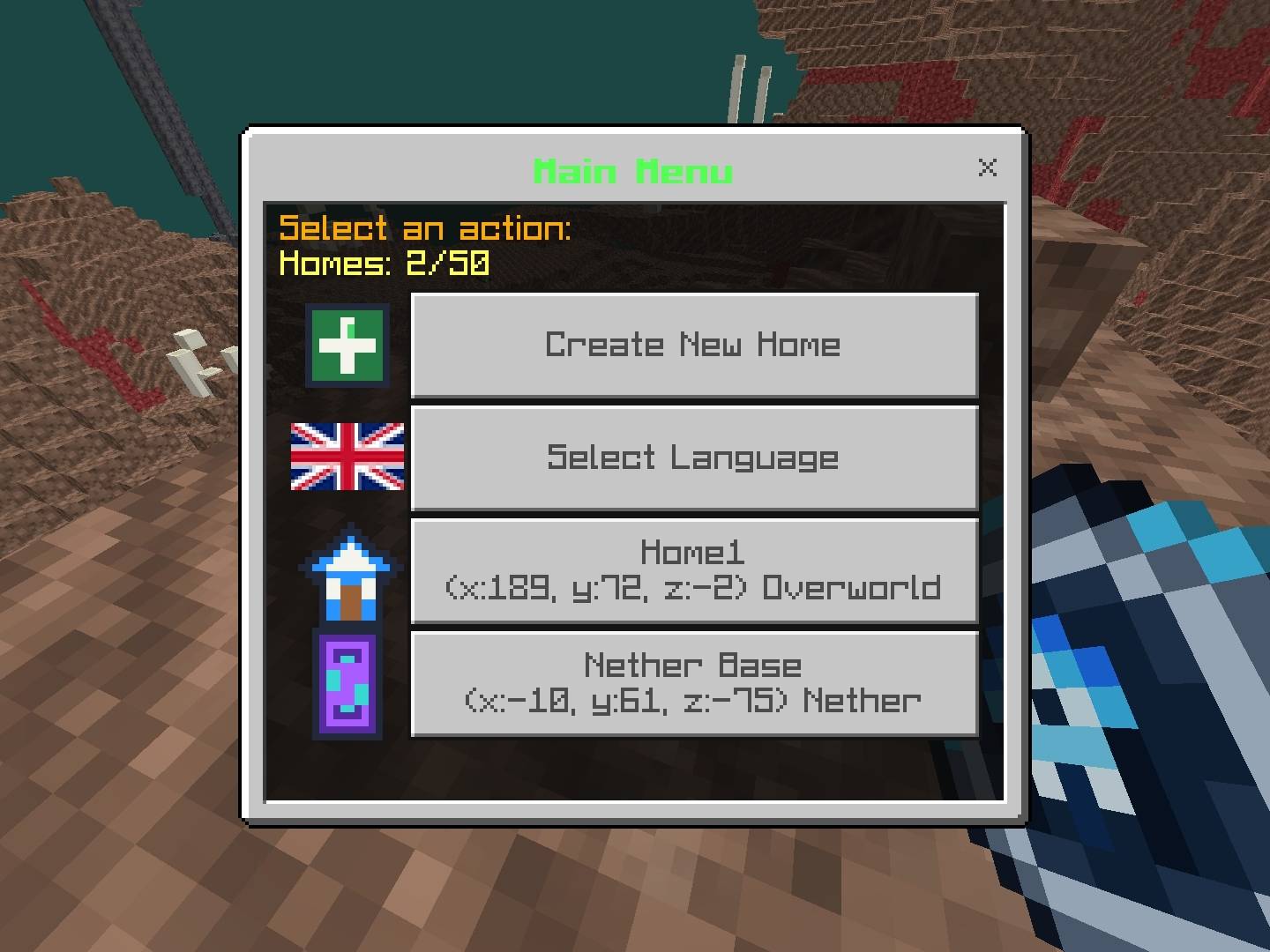
JoZync SetHome is a Minecraft Bedrock Edition add-on that allows players to save home locations and teleport back to them using a convenient in-game interface.
Feature
- Set Home: Save your current location as a home.
- Teleport Home: Return to your saved home locations.
- In-Game UI: Manage your homes through a simple interface.
- First-Join Item: Automatically receive the SetHome item when joining a world for the first time.
- Keep on Death: The SetHome item is designed to remain in your inventory after death.
- Support many languages!
Recipes
You can Craft SetHome Item With crafting table use this pattern
ABA
BAB
ABA
A = Dirt
B = Cobblestone
I make this for SetHome item gone or something
Installation
1. Download the ".mcaddon" file.
2. Open it with Minecraft Bedrock Edition to import the add-on.
3. Activate the Behavior Pack in your world's settings.
4. Join your world and try the SetHome item.
Credits
Created by JoZync.
Please credit the original creator when sharing or showcasing this add-on.
- Edition: Minecraft Bedrock
- File type: .mcpack or .mcaddon
- Minecraft versions listed: 26.0, 26.3, 26.10
- How to install: Download the .mcpack or .mcaddon file. → Open it — Minecraft imports it. → In your world: Behavior Packs → Available → Activate, then the same under Resource Packs.
- Where to get it: Opens on CurseForge — not every file is mirrored on our own servers.
Install steps are the general flow for this file type — How to install Minecraft Bedrock addons & mods walks through it step by step.
Simple SetHome V4 is a free Minecraft Bedrock addon. Compatible with Minecraft 26.0, 26.3, 26.10, 26.11 and newer. Downloaded 6 times (via CurseForge). Download it and open it directly in the game.