
AddonsBedrock
The Blue Blur
Bedrock add-on listed for Minecraft 26.x. File opened and checked on 14 Oct 2026; installs from the MC Bedrock Mods app on Android.
⬇ Download on CurseForgeThe author built this one for Minecraft 26.50. On other versions it may install and then do nothing.
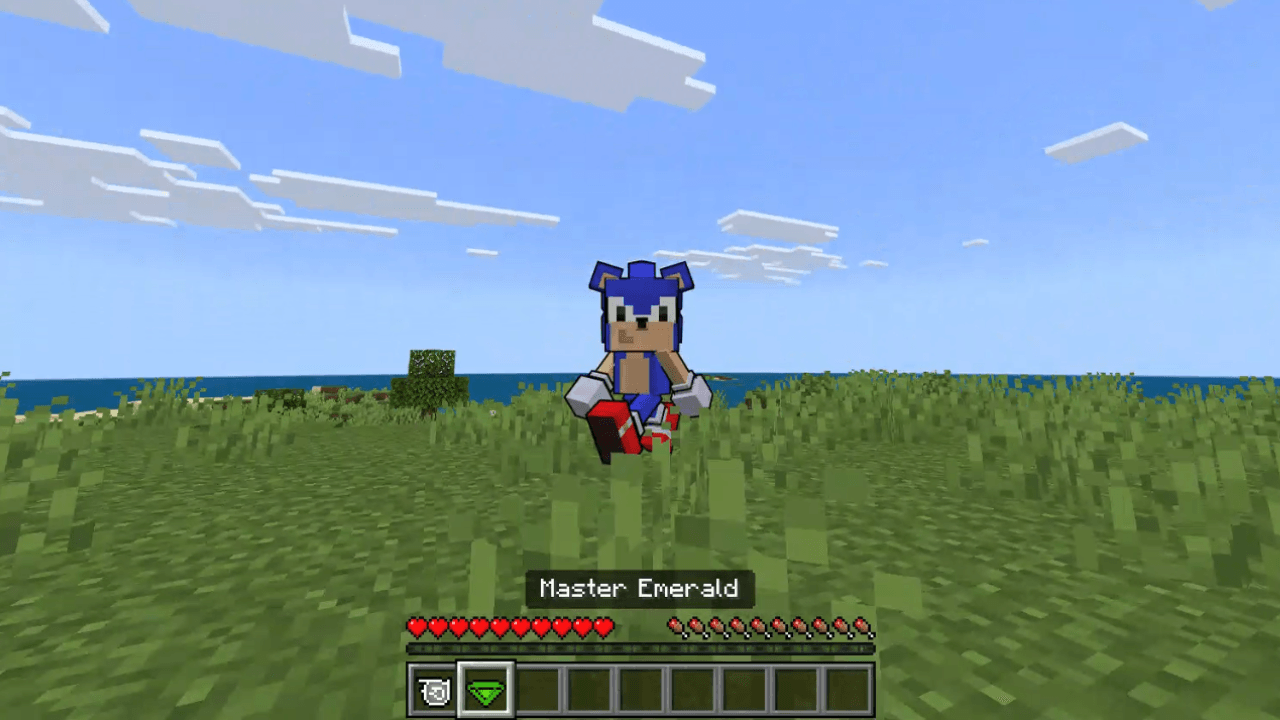
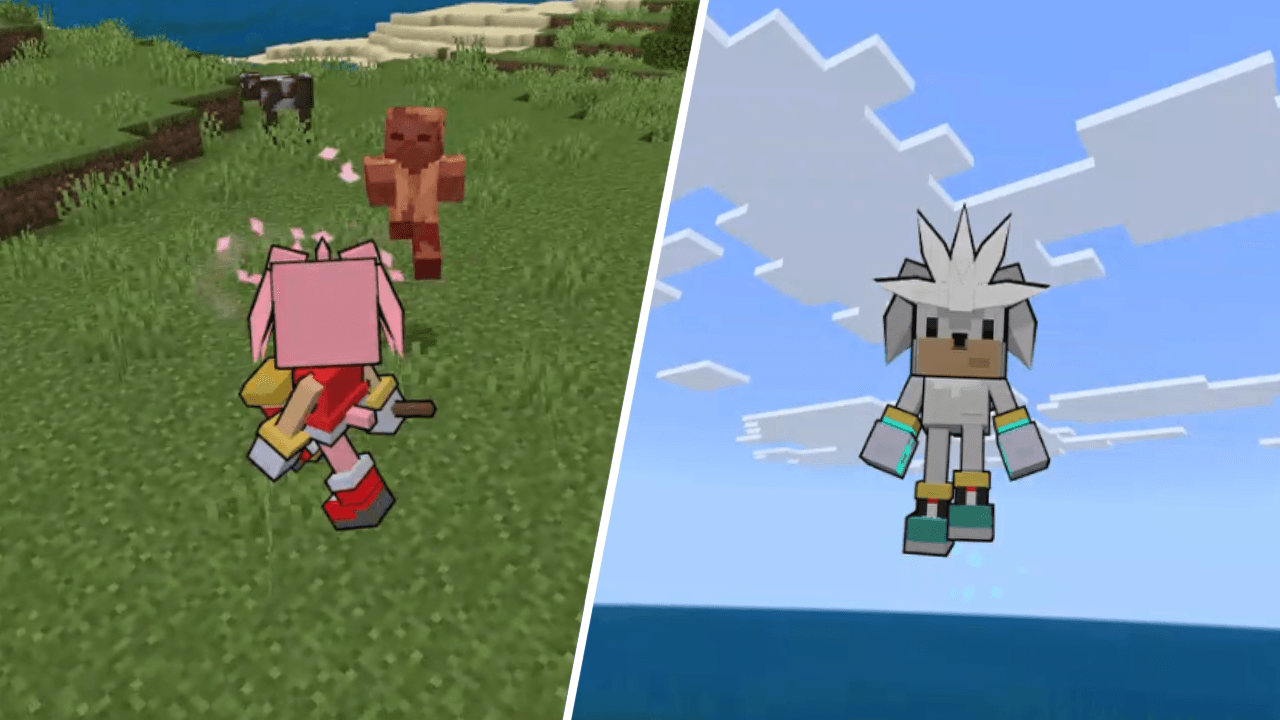
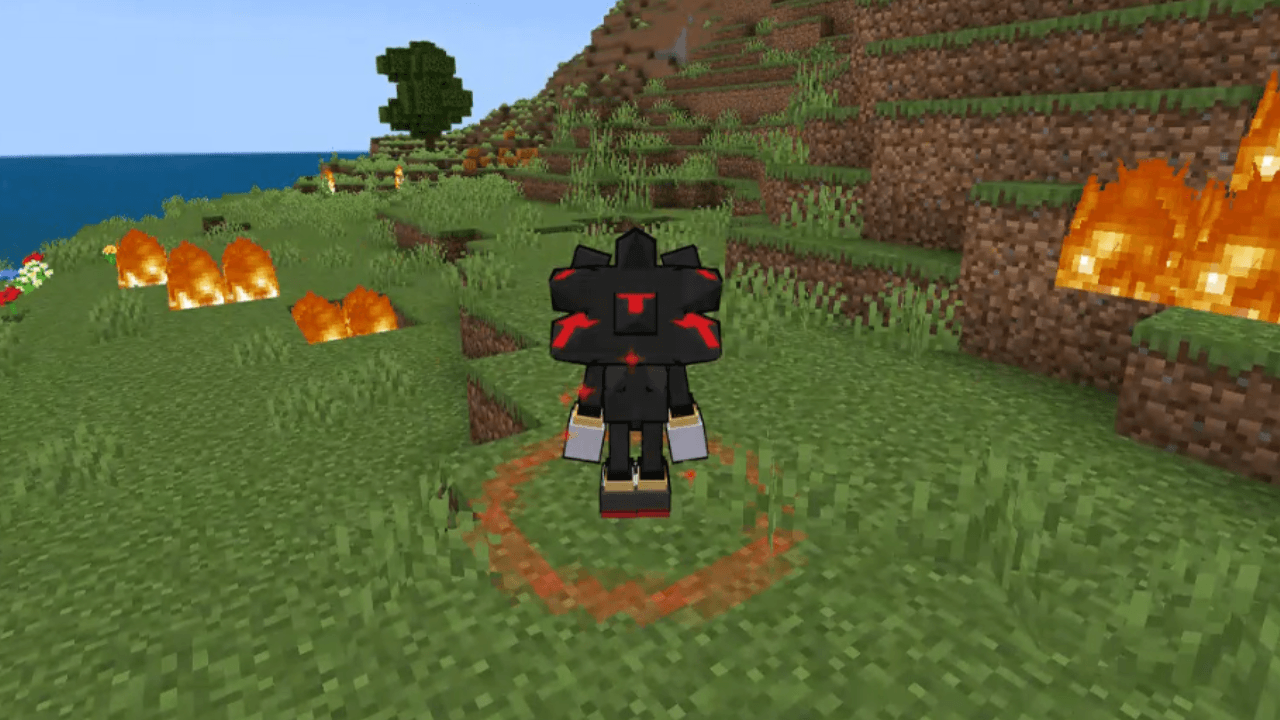
All the information you need to use this Add-On is listed below!
Requirements
- The Education Edition slider (found in settings under cheats) must be turned on in order for this Add-On to work!
How to use this Add-On
- All the item recipes can be found in the recipe book and equipped like a normal piece of armor to become Sonic, Shadow, Tails, and more! All characters have a ball item that can be right-clicked to roll up and increase speed. Some characters are given items that can be right-clicked to trigger an ability. Below is a list of the different characters and what they can do!
- Sonic: The Master Emerald can be right-clicked to become Super Sonic. You can fly like in creative mode. Right-click again to revert to normal.
- Shadow: Has an item that lets him teleport on right-click! He also has the Master Emerald which works the same as Sonic.
- Tails: Has a projector item that can be right-clicked to spawn in clones that fight hostile mobs.
- Amy: Has a hammer item that can be right-clicked to knock mobs back.
- Knuckles: Has increased strength and a double jump item that can be right-clicked while in the air for a boost.
- Silver: Can fly like in creative mode and has a telekenisis item that can be right-clicked to lift mobs and right-clicked again to throw them.
- Metal Sonic: Can be right-clicked to turn on and off. When on, you can phase through different blocks. Look down and sneak to phase into the ground
- Sonic: The Master Emerald can be right-clicked to become Super Sonic. You can fly like in creative mode. Right-click again to revert to normal.
Quick facts
- Edition: Minecraft Bedrock
- File type: .mcpack or .mcaddon
- Minecraft version listed: 26.50
- How to install: Download the .mcpack or .mcaddon file. → Open it — Minecraft imports it. → In your world: Behavior Packs → Available → Activate, then the same under Resource Packs.
- Where to get it: Opens on CurseForge — not every file is mirrored on our own servers.
Install steps are the general flow for this file type — How to install Minecraft Bedrock addons & mods walks through it step by step.
File checked by MCModsHub
- Pack type: .mcaddon — behaviour and resource pack in one file
- Download size: 398 KB
- Download link checked 14 Oct 2026 — working
These come from our own check of the pack file, not from the source page.