Dragon Legends — Hatch, Tame & Fly
Bedrock add-on listed for Minecraft 1.21–26.x (behavior + resource pack). File opened and checked on 15 Oct 2026; installs from the MC Bedrock Mods app on Android.
Hatch, raise, tame and ride eight elemental dragons, featuring glowing eyes, colorful wings and elemental particles.
⬇ Download on CurseForge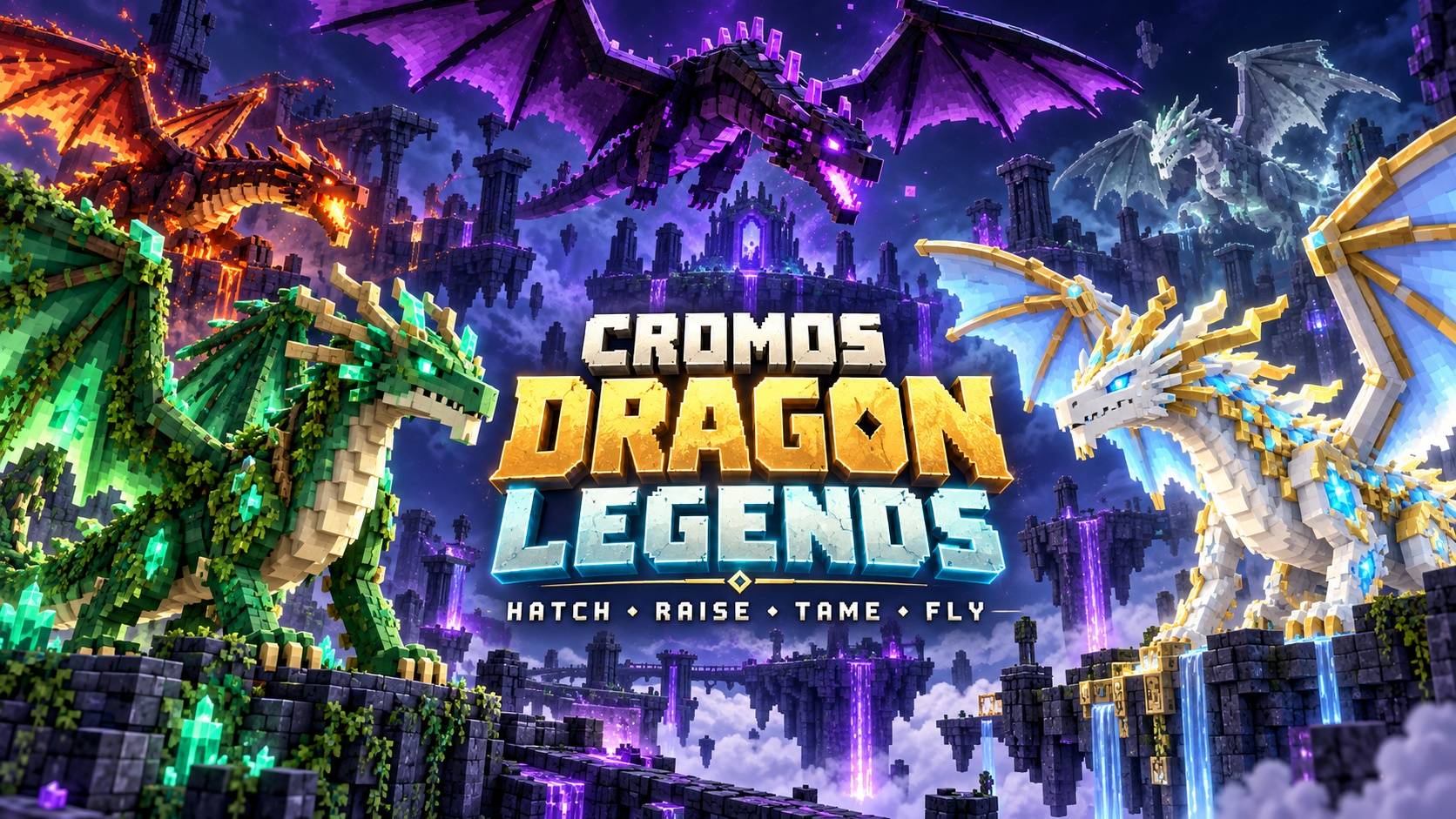
🐉 Cromos Dragon Legends
Hatch your companion. Earn its trust. Take to the skies.
Turn the vanilla Dragon Egg into the beginning of a new adventure. Choose an elemental base, hatch your dragon, raise it from a baby, and tame it before taking your place on its back.
Cromos Dragon Legends brings eight elemental dragon varieties to Minecraft Bedrock Edition, combining dragon-raising gameplay with colorful wings, glowing eyes, elemental particles, and animated movement.
🐲 Meet Your Dragon Companion
From crimson Fire Dragons to pale, spectral Ghost Dragons, each variety brings a different visual identity to your adventure.
- 🔥 Fire Dragon: crimson scales, orange wings, and golden eyes.
- ❄️ Ice Dragon: frost blue scales with bright cyan details.
- 💧 Water Dragon: deep ocean blue with turquoise accents.
- 🌿 Forest Dragon: emerald scales, leaf green wings, and lime eyes.
- 🌋 Nether Dragon: dark scales with scarlet, lava-inspired details.
- 🟣 Ender Dragon: purple-black scales with magenta accents.
- ☁️ Aether Dragon: pearl white and sky blue with golden details.
- 👻 Ghost Dragon: pale mint-gray scales with spectral teal tones.
The elemental themes describe each dragon’s appearance. Elemental combat abilities are not included in this alpha.
🥚 From Egg to Dragon
Your dragon’s element begins with one simple choice: the block beneath its egg.
- Defeat the Ender Dragon and find the vanilla Dragon Egg on the central exit portal.
- Collect the egg using a piston or by dropping it onto a torch.
- Place it directly on a supported elemental block from the table below.
- Keep the area loaded for approximately 60 seconds while the egg incubates.
- Welcome your baby dragon!

Choose Your Incubation Block
| Dragon Type | Supported Blocks Beneath the Egg |
|---|---|
| 🔥 Fire Dragon | Magma Block |
| ❄️ Ice Dragon | Ice, Packed Ice, or Blue Ice |
| 💧 Water Dragon | Prismarine or Sea Lantern |
| 🌿 Forest Dragon | Moss Block or Grass Block |
| 🌋 Nether Dragon | Netherrack or Nether Bricks |
| 🟣 Ender Dragon | End Stone or End Stone Bricks |
| ☁️ Aether Dragon | Block of Quartz |
| 👻 Ghost Dragon | Soul Sand or Soul Soil |
The supporting block is preserved. When incubation starts, the placed egg becomes an incubating egg entity.
On an unsupported block, the egg remains a normal vanilla Dragon Egg and incubation does not begin.
📈 Raise, Tame and Fly
Hatching is only the beginning. Give your companion time to grow, feed it raw fish, and prepare for your first ride.

🌱 Raise Your Dragon
Baby dragons are configured to grow into adults in approximately five minutes while active.
Feeding raw cod or raw salmon accelerates growth. Babies cannot be ridden, so allow your companion to mature before preparing for flight.
🐟 Earn Its Trust
Use raw cod or raw salmon to tame your dragon.
Each feeding attempt has a 40% chance of success, so bring a few extra fish. You can begin taming your dragon while it is still a baby.
🪽 Mount Your Companion
Once your dragon is both adult and tamed, interact with it using an empty hand to mount.
No saddle is required.
🎮 Flight Controls
On PC, the configured aerial controls use movement keys and camera direction:
- Ascend: look upward and move forward.
- Descend: look downward and move forward.
- Navigate: guide the dragon using movement input and your camera.
Dismounting restores gravity. This alpha does not include a dedicated landing button.
🌈 Eight Elemental Appearances
Choose the visual style you want to raise and use its corresponding incubation block. All eight varieties share the core hatching, growth, taming, and riding systems.

✨ Features
- Eight dragon varieties with distinct elemental palettes.
- Block-based incubation using the vanilla Dragon Egg.
- Baby-to-adult progression with fish-assisted growth.
- Fish-based taming and adult dragon riding.
- Configured aerial controls using movement input and camera direction.
- Refreshed vanilla-based textures for all eight types.
- Separate emissive eye layers and elemental particles.
- Ground and air animations.
- Vanilla dragon hurt and death sounds.
- English, Brazilian Portuguese, and Spanish text.
📦 Installation
- Download the .mcaddon file.
- Open it with Minecraft Bedrock Edition.
- Activate both the Behavior Pack and Resource Pack in your world settings.
- Keep both packs active for the incubation and dragon systems.
- Enter your world and begin your dragon adventure!
The incubation system uses the stable Script API. Beta APIs are not required by this implementation.
❓ Quick Answers
Why is my egg not hatching?
Place it directly on a supported base block and keep the area loaded. An unsupported base does not start incubation.
Can I ride a baby dragon?
No. Your dragon must be adult and tamed before it can be ridden.
Do I need a saddle?
No. Mount a tamed adult dragon using an empty hand.
Do dragons spawn naturally?
Not in this alpha. Raise your companion through the egg incubation system.
Can dragons breed or use elemental attacks?
Breeding and elemental combat abilities are not included in this version.
Does the addon add extra Dragon Egg drops?
No. It uses the vanilla Dragon Egg and preserves its vanilla acquisition method.
🛠️ Development Status
Current version: ALPHA 0.1.14.
This release includes refreshed visuals for all eight dragon types and the new Cromos Dragon Legends icon.
Local package checks are complete; in-game validation remains pending. Emissive effects may vary between graphics modes.
The promotional images are illustrative artwork, not in-game screenshots. Their environments represent elemental themes rather than natural spawning locations.
Developed by CROMOS GG.
Thank you for playing and supporting Cromos Dragon Legends! 🐉
- Edition: Minecraft Bedrock
- File type: .mcpack or .mcaddon
- Minecraft versions listed: 26.0.02, 26.0, 26.3
- How to install: Download the .mcpack or .mcaddon file. → Open it — Minecraft imports it. → In your world: Behavior Packs → Available → Activate, then the same under Resource Packs.
- Where to get it: Opens on CurseForge — not every file is mirrored on our own servers.
Install steps are the general flow for this file type — How to install Minecraft Bedrock addons & mods walks through it step by step.
- Pack type: .mcaddon — behaviour and resource pack in one file
- Manifest requires Minecraft 1.21.90 or newer
- Complete pack — everything it depends on is inside the file
- Download size: 983 KB
- Download link checked 15 Oct 2026 — working
These come from our own check of the pack file, not from the source page.