
Create Aeronautics : Easy Assembly
Java mod listed for Minecraft 1.21. Downloads from the MC Java Mods app on Android.
A lightweight add-on for Create Aeronautics/Simulated, adding a versatile Chisel that lets players and Deployers assemble block structures into physical…
⬇ Download on Modrinth


Create Aeronautics : Easy Assembly (CAEA)
A lightweight add-on for Create Aeronautics that adds a versatile Chisel for assembling and disassembling physics structures.
✨ What does this mod do?
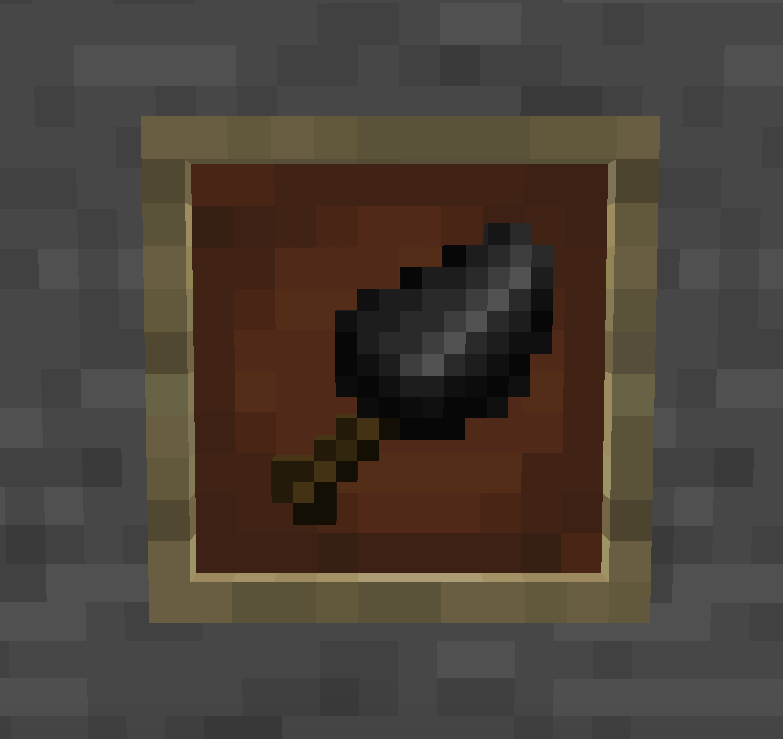
This mod adds a single, powerful tool: the Chisel. It functions as a portable physical assembler — turning any block structure into a physics entity, or breaking it back down, with just a click.
🛠️ The Chisel – Two Modes, One Tool
| Action | Mode | Effect |
|---|---|---|
| Left Click | Assemble | Turns a block structure into a physics entity |
| Right Click | Disassemble | Instantly breaks a physics entity back into blocks (⚠️ Disassembly will fail on fast-moving entities) |
- Survival Mode: Hold left-click for 1 second (20 ticks) to assemble — prevents accidental triggers.
- Creative Mode: Single-click assembly for fast iteration.
The Chisel has 64 durability. Both left-click and right-click consume 1 durability per use. It also accepts the same enchantments as the vanilla Brush — Unbreaking, Mending, and Curse of Vanishing — applied via anvil.
🤖 Deployer Support
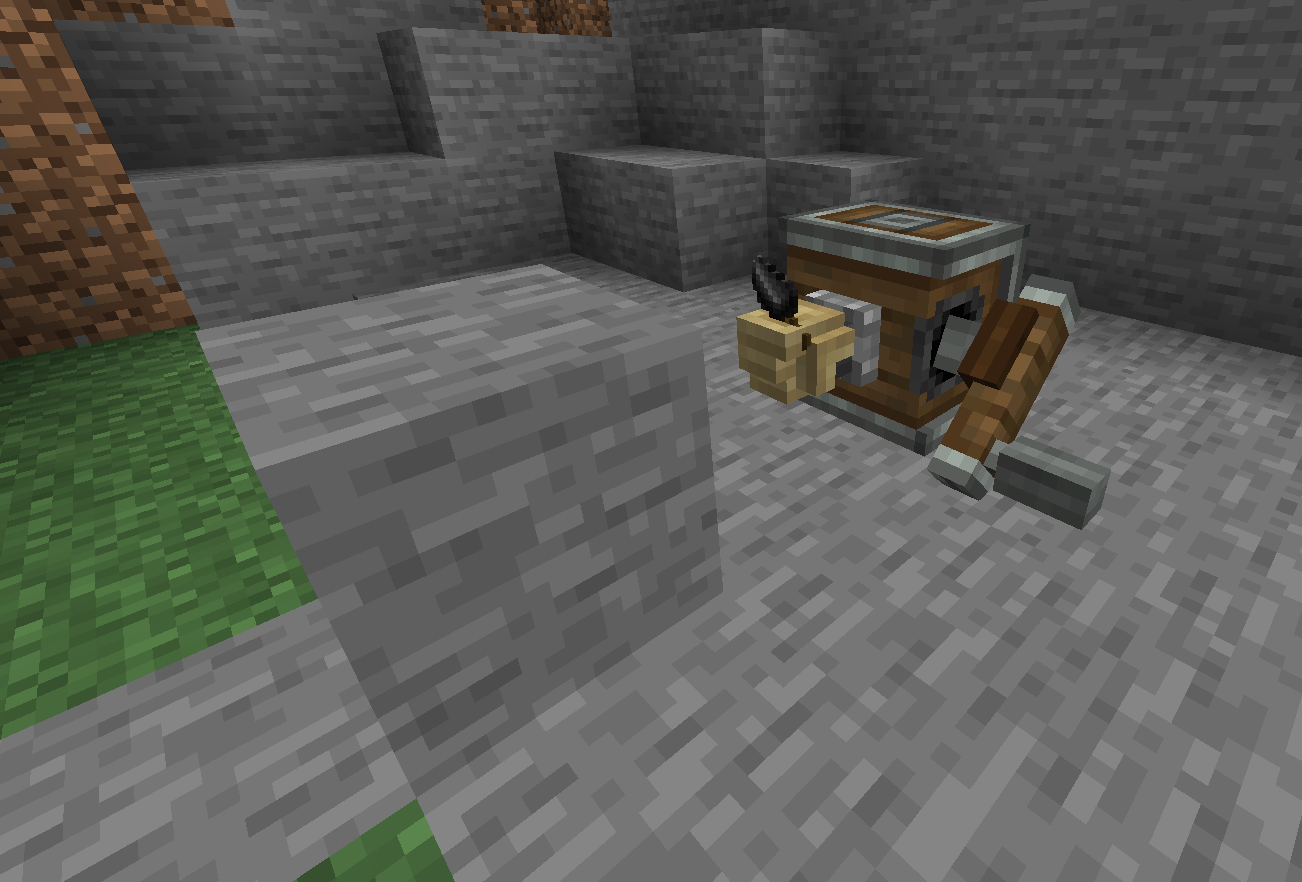
Place a Chisel in a Deployer and it will automatically assemble/disassemble structures in your contraptions.
- Attack Mode: Assembles
- Use Mode: Disassembles
⌨️ Admin Commands (OP Level 2)
/caea assemble <x> <y> <z> [dimension]— Assemble at a specific position/caea disassemble <x> <y> <z> [dimension]— Disassemble at a specific position/caea disassemble all— Disassemble all loaded physics structures in the current dimension/caea delete <x> <y> <z> [dimension]— Delete a physics structure without returning blocks/caea delete all— Delete all loaded physics structures in the current dimension
⚠️
disassemble allanddelete allonly affect loaded structures. Unloaded structures are not processed.
⚙️ Configuration
The mod exposes a common config file (config/create_aeronautics_easy_assembly-common.toml):
chiselDisassemblySpeedCheck(default:true) — If enabled, the Chisel cannot disassemble structures that are moving too fast. Disable this to clean up stuck vehicles, at the risk of physics engine instability.
🎯 Why download this mod?
- Save time: No more long commands or complex tools — one Chisel does it all.
- Automate: Use Deployers to handle assembly/disassembly in your factories.
- Lightweight: Adds just one item — no bloat, no performance impact.
📦 Dependencies
This mod requires the following to run:
| Mod | Version |
|---|---|
| Create | ≥ 6.0.10 |
| Sable | ≥ 1.1.3 |
| Create Aeronautics | ≥ 1.1.0 |
💡 Create Aeronautics typically bundles the Simulated module, so you don't need to download it separately.
💡 It might work on earlier versions, but we haven't tested it.
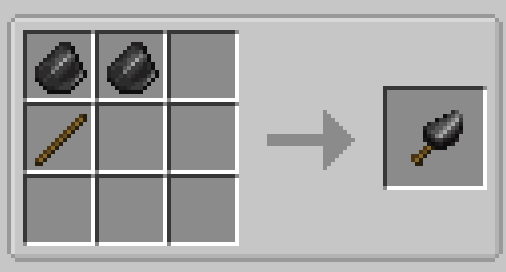
🔧 Crafting Recipe
Simple and early-game friendly:
📄 License
This mod is licensed under MIT — feel free to fork, modify, and include it in your modpacks!
🙏 Credits
- Create Aeronautics team for the amazing physics API
- NeoForge and CreateRegistrate community for development tools
📥 Download
Compatible with Minecraft 1.21.1 on NeoForge. Use the Download button above to get the latest version.
- Edition: Minecraft Java
- File type: .jar
- Minecraft version listed: 1.21.1
- How to install: Install the matching mod loader (Forge, Fabric or NeoForge) for your Minecraft version. → Download the .jar. → Put it in the .minecraft/mods folder and launch that loader profile.
- Where to get it: Opens on Modrinth — not every file is mirrored on our own servers.
Install steps are the general flow for this file type — How to install Minecraft Java mods & modpacks walks through it step by step.
- Ships as create_aeronautics_easy_assembly-1.1.0.jar — drop this file into the mods folder
- Download size: 227 KB
- Download link checked 16 Oct 2026 — working
These come from our own check of the pack file, not from the source page.