Server Hub: Warps, Homes, Kits & TPA
Bedrock add-on listed for Minecraft 1.21–26.x (behavior pack only). File opened and checked on 16 Oct 2026; installs from the MC Bedrock Mods app on Android.
One clock, one menu, zero commands. Warps, homes, kits with cooldowns, teleport requests, wild teleport, death return, daily rewards and admin tools for…
⬇ Download on CurseForgeThe author built this one for Minecraft 26.50. On other versions it may install and then do nothing.
Server Hub: Warps, Homes, Kits & TPA
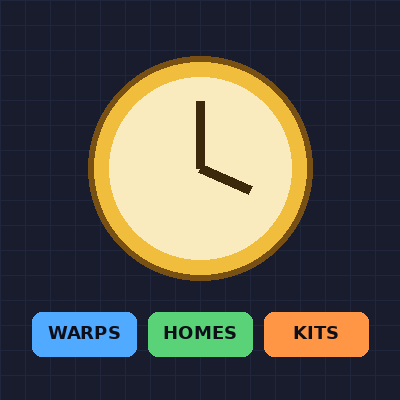
Running an SMP or Realm shouldn't mean memorizing commands or stacking command blocks. Server Hub puts everything into one menu. Hold the Server Hub clock, tap it, and you're in.
Every player gets the clock when they join and again after respawning. Admins get a separate Admin Hub item (a nether star) by command, so random players can never get the admin tools. Neither item can be dropped or lost on death.
What's inside
Warps
Admins create unlimited public warps (Spawn, Shop, Arena, Nether Hub) from the menu. Players pick one and go.
Homes
Every player gets their own homes (3 by default, admins can change it). Works across all dimensions.
Kits with cooldowns
Build kits in-game by typing item IDs and amounts, for example diamond_sword:1, golden_apple:4.
- One-time kits (perfect for starter kits)
- Timed kits (minutes, hours, daily, weekly)
- Tag-locked kits for VIP / Staff
- Auto-give a starter kit to brand new players
- Players see exactly how long is left before the next claim
Teleport Requests (TPA)
Ask to go to a player, or ask them to come to you. They get a pop-up with Accept / Deny. Players can turn requests off if they want to be left alone.
Wild Teleport
Drop into a random spot in the Overworld. You land with slow falling and brief protection so you don't splat.
Back to Death Point
Died far from base? One tap takes you back to where you fell.
Daily Reward Streak
Claim every day to build a 7-day streak. Rewards grow each day, and day 7 gives bonus diamonds.
Safe Teleport Warm-Up
Teleports have a short countdown and cancel if you move, so players can't use them to escape fights. Admins can set it from 0 (instant) to 30 seconds.
Admin Panel
Only admins can open it (OPs, players with the admin tag, and the world owner).
- Server Settings: edit the menu title, menu body, welcome message and server rules
- Manage Warps: create, edit (X / Y / Z or "Use My Current Location"), delete, view all
- Manage Kits: create, edit, delete, view all
- Manage Player Tags: add or remove tags like VIP from any online player
- Send Announcement: colors, a big title on every screen, and a bell sound
- Gameplay Settings: homes per player, warm-up time, starter kit, wild teleport range, daily rewards on/off
- Preview Player Menu: see exactly what players see
Saves everything
All warps, kits, homes and settings are stored permanently. Restarts and crashes won't wipe them.
How to use
- Install the pack and apply it as a Behavior Pack to your world.
- Join the world. You'll receive the Server Hub clock automatically.
- Hold it and tap / right-click to open the menu.
- Admins: run
/scriptevent hub:adminto get the Admin Hub item.
Commands
| Command | What it does |
|---|---|
/scriptevent hub:admin |
Get the Admin Hub item. The first person to run it becomes the world owner. |
/execute as <player> run scriptevent hub:admin |
Give an admin the Admin Hub item |
/scriptevent hub:give |
Get the Server Hub clock again if you lost it |
/scriptevent hub:open |
Open the menu without the clock |
/tag <player> add admin |
Make someone an admin |
/tag <player> add VIP |
Give VIP access (then make a kit that requires the VIP tag) |
Requirements
- Minecraft Bedrock 1.21.100 or newer
- Works on mobile, console, Windows and Realms
- If your version still asks for it, turn on Beta APIs under World Settings > Experiments
Notes for server owners
- All data is saved per world using Dynamic Properties.
- Item IDs in the kit creator work with vanilla items (
diamond,minecraft:netherite_sword). - Warps and homes remember their dimension.
If you find a bug or want a feature, leave a comment. I read them all.
Version
v1.0.0: Warps, Homes, Kits, TPA, Wild Teleport, Death Return, Daily Rewards, Admin Panel.
- Edition: Minecraft Bedrock
- File type: .mcpack or .mcaddon
- Minecraft version listed: 26.50
- How to install: Download the .mcpack or .mcaddon file. → Open it — Minecraft imports it. → In your world: Behavior Packs → Available → Activate, then the same under Resource Packs.
- Where to get it: Opens on CurseForge — not every file is mirrored on our own servers.
Install steps are the general flow for this file type — How to install Minecraft Bedrock addons & mods walks through it step by step.
- Pack type: .mcpack — a single pack
- Manifest requires Minecraft 1.21.100 or newer
- Complete pack — everything it depends on is inside the file
- Download size: 13 KB
- Download link checked 16 Oct 2026 — working
These come from our own check of the pack file, not from the source page.