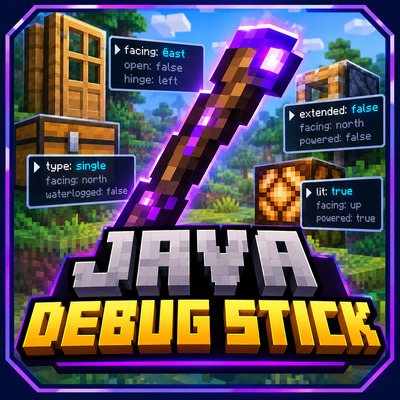
Java Debug Stick
Bedrock add-on listed for Minecraft 1.21–26.x (behavior + resource pack). File opened and checked on 16 Oct 2026; installs from the MC Bedrock Mods app on Android.
⬇ Download on CurseForgeJava Debug Stick
Bring one of Minecraft Java Edition's most useful technical tools to Minecraft Bedrock Edition!
Java Debug Stick adds a special tool that lets you modify block states directly in your world. Change the properties of supported blocks without breaking and replacing them manually.
✨ Features
- Edit block states: Change the properties of supported blocks, such as their orientation or other available states.
- Easy property selection: Sneak while using the Debug Stick on a block to cycle through its available properties.
- Cycle values: Use the stick on a block to change the selected property's value.
- Works with technical blocks: Edit supported blocks, including doors and chests, where applicable.
- Custom tool: Obtain a special Debug Stick with a unique appearance and enchantment glint.
- Craftable: Craft your Debug Stick using 1 stick, 1 lapis lazuli and 1 redstone.
🎮 How to Use
1. Install and activate the Behavior Pack and its required Resource Pack, if applicable.
2. Obtain the Java Debug Stick.
3. Sneak and use the stick on a block to select one of its available properties.
4. Use the stick again to cycle the selected property's value.
5. Experiment with different blocks to discover which properties can be changed.
⚙️ Compatibility
Designed for Minecraft Bedrock Edition. Requires Script API support, including compatible versions of "@minecraft/server" and the custom item component system.
Note: Not every block has editable properties, and some values may not be applicable to every block.
🧱 Perfect For
- Technical Minecraft builds
- Mapmaking and adventure maps
- Custom mechanisms and decorations
- Creative building
- Experimenting with block states
Bring more control to your builds with Java Debug Stick!
- Edition: Minecraft Bedrock
- File type: .mcpack or .mcaddon
- Minecraft versions listed: 1.21.131, 1.21.132, 26.0.02
- How to install: Download the .mcpack or .mcaddon file. → Open it — Minecraft imports it. → In your world: Behavior Packs → Available → Activate, then the same under Resource Packs.
- Where to get it: Opens on CurseForge — not every file is mirrored on our own servers.
Install steps are the general flow for this file type — How to install Minecraft Bedrock addons & mods walks through it step by step.
- Pack type: .mcaddon — behaviour and resource pack in one file
- Manifest requires Minecraft 1.21.93 or newer
- Complete pack — everything it depends on is inside the file
- Download size: 35 KB
- Download link checked 16 Oct 2026 — working
These come from our own check of the pack file, not from the source page.