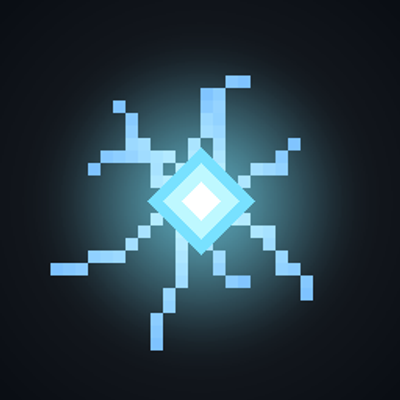
Rift
Bedrock add-on listed for Minecraft 1.21–26.x (behavior + resource pack). File opened and checked on 16 Oct 2026; installs from the MC Bedrock Mods app on Android.
⬇ Download on CurseForgeRift: Pocket Storage from DOORS
Bring a piece of the Rift from DOORS into Minecraft Bedrock! Place a glowing, floating Rift anywhere in your world and use it as a small magical storage. You can even bottle it up and carry it with everything inside.
Features
The Rift: a floating, spinning rift of light with sparkling particles and ambient sounds. It has no gravity, can't be pushed and can't be damaged.
4 storage slots: right-click (tap) the Rift to open its menu. Pick an empty slot to store the item in your hand, or pick a filled slot to take the item back.
Rift Jar: drop it on the ground and, after a moment, a Rift appears with a burst of particles.
Tip Jar: use it on a Rift to capture it, items included. Drop the Tip Jar later to release the Rift with all your stuff.
Keeps your items intact: names, lore, enchantments and durability are saved inside the jar.
Starter item: every player receives a Rift Jar the first time they join the world.
Crafting
Rift Jar
Planks Planks Planks
Glass Diamond Glass
Glass Glass Glass
Tip Jar
Planks Planks Planks
Glass (empty) Glass
Glass Glass Glass
(Any type of planks works.)
How to use
Craft a Rift Jar (or use the one you get on spawn) and drop it on the ground.
Wait a second and the Rift appears.
Tap the Rift to store or take items.
Craft a Tip Jar, use it on the Rift and carry it anywhere. Drop it to bring the Rift back.
Credits
Inspired by the Rift from Roblox DOORS. This is an unofficial fan-made addon and is not affiliated with Roblox or doors Addon by someone:/, so give them credit here.
- Edition: Minecraft Bedrock
- File type: .mcpack or .mcaddon
- Minecraft versions listed: 26.40, 26.50
- How to install: Download the .mcpack or .mcaddon file. → Open it — Minecraft imports it. → In your world: Behavior Packs → Available → Activate, then the same under Resource Packs.
- Where to get it: Opens on CurseForge — not every file is mirrored on our own servers.
Install steps are the general flow for this file type — How to install Minecraft Bedrock addons & mods walks through it step by step.
- Pack type: .mcaddon — behaviour and resource pack in one file
- Manifest requires Minecraft 1.21.100 or newer
- Complete pack — everything it depends on is inside the file
- Download size: 57 KB
- Download link checked 16 Oct 2026 — working
These come from our own check of the pack file, not from the source page.