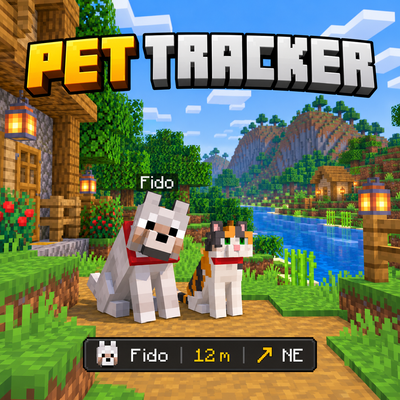
Pet Tracker
Bedrock add-on listed for Minecraft 1.21–26.x (behavior + resource pack). Installs from the MC Bedrock Mods app on Android.
⬇ Download on CurseForge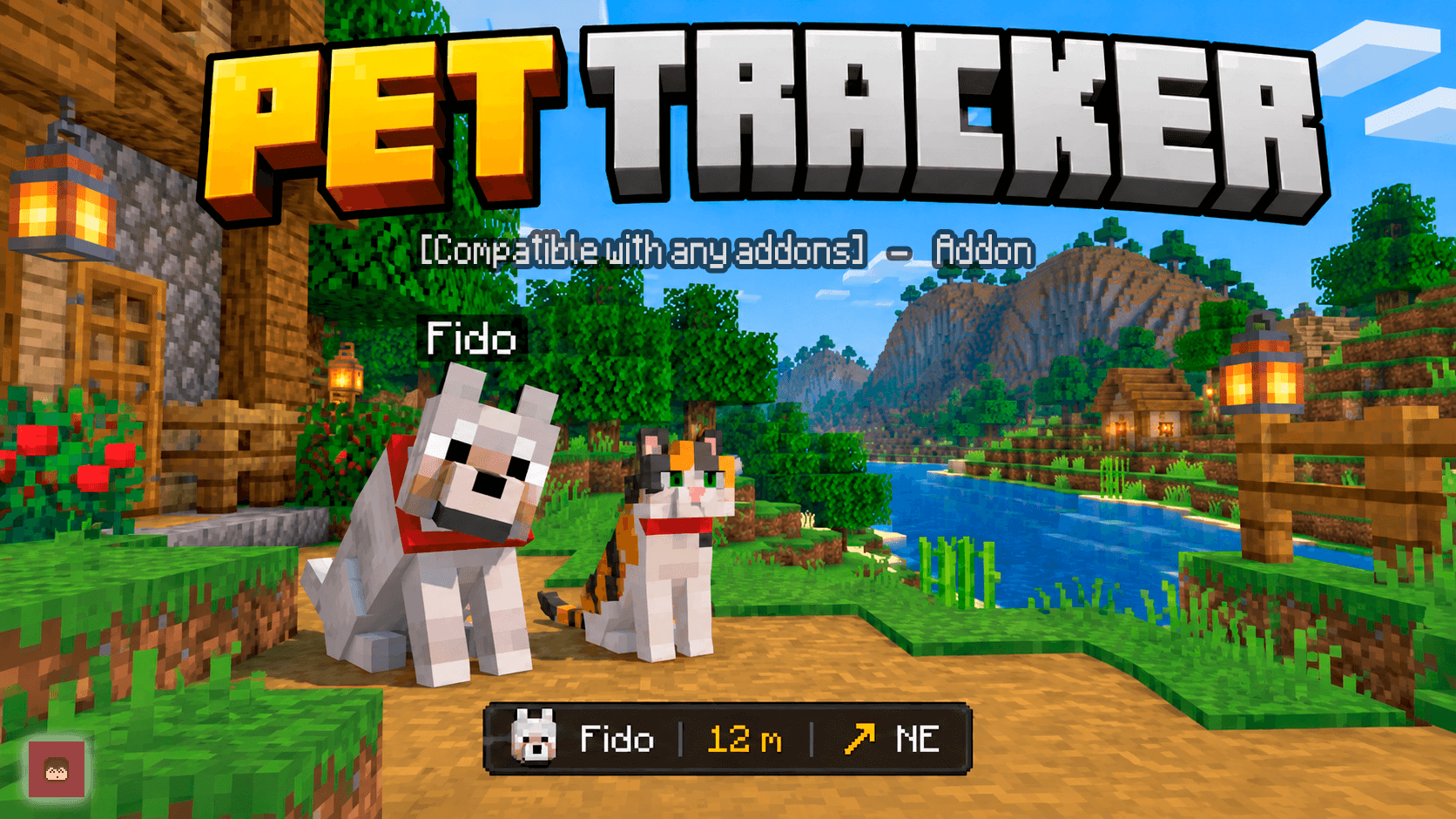
🐾 Pet Tracker
Have you ever lost one of your tamed pets and had no idea where it went?
Pet Tracker adds a simple Pet Locator that helps you find nearby tamed pets by showing their direction, distance and coordinates.
Craft the locator, activate tracking and follow the indicator until you find your pet.
⭐ Main Features
- 🧭 Live pet direction
- 📏 Distance from your pet
- 📍 Pet coordinates
- 🐾 Tracks nearby tamed animals
- 🎯 Automatically follows the nearest detected pet
- ↕️ Shows if the pet is above or below you
- 🏷️ Displays custom pet names
- 📡 Up to 192 blocks of detection range
- 👥 Multiplayer & Realms friendly
- 🚫 No
player.json - 🧪 No experimental gameplay required
- 🏆 Achievements friendly
🧭 Pet Locator
Pet Tracker adds one new item:
The Pet Locator is intentionally inexpensive so it can be useful during normal Survival progression.
You need:
- 🧭 1 Compass
- 🦴 1 Bone
Combine them at a Crafting Table to create:
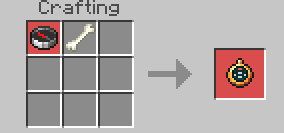
Pet Locator
Hold it in your hand and activate it to begin searching for pets.
Once tracking is enabled, the locator continuously updates the direction and distance to the closest detected pet.
🎯 Live Pet Tracking
While holding the Pet Locator with tracking enabled, your Actionbar displays information about the nearest pet.
It can show:
- 🐾 Pet name or entity type
- 📏 Distance in blocks
- ➡️ Directional arrow
- 🧭 Cardinal direction
- ↕️ Vertical difference when the pet is significantly above or below you

For example:
Wolf | 42 m | ↗ NE
If the pet is above or below you, the tracker can also show the vertical distance.
Example:
Wolf | 42 m | ↗ NE ↑8m
This makes it much easier to determine whether your pet is:
- Behind you
- In front of you
- To one side
- Above you
- Underground
- Inside another part of your base
🧭 Directional Arrows
The Pet Locator uses directional arrows relative to where you are currently looking.
Possible directions include:
- ↑
- ↗
- →
- ↘
- ↓
- ↙
- ←
- ↖
It also displays the world direction:
- N
- NE
- E
- SE
- S
- SW
- W
- NW
Simply rotate until the arrow points forward and start moving.
📍 Pet Coordinates
When tracking is first activated, Pet Tracker also performs a nearby pet scan.
Detected pets can be listed with:
- 🐾 Name
- 📍 X Coordinate
- 📍 Y Coordinate
- 📍 Z Coordinate
- 📏 Distance
This gives you exact coordinates if you prefer navigating manually.
For performance and readability, the coordinate list displays up to:
12 nearest results
The live Actionbar tracker will continue following the closest detected pet afterward.
📏 Detection Range
Pet Tracker searches within:
192 Blocks
around the player.
The addon only searches entities that are currently loaded by Minecraft.
This means a pet may not appear if it is:
- More than 192 blocks away
- In an unloaded area
- In another dimension
Pet Tracker does not force distant chunks to load.
This helps keep the addon lightweight and avoids unnecessary world processing.
👤 Pet Ownership Detection
Pet Tracker attempts to determine whether a tamed animal actually belongs to the player using Minecraft's available taming information.
✅ Confirmed Pet
When Minecraft exposes the owner information and the animal belongs to you, the tracker treats it as a confirmed pet.
❓ Ownership Unknown
On some Minecraft versions or entity types, the API may identify an animal as tamed but may not provide reliable owner information.
In this situation, Pet Tracker does not pretend that the animal definitely belongs to you.
Instead, it marks the animal as an unverified nearby tamed animal.
This is especially important in multiplayer worlds where several players may have pets in the same area.
👥 Multiplayer Friendly
Pet Tracker is designed with multiplayer worlds in mind.
When ownership information is available, the addon avoids reporting pets that are confirmed to belong to another player.
If Minecraft cannot verify the owner, the tracker clearly marks that animal with a:
?
so you know that it may belong to someone else.
🎮 How to Activate Tracking
There are two ways to toggle Pet Tracking.
🧭 Method 1 — Use the Pet Locator
Hold the Pet Locator and use/interact with it.
Tracking will turn on.
Use it again to turn tracking off.
🕹️ Method 2 — Sneak
Hold the Pet Locator and begin sneaking once.
This also toggles tracking.
This alternate control is useful on devices where the normal item-use action may be less convenient.
🔄 Automatic Live Updates
While tracking is active and you continue holding the Pet Locator, the addon regularly updates:
- Nearest detected pet
- Distance
- Direction
- Vertical difference
The pet search itself refreshes periodically instead of performing a complete entity scan every game tick.
This keeps the Actionbar responsive without unnecessarily searching the surrounding area dozens of times every second.
📴 Stop Tracking
Tracking can be disabled by:
- Using the Pet Locator again
- Sneaking again while holding it
If you stop holding the locator, the live Actionbar information disappears.
Your tracking mode can continue until you return to the locator or disable it.
🐾 What Pets Can It Detect?
Pet Tracker looks for entities recognized by Minecraft as tamed.
This allows it to work with supported tameable animals rather than relying only on one specific pet ID.
Common examples include pets such as:
- 🐕 Wolves
- 🐈 Cats
- 🦜 Parrots
Detection depends on whether the entity exposes Minecraft's normal taming information.
⚠️ Important Limitations
Pet Tracker is designed as a nearby pet locator, not a global world search system.
It cannot locate a pet that Minecraft has not currently loaded.
The locator cannot detect pets that are:
- ❌ In another dimension
- ❌ In unloaded chunks
- ❌ Outside the 192-block detection range
It can detect pets that are:
- ✅ Loaded
- ✅ In your current dimension
- ✅ Within 192 blocks
This limitation prevents the addon from forcing large areas of the world to remain loaded just for pet searching.
🌐 Languages
Pet Tracker currently includes:
- 🇺🇸 English
- 🇲🇽 Spanish
Messages, item names and tracker feedback are translated.
🧩 Compatibility
🚫 No player.json
Pet Tracker does not use player.json.
This helps reduce conflicts with addons that modify:
- Player animations
- Player models
- Player textures
- Player behavior
🧩 Other Addons
Pet Tracker uses the Script API and Minecraft's entity taming information instead of replacing the player.
This makes it suitable for worlds using multiple addons.
Custom tamed entities may also be detected when they expose compatible Minecraft taming components.
👥 Realms & Multiplayer
Pet Tracker is designed for multiplayer worlds and Realms.
Each player can use their own Pet Locator independently.
The ownership system also attempts to distinguish your pets from animals belonging to other players.
🧪 Experimental Gameplay
Pet Tracker uses the stable Minecraft Script API.
No Experimental Gameplay toggles are required.
🏆 Achievements
Pet Tracker is designed to work without disabling achievements.
📦 Installation
Pet Tracker requires two packs:
- 📘 Pet Tracker BP — mechanics, Pet Locator and tracking system
- 🎨 Pet Tracker RP — item texture, names and translations
Both packs are required.
Installation
- Import Pet Tracker BP
- Import Pet Tracker RP
- Activate both packs in your world
- Enter the world
- Craft the Pet Locator
- Hold it and activate tracking
No experimental gameplay toggles are required.
🧠 How Pet Tracker Works
Nearby Entity Scan
Pet Tracker searches loaded entities around the player within a maximum distance of 192 blocks.
Only entities recognized as tamed are considered possible pets.
Owner Verification
When Minecraft provides reliable owner information, Pet Tracker compares the pet owner with the player using the locator.
Pets confirmed to belong to another player are ignored.
If Minecraft recognizes the entity as tamed but does not expose reliable owner information, the animal is shown as unverified instead of being incorrectly presented as yours.
Nearest Pet
Detected pets are sorted by distance.
The nearest valid pet becomes the active Actionbar tracking target.
Direction Calculation
The tracker compares your viewing direction with the pet's position to generate an eight-direction arrow.
It also calculates the world's cardinal direction: North, Northeast, East, Southeast, South, Southwest, West or Northwest.
Vertical Tracking
If the pet is at least approximately 3 blocks above or below you, the Actionbar also displays the vertical difference.
This is useful for pets trapped underground, on another floor or somewhere above your position.
Performance
The Actionbar can refresh frequently while the more expensive surrounding-entity search runs at a slower interval.
This keeps directional tracking responsive without unnecessarily performing a complete pet scan every few ticks.
🐕 Stop Losing Your Pets
Pets have a habit of getting stuck in the strangest places.
Behind a mountain.
Inside your base.
Underground.
On another floor.
Or sitting somewhere you completely forgot about.
Instead of searching every corner manually:
Craft the Pet Locator and follow the direction.
🚀 Join the Community
Want to report a bug, suggest an improvement, follow future updates or request a custom Minecraft Bedrock addon?
🚀 Join my Discord Server
On the Discord you can:
- Report bugs
- Suggest new ideas
- Follow addon development
- Get VIP access
- See exclusive addon progress
- Request custom commissions
🌐 Official STV Addons Page
Discover more Minecraft Bedrock addons and new releases:
🌐 Visit STV Addons
🎁 Support the Project
If you enjoy Pet Tracker and want to support future updates and new Minecraft Bedrock projects, donations are appreciated.
Every contribution helps support future development.
💖 Donate via PayPal
⚠️ Reupload Policy
If you showcase Pet Tracker in a video, review or external website, please send players to the official project page.
Do not redistribute the addon through your own direct download links.
Thank you for supporting the original project! ❤️
- Edition: Minecraft Bedrock
- File type: .mcpack or .mcaddon
- Minecraft versions listed: 26.0.02, 26.0, 26.3
- How to install: Download the .mcpack or .mcaddon file. → Open it — Minecraft imports it. → In your world: Behavior Packs → Available → Activate, then the same under Resource Packs.
- Where to get it: Opens on CurseForge — not every file is mirrored on our own servers.
Install steps are the general flow for this file type — How to install Minecraft Bedrock addons & mods walks through it step by step.
- Pack type: .mcaddon — behaviour and resource pack in one file
- Manifest requires Minecraft 1.21.80 or newer
- Complete pack — everything it depends on is inside the file
- Download size: 3.6 MB
- Download link checked 16 Oct 2026 — working
These come from our own check of the pack file, not from the source page.