Zombie Panic Add-on Pack(ゾンビパニック 追加パック)
Bedrock add-on listed for Minecraft 26.x. Download on the author's site.
⬇ Download on CurseForgeThe weapons, armor and enemies from Zombie Panic and Zombie Panic GEKI are now in survival!
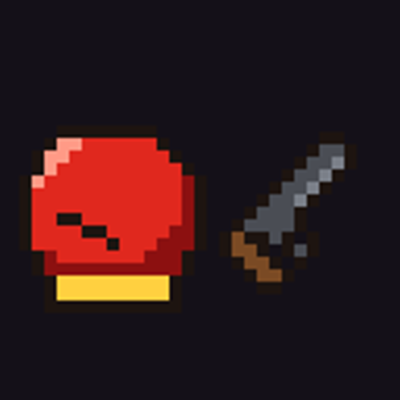
- Craft gloves, elemental swords, the katana "Ryoma", Golden Harisen, guns, the Chicken Gun and more
- Elemental armor sets, Samurai armor, the Chick Suit and other gear
- New enemies appear: Red Zombies, Red Creepers, Red Skeletons, Zombie Aniki, Zombie Don, the Boss Zombie and more
- Includes a guide with all crafting recipes
- Supports English and Japanese
== How to Install ==
1. Download the .mcaddon file and open it. Minecraft will import it automatically.
2. Activate the Zombie Panic Add-on Pack behavior pack in your world (the resource pack is added automatically).
3. No experimental features are needed.
--------------------------------
ゾンビパニック・撃の武器、防具、敵が、サバイバルに登場!
・グローブ、属性の剣、刀「りょうま」、黄金ハリセン、銃、ニワトリgunなどをクラフトできる
・属性の装備、武将の装備、ひよこの着ぐるみなどの防具
・赤ゾンビ、赤クリーパー、赤スケルトン、ゾンビ兄貴、ゾンビドン、ボスゾンビなどの敵が登場
・クラフトのレシピがわかるガイド付き
・日本語と英語に対応
== 入れ方 ==
1. .mcaddonファイルをダウンロードして開くと、Minecraftに自動で読み込まれます。
2. ワールドで、ゾンビパニック 追加パックのビヘイビアパックを有効にします(リソースパックは自動で追加されます)。
3. 実験的機能をオンにする必要はありません。
- Edition: Minecraft Bedrock
- File type: .mcpack or .mcaddon
- Minecraft version listed: 26.50
- How to install: Download the .mcpack or .mcaddon file. → Open it — Minecraft imports it. → In your world: Behavior Packs → Available → Activate, then the same under Resource Packs.
- Where to get it: Opens on CurseForge — not every file is mirrored on our own servers.
Install steps are the general flow for this file type — How to install Minecraft Bedrock addons & mods walks through it step by step.
Zombie Panic Add-on Pack(ゾンビパニック 追加パック) is a free Minecraft Bedrock addon. Compatible with Minecraft 26.50. Downloaded 1 times (via CurseForge). Download it and open it directly in the game.