Friendly Fire
Bedrock add-on listed for Minecraft 1.21–26.x (behavior + resource pack). File opened and checked on 17 Oct 2026; installs from the MC Bedrock Mods app on Android.
⬇ Download on CurseForge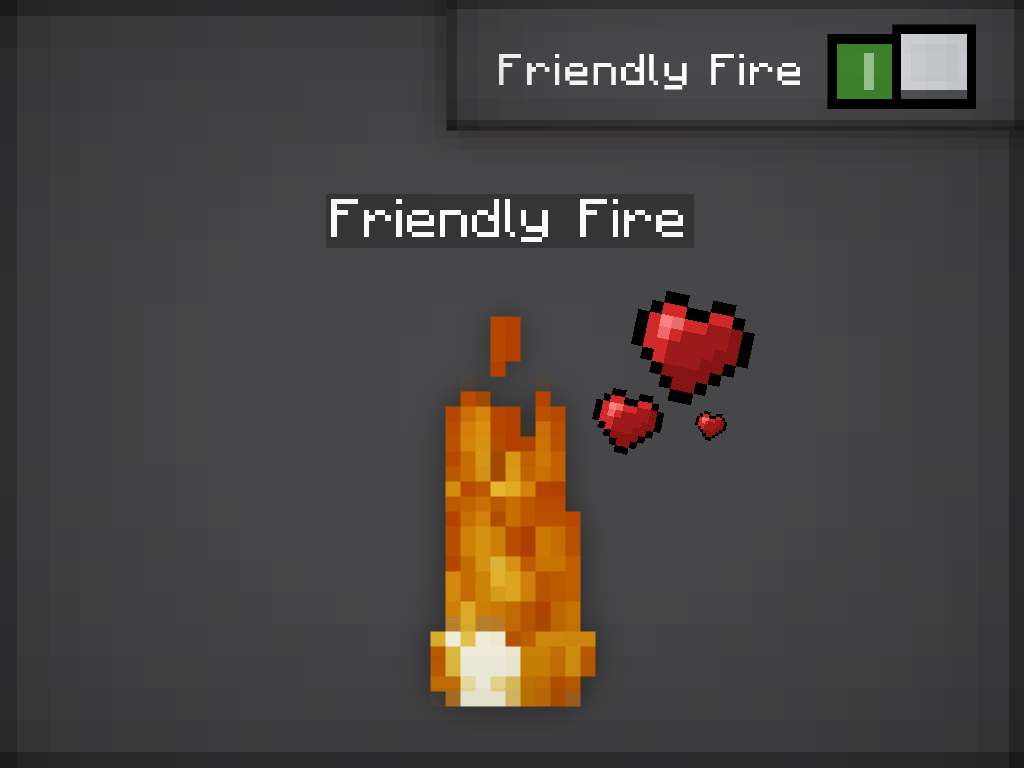
Meet Friendly Fire: an invisible companion that is permanently on fire and will never hurt you. You can't see its body, only the flames. You can tame it like a wolf, give it a weapon, and send it after your enemies. Nothing can hurt it except water... XD
FEATURES!!!
Always burning
• It is set on fire the moment it spawns and stays on fire forever.
• Its entity is invisible, so only the fire is visible.
Wolf AI
• Feed it a bone to tame it.
• Tamed ones follow you and protect you.
• They attack hostile mobs and anything that hurts you or that you hit.
• Sneak + right-click to make it sit or stand.
• Rename it with a name tag. It spawns named "Friendly Fire".
Fights with what it holds
• Right-click a tamed Friendly Fire with an item to put it in its hand. The item shows in its hand even though the body is invisible.
• Held swords, axes, pickaxes, shovels, and tridents boost its damage to match that weapon.
• Every hit sets the target on fire.
Practically invincible
• Punches, arrows, explosions, lava, fire, falls: none of it does damage.
• It walks and floats through lava and ignores fire.
• Its only weakness is water. Water, a water cauldron, or rain kills it, and it plays a fire-put-out sound when it dies.
Spawning
• Common near lava pools.
• Rare in plains biomes.
• Includes a Friendly Fire Spawn Egg (find it in the Nature tab, spawn egg section).
COMMANDS!!!
• Spawn: /summon bitrlst:friendly_fire
• Get the egg: /give @s bitrlst:friendly_fire_spawn_egg
• Remove one silently: /event entity @e[type=bitrlst:friendly_fire] bitrlst:despawn
INSTALLATION
1. Turn on Beta APIs in the world's Experiments if the fire and weapon scripts don't work.
NOTES...
• Rain only kills it when it's open to the sky.
• Weapons only change its damage and ignite targets. It doesn't use enchantments or shoot bows.
• Before installing a new version, remove the old packs from your world.
FEEDBACK
Found a bug, or have an idea? Leave a comment or report it on the project page. ENJOY!!! :D
- Edition: Minecraft Bedrock
- File type: .mcpack or .mcaddon
- Minecraft versions listed: 26.30, 26.40, 26.50
- How to install: Download the .mcpack or .mcaddon file. → Open it — Minecraft imports it. → In your world: Behavior Packs → Available → Activate, then the same under Resource Packs.
- Where to get it: Opens on CurseForge — not every file is mirrored on our own servers.
Install steps are the general flow for this file type — How to install Minecraft Bedrock addons & mods walks through it step by step.
- Pack type: .mcaddon — behaviour and resource pack in one file
- Manifest requires Minecraft 1.21.0 or newer
- Complete pack — everything it depends on is inside the file
- Download size: 43 KB
- Download link checked 18 Oct 2026 — working
These come from our own check of the pack file, not from the source page.