
JaGGeR Controller
Bedrock add-on listed for Minecraft 26.x (behavior + resource pack). File opened and checked on 17 Oct 2026; installs from the MC Bedrock Mods app on Android.
The required core engine for all JaGGeR vehicle add-ons. Adds driving physics, manual & automatic transmissions, physical keys with central locking, turn…
⬇ Download on CurseForge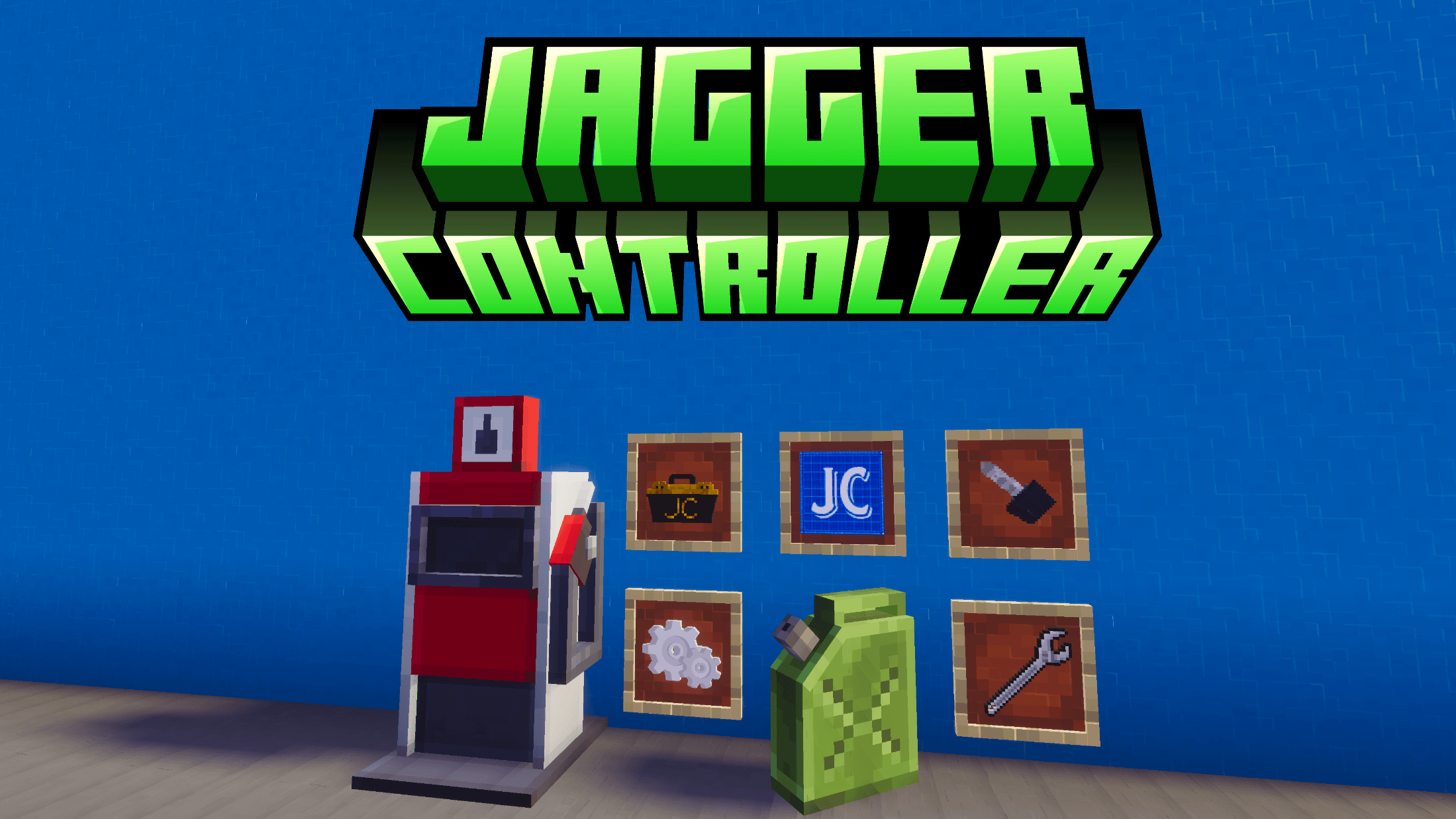
JaGGeR Vehicle Controller
The JaGGeR Vehicle Controller is the required backbone engine that powers all vehicle add-ons created for this ecosystem. It manages all physics calculations, manual and automatic transmissions, central security, custom HUD displays, turn signals, and refueling stations.
⚠️ IMPORTANT COMPATIBILITY NOTICE
This add-on does NOT contain vehicles by itself!
To get vehicles, you must install at least one compatible vehicle pack alongside this controller:
🛠️Core Engine Features
- Advanced Vehicle Physics
- Terrain Alignment (Pitch & Roll): Vehicles dynamically lean forward, backward, and sideways to smoothly conform to uneven hills, terrain slopes, and ramps.
- Slope Speed Reduction: Realistic incline drag causes heavy vehicles to lose speed when driving uphill, requiring gear shifting.
- Drifting & Boost Physics: Press and hold Jump while turning to initiate a drift with tire smoke and exhaust backfire. Release to trigger a brief boost.
- Dual Transmission System (Manual & Automatic)
- Manual Sequential Gearbox: Shift through Gears 1 to 5, Neutral, and Reverse with realistic RPM drops during gear changes.
- Automatic Transmission (AKPP): Switch to full automatic mode (P - R - N - D) via settings. The vehicle automatically handles gear changes based on speed and throttle.
- Speed Limiter (Cruise Control): Set an exact maximum speed limit for automatic driving in the settings menu.
- Physical Keys & Central Locking
- Vehicle-Bound Keys: When a vehicle is spawned, an individual key bound to that specific vehicle is generated. Only the matching key will start the engine!
- Universal Master Key: A special key variant that starts and opens any vehicle (ideal for admins and creative mode).
- Exterior Central Locking: Right-click the vehicle from the outside with its key to lock or unlock it. Locking triggers alarm sounds and automatically closes all open doors, trunks, and hoods. Locked cars cannot be entered by unauthorized players!
- Auto Key Cleanup: Dismantling a vehicle with a wrench automatically removes its corresponding keys from nearby player inventories.
- Turn Signals & Hazard Lights
Signal your turns and alert other drivers on the road:- Touch Screen (Mobile): Dedicated on-screen interactive buttons for Left Turn, Hazard, and Right Turn.
- Hotbar Shortcuts (PC/Console): Quickly switch between hotbar slots 1, 2, and 3 while driving to toggle blinkers.
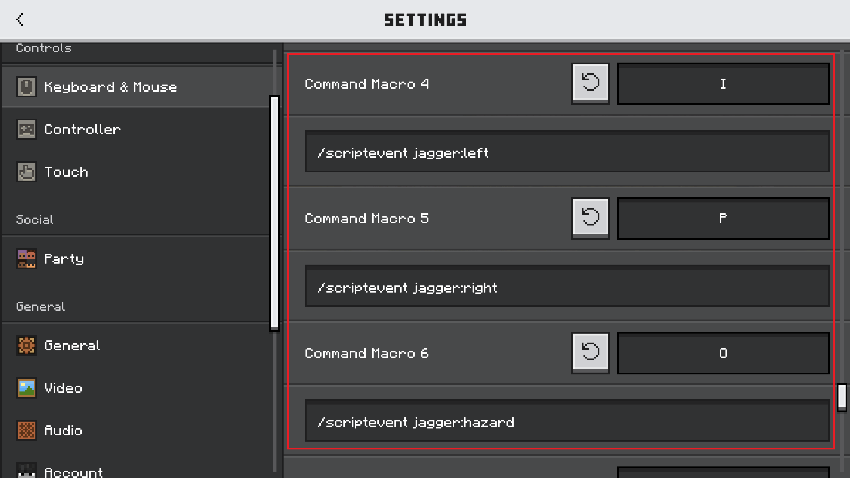
- Keybind Commands (PC): You can bind commands or run /scriptevent in chat/macros:
- /scriptevent jagger:left — Toggle Left Turn Signal
- /scriptevent jagger:right — Toggle Right Turn Signal
- /scriptevent jagger:hazard — Toggle Hazard Lights
5. Fuel & Refueling Mechanics
-
- Fuel Pumps: Grab the fuel nozzle from the pump to refuel nearby vehicles directly to 100%. Moving too far snaps the hose and resets the nozzle.
- Fuel Canisters: Portable canisters that store up to 20L of fuel. Each canister features an item description tracking its remaining liters and individual ID. Canisters can also be placed on the ground as physical objects.
- Explosive Collisions: Ramming fuel pumps at high speed triggers massive, fiery explosions!
6. Sub-Entity Interactive Hierarchy
-
- Passenger Seats: Multi-seat support allowing friends to sit in passenger compartments and operate their own doors.
- Storage Trunks & Hoods: Interactive storage compartments.
- Auto-Close on Drive: Shifting into gear and moving automatically closes all open doors, hoods, and trunks for driving safety.
7. Custom Cameras, HUD & Graphics Settings
-
- Settings Menu: Use the Settings to open global server toggles (fuel consumption, vehicle damage, ramming damage to mobs, explosive pumps).
- Camera Modes: Standard, dynamic chase camera, reversing front view, and an advanced Collision-Free Free Camera that glides behind the vehicle without clipping into blocks.
- Customizable HUD: Switch speedometers between KM/H and MPH and choose between 6 screen layout presets.
- Performance (FX) Settings: Toggle drift trails, tire smoke, backfire sparks, sand spray, and crash sounds for weaker devices.
🛡️ Multiplayer & Server Permissions (Player Tags)
The controller includes a built-in role system designed specifically for Dedicated Servers, Realms, and Roleplay projects, allowing server owners to lock down driving settings and prevent cheating:
- Regular Player (default_player):
- Command: /tag <player> add default_player
- Players with this tag have restricted access inside the Settings. Critical gameplay toggles (fuel depletion, fuel consumption rates, collision damage, mob ramming damage, slope slowdown, and explosive pump toggles) are hidden.
- All default players are forced to follow the global server rules set by administrators.
- Note: They can still freely customize their personal client preferences (automatic/manual transmission choice, HUD layout, camera presets, and FX performance toggles).
- Administrator (admin_player):
- Command: /tag <player> add admin_player
- Administrators gain full access to all gameplay, fuel, damage, and server-wide toggles.
- Any setting adjusted by an administrator is automatically saved as a global server rule, instantly applying to everyone tagged with default_player.
🔨 Survival Crafting Recipes
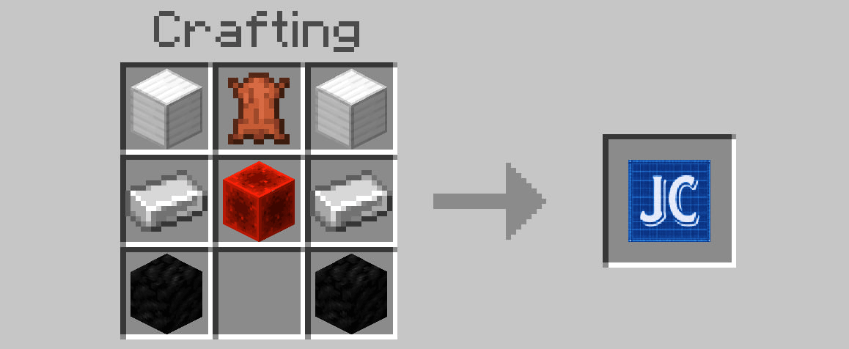
All core tools and items can be crafted in Survival Mode:
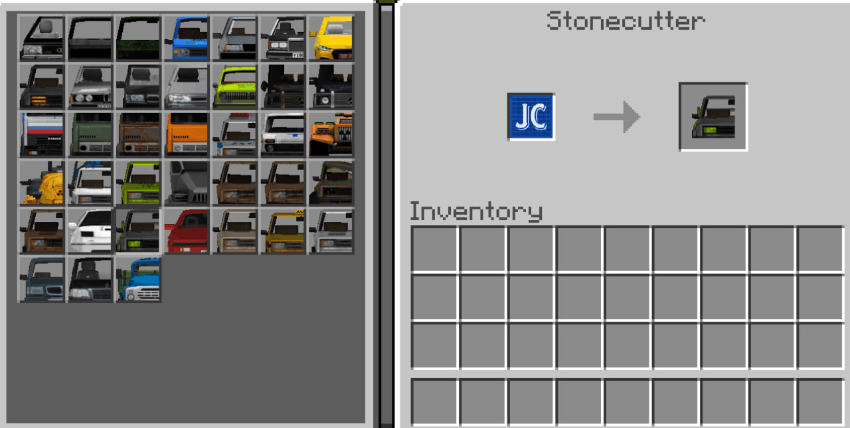
Vehicle Base (Frame):
(Used in the Stonecutter to craft individual vehicles)
Vehicle Key:
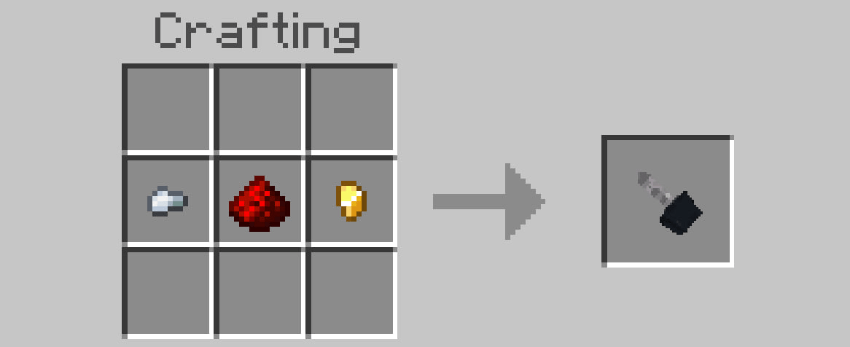
Wrench (Setup, Color Cycling & Dismantling):
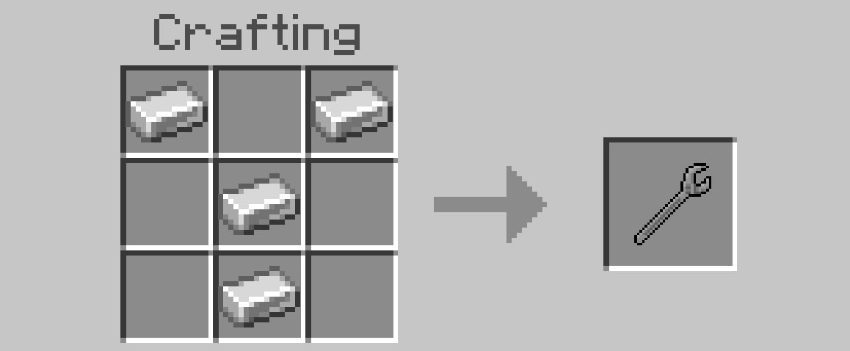
Repair Kit:
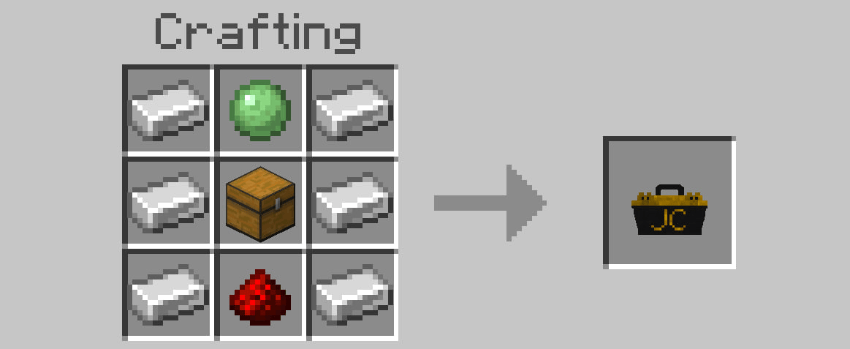
Fuel Canister:
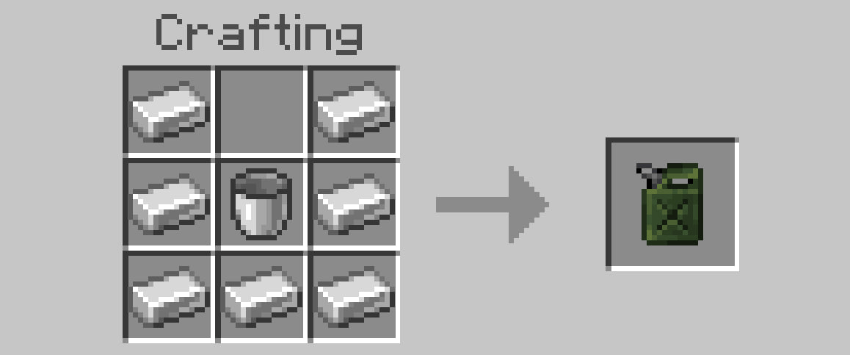
Fuel Pump:
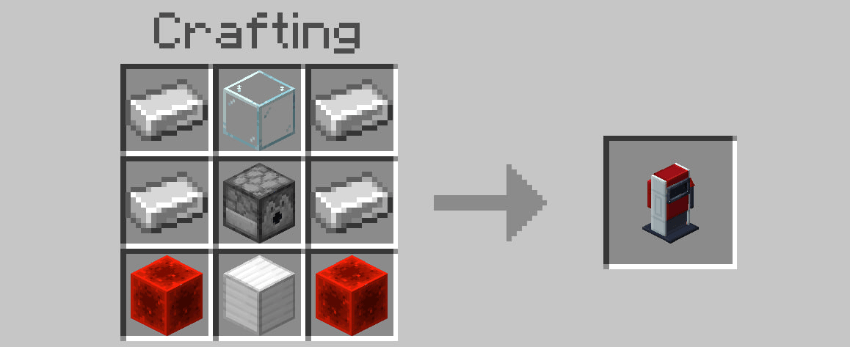
Settings:
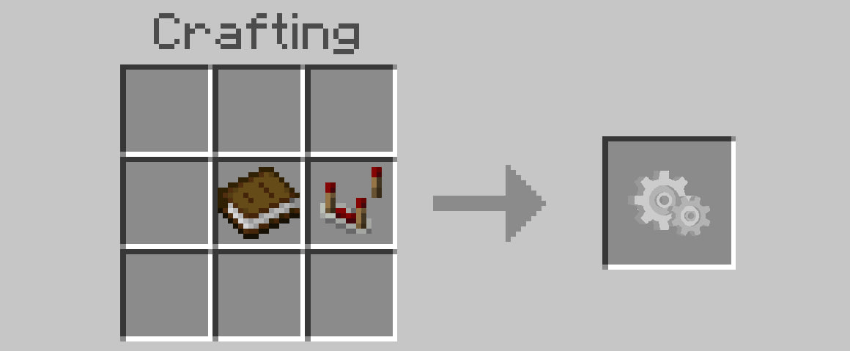
⚠️ Required World Settings
To run the controller scripts, enable the following **Experiments** in your world settings:
- Beta APIs
- Upcoming Creator Features (recommended)
- Edition: Minecraft Bedrock
- File type: .mcpack or .mcaddon
- Minecraft versions listed: 26.30, 26.40, 26.50
- How to install: Download the .mcpack or .mcaddon file. → Open it — Minecraft imports it. → In your world: Behavior Packs → Available → Activate, then the same under Resource Packs.
- Where to get it: Opens on CurseForge — not every file is mirrored on our own servers.
Install steps are the general flow for this file type — How to install Minecraft Bedrock addons & mods walks through it step by step.
- Pack type: .mcaddon — behaviour and resource pack in one file
- Manifest requires Minecraft 1.26.30 or newer
- Complete pack — everything it depends on is inside the file
- Download size: 4.2 MB
- Download link checked 18 Oct 2026 — working
These come from our own check of the pack file, not from the source page.