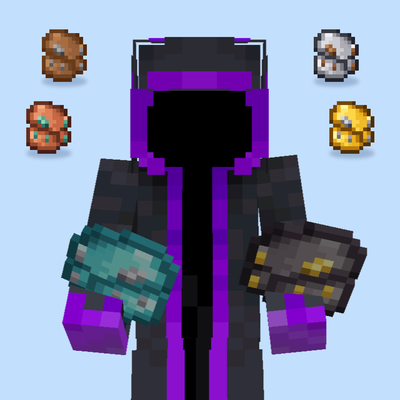
Basic Backpack – 6 Tier Backpacks
Bedrock add-on listed for Minecraft 26.x (behavior + resource pack). File opened and checked on 18 Oct 2026; installs from the MC Bedrock Mods app on Android.
Adds 6 upgradeable backpack tiers, from Leather (9 slots) to Netherite (54 slots). Right-click to open, hover to preview contents. Bedrock Edition add-on.
⬇ Download on CurseForgeThe author built this one for Minecraft 26.50. On other versions it may install and then do nothing.
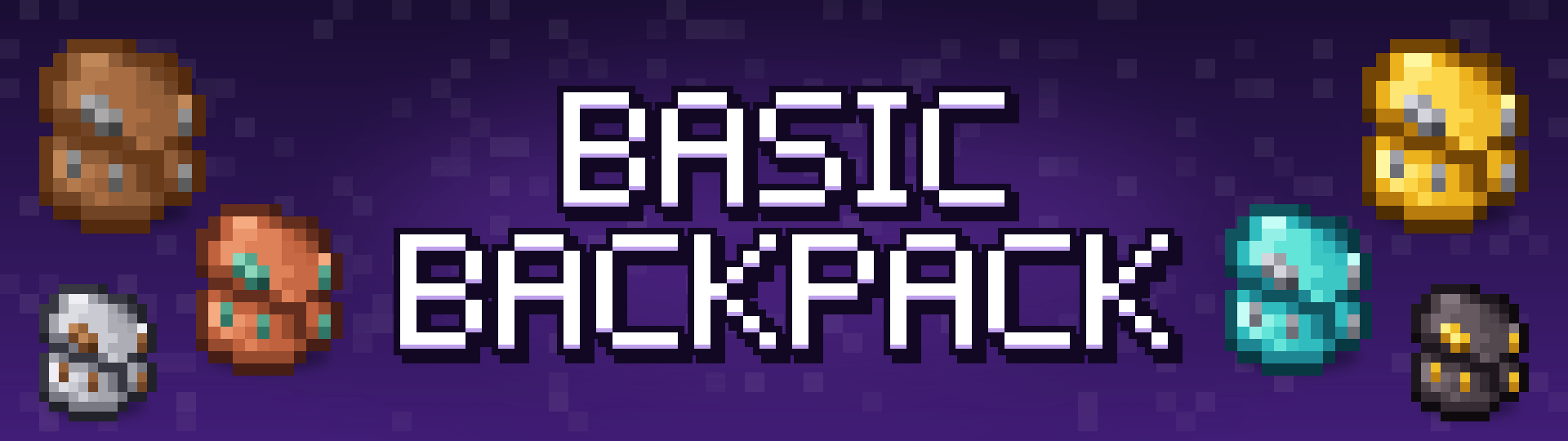

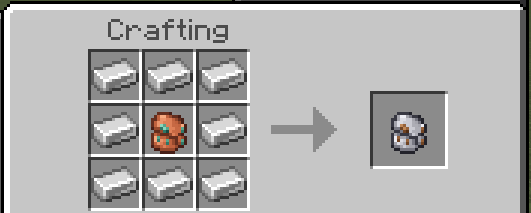
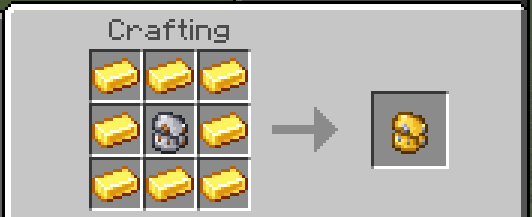
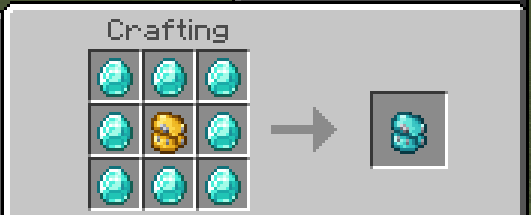
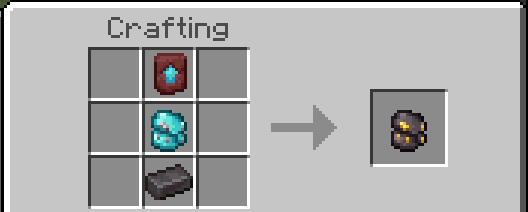
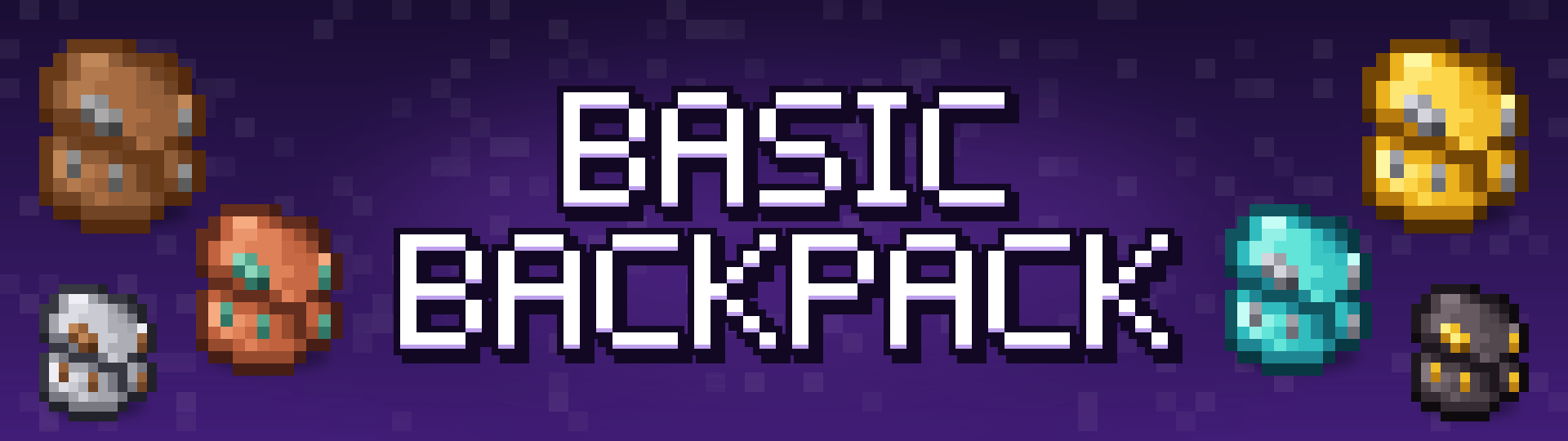
🎒 Basic Backpack
Carry more with six upgradeable backpacks, from a humble Leather pack all the way to Netherite.
Right-click to open, hover over a backpack to preview what's inside, and upgrade it tier by tier using familiar materials.

✨ Features
- 6 backpack tiers with growing storage
- Right-click to open the backpack from your hand
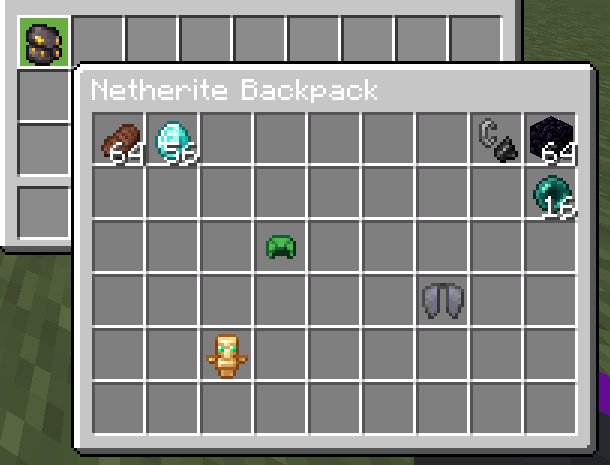
- Contents preview tooltip — see what's inside without opening it
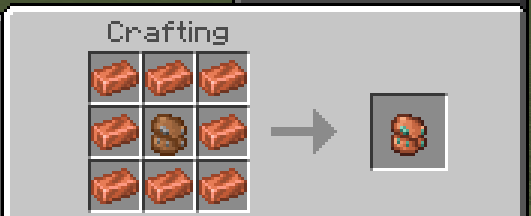
- Upgrade path using vanilla materials
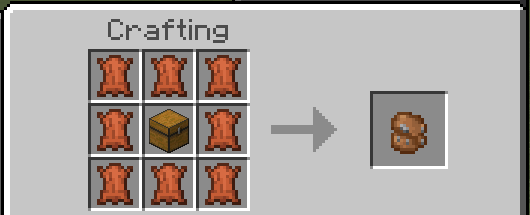
- Vanilla-style crafting, no commands needed
- Available in many languages
📦 Tiers & Capacity
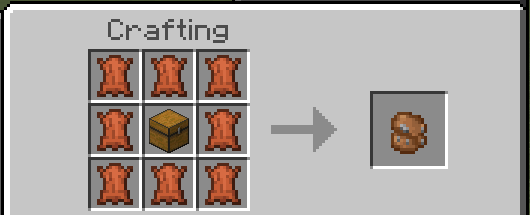
🟤 Leather Backpack — 9 Slots
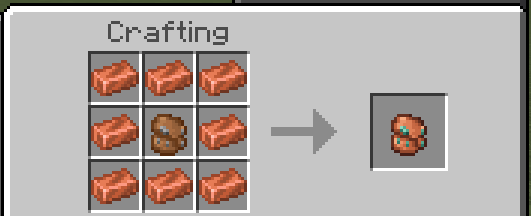
🟠 Copper Backpack — 18 Slots
⚪ Iron Backpack — 27 Slots
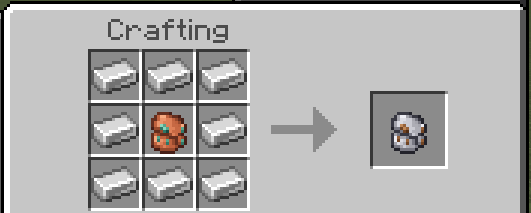
🟡 Golden Backpack — 36 Slots
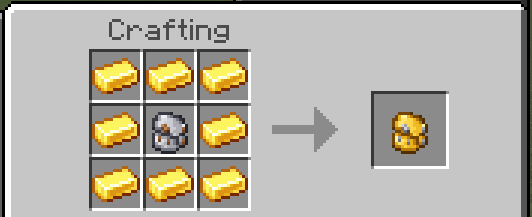
🔷 Diamond Backpack — 45 Slots
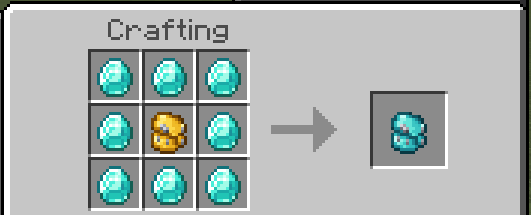
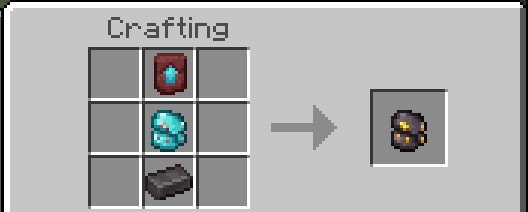
⬛ Netherite Backpack — 54 Slots - (Fireproof)
🛠️ How to use
- Craft a Backpack.
- Hold it and right-click to open it.
- To upgrade, empty the backpack, then place it in the center of the next recipe.
⚠️ Notes
- Only empty backpacks can be upgraded.
- You can't open a backpack while sneaking, standing in a portal, or moving. Stand still first.
- Items that don't fit are returned to your inventory.
- The Netherite backpack is the highest tier.
📋 Requirements
- Minecraft Bedrock Edition 1.26+
- Enable both the Behavior Pack and Resource Pack
🙏 Credits
- Made by KaosTheChaos — YouTube
- Bundle tooltip preview technique from Shulker Preview by Schwerty & Dingsel
Found a bug or have a suggestion? Leave a comment or join our discord!
- Edition: Minecraft Bedrock
- File type: .mcpack or .mcaddon
- Minecraft version listed: 26.50
- How to install: Download the .mcpack or .mcaddon file. → Open it — Minecraft imports it. → In your world: Behavior Packs → Available → Activate, then the same under Resource Packs.
- Where to get it: Opens on CurseForge — not every file is mirrored on our own servers.
Install steps are the general flow for this file type — How to install Minecraft Bedrock addons & mods walks through it step by step.
- Pack type: .mcaddon — behaviour and resource pack in one file
- Manifest requires Minecraft 1.26.0 or newer
- Complete pack — everything it depends on is inside the file
- Download size: 331 KB
- Download link checked 18 Oct 2026 — working
These come from our own check of the pack file, not from the source page.